

laptop USB port not working fix
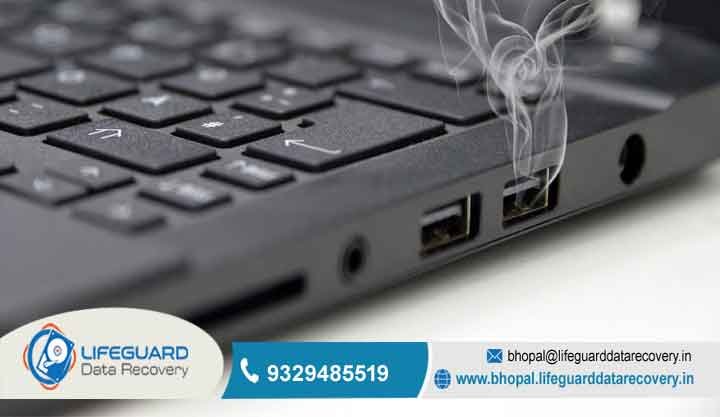
Is your workday in Bhopal coming to a standstill? It is incredibly frustrating when a mouse, keyboard, or external hard drive suddenly will not connect. When you have a strict deadline at the office or an urgent project for school, you cannot afford for your technology to quit on you.
At Lifeguard Data Recovery, we see this hardware issue every single day. As local repair experts, we specialize in providing a quick and reliable fix for a laptop USB port not working. We serve business owners, students, and families all across the city. Most people do not realize how much they rely on these tiny ports until they stop working completely.
Whether you need to plug in a receipt printer at your shop in MP Nagar or back up family photos at home in Arera Colony, a broken port creates a massive bottleneck. We do not just guess at the solution. Instead, our team uses professional-grade diagnostic tools to make sure your laptop functions like new again.
Quick Fix USB Port Issues Laptop Users Can Try at Home
Before you pack up your machine and brave the hectic Bhopal traffic, you can try a few basic troubleshooting tricks directly at your desk. Sometimes, operating systems simply experience a temporary glitch and require a quick reset.
Step 1: Execute a Hardware Static Drain
First, try a comprehensive static hard reset. Turn off your laptop completely and unplug the main power charging cable. If your laptop features a removable battery, pop it out of the housing. Now, hold the power button down continuously for 30 seconds. This process drains any trapped static electricity from the internal circuits, which frequently resolves minor hardware connection bugs.
Step 2: Refresh the Windows Device Drivers
Next, inspect your internal software settings. Right-click on your Windows Start button and open the Device Manager. Scroll down and locate the section labeled Universal Serial Bus controllers. If a yellow warning triangle appears next to any item, the operating system recognizes a communication conflict.
Right-click that specific controller line, click Uninstall, and restart your computer. Windows will automatically reinstall the clean driver files upon rebooting.
Safety Warning: If these desk steps fail, your machine suffers from physical internal damage. Avoid poking the tiny interior pins with needles or screwdrivers. Prying these delicate contacts can easily bridge the power lines, short-circuit your motherboard, and cause permanent laptop failure.
Bhopal’s Trusted Experts for USB Not Working Problem Laptop Repairs
Lifeguard Data Recovery & Research Lab represents the premier hub for complex chip-level repairs in Madhya Pradesh. We have engineered hardware solutions for over 15 years, meaning our engineers have resolved every tech disaster imaginable. We understand that a USB not working problem laptop creates a major bottleneck for your workflow.
For local businesses, a dead port means you cannot connect a secure Digital Signature Certificate (DSC) token to file your corporate taxes. It also blocks access to local backup drives containing your vital accounting data.
Advanced Diagnostic Methods We Use in Our Lab
Unlike casual roadside repair stalls in the local markets, our Bhopal workshop does not rely on random part swapping. We diagnose your machine using high-resolution digital microscopes and temperature-controlled infrastructure.
-
Micro-Soldering Technology: Standard retail repair shops use crude soldering irons that get far too hot. This excessive heat peels the microscopic copper traces right off your motherboard. Our team handles your logic board with surgical precision.
-
Absolute Data Confidentiality: We back our repair work with a strict privacy guarantee. Your laptop holds personal photos, banking details, and proprietary business files. Our high-security lab environment ensures your internal storage drive remains 100% confidential and safe throughout the repair process.
Beyond the USB Port Fix: Our Full Service Suite
Our engineering skills go much deeper than just basic exterior port repairs. We examine your entire system architecture to ensure the root cause of your failure does not reappear a week later.
CCTV & DVR Footage Recovery Services
Physical shop and office security matters immensely across Bhopal’s business districts. If a security incident occurs and you discover a total DVR failure, do not panic. We excel at extracting raw video footage from damaged security systems. Even if a fire, theft, or employee error causes severe surveillance data loss, our recovery lab can bypass the damage to restore your vital video files.
Advanced Motherboard Chip-Level Repairs
If your laptop will not turn on at all or randomly shuts down under load, the root issue usually involves a blown power management chip. While smaller shops in BHEL or Indrapuri might declare your machine unfixable, our lab handles these complex motherboard issues daily. We swap out bad micro-components to save you from buying an expensive new laptop.
Why is the USB Port Not Working on Laptop Devices?
Continuous wear and tear stands as the primary reason why a USB port not working on laptop error occurs. Every time you violently yank or insert a charging cable, mouse, or flash drive, you weaken the solder joints.
Eventually, loose metal housing contacts can touch, causing a short circuit that instantly destroys the Controller IC. This microchip acts as the dedicated brain managing data traffic on the motherboard. Once this chip burns out, your operating system will fail to detect any external hardware device, no matter how clean the physical port looks.
Common Signs of a Laptop USB Not Detecting Device Errors
The most frequent warning sign is the notorious “USB Device Not Recognized” popup notification. For instance, your external mouse might light up completely, yet your cursor refuses to move across the screen.
This specific laptop USB not detecting device symptom confirms that the 5V power lines are delivering electricity, but the dedicated data transmission lines have broken. Standard USB ports rely on four primary internal pins: two for electrical power and two for data streaming. If even one data track cracks, communication drops instantly. Our engineers use advanced oscilloscopes to track these frequencies and locate the exact break.
Support for All Major Laptop Brands in India
Every computer manufacturer designs its internal architecture differently. A Dell motherboard utilizes entirely different component pathways than a Lenovo or an HP machine.
Fortunately, our Bhopal inventory stays fully stocked with original schematic diagrams and replacement ports for all dominant brands in India, including ASUS, Acer, Apple MacBook, and MSI. Whether you use an ultra-thin office laptop or a complex gaming rig, we know the exact structural weak points of your specific model.
Practical Tips to Prevent Future USB Port Failures
-
Eject Software Safely: Always click “Safely Remove Hardware” before pulling out a flash drive. This prevents data corruption and stops electrical arcs inside the port.
-
Avoid Cheap USB Hubs: Low-grade, unpowered USB splitters draw irregular voltage profiles directly from your motherboard, which can easily fry the controller chip.
-
Clear Out Micro-Dust: Use a can of compressed air once a month to clear out debris. Trapped dust retains environmental moisture, leading to rapid internal rust.
-
Deploy a Heavy-Duty Surge Protector: Bhopal frequently experiences volatile power spikes during the monsoon season. Always use a quality spike guard to safeguard your laptop’s charging and data circuits.
Frequently Asked Questions (FAQs)
-
Q1: Why did my laptop USB port stop working so suddenly?
-
Ans: It often stems from a temporary driver conflict or a buildup of static electricity. However, if the issue persists after a reboot, you likely have a fractured solder joint or a blown surface-mount fuse on the motherboard.
-
-
Q2: Can you execute a physical laptop USB port repair on the same day?
-
Ans: Yes. If we have the exact OEM matching port configuration in stock, our engineers can replace the damaged hardware components within a few hours at our local workshop.
-
-
Q3: Why did my USB port stop detecting devices right after a Windows update?
-
Ans: Major operating system updates sometimes overwrite stable hardware profiles with generic corporate drivers. We resolve this by rolling back the update or flashing your system BIOS to restore original settings.
-
-
Q4: How much does a permanent USB port fix cost in Bhopal?
-
Ans: Total costs depend entirely on the failure depth. A simple clean or software reconfiguration is highly economical, while an intricate Controller IC replacement requires advanced lab hours. We always provide a transparent, upfront quote.
-
-
Q5: Will I lose my personal data during a USB port repair?
-
Ans: Your internal hard drive data remains perfectly safe during port repairs. However, if the port short-circuited while a flash drive was active, it may have corrupted that specific external media. Fortunately, our data recovery team can easily retrieve those lost files.
-
-
Q6: Do you provide certified CCTV data recovery services locally?
-
Ans: Absolutely. We assist local business owners in recovering missing video feeds from formatted or physically damaged DVR and NVR hard drives daily.
-
Visit Lifeguard Data Recovery in Bhopal Today
Do not let a broken connection port stall your productivity or jeopardize your business data. If you require an honest, fast, and permanent laptop USB port not working fix, bring your machine directly to our specialized research lab. We provide the quickest turnaround times and clearest technical advice in Madhya Pradesh.
-
Call Our Lab Directly: 9329485519
-
Email Our Engineers: bhopal@lifeguarddatarecovery.in