

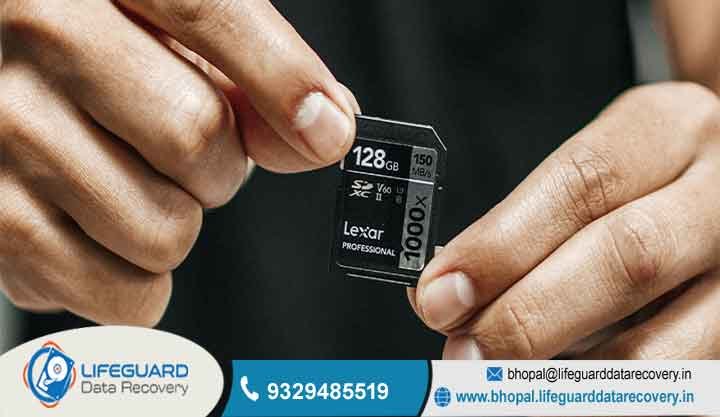
When your important files suddenly vanish from a card it’s easy to freak out. At Lifeguard Data Recovery we’re experts at professional Memory Card Recovery for anyone who just can’t afford to lose their digital memories or work files. We run a high-tech lab right here in Bhopal so we can turn a data disaster back into a success story.
A lot of people try to fix the problem themselves by downloading some memory card recovery software they found on Google. While that might work for tiny glitche it often ends up overwriting your data or putting too much stress on a chip that’s already failing. That usually makes the loss permanent.
Our lab approach is much safer because we handle your hardware in a controlled space, giving you the best chance to get everything back.
Specialized SD card data recovery and IT Solutions
Our team does way more than just simple file retrieval we provide full-scale support for businesses too. We offer high-end SD card data recovery for many local industries, like media houses and security companies. Whether your card got crushed in a bag or the file system just crashed out of nowhere, our engineers have the right tools to step in and fix it.
Professional Photo Recovery from SD Card
Photographers across Madhya Pradesh really trust us when it comes to high-priority photo recovery from SD card storage. We’re great at getting back those lost RAW files and high-res JPEGs from professional DSLRs and mirrorless cameras. If your whole portfolio disappeared because of a “Card Error” message, don’t worry, our team can help you out.
CCTV & Surveillance Footage Recovery
Safety is a big deal for businesses in Bhopal. We offer a specialized service for getting back surveillance footage from DVR or NVR SD cards. If there’s a disk crash or you lose important security data, we can piece those video files back together so your property stays protected.
Laptop & Motherboard Repair
We don’t just stop at small cards; we fix bigger IT failures too. Our techs are good at handling laptop failure and motherboard problems that stop you from getting to your internal files. We make sure your office work doesn’t stay stuck just because a piece of hardware decided to quit.
How to Recover Deleted Files from Memory Card Safely
If you want to recover deleted files from memory card storage properly, you need to be really careful. When you delete a file, the actual data stays on the chip for a while, but the “address” is gone. If you keep using that card, the new photos you take will write over the old ones, and then they’re gone for good.
For our clients in Bhopal, we always say: stop using the card immediately! If there’s physical damage, like a crack or a broken chip, you can’t fix that with a download. Our lab uses special methods to read the data directly from the chips, which bypasses the broken parts of the card entirely.
Comprehensive SD Card Recovery Tool Compatibility
Our lab is packed with the newest SD card recovery tool tech so we can work with all kinds of storage. We can handle MicroSD, CFast, SDXC, and even those old Sony Memory Sticks. Because we use hardware-level tools, we can make a perfect clone of your drive first. This way, we don’t wear out the original card while we try to find your files.
Support for All Major Brands
We work on all the big brands like SanDisk, Samsung, Kingston, and Lexar. Whether it’s a super fast Sony card used for filming movies or just a basic Kingston card from an office phone, we treat every job with the same level of care.
Our Secure Recover Lost Data From Memory Card Process
We’ve made our workflow really simple so our business customers don’t have to stress. To recover lost data from memory card devices the right way, we follow a very strict 3-step security plan. This keeps your data safe and completely private.
Diagnosis
Just bring your device to our lab in Bhopal. We’ll take a look for free and tell you if it’s a simple software error or something more serious, like a motherboard failure.
Secure Recovery
Once you give us the thumbs up, we start the extraction. We use a professional SD card recovery tool to pull the data in a “read-only” mode. This means we never change or mess with your original files during the process.
Data Verification & Delivery
After we finish, you can come in and check that the files are all there and working. Then, we move everything onto a brand new secure drive or a cloud link for you to take home.
Solving Complex Data Loss Challenges
Losing data is rarely a simple thing. We often see corrupted files because someone pulled the card out too fast or there was a power surge during a laptop failure. We also see a lot of DVR failure in security systems, which leaves huge gaps in the footage that we have to rebuild.
Our lab is also great at fixing those annoying “Card Not Formatted” or “Write Protected” errors. Usually, these are signs that the hardware inside is starting to die. By treating it as a physical repair job instead of just a software bug, we get much better results for our people in Bhopal.
Why We Are the Choice for Memory Card Recovery in Bhopal
Lifeguard Data Recovery has become the go-to place for help in Madhya Pradesh. Since we’re centrally located, we can easily help businesses in MP Nagar, Arera Colony, and the big factories in Mandideep. We live here too, so we know how urgent it is when a local business loses its data.
Our goal is to provide the best Memory Card Recovery possible, so we use the same high-end tech you’d find in a big forensic lab. Being local but having world-class tools makes us the top choice for government offices and private companies in Bhopal who need help right away.
Transparent Pricing for Memory Card Recovery Services
We really believe in being fair, which is why we have a for our Memory Card Recovery work. Our prices depend on how hard the recovery is and the size of the card, not how much your data is worth. This way, there’s no scary surprises when you get the bill.
Business clients like that we give clear invoices and full reports. Sure, a cheap memory card recovery software might look like a bargain at first, but if it ruins your card, it ends up costing way more.
Expert Tips to Prevent Data Loss in SD Cards
It’s always better to avoid the problem in the first place! To make sure you don’t need a professional SD card recovery tool, always click “Safely Remove Hardware” on your computer before unplugging. If you just yank it out, you can end up with corrupted files or a damaged partition.
Also, try not to fill your cards all the way to the top. The chips need a little “room to breathe” to move data around properly. Keep your cards in a case and try to keep them cool Bhopal gets really hot, and extreme heat isn’t great for your electronics.
Recent Case Studies Recovering Data for Bhopal Clients
Just recently, a big real estate company in Arera Colony had a huge problem. Their main SD card had all their new site videos on it, but it wouldn’t open. They kept getting a “Card Must Be Formatted” error, and they were about to lose weeks of hard work.
They tried to use a basic memory card recovery software first, but it couldn’t even see the files. When they brought it to us, we found out the controller chip inside had died. Our team did a “chip-off” recovery, which means we talked to the memory directly, and we got back of their videos in just two days.
Frequently Asked Questions about Memory Card Recovery
Is it possible to recover deleted files from memory card after formatting?
Yeah, most of the time you can. A “Quick Format” usually just hides the files instead of wiping them. As long as you don’t save anything new on top, we can usually recover deleted files from memory card pretty easily with our lab gear.
Why should I choose a lab over a memory card recovery software?
Simple software just can’t fix hardware that’s physically broken. Also, if your card is already failing, running a memory card recovery software can make it get too hot and burn out the chip. That makes the data gone forever.
Can you perform photo recovery from SD card if the card is physically snapped?
If the little black chip inside is still okay, we can usually do a photo recovery from SD card even if the plastic is broken in half. We just wire directly to the chip and read the data that way.
How long does SD card data recovery usually take at your Bhopal center?
We usually finish the diagnosis in about Depending on how bad the damage is, getting all the files back the full SD card data recovery takes about 2 to 5 business days for the tougher cases.
What is the best SD card recovery tool for corrupted professional video?
For pro video, you need a hardware-based SD card recovery tool that can find all the little scattered pieces of the file. Our lab uses special tech to put those pieces back together so the video plays smooth without any glitches.
Does Lifeguard offer emergency data recovery for businesses in Mandideep?
Yes, we do! we give priority to industrial clients in Mandideep and nearby areas. If you need to recover lost data from memory card storage for an important audit or a legal case, we can work around the clock to get it done.
Start Your Memory Card Recovery Today
Please don’t risk your data by waiting or trying random DIY tricks. Whether it’s your favorite family photos or super important security footage for your job, our Bhopal lab is ready to help out. The faster we start, the better chance we have of getting everything back perfectly.
Start Your Memory Card Recovery Today
The longer a broken card stays plugged in, the more it can get damaged. Reach out to Lifeguard Data Recovery today to talk with a real engineer and get your files safe again.
CALL NOW : 9329485519
Visit Website: http://bhopal.lifeguarddatarecovery.in