

Hard Drive Check Short Dst Failed
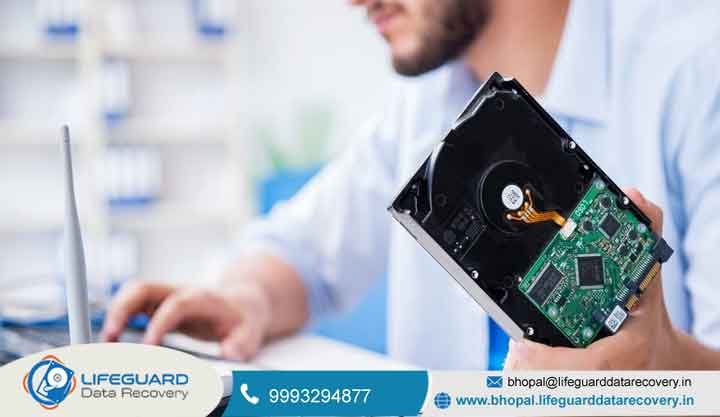
When your laptop or desktop boots up with a jarring error message warning you that your storage drive has encountered a system failure, the feeling of sudden panic is entirely overwhelming. Whether you are an IT professional in MP Nagar managing critical corporate servers, an architect in Arera Colony with a deadline-driven CAD portfolio trapped inside, or a university student in Bhopal facing the loss of your thesis files, encountering a hard drive check short dst failed warning is a major crisis.
At Lifeguard Data Recovery, we understand the acute stress of sudden data loss, the nightmare of disrupted business operations, and the priceless nature of your personal memories and professional documents.
Lifeguard Data Recovery stands as Bhopal and Madhya Pradesh’s most trusted, professional, and advanced data recovery service provider. Specializing in complex hardware diagnostics, mechanical repairs, and firmware restoration, our certified engineering team brings certainty back when your storage hardware gives up.
We combine state-of-the-art cleanroom technology with meticulous component-level diagnostics to extract your files safely and effectively. If your system has flagged a hard drive short dst failed alert, stop running aggressive software scans that could destroy your data permanently. Connect with our experts today for a secure evaluation, benefit from our transparent no data, no fee policy, and let India’s leading data recovery specialists restore your digital life. Call Now for Emergency Recovery at 9993294877 or email us at bhopal@lifeguarddatarecovery.in.
Why Is My Hard Drive Not Showing Up or Failing Diagnostics?
To grasp why your computer throws a diagnostic error during startup, it helps to understand what the built-in Drive Self-Test actually does. Modern internal hard disk drives and solid-state drives feature proprietary firmware routines designed to monitor their own health parameters automatically. When you turn on your computer, the BIOS or UEFI environment initiates a rapid diagnostic check known as a short DST. This routine evaluates critical mechanical responsiveness, spindle motor stability, read and write head alignment, and baseline SMART telemetry in just a few minutes.
When a hard drive short dst failed message pops up on your screen, it means the drive’s internal firmware has detected an unrecoverable anomaly during its health check. This failure is rarely a harmless software glitch; rather, it is an explicit hardware warning issued by the device itself indicating that physical components inside the casing are degrading or failing. Whether caused by microscopic wear on the magnetic platters, unstable electrical circuits on the board, or mechanical friction in the head assembly, this error requires immediate caution and professional handling to prevent total permanent data loss.
Step-by-Step DIY Troubleshooting: How to Fix Hard Drive Short DST Failed Error
Before concluding that your storage drive requires advanced laboratory intervention, it is wise to rule out minor external connection faults or configuration quirks using safe, methodical troubleshooting steps. Below are verified diagnostic procedures to help determine whether your system can safely communicate with the drive.
Step 1: Stop and Secure Your Data First The single most important rule when dealing with a failing storage drive is to stop running repetitive diagnostic loops, heavy error checks, or automated repair utilities. Every minute the drive remains powered on under a failed state increases mechanical wear and risks scratching delicate platters, turning a recoverable file extraction into unrecoverable data loss.
Step 2: Check Physical Connections and Reseat the Drive Dust accumulation, thermal expansion, and physical vibrations can cause internal SATA data cables, power connectors, or M.2 NVMe slots to lose proper contact over time. Power down your desktop or laptop completely, unplug all power cords, and discharge static electricity before opening the computer chassis. Carefully inspect and reseat the storage interface connections, ensuring firm seating to rule out a false alarm triggered by loose wiring.
Step 3: Run Manufacturer Diagnostics or Update Firmware Many leading laptop manufacturers include built-in diagnostic tools in their firmware interface, such as HP PC Hardware Diagnostics UEFI or Dell Support Assist. Running these official utilities can confirm whether the error is persistent across multiple reboots.
Step 4: Use CHKDSK via Windows Installation Media If your operating system fails to boot normally after a short DST warning, you can boot the machine using external Windows installation media, access the Command Prompt utility, and run a controlled file system scan like chkdsk to isolate minor logical bad sectors. Exercise extreme caution, as running aggressive disk repair commands on a physically failing drive can heavily damage file allocation tables.
Specific Device Scenarios: Short DST Failures on HP and Dell Laptops
Hardware diagnostics often behave differently depending on the specific computer brand and motherboard architecture. Understanding how major manufacturers report storage failures helps pinpoint the exact nature of the problem.
Scenario A: Dealing with HP Notebook Quick Test Failures HP laptops and business notebooks are notorious for generating specific SMART error codes and quick test failures during startup. When an HP system displays an error code like 301 or a quick test failure string, it indicates that the internal drive failed its pre-boot health assessment. Navigating the HP UEFI hardware diagnostics menu requires care to ensure that built-in testing routines do not force a failing mechanical drive to execute excessive read cycles.
Scenario B: Managing Dell Support Assist Hard Drive Errors Dell systems utilizing Support Assist often report storage degradation with specific error codes such as 2000-0142 or 2000-0146. These codes explicitly denote that the hard drive or SSD failed status validation during self-testing. Continuously restarting a Dell laptop hoping the error will disappear only forces damaged read-write heads across unstable platter sectors, accelerating physical destruction.
What If the Hard Drive Short DST Failed After Restart or Boot?
When a hard drive short dst failed warning occurs intermittently-such as failing the test on one boot, passing on a restart, and failing again later-users often experience a false sense of security. This intermittent behavior is a classic hallmark of a failing component reaching the edge of its operational lifespan.
When a drive still occasionally boots into Windows despite registering a diagnostic failure, you face a critical window of opportunity. While copying essential documents immediately to an external backup drive is tempting, doing so without professional oversight can push unstable read-write heads past their breaking point. If the drive contains irreplaceable family photographs, crucial financial records, or active business files, risking a DIY file transfer is a gamble that frequently ends in complete data destruction.
Understanding the Risks of Continued Use and Aggressive Software Fixes

When faced with a failing storage device, many users turn to internet forums that suggest dangerous home remedies. Avoiding these destructive myths is vital to protecting your files.
Avoid Freezing Drives: An old urban legend suggests putting a failing hard drive in a freezer can temporarily revive it. In reality, freezing a drive causes moisture condensation to form inside the hermetically sealed enclosure when returning to room temperature, instantly oxidizing internal electronic components and fusing read heads to the magnetic platters.
Avoid Over-Testing with Third-Party Scanners: Running aggressive surface error scanners, low-level format utilities, or heavy data recovery software directly on a drive that has failed its self-test places extreme mechanical stress on the device, often causing the read heads to crash permanently.
Recognize the Danger Threshold: If your drive starts emitting clicking, scratching, or rhythmic ticking noises, or if it stops spinning entirely, cut power immediately. Every second of operation increases the physical damage inflicted on your valuable data.
Professional Data Recovery Services in Bhopal: The Lifeguard Advantage
When hardware failure strikes your computer systems, trusting your valuable data to an uncertified local repair shop can spell permanent disaster. Lifeguard Data Recovery provides a secure, clinically controlled environment designed specifically for complex electronic and mechanical data retrieval across Bhopal and Madhya Pradesh.
Specialized Cleanroom Lab Infrastructure in Bhopal Opening a mechanical hard disk drive outside of a controlled environment is an invitation to total data destruction. Microscopic dust particles suspended in normal room air are larger than the clearance gap between a hard drive head and its magnetic platter. A single speck of dust landing on an exposed platter during recovery will scratch away gigabytes of data when the drive spins up. Lifeguard Data Recovery utilizes advanced Class 100 cleanroom environments equipped with laminar airflow hoods, ensuring absolute particulate control during delicate internal surgical procedures.
Tailored Solutions for Bhopal’s Diverse Sectors For Corporate and IT Offices in MP Nagar and Arera Colony: We provide enterprise-grade recovery solutions for multi-drive RAID arrays, NAS enclosures, and complex server environments. Our secure protocols and strict confidentiality agreements ensure business continuity with minimal downtime. For Educational Institutions and Students: Fast and reliable retrieval of thesis files, research documents, and academic databases for students and faculty across Bhopal institutions.
For CCTV and Security Operators: Security camera failures can jeopardize commercial or residential safety. We specialize in extracting footage from damaged DVR and NVR hard drives that failed system diagnostics. For Photographers and Media Creators: Creative professionals rely on high-capacity external backup drives and custom editing rigs. We recover raw video footage, project files, and photo catalogs swiftly and securely.
How Our Data Recovery Process Works at Lifeguard Data Recovery
Navigating data recovery should be transparent, straightforward, and reassuring. Our structured five-step recovery workflow ensures you remain informed at every milestone.
-
Free Initial Consultation and Diagnosis: Bring your failing device to our Bhopal facility or utilize our secure pickup service across Madhya Pradesh. Our engineers perform a comprehensive hardware and electronic assessment at no upfront cost.
-
Device Inspection and Failure Analysis: We isolate the failure mechanism, determining whether the issue stems from firmware corruption, a damaged Printed Circuit Board, or internal mechanical head failure.
-
Recovery Plan and Transparent Quote: You receive an honest, detailed evaluation report outlining the exact nature of the damage, the recovery feasibility, and a clear, upfront cost estimate with no hidden fees.
-
Secure Data Extraction and Verification: Utilizing specialized hardware-software platforms like PC-3000 in our cleanroom, we perform a bit-by-bit sector cloning of your unstable drive onto verified secure storage media.
-
Data Delivery and Post-Recovery Support: Review your recovered files through our secure remote verification portal or at our lab. Once confirmed, your data is transferred to a new healthy drive, and our client support team provides guidance on future backup strategies.
Issues We Fix
Lifeguard Data Recovery addresses a vast array of catastrophic digital failures affecting individuals and enterprise clients across Bhopal and Madhya Pradesh:
Business Downtime Due to Server Failure: When primary database servers or multi-bay RAID arrays drop offline, company operations halt. We reconstruct damaged RAID configurations and extract critical business data to restore operational continuity rapidly. Lost CCTV Footage Impacting Investigations: Security cameras failing to record due to corrupted storage sectors or damaged DVR drives can compromise safety. We recover vital surveillance recordings for legal and security review.
Corrupted Video Files for Media Professionals: Unreadable project files, interrupted exports, and damaged editing partitions are recovered, preserving countless hours of creative labor. Personal Memory Loss: Accidental formatting, partition deletion, water damage, or sudden electronic failure of personal hard drives often threatens irreplaceable family photographs and personal archives. Our advanced logical and physical tools restore these cherished memories safely.
Costs and Pricing Insight
At Lifeguard Data Recovery, we believe transparency is the foundation of trust. Because data loss scenarios vary wildly in complexity, pricing is structured around specific technical parameters rather than flat guessing rates.
Device Type and Storage Capacity: Standard 2.5-inch laptop drives, 3.5-inch desktop drives, solid-state drives, and enterprise SAS drives require different tooling and time investments. Logical Versus Physical Damage: Recovering files from a logically corrupted partition or a drive with a simple file system error is far less resource-intensive than performing cleanroom head swaps or repairing burnt microchips. Complexity and Urgency: Standard recoveries follow our regular queue, whereas emergency 24-hour priority services involve dedicated engineering shifts to fast-track your recovery.
We provide a firm, transparent price quote following our free initial diagnosis. You approve the cost before any actual recovery work begins, backed strictly by our No Data, No Fee guarantee.
Tips or Helpful Advice
Power Down Immediately: If your computer exhibits storage errors or fails to boot, shut it down by holding the power button rather than forcing repeated hard reboots. Do Not Run Chkdsk on Failing Hardware: Running automated disk repair utilities like Chkdsk on a failing mechanical drive can aggressively scramble damaged file tables, destroying recoverable data fragments.
Maintain 3-2-1 Backups: Protect your valuable data by keeping three copies of important files across two different storage media, with at least one copy stored safely offsite or in the cloud. Consult Professionals Early: If basic cable checks and BIOS default loading fail to reveal your drive, stop troubleshooting and consult certified experts to prevent permanent platter damage.
Why We’re Number One (Unique Value)
Lifeguard Data Recovery has earned its reputation as the premier data recovery company in Bhopal through uncompromising technical excellence and customer-centric policies.
Advanced Cleanroom Infrastructure: Our fully equipped Class 100 cleanroom allows us to handle complex internal mechanical repairs that local computer shops cannot safely attempt. No Recovery, No Fee Guarantee: If we cannot successfully recover your critical data, you pay nothing for the recovery effort.
Strict Data Privacy and Confidentiality: We treat all client data with absolute secrecy, executing strict non-disclosure protocols to protect sensitive personal and corporate files. Rapid Emergency Turnaround: For urgent business requirements, we offer expedited evaluation and priority processing to minimize costly operational downtime.
Frequently Asked Questions (FAQ)
Q1: Can I keep using my laptop after a hard drive short DST check failed error? No. Continued use accelerates internal mechanical wear, frequently turning a recoverable file extraction into permanent data loss.
Q2: Is a short DST failure a guaranteed sign that my hard drive is dead? Not always. While it usually points to hardware degradation, rare instances involve firmware glitches or driver conflicts that can be temporarily bypassed or fixed.
Q3: Should I run a long DST check after the short DST fails? Strongly discouraged. A long DST forces the failing drive to scan every sector, placing extreme mechanical stress on unstable read-write heads and risking total drive collapse.
Q4: Can Lifeguard Data Recovery recover files from an HP or Dell laptop that fails the DST check? Yes. We specialize in extracting data from drives that fail manufacturer diagnostics, regardless of whether they belong to HP, Dell, Lenovo, or custom desktop builds.
Q5: Do you provide pickup and delivery services across Bhopal? Yes, we service all major areas in Bhopal including MP Nagar, Arera Colony, Kolar Road, New Market, and surrounding regions.
Q6: What is the cost of data recovery for a DST-failed drive in Bhopal? Costs vary based on the extent of physical or logical damage. We offer a completely free diagnosis and transparent price quote before starting any work.
Q7: What does your No Data, No Fee policy mean? It means you pay absolute zero for the recovery service if we cannot successfully retrieve your target data files.
Q8: How long does the diagnostic evaluation take? Standard evaluations are finalized within 24 to 48 hours, with emergency priority queue options available.
Contact / CTA – Get Professional Help in Bhopal Today
Do not gamble your irreplaceable files on risky software repair loops or unverified home fixes. Trust Bhopal’s premier data recovery experts to bring your data back to life safely and securely.
Phone: 9993294877 Email: bhopal@lifeguarddatarecovery.in Website: bhopal.lifeguarddatarecovery.com Service Coverage: Bhopal, Madhya Pradesh, and surrounding regions with secure evaluation protocols. Call Now for a Free Evaluation and let Lifeguard Data Recovery secure your digital world today.