

how to view CCTV on mobile phone
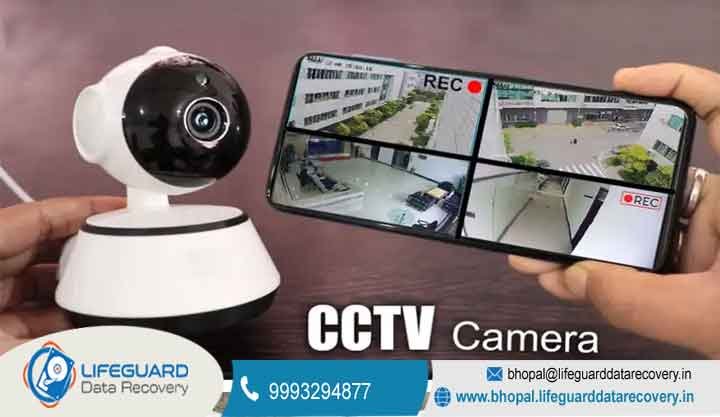
In today’s fast-paced world, being away from your home or office shouldn’t mean being out of the loop. Learning how to view CCTV on mobile phone devices is the most effective way to maintain 24/7 vigilance over your property in Bhopal.
Bhopal’s Leading Specialists in CCTV Camera on Mobile Phone Live View
At Lifeguard, we understand that a security system is only as good as its accessibility. Providing a seamless CCTV camera on mobile phone live view is one of our core specialties, ensuring that business owners across Madhya Pradesh can monitor their premises from anywhere. Our team bridges the gap between complex surveillance hardware and user-friendly mobile interfaces.
We don’t just stop at basic connectivity. If you experience surveillance data loss or a network breach, our local experts are ready to provide a secure recovery of your system. We take pride in helping Bhopal residents move from passive recording to active, real-time monitoring.
Integrated IT Solutions: From Remote Access to Data Recovery
Lifeguard operates as a full-service technical hub for the Bhopal region. Beyond surveillance, we are experts in resolving critical laptop failure incidents and complex motherboard issues for corporate clients. We ensure that your entire digital ecosystem, from your cameras to your workstations, remains functional.
When a disk crash or DVR failure threatens your security footage, our forensic team steps in. We specialize in retrieving corrupted files and restoring access to systems that have gone offline. Our holistic approach means we fix the root cause of the problem, not just the symptoms.
Understanding How to Connect CCTV to Mobile Phone
The technical process of how to connect CCTV to mobile phone hardware involves several networking layers. It begins with ensuring your DVR or NVR is properly assigned an IP address within your local network. From there, we configure the “Peer-to-Peer” (P2P) settings or Domain Name System (DNS) to allow the data to travel securely over the internet.
Once you know how to connect CCTV to mobile phone systems correctly, you eliminate the need for a dedicated monitor. This setup allows for encrypted data transmission, ensuring that only authorized users can see the feed. We handle the complex port forwarding and firewall settings so you don’t have to.
Step-by-Step CCTV Mobile Viewing Setup for 2026
A professional CCTV mobile viewing setup is more than just downloading an app; it requires precise synchronization between your router and your recorder. Our engineers perform a comprehensive check of your upload speeds to ensure the video stream doesn’t lag or buffer. We also optimize the sub-stream settings to save mobile data while maintaining clarity.
During a CCTV mobile viewing setup, we also address potential security vulnerabilities. We update your firmware to the latest version to prevent unauthorized access and ensure your deleted data remains unrecoverable by third parties. This meticulous configuration is what keeps our clients in Bhopal secure.
Choosing the Right CCTV Camera App for Android and iOS
Finding a reliable CCTV camera app for Android is the first step for most smartphone users in India. We recommend official manufacturer applications like Hik-Connect, gCMOB, or DMSS, which offer the best stability and feature sets. These apps allow for multi-channel viewing and instant push notifications when motion is detected.
For those using Apple devices, selecting a compatible CCTV camera app for iPhone is equally important. These applications are optimized for high-resolution retina displays, allowing you to see every detail of your premises. Our technicians will guide you through the installation and account creation process for either platform.
Why You Should Watch CCTV Footage on Mobile App Remotely
The ability to watch CCTV footage on mobile app platforms provides unparalleled peace of mind. Whether you are checking on a delivery at home or monitoring employee activity in a Bhopal warehouse, the information is just a tap away. You can also review historical recordings and save clips directly to your phone’s gallery.
When you watch CCTV footage on mobile app interfaces, you can also manage two-way audio and PTZ (Pan-Tilt-Zoom) controls. This interactivity allows you to respond to events as they happen, rather than discovering them hours later. It turns your smartphone into a powerful remote security command center.
Troubleshooting: How to Access CCTV from Mobile When Offline
It can be incredibly frustrating to lose your connection while traveling. Learning how to access CCTV from mobile devices even after a network reset is a common challenge we solve. Usually, this involves re-validating the “Cloud ID” or checking if your ISP has changed your dynamic IP address.
If you are struggling with how to access CCTV from mobile apps, it could be a sign of a deeper hardware issue. A DVR failure or a faulty network cable can take your entire system offline. Our team provides rapid onsite diagnostics in Bhopal to get your remote stream back up and running.
The 3-Step Process to Recover Missing Remote Footage
If your remote stream shows gaps in the timeline, our recovery lab follows a proven 3-step method to find the missing data. First, we perform a physical health check of the storage media. Second, we use forensic imaging to extract every bit of information. Finally, we rebuild the video files to restore your lost evidence.
This secure recovery process is vital when dealing with deleted data that may have been wiped during a system malfunction. We ensure that the recovered footage is clear and legally admissible if needed. Our Bhopal lab is equipped with the latest tools to handle any surveillance-grade hard drive.
Secure Your Remote CCTV Access App Against Hackers
Using a remote CCTV access app requires a strong focus on cybersecurity. We always implement two-factor authentication (2FA) and strong, unique passwords to prevent “credential stuffing” attacks. Protecting your privacy is our top priority when setting up mobile surveillance.
A poorly configured remote CCTV access app can be a gateway into your private network. We ensure that all data moving from your Bhopal property to your phone is encrypted. This prevents “man-in-the-middle” attacks and keeps your private life private.
Achieving High-Definition CCTV Live Streaming on Mobile
With the rollout of high-speed 5G in India, CCTV live streaming on mobile has never been smoother. You can now stream 4K resolution footage without the stuttering associated with older 4G networks. We configure your system to take full advantage of this bandwidth for crystal-clear monitoring.
When CCTV live streaming on mobile, you can toggle between “Fluent” and “HD” modes depending on your current signal strength. This ensures you always have a visual, even in low-signal areas of Madhya Pradesh. Our setups are designed to be resilient and adaptive to your environment.
Universal Compatibility: How to Monitor CCTV from Smartphone
Regardless of your hardware brand, we can show you how to monitor CCTV from smartphone devices effectively. We work with all major brands including CP Plus, Hikvision, Dahua, and Honeywell. Our goal is to provide a unified viewing experience even if you have a mix of different camera types.
Learning how to monitor CCTV from smartphone screens also allows you to receive AI-driven alerts. Modern systems can distinguish between a human, a vehicle, and a stray animal, sending only the most relevant notifications to your phone. This reduces “notification fatigue” and keeps you focused on real threats.
Transparent Pricing for CCTV Mobile Setup in Bhopal
At Lifeguard, we believe in clear, upfront costs for our technical services. Whether you need a simple how to connect CCTV to mobile phone tutorial or a complex multi-site network configuration, our pricing is transparent. We serve the entire Bhopal region with affordable, professional IT support.
Our service fees cover the onsite visit, network configuration, and training for your staff or family members. We also provide ongoing support should your remote CCTV access app require re-configuration after a router change. Quality security setup shouldn’t come with hidden surprises.
Tips to Protect Your Footage While Using a Remote CCTV Access App
To maintain a healthy system, we recommend checking your HDD status through your CCTV camera app for Android or iOS regularly. Most apps will show a “Health” or “HDD” icon-if it turns red, contact us immediately. Early detection of a failing drive can save you from a total disk crash.
You should also clear the cache on your CCTV camera app for iPhone or Android occasionally to keep the stream running fast. A cluttered app can lead to crashes or delayed alerts. Simple maintenance ensures your remote viewing experience remains reliable year after year.
Why Lifeguard is Bhopal’s Top Choice for Remote Surveillance
Our reputation as Bhopal’s #1 IT service provider is built on years of successful data recoveries and security installations. We are physically located in Bhopal, which means we understand local internet infrastructure and power challenges. We don’t just provide software solutions; we provide local, human support.
When your CCTV camera on mobile phone live view stops working, you need a technician who can be at your door the same day. Our proximity allows us to respond to emergencies in MP Nagar, Arera Colony, and Indrapuri faster than any national provider. We are your neighbors, and we care about your security.
Case Study: Helping a Bhopal Business Owner View CCTV on Mobile Phone During Travel
A local retail chain owner in Bhopal was traveling abroad and found that his CCTV live streaming on mobile had completely stopped. He was unable to monitor his staff or the daily cash closures. Concerned about a potential security breach, he contacted Lifeguard’s emergency support line.
Our engineers diagnosed a motherboard issues in his primary DVR that had caused the network port to fail. We dispatched a team to his Bhopal office, replaced the faulty hardware, and re-synchronized his how to monitor CCTV from smartphone settings. Within four hours, he was able to view his shops from across the world again.
FAQs: Master Your View Security Camera on Phone Remotely Setup
Is it free to watch CCTV footage on mobile app? Yes, most manufacturers provide the software to watch CCTV footage on mobile app for free when you purchase their hardware. There are no monthly subscription fees for standard P2P viewing. However, you will need an active internet connection at both the camera location and on your mobile device.
Which is the best CCTV camera app for Android in 2026? The “best” app depends on your DVR brand; for instance, CP Plus users should use gCMOB, while Hikvision users prefer Hik-Connect. These are highly optimized CCTV camera app for Android options that support high-definition streaming and playback. We can help you identify the correct one for your specific model.
How can I view security camera on phone remotely if I don’t have a static IP? You can view security camera on phone remotely without a static IP by using “Cloud P2P” technology. This system uses a unique Serial Number to link your phone and DVR via the manufacturer’s secure servers. This is the most common method for home users in Bhopal as it bypasses the need for expensive static IPs.
Why did my CCTV live streaming on mobile stop working after a power cut? Interruptions in CCTV live streaming on mobile after power cuts are usually due to the router or DVR being assigned a new internal IP address. If the “Port Forwarding” rules are broken, the connection fails. A professional CCTV mobile viewing setup from Lifeguard includes “Static DHCP” to prevent this exact problem.
How do I connect CCTV to mobile phone using a QR code? To how to connect CCTV to mobile phone via QR code, simply open your chosen app and tap the “+” icon. Point your phone’s camera at the QR code found in the DVR’s “Network” or “Platform Access” menu. The app will automatically fetch the device details and establish a secure connection in seconds.
Can Lifeguard help with a motherboard issues preventing remote access? Absolutely. If your DVR’s network port is dead due to motherboard issues, we can often repair the component or migrate your data to a new unit. We ensure that you don’t lose your existing recordings while restoring your ability to view security camera on phone remotely.
Get Expert Help: How to View CCTV on Mobile Phone Today
Don’t leave your property’s safety to chance. Mastering how to view CCTV on mobile phone devices is a necessity for the modern Indian lifestyle. Whether you need a fresh installation or are struggling with an existing connection, Lifeguard is here to help you stay connected to what matters most.
Our Bhopal-based engineers are ready to provide the most secure and reliable remote access setup available. Stop worrying about your property while you are away and start monitoring in real-time. Contact us now to schedule your professional configuration.
Visit Website: http://bhopal.lifeguarddatarecovery.in
call now; 9329485519