

Reasons For Hard Drive Failure
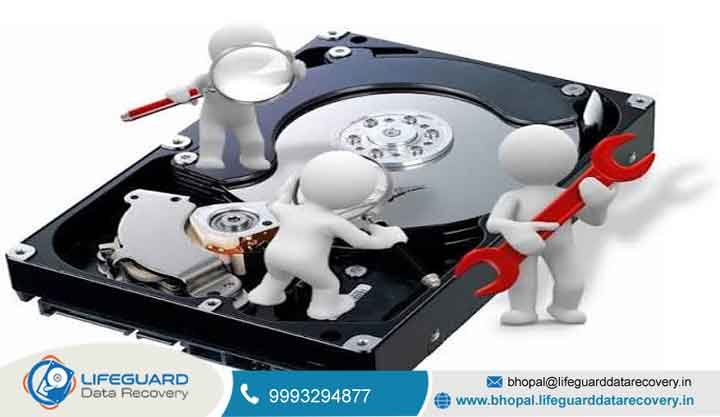
Welcome to Lifeguard Data Recovery, Bhopal’s trusted destination for data recovery. We diagnose hardware crashes and recover vital files from damaged storage media. When your computer stops responding, panic can set in quickly. A portable drive that suddenly goes silent can be just as stressful. You may face unreadable photo libraries or locked financial records. reasons for hard drive failure A crashed work disk can also stop an important project.
Our certified recovery engineers are here to help. We provide professional support for individuals, businesses, and media professionals. Lifeguard Data Recovery operates locally in Bhopal, Madhya Pradesh, India. We combine cleanroom diagnostic technology with years of hands-on expertise. Our team identifies the reasons behind hard drive failure and works to recover your data safely.
We specialize in advanced data recovery services. Our process focuses on secure handling and technical precision. We also maintain clear communication throughout the recovery process. We can analyze hard drive head failure and damaged circuit boards. reasons for hard drive failure Our certified specialists handle every recovery case with care. Do not let a system crash put your important files at risk. Contact our local recovery team for professional assistance.
Get a Free Evaluation | Request Free Diagnosis | Call Now for Emergency Recovery: 9993294877
Lifeguard Data Recovery follows strict industry practices. We operate advanced Class-100 cleanroom facilities. Our team also focuses on data security and privacy. We serve clients across Bhopal and other parts of India. Our customers include corporate offices and government organizations. We also work with schools, universities, hospitals, and creative professionals.
Every device received at our lab undergoes a careful diagnostic check. We use a non-destructive approach during the initial assessment. This helps protect the remaining data while we identify the hard drive failure causes. Experience professional file recovery services today. Email our team at bhopal@lifeguarddatarecovery.in. You can also call us to speak with an experienced specialist.
Understanding the Reasons Behind Hard Drive Failure
Modern personal and professional life relies heavily on digital storage. Photos, business documents, project files, academic research, and backups may all depend on hard drives and other storage devices. An external hard drive can hold years of important information, while a laptop drive may contain active work and essential business records.
Despite their importance, storage devices are not immune to failure. Physical impacts, excessive heat, electrical problems, component wear, and aging hardware can gradually affect drive performance. Power surges may damage electronic components, while accidental drops can affect mechanical parts inside a hard drive. Over time, normal component degradation can also contribute to storage problems.
Different types of failure can produce different symptoms. Physical problems may involve damaged read/write heads, spindle motors, platters, or electronic components. Logical failures can involve deleted partitions, corrupted file systems, damaged directory structures, accidental formatting, or malware-related data loss. Understanding these differences is important because each situation requires a different recovery approach. When a hard drive suddenly becomes inaccessible, it is natural to look for an immediate online solution. However, downloading unverified recovery software or repeatedly running repair commands can sometimes modify the storage structure or place additional stress on a failing device. This can make professional recovery more complicated, particularly when physical damage is already present.
Recognizing the reasons for hard drive failure can also help users take preventive action. Regular backups, safe handling, reliable power protection, proper ventilation, and early attention to unusual drive behavior can reduce the risk of severe data loss. When a storage device fails, Lifeguard Data Recovery provides recovery assessments for individuals and businesses. Our team works with both logical and physical data loss situations, helping bridge the gap between basic consumer recovery tools and specialized professional recovery procedures.
Why Customers Choose Lifeguard Data Recovery in Bhopal
Selecting a data recovery provider is especially important when a storage device is showing signs of failure. Lifeguard Data Recovery combines local accessibility with specialized recovery expertise to help individuals and businesses deal with complex data loss situations.
Experienced Engineers and Specialized Recovery Knowledge
Our engineers receive ongoing technical training covering modern storage technologies, file-system structures, data extraction methods, and advanced recovery procedures. The team also develops expertise in delicate hardware recovery techniques required for certain physical drive failures.
Beyond Standard Computer Repair
Traditional computer repair services may focus on formatting, replacing components, or restoring a system. Data recovery can require a different approach. Our facility is equipped for deeper diagnostics, file reconstruction, storage imaging, and specialized recovery procedures rather than relying solely on basic consumer software.
Transparent No Data, No Fee Policy
Our No Data, No Fee policy helps reduce financial uncertainty. If we cannot recover the agreed-upon target data, you are not charged a recovery service fee, subject to the applicable service terms. This allows customers to understand the financial terms before proceeding with authorized recovery work.
Confidential Handling of Personal and Business Data
Recovered storage can contain private photographs, financial records, customer information, corporate documents, and other sensitive material. We follow controlled privacy and data-handling procedures throughout the recovery process to help protect customer information.
Clear Communication From Diagnosis to Delivery
We aim to keep every stage understandable, from the initial free assessment through recovery and final file delivery. Customers receive relevant information about the device condition, recommended recovery approach, pricing, and progress. Our focus is to provide a professional recovery experience with careful handling and efficient service wherever technically possible.
Our Data Recovery Services
Lifeguard Data Recovery provides specialized file recovery services. Our solutions support modern storage technologies and different data loss situations.
Hard Drive Data Recovery (HDD and SSD)
We recover data from internal and external hard drives. We also handle solid-state drive recovery. Cases may involve controller failures or firmware problems. Physical damage can also require specialized recovery.
Video File Recovery
We recover broken, deleted, or formatted video files. Supported formats include MP4, MOV, and MXF. We also handle raw camera footage. These services support filmmakers, media agencies, and content creators.
Mobile Data Recovery
We provide advanced recovery for damaged mobile devices. This includes broken or locked iOS and Android phones. We also support tablet data recovery. Dead or severely damaged devices can be evaluated.
RAID and Server Recovery
We provide recovery for multi-drive RAID systems. Our services also cover NAS devices and office servers. Cases may involve multiple drive failures. Controller failures can also require RAID reconstruction.
USB, Memory Card, and External Drive Recovery
We recover data from USB flash drives and memory cards. Services include SD and micro-SD card recovery. These devices are commonly used by photographers and professionals.
Laptop and Mac Data Recovery
We provide specialized recovery for laptops and Mac computers. Water damage and short circuits can affect these devices. Some cases may require component-level data extraction.
CCTV and DVR/NVR Data Recovery
We recover damaged or overwritten CCTV footage. Our services cover DVR and NVR storage systems. These recoveries can support investigations and legal cases. They can also help with property security requirements.
External Hard Drive File Recovery
We recover files from portable external hard drives. Supported brands include Seagate, Western Digital, Transcend, and Toshiba. Recovery cases can involve accidental deletion. Dropped or physically damaged drives can also be evaluated.
Our services support clients across Bhopal. We work with corporate offices, schools, government agencies, and hospitals. We also support law firms and home users. Our goal is to help clients protect important information.
How Our Data Recovery Service Works
We follow a structured recovery workflow designed to keep the process clear, controlled, and easy to understand. Each case begins with diagnosis and proceeds only after the recommended recovery approach has been explained and approved.
Start With a Consultation and Initial Assessment
Contact our Bhopal team by phone, email, or in person to describe your data loss problem. Tell us about any symptoms, error messages, unusual sounds, accidental deletion, formatting, or other events that may have affected the storage device. We use this information to guide the initial assessment.
Comprehensive Device Examination
Once the storage device reaches our facility, our engineers perform physical and logical diagnostic checks. Whenever possible, the initial examination uses non-destructive methods to identify the underlying cause of the failure without unnecessarily altering the device or its data.
Recovery Strategy and Upfront Quotation
After completing the diagnosis, we explain the condition of the device, the likely recovery requirements, and the available options. We provide a clear quotation before billable recovery work begins. No recovery procedure is started without customer authorization.
Controlled Data Extraction and File Validation
Approved recovery work is performed using appropriate professional equipment and techniques. Cases involving physical damage may require specialized cleanroom procedures. After extraction, our engineers review recovered data and check file structures and accessibility where technically possible.
Secure Data Handover and Follow-Up Guidance
Recovered files are transferred to a healthy destination storage device. Depending on the case, secure electronic delivery may also be available. The original device can be returned after the recovery process when requested. We can also provide practical backup recommendations to help protect your data in the future.
Data Loss Problems Our Recovery Team Handles
Data can become inaccessible because of accidental actions, software problems, hardware failures, malware, or complex storage faults. Our engineers assess the underlying cause before selecting a recovery method suited to the affected device.
Deleted Files, Accidental Formatting & Lost Partitions
Accidental deletion and formatting can remove access to important files. This includes files deleted using Shift + Delete, removed after emptying the Recycle Bin, or lost during an unintended format. Recovery possibilities depend on the storage condition and whether new information has overwritten the original data.
Damaged Media Files & Inaccessible Storage
Corrupted videos and unreadable drives can result from damaged file headers, broken index structures, or file-system problems. Our engineers analyze the storage structure and may reconstruct damaged file paths or directory information where technically possible.
Files Locked Behind a Non-Booting System
An operating system crash can prevent access to otherwise valuable data. Failed updates, damaged system structures, corrupted partition tables, and other startup problems may make a drive appear inaccessible. We assess the storage independently of the operating system to determine the available recovery options.
Drives Affected by Physical or Electrical Damage
Drops, liquid exposure, smoke, electrical surges, and other physical incidents can damage storage components. Physical failures require careful handling because repeated attempts to power on or access a damaged device may worsen the condition. We perform a technical assessment before selecting any physical recovery procedure.
Data Affected by Viruses & Ransomware
Malware can corrupt, hide, modify, or encrypt important information. Ransomware can make files inaccessible across individual computers and business networks. Our engineers assess the affected storage and determine whether recoverable data remains available before selecting an appropriate recovery approach.
RAID, Server & Multi-Drive Storage Failures
Business storage systems can experience controller faults, multiple drive failures, degraded arrays, corruption, or severe performance problems. Complex cases may require RAID configuration analysis and reconstruction to regain access to available data while protecting the original storage media.
Understanding Data Recovery Pricing
Lifeguard Data Recovery follows a transparent approach to pricing, with no hidden recovery charges or unexpected diagnostic costs. The final recovery price depends on the condition of the storage device, type of media, capacity, failure category, and technical work required. Logical recovery cases may involve accidental deletion, formatting, partition problems, or file-system corruption. Some straightforward cases can be handled using specialized software-assisted techniques and may require less engineering time than physically damaged storage.
Physical recovery generally involves more advanced procedures. A mechanical hard drive producing clicking sounds, for example, may have damaged read/write heads and could require specialized equipment, compatible donor components, and controlled laboratory procedures. The complexity of the damage and time required for recovery can significantly influence the final cost. We perform an initial evaluation before providing a recovery quotation. You receive a clear, no-obligation quote explaining the expected recovery work before any billable procedure begins.
Our No Data, No Fee policy provides additional financial protection. If we cannot recover the agreed-upon critical data, you are not charged a recovery service fee, subject to the applicable service terms.
Essential Precautions After Data Loss
The actions you take immediately after discovering missing or inaccessible files can affect the possibility of successful recovery. The safest approach is to minimize activity on the affected storage and avoid procedures that could modify or worsen its condition.
Shut Down a Drive Showing Failure Symptoms
Stop using the affected computer or storage device as soon as you notice unusual behavior. If an external drive suddenly loses files, repeatedly disconnects, or begins making abnormal sounds, power it down and disconnect it safely where appropriate. Continued operation can overwrite deleted information and place additional stress on failing hardware.
Avoid CHKDSK and Automated Repair Utilities
Do not run CHKDSK, automated partition repair programs, or similar utilities on a failing drive without understanding the potential consequences. These tools can modify file-system structures and may change information that could otherwise be useful during professional recovery.
Keep Damaged Mechanical Drives Closed
Never open a damaged mechanical hard drive outside a suitable professional cleanroom environment. Exposure to ordinary room air can introduce dust and other particles onto sensitive internal surfaces. Contamination can interfere with drive operation and potentially make physical recovery more difficult.
Protect Important Information With 3-2-1 Backups
Use the 3-2-1 backup strategy to reduce the impact of future storage failures. Maintain three copies of important files, use two different storage media, and keep at least one copy off-site or in secure cloud storage. Regularly verify that your backups can be restored.
Seek Specialist Assistance Before Experimenting
Professional evaluation is advisable when the lost data is important or the storage device shows signs of physical failure. Business-critical information may require prompt attention. Avoid repeated DIY recovery attempts, especially when a drive is clicking, grinding, overheating, or failing to remain connected.
What Sets Lifeguard Data Recovery Apart
Lifeguard Data Recovery combines technical expertise, specialized recovery infrastructure, and customer-focused support to handle challenging data loss situations. Our approach is designed to protect the affected storage device while keeping the recovery process clear and secure.
Experienced Recovery Specialists
Our engineers bring extensive experience in handling complex storage failures. We use specialized diagnostic and recovery techniques to assess difficult cases involving logical, electronic, firmware, and mechanical problems.
Controlled Environment for Physical Recovery
Our dust-controlled cleanroom facility supports delicate hard drive procedures where controlled conditions are required. This helps minimize the risk of airborne contamination when sensitive internal components and platter surfaces need professional handling.
No Data, No Fee Assurance
Our No Data, No Fee policy provides additional financial confidence. If we cannot recover the agreed-upon target data, you are not charged a recovery service fee, subject to the applicable service terms.
Priority Handling for Urgent Cases
Some data loss incidents require faster attention, particularly when business operations are affected. Priority and emergency recovery options are available for selected cases, helping our team assess urgent storage failures and determine an appropriate recovery path.
Strong Confidentiality and Data Protection
We understand that recovered files can contain private photographs, financial records, customer information, and confidential business documents. We follow controlled data-handling procedures to protect customer information, and NDA arrangements can be supported when specific confidentiality requirements apply.
FAQs
Can permanently deleted files be recovered from an external hard drive in Bhopal?
Yes, permanently deleted files may be recoverable. It depends on whether new data has overwritten the deleted space. When files are deleted, the operating system usually marks the space as available. The original data may remain until new files overwrite it. Professional recovery tools can sometimes recover the files before overwriting occurs.
How much does external hard drive data recovery cost in Bhopal?
The cost depends on the type of failure. Logical and physical recovery cases can require different procedures. Lifeguard Data Recovery provides an initial check and diagnosis. We then provide a clear price quote before recovery work begins.
How long does the data recovery process take?
Standard logical recoveries normally take 24 to 48 hours. Complex physical recoveries can take longer. Cleanroom repairs may take 3 to 5 business days. Emergency recovery options may also be available.
Is my data kept strictly confidential?
Yes. We follow strict data privacy and security practices. Recovered files are managed through secure local systems. Non-disclosure agreements can also be provided when required.
What should I do if my external hard drive starts making clicking or ticking noises?
Unplug the drive immediately. Clicking sounds can indicate mechanical head failure or internal damage. Continued operation may cause additional platter damage. This can reduce the chances of successful recovery.
Do you offer a no-data, no-fee guarantee?
Yes. Lifeguard Data Recovery follows a strict no data, no fee policy. If we cannot successfully recover the agreed critical data, you pay no recovery service fee.
Can you recover data from water-damaged or dropped external drives?
Yes. We handle many types of physically damaged storage devices. These cases can include water exposure, smoke damage, and heavy impact. Physical recovery is evaluated before work begins.
What file systems and storage brands do you support?
We support major storage manufacturers and file systems. Supported brands include Seagate, Western Digital, Toshiba, Transcend, SanDisk, and LaCie. Supported file systems include NTFS, FAT32, exFAT, HFS+, APFS, and Linux file systems.
How do I get my external hard drive to Lifeguard Data Recovery in Bhopal?
You can visit our walk-in service lab in Bhopal. You can also send your storage device through a trusted courier. Use strong protective packaging when shipping the device. This helps reduce the risk of additional physical damage.
Are my recovered files checked for integrity before return?
Yes. We perform file and quality checks before returning recovered data. Documents are checked for accessibility when possible. Media files are also tested for playback and potential corruption.
Contact / CTA
When data loss threatens your business operations, education, or personal memories, do not leave your files to chance. Partner with Lifeguard Data Recovery for professional data recovery services in Bhopal. Our team focuses on secure handling and technical expertise.
Company Name: Lifeguard Data Recovery Primary Location: Bhopal, Madhya Pradesh, India Helpline Phone: 9993294877 Support Email: bhopal@lifeguarddatarecovery.in Official Website: bhopal.lifeguarddatarecovery.com Contact our team today to schedule your free evaluation. Take the first step toward recovering your lost files safely.