

Recover Deleted External Hard Drive Files
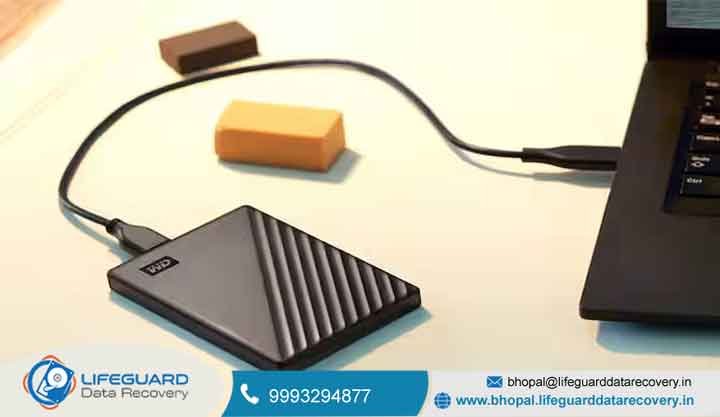
Welcome to Lifeguard Data Recovery, Bhopal’s trusted destination for professional data recovery. When critical files disappear, the sudden panic can disrupt your work and personal life. You may have lost family photos, financial spreadsheets, academic research, or important project files. Our certified recovery team is ready to help. Our Bhopal laboratory uses advanced imaging hardware and specialized recovery software. Recover Deleted External Hard Drive Files These tools help us handle both logical and physical storage failures. From external hard drive file recovery to complex server recovery, we treat every device with care. Do not let accidental deletion or unusual drive noises put your files at greater risk.
Get a Free Evaluation | Request Free Diagnosis | Call Now: 9993294877
Lifeguard Data Recovery combines advanced recovery technology with secure handling procedures. Our facility supports clients across Bhopal, Madhya Pradesh, and India. Every device receives a careful diagnostic assessment before recovery work begins. This approach helps protect the remaining data and identify the safest recovery method. Experience professional file recovery with a team focused on security, transparency, and technical precision. Email us at bhopal@lifeguarddatarecovery.in or call 9993294877 to speak with a recovery specialist.
Why Lifeguard Data Recovery Is a Reliable Choice
Choosing an experienced recovery provider can be important when valuable files become inaccessible. Lifeguard Data Recovery combines local Bhopal assistance with specialized technical capabilities to handle a wide range of storage failures.
Specialized Recovery Knowledge
Our engineers receive ongoing training in file systems, storage technologies, data extraction, and recovery procedures. We use professional diagnostic and recovery equipment to investigate complex cases rather than depending solely on standard consumer recovery applications.
Advanced Recovery Infrastructure
Our dedicated laboratory supports detailed storage analysis, file-system reconstruction, and specialized recovery procedures. This allows us to evaluate cases that may be outside the capabilities of conventional computer repair services.
No Data, No Fee Protection
Our No Data, No Fee policy helps minimize financial uncertainty. If we cannot recover the agreed-upon target data, you are not charged a recovery service fee, subject to the applicable service terms. Recovery work is carried out according to the approved quotation.
Confidential Data Handling
External drives may contain private photographs, financial documents, business records, customer information, and other sensitive files. We follow controlled confidentiality and data-handling procedures throughout the recovery process to help protect your information.
Clear Recovery Communication
We keep customers informed from the initial assessment through diagnosis, recovery, verification, and final delivery. Our goal is to make the recovery process straightforward while providing clear information about the device condition, available options, and expected next steps.
Specialized Data Recovery Solutions
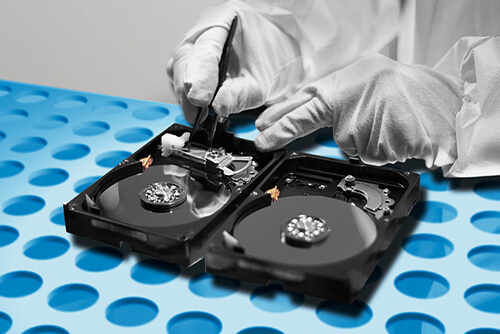
Lifeguard Data Recovery provides professional recovery services for a wide range of storage technologies and data loss situations. Our engineers assess each device individually and select an appropriate recovery approach based on its condition and failure type.
HDD & SSD Recovery for Complex Storage Failures
We recover data from internal and external hard disk drives and SSDs. Recovery cases may involve accidental deletion, file-system corruption, firmware faults, controller problems, bad sectors, or physical component damage.
External Drive Recovery for Lost or Inaccessible Files
Portable hard drives from Seagate, Western Digital, Transcend, Toshiba, and other manufacturers can experience deletion, formatting, partition corruption, file-system errors, or hardware failure. We evaluate the device before determining the safest available recovery method.
Recovery of Deleted and Corrupted Video Footage
Deleted, formatted, fragmented, or corrupted video files can be especially difficult to replace. We work with formats such as MP4, MOV, and MXF, as well as supported RAW camera footage used by filmmakers, photographers, production houses, and content creators.
Smartphone & Tablet Data Retrieval
Damaged or malfunctioning mobile devices may contain valuable photographs, contacts, messages, documents, and other information. We provide recovery assessments for supported smartphones and tablets based on the device condition and storage architecture.
RAID, NAS & Business Server Data Recovery
A RAID or server failure can disrupt critical business operations. We assist with recovery from RAID arrays, NAS devices, and office servers affected by multiple drive failures, controller faults, configuration problems, or storage corruption.
USB Flash Drive & Memory Card Recovery
USB flash drives, SD cards, microSD cards, and other removable storage can become inaccessible because of accidental deletion, formatting, corruption, connector damage, or hardware faults. We assess these devices to determine whether the stored information remains recoverable.
Laptop, MacBook & Desktop Data Recovery
We provide recovery services for Windows laptops, MacBooks, desktops, and other computer systems affected by hardware or software problems. Our services support customers throughout Bhopal, including businesses, educational institutions, government organizations, hospitals, law firms, professionals, and individual users.
Our Step-by-Step Data Recovery Journey
We follow a structured recovery workflow that keeps the process transparent and focused on protecting your storage device and valuable information.
Step 1: Discuss the Problem With Our Recovery Team
Contact our Bhopal specialists by phone, email, or through an in-person visit. Explain how the data became inaccessible and mention any error messages, unusual sounds, accidental deletion, formatting, or other symptoms. We provide initial guidance and outline the next appropriate step.
Step 2: Diagnose the Storage Device
Once the device reaches our facility, our engineers carry out a detailed technical examination. We look for signs of logical corruption, mechanical damage, electronic faults, firmware problems, or other conditions affecting data access.
Step 3: Review the Recovery Options and Quote
Following the diagnosis, we explain the condition of the device and the available recovery approach. You receive a transparent quotation before authorized recovery work begins. No recovery procedure proceeds without your approval.
Step 4: Extract and Validate the Recovered Information
Our engineers use recovery equipment and techniques appropriate to the storage technology and failure. After extraction, the recovered data is reviewed for accessibility and integrity. We check files such as documents, photographs, videos, and other supported data whenever technically possible.
Step 5: Receive Your Files and Recovery Guidance
Once verification is complete, the recovered information is transferred to a healthy destination storage device. We can also provide practical backup and data-protection recommendations to help reduce the risk of similar data loss in the future.
Understanding the Cost of Data Recovery
Data recovery pricing depends on the condition of the storage device and the technical work required to retrieve the information. At Lifeguard Data Recovery, we aim to keep pricing straightforward, with the recovery requirements explained before authorized work begins. Logical recovery from a healthy external hard drive may involve deleted files, formatting, partition problems, or file-system corruption. These cases can require less complex engineering than devices affected by physical damage.
Physical failures may require specialized procedures and equipment. Damaged read/write heads, electronic faults, firmware problems, mechanical failures, and other hardware issues can increase the complexity of the recovery process. Because every storage device has a different failure condition, recovery costs can vary between cases. We begin with a preliminary technical assessment to understand the condition of the device and determine the appropriate recovery approach. You receive a clear quotation before billable recovery work starts, allowing you to make an informed decision without unexpected charges.
Our No Data, No Fee policy provides additional financial protection. If we cannot recover the agreed-upon target data, you are not charged a recovery service fee, subject to the applicable service terms. For an accurate quotation, contact our Bhopal team with details about your storage device and the data loss situation.
Essential Steps to Protect Your Data After Loss
The actions you take immediately after discovering data loss can influence the possibility of recovery. Avoid unnecessary activity on the affected device and follow these precautions to reduce the risk of further damage.
Stop Accessing the Drive
Shut down the computer or safely disconnect the external hard drive when files suddenly disappear or the device begins behaving unusually. Continued use can overwrite deleted information and may reduce the amount of data that remains recoverable.
Avoid CHKDSK and Repair Utilities
Do not run CHKDSK, automated disk repair programs, or partition repair utilities on a failing drive without professional guidance. Such tools can modify file-system structures and potentially complicate subsequent recovery efforts.
Keep Mechanical Drives Closed
Never open a mechanical hard drive yourself or expose its internal components outside an appropriate controlled environment. Dust and airborne particles can contaminate sensitive surfaces and potentially increase physical damage.
Build a Strong Backup Routine
The 3-2-1 backup strategy is a practical way to protect important files. Maintain three copies of your data, use two different storage media, and keep at least one copy in a separate location or secure cloud environment. Regularly verify that your backups can be restored.
Take Unusual Drive Sounds Seriously
Clicking, ticking, grinding, repeated disconnects, or persistent read errors can indicate a serious storage problem. Stop using the drive rather than repeatedly powering it on or attempting DIY repairs. Early professional assessment may help limit additional damage and preserve the remaining recovery potential.
Frequently Asked Questions: External Hard Drive Data Recovery in Bhopal
1. Can permanently deleted files be recovered from an external hard drive in Bhopal?
Yes, deleted files may still be recoverable. When files are deleted from your external storage device, the operating system typically marks their underlying storage sectors as unallocated space available for reuse.
As long as new data has not been written to or overwritten those specific sectors, recovery software or advanced laboratory techniques can often successfully reconstruct and restore the missing files.
2. How much does external hard drive data recovery cost in Bhopal?
Pricing varies based on the nature of the failure and the technical procedures required. Logical issues (such as accidental formatting or partition loss) and physical issues (such as mechanical component failure or electrical damage) have vastly different diagnostic and restoration requirements.
Lifeguard Data Recovery performs a comprehensive initial evaluation of your device to diagnose the root cause before providing a transparent, upfront recovery quotation.
3. How long does the data recovery process take?
Simple logical recoveries typically take around 24 to 48 hours. In contrast, complex physical recoveries involving cleanroom interventions or part replacements can take several business days. The actual timeframe heavily depends on the overall device condition, storage capacity, and the overall complexity of the data reconstruction process.
4. Is my data kept strictly confidential?
Yes, data privacy and secure handling are strictly prioritized. Lifeguard Data Recovery follows strict protocols and secure data handling procedures throughout every stage of the evaluation and recovery workflow.
Corporate and enterprise clients can also consult with our engineering team to arrange additional non-disclosure agreements (NDAs) or custom confidentiality requirements.
5. What should I do if my external hard drive starts making clicking noises?
Disconnect the drive immediately. Persistent clicking, ticking, or buzzing sounds are classic indicators of a severe mechanical failure, such as malfunctioning read/write heads scraping against the platter surface.
Do not continue powering on the drive. Repeatedly connecting a mechanically failing drive can cause catastrophic, irreversible physical damage to your data platters, permanently destroying your files.
6. Do you offer a “No Data, No Fee” guarantee?
Yes, Lifeguard Data Recovery operates on a “No Data, No Fee” policy for all eligible data recovery service cases. If our engineering team is unable to successfully recover the specific, agreed-upon data files from your device, you will not be charged the core data recovery service fee.
7. Can you recover data from water-damaged or dropped external drives?
Yes, we possess specialized tools and cleanroom infrastructure to assess and treat physically compromised storage media, including external drives impacted by accidental drops, liquid spills, submersion, or power surges. Success rates for physical trauma cases heavily depend on the structural condition of the internal platters or memory chips and the severity of the damage.
8. What file systems and storage brands do you support?
We support all major storage manufacturers (such as Western Digital, Seagate, Toshiba, SanDisk, and Transcend) and a broad array of common file systems. Supported file formats include NTFS, FAT32, exFAT, HFS+, APFS, and various Linux file structures (EXT3, EXT4, etc.).
9. How do I get my external hard drive to Lifeguard Data Recovery in Bhopal?
You can visit our local Bhopal facility or securely ship your media through a reliable and trusted courier service. When shipping, always use secure, anti-static, and protective packaging materials (such as bubble wrap) to minimize the risk of compounding physical damage during transit.
10. Are recovered files verified before they are returned?
Yes, a rigorous file verification stage is conducted prior to delivery. Our technicians perform integrity checks on recovered documents, databases, and media files to ensure that the restored data is structurally sound, uncorrupted, and fully usable upon delivery.
Contact / CTA
When data loss threatens your business, education, or personal memories, do not leave your files to chance. Contact Lifeguard Data Recovery for professional external hard drive data recovery in Bhopal. Company: Lifeguard Data Recovery Location: Bhopal, Madhya Pradesh, India Phone: 9993294877 Email: bhopal@lifeguarddatarecovery.in Website: bhopal.lifeguarddatarecovery.com Call our team today to schedule your evaluation and discuss your recovery options. Take the first step toward recovering your important files safely and professionally.