
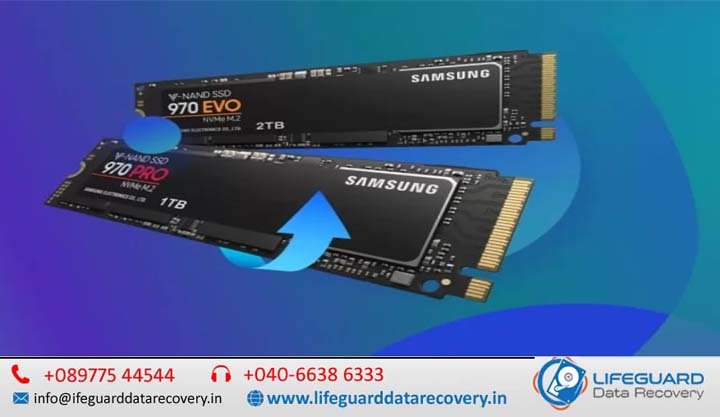
If your computer suddenly boots into a blank blue screen or your high-speed drive stops showing up in the BIOS, panic is a completely natural reaction. Lifeguard Data Recovery is there to help you for Losing family photos, critical databases, or weeks of work feels like a gut punch.
The immediate question keeping you awake is: Can NV Me SSDs be recovered successfully?
The quick answer is yes-but with a massive asterisk. Unlike older mechanical hard drives, NV Me solid-state drives rely on complex flash architecture and automated self-maintenance protocols that actively destroy deleted data within minutes. Your absolute best chance at a successful data recovery depends entirely on what you do-or stop doing-right now.
What is an NV Me SSD and How Does It Store Data?
To understand how data recovery works, you first need to look at what is happening under the hood of your storage hardware.
Non-Volatile Memory Express (NV Me) is a protocol designed specifically for solid-state storage to communicate directly with a computer’s motherboard via PCIe (Peripheral Component Interconnect Express) lanes.
Unlike traditional hard drives that store data magnetically on spinning platters, an NV Me SSD stores data using NAND flash memory.
-
The Architecture: Your drive contains millions of tiny, microscopic structures called floating gate transistors or charge trap cells.
-
The Mechanism: Data is written by trapping electrons within these cells to alter their electrical voltage. The drive reads these electronic states as binary code (1s and 0s). Because it has no moving parts, it can achieve read and write speeds that exceed 7,000 megabytes per second.
How NV Me SSD Data Recovery Works (And How It Differs From SATA)
Understanding how NV Me SSD data recovery works means recognizing how vastly different solid-state media is from old-school mechanical drives.
When you delete a file from a traditional hard disk drive (HDD), the data stays completely intact on the physical platter. The operating system simply marks that space as “available.” It remains fully recoverable until a new file explicitly overwrites that exact physical cluster.
Solid-state media operates under an entirely different set of physics:
-
The Page vs. Block Problem: In an NV Me SSD, data can be read and written at the page level (usually 4KB to 16KB sections). However, data can only be erased at the larger block level (comprising 128 to 512 pages).
-
The Overwrite Limitation: NAND flash memory cannot overwrite existing data. If an application alters a file, the drive’s internal Flash Translation Layer (FTL) maps the new data to an entirely fresh, empty page. It then marks the old page as “invalid” or “stale.”
Because of this unique parallel structural behavior, recovering data from a dead or corrupted NV Me drive requires specialized hardware that can manually bypass the FTL map to read the raw electrical states directly from the underlying flash chips.
Why NV Me SSDs Fail Unexpectedly: What Causes Data Loss?
Because they lack mechanical motors, many users believe solid-state storage lasts forever. Understanding what causes NV, Me SSD data loss helps isolate whether your drive is suffering from a logical issue or terminal physical hardware breakdown.
What is Logical Failure in an NV Me SSD?
Logical failure occurs when the physical drive hardware and its controller chip are completely healthy, but the data structure inside has broken down. This includes scenarios like accidental partitioning, partition table corruption, malware damage, or severe operating system crashes. In these instances, the physical bits remain on the NAND cells, making logical data recovery highly probable if caught early.
What is Physical Failure in an NV Me SSD?
Physical failure means the physical components on the M.2 circuit board have broken or degraded. This includes:
-
NAND Cell Wear: Flash memory cells can only endure a finite number of Program/Erase (P/E) cycles before they lose their ability to reliably hold an electrical charge.
-
Controller Failure: The controller chip acts as the CPU of your SSD. If it overheats or fails due to a manufacturing defect, the drive becomes a brick.
-
Component Damage: Capable of being caused by severe thermal stress or drops, breaking microscopic traces or fracturing surface-mounted resistors.
The Impact of Power Surges and Firmware Corruption
Two under-the-radar culprits cause a significant portion of unexpected solid-state drive fatalities:
-
Power Surges: Modern NV Me drives operate on fine voltage tolerances. A sudden power loss or voltage spike can instantly fry the drive’s controller or corrupt the volatile DRAM cache memory, leading to catastrophic data loss.
-
Firmware Corruption: The internal microcode governing the drive can become unstable. When firmware corruption strikes, the drive can no longer boot its internal operating system, causing it to freeze entirely during initialization.
Red Alert: Crucial NV Me SSD Failure Symptoms to Watch For
Recognizing NV Me SSD failure symptoms early can mean the difference between saving your portfolio or losing it forever. If you notice any of these warnings, drop everything and back up your system immediately.
-
Frequent Blue Screens (BSODs): Regular crashes pointing to errors often mean the OS is failing to read files from a degrading storage block.
-
Files Suddenly Become Read-Only: When an SSD controller realizes its NAND chips are experiencing widespread physical failure, it will lock the drive into a permanent “Read-Only” mode to protect your files. If you can’t save a document, your drive is likely dying.
-
Sluggish Performance & Freezes: Opening small files shouldn’t cause your system to freeze for 30 seconds. This happens when the drive is caught in an endless loop attempting to parse unreadable bad blocks.
Why is an NV Me SSD Not Detected by the Computer?
The ultimate symptom of a dead drive occurs when it fails to appear in Windows Disk Management or your motherboard’s BIOS configuration. When an NV Me SSD is not detected by the computer, it usually indicates that the controller chip has experienced complete hardware failure or its master boot sector firmware area is deeply corrupted. At this stage, standard software fixes will not help.
Reality Check: What is the Real NV Me SSD Recovery Success Rate?
When people ask about the true NV Me SSD recovery success rate, they want a simple percentage. The reality is that solid-state recovery is highly binary: success rates sit near 95% for certain logical issues but drop close to 0% if specific automated maintenance cycles have executed.
The primary metric governing what factors affect NV Me SSD recovery success boils down to one critical feature: TRIM.
The TRIM Command: Why It Makes Data Recovery Difficult
In traditional hard drives, deleted data stays put until overwritten. On an SSD, writing to a page that contains “stale” data requires erasing the entire block first, which causes a significant slowdown.
To solve this, modern operating systems utilize the TRIM command (also known as in NV Me terminology).
The moment you click “Delete” and empty your Recycle Bin; the OS issues a TRIM instruction. The SSD controller immediately wipes those specific logical block addresses from the FTL map.
Once that background garbage collection loop runs, the controller flushes those cells with a high voltage pulse, removing the electrons and destroying the files permanently.
How to Recover Files from an NV Me SSD: Common Methods
If you are facing data loss, your tactical approach matters. Here is how to recover files from an NV Me SSD without compounding the damage.
Method 1: Safe DIY Software Recovery (Logical Data Loss Only)
If you accidently formatted a partition or deleted a file, and you are certain the drive is physically healthy, you can use common file recovery utilities.
Instead, pull the NV Me drive out of the machine. Mount it into an external host computer as a secondary storage device and run your data extraction software from the host computer’s system drive.
Method 2: Handling Physically Damaged or Unresponsive Drives
If your drive is clicking, running incredibly hot, throwing hardware I/O device errors, or failing to register in the BIOS, stop immediately.
Do not try running DIY software. Software utilities work by continually hammering a drive with read requests. If the flash chips are physically degrading, keeping the drive powered on will cause the internal controller to scramble remaining sector data, making professional recovery impossible.
The Professional NV Me SSD Recovery Process Expressed
When consumer utilities fail, a dedicated professional NV Me SSD recovery process is required. Dedicated labs do not just plug your drive into a standard PC.
Specialists rely on sophisticated hardware engineering platforms like the PC-3000 Portable III. This tool allows engineers to directly interface with an unresponsive drive at a hardware commands level.
-
Safe Mode Bypassing: Technicians often short mechanical jumper pins on the M.2 circuit board to force the controller into an engineering factory mode. This blocks the drive from loading its own corrupt firmware.
-
Custom Microcode Injection: The specialist system injects a custom digital loader utility directly into the drive’s RAM cache. This allows direct access to the underlying NAND chips, bypassing the corrupted FTL logic entirely.
-
Targeted Bit-Stream Imaging: Rather than stress the entire drive, engineers create an exact sector-by-sector clone map of the specific critical files needed, carefully using thermal controllers to stabilize degrading flash cells.
Essential Rules to Prevent Permanent NV Me Data Loss
Because solid-state data recovery is a race against time and internal hardware logic, the best strategy is proactive protection:
-
Invest in Quality Cooling: NV Me drives run hot. Extreme heat cycles accelerate NAND cell degradation. Always ensure your high-performance drive has an adequate motherboard heatsink or direct airflow.
-
Deploy a Dedicated UPS: Since power fluctuations instantly corrupt SSD firmware, plugging your desktop workstation into an Uninterruptible Power Supply (UPS) safeguards your hardware from sudden voltage spikes.
-
Enact the 3-2-1 Backup Strategy: Keep 3 copies of your data, stored across 2 different media types (e.g., your local NV Me drive and an external mechanical drive), with 1 backup copy stored off-site or in secure cloud storage.
Frequently Asked Questions
Can I plug my NV Me SSD into a USB enclosure to recover data?
Yes, but only if the drive is physically healthy and suffering from minor partition issues. Be aware that many cheap USB enclosures use bridge chips that do not pass along the SCSI UNMAP command, which accidentally helps data recovery by blocking the TRIM command. However, if the drive has hardware damage, powering it over USB can burn out the controller permanently.
How long does NV Me SSD recovery typically take?
If the issue is strictly logical, a software clone and parse can be completed in a few hours. If the drive requires advanced cleaner lab work, controller microcode reconstruction, or complex circuit board trace repairs, the professional process typically takes anywhere from 5 to 9 business days.
Does freezing an NV Me SSD help recover data like old hard drives?
Absolutely not. Putting an NV Me SSD in the freezer is a destructive myth carried over from ancient mechanical hard drives. Freezing mechanical platters occasionally contracted metal parts enough to free a seized spindle motor. Placing an SSD into a freezer creates immediate moisture condensation across delicate electrical components, shorting out the circuitry the moment you apply power.