
The heart-stopping moment an external hard drive slips off a desk, tumbles from a laptop bag, or slides off a bedside table is every computer user’s worst nightmare. One second you are backing up irreplaceable family photos or critical business files; the next, you hear a dull thud, followed by a ominous ticking sound.
Unlike modern Solid-State Drives (SSDs) that store data on stationary flash memory chips, mechanical Hard Disk Drives (HDDs) are delicate, ultra-precise electro-mechanical machines. A sudden drop subjects internal moving parts to severe kinetic forces.
If you have dropped your hard drive in India, your immediate actions will dictate whether your data is saved or permanently destroyed. This comprehensive guide breaks down the physical mechanics of drop damage, the warning signs of failure, what to do (and what never to do) in the first 5 minutes, and how professional cleanroom recovery works in India.
1. What Happens Inside a Hard Drive During an Accidental Drop?
To understand why a fallen drive behaves erratically, you must understand the microscopic tolerances inside a traditional hard disk drive.
The Anatomy of a Physical Impact
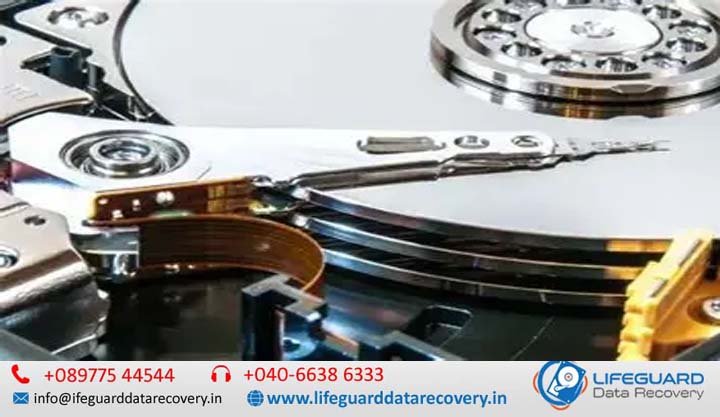
Inside an HDD, magnetic platters spin at speeds ranging from 5,400 to 7,200 Revolutions Per Minute (RPM). Read/write heads hover on a microscopic cushion of air above these spinning platters. The gap between the head slider and the magnetic platter-known as the flying height-is as tiny as 3 to 5 nanometers. For scale, a single human hair is roughly 80,000 nanometers thick.
Head Crashes and Platter Scoring
When an external drive falls while operating or powering down, the shock overcomes the air bearing cushion. The floating read/write head slams directly into the delicate magnetic coating of the spinning platter. This is known as a head crash.
If the drive remains powered on after the drop, the damaged metal head skitters across the platter surface, grinding away the magnetic layer where your data lives. This process, known as platter scoring, creates fine magnetic dust that contaminates the drive enclosure, turning a routine recovery into an unrecoverable loss.
Spindle Motor Seizure and Axis Realignment
Impact shock does not just damage read/write heads; it can shatter or misalign the internal fluid dynamic bearings that support the spindle motor. A seized motor stops the platters from spinning altogether, while a bent motor axis prevents the heads from reading data tracks accurately.
2. Critical Signs of Physical HDD Damage After a Fall
Physical drop damage manifests in distinct ways. Identifying these symptoms early prevents further mechanical destruction.
Acoustic Warning Signs (Clicking, Beeping, Grind Noises)
-
The “Click of Death”: A rhythmic click-click-click sound occurs when the drive powers up, fails to calibrate or read track data due to bent heads, and repeatedly resets the actuator arm against its mechanical stop.
-
High-Pitched Beeping: Indicates that the read/write heads have clamped down on the platter surface, physically locking it in place and preventing the motor from spinning (a condition called stiction).
-
Scraping or Grinding: Signals active, continuous platter contact—unplug the drive immediately!
System Detection Issues
When you plug the dropped HDD into your Windows PC or Mac, the drive might trigger a device connection sound, but the file explorer freezes or hangs. You may encounter error messages such as:
-
“I/O Device Error”
-
“Disk Must Be Formatted Before Use”
-
“Drive Not Accessible”
These errors indicate that the system controller cannot communicate with the disk firmware due to severe physical read errors.
Power & Drive Rotation Symptoms
If you place your hand on the drive casing and feel no vibration, the spindle motor has likely seized or the PCB (Printed Circuit Board) has suffered a physical trace fracture during impact.
3. Emergency Steps: What to Do Immediately After Dropping an External HDD
The first 5 minutes after a drop determine whether your files survive. Follow this emergency protocol:
Safely Disconnect Power Immediately
Unplug the USB cable from your laptop or desktop right away. Do not perform a standard “Safely Remove Hardware” software routine-every second the drive spins with damaged internal parts accelerates physical platter erosion.
Avoid Repeated Replugging or “Reboot Testing”
The human temptation to plug the drive back in “just to see if it works one last time” is the single most common cause of permanent data loss. If the heads are bent, turning on the drive grinds away the very magnetic sectors containing your files.
Document Symptoms and Physical State
Take note of the following details before contacting a cleanroom laboratory:
-
Did the drive drop while plugged in (operating) or disconnected (idle)?
-
What surface did it strike (tile, hardwood, carpet)?
-
What exact sounds did it make upon powering up?
Safe Storage and Transport Preparation
Pack the drive securely to prevent further shock during transport:
-
Wrap the drive in an anti-static bag.
-
Surround it with at least 2 inches of bubble wrap on all sides.
-
Place it inside a rigid cardboard box (do not use soft paper courier envelopes).
4. Why DIY Fixes and Software Will Fail (And Dangerous Myths Debunked)
When facing a dropped drive, users often search for quick home remedies. On a physically damaged hard drive, every DIY attempt risks turning a recoverable drive into trash.
The Fatal Flaw of Data Recovery Software on Physical Damage
Software tools (such as Recuva, Stellar, or EaseUS) are designed exclusively for logical data loss (e.g., accidental deletion, file system corruption, formatted partitions).
When you run a software scan on a dropped HDD, the utility forces the physical read/write heads to perform millions of intensive read operations across damaged sectors. If the head is misaligned or broken, running software acts like running sandpaper over your data platters.
Debunking Dangerous Internet Myths
-
Myth 1: The “Freezer Trick”
The Myth: Putting your hard drive in a ziplock bag and freezing it clears mechanical alignment issues.
The Reality: Freezing introduces moisture and internal condensation to microscopic platter surfaces. When powered on, the condensation causes immediate head destruction and platter contamination.
-
Myth 2: Tapping or Slapping the Drive
The Myth: Firmly slapping the side of a clicking drive frees stuck components.
The Reality: Physical force further bends delicate head assemblies, knocking them completely out of alignment.
-
Myth 3: Opening the Hard Drive at Home
The Reality: Never open an HDD in a standard room. Ambient room air contains millions of microscopic dust particles. A single speck of dust landing on a platter acts like a massive boulder when a head passes over it at 3 nanometers, instantly ruining the media.
5. How Professional Cleanroom Recovery Works for Dropped HDDs
Restoring data from an accidently dropped hard drive requires specialized engineering equipment, donor components, and controlled environments.
Initial Laboratory Diagnostic Assessment
Engineers inspect the drive using non-invasive diagnostic workbenches (such as DeepSpar or PC-3000). These tools bypass standard operating system commands, allowing engineers to test head performance, read RAM registers, and evaluate drive status without triggering destructive system repair cycles.
Head Replacement in Class 100 Cleanrooms
If the read/write heads are damaged, the drive is opened inside an ISO 5 / Class 100 Cleanroom environment. Air filtration in these rooms ensures no dust particle larger than 0.5 microns is present.
Engineers select an exact donor drive-matching the target drive’s model, micro-code, firmware, batch number, and head geometry. Using specialized head replacement tools, the damaged head stack is removed and replaced with the functioning head assembly from the donor drive.
Platter Transplants and Firmware Calibration
If the spindle motor is seized, engineers perform a delicate platter transplant. The magnetic platters are lifted using precision alignment tools and transferred into a functional donor chassis, ensuring rotational balance is maintained. Firmware parameters are adjusted to sync the donor hardware with the original drive controller.
Sector-by-Sector Hardware Imaging
Once temporary physical stability is achieved, the drive is connected to a hardware imager. The imager clones the drive sector-by-sector-skipping damaged sectors and prioritizing critical data areas-onto a new, healthy target drive. The final file system structure is extracted from this cloned image.
6. Selecting a Reliable HDD Drop Recovery Service in India
With data recovery centers operating across major Indian tech hubs like Bengaluru, Mumbai, Delhi-NCR, Hyderabad, Pune, and Chennai, choosing the right provider requires verifying technical capabilities.
Verifying Class 100 Cleanroom Infrastructure
Ask any service provider whether they perform physical hardware repairs in-house. Legitimate providers maintain certified Class 100 / ISO 5 Cleanroom facilities or clean benches. Avoid intermediaries who act as collection points and ship your drive to third-party labs without proper handling controls.
Cost Breakdown in India (INR Estimates):
-
Logical Recovery (Software/Deletion/Formatting)
-
Minor Firmware / Electrical Repair
-
Complex Physical Damage (Head Replacement / Cleanroom Surgery / Motor Seizure)
Data Privacy, NDAs, and Logistics Across Tier 1 & Tier 2 Cities
Ensure your selected service provider offers:
-
NDAs & ISO Certification: Guarantees strict data confidentiality and secure handling.
-
Insured Transit: Express courier pickups via Blue Dart or DHL equipped with anti-vibration packaging.
-
Remote File Verification: Allows you to review a verified file list via a secure viewer before finalizing payment.
7. Frequently Asked Questions (PAA Style)
Can data be recovered from a dropped hard drive if it makes a clicking sound?
Yes. Clicking indicates read/write head misalignment or damage. As long as the physical platters are not severely scratched, a cleanroom lab can replace the head assembly with a donor part and extract your data.
How much does physical hard drive recovery cost in India?
Physical recovery requiring cleanroom hardware repair typically starts around ₹10,500 in India. Total costs depend on drive capacity, damage severity, and donor part requirements.
Is it possible to recover files if the hard drive platters are scratched?
It depends on severity. Minor, localized scratches can often be worked around using hardware imagers to recover remaining uncorrupted sectors. Heavy rotational platter scoring that removes the magnetic coating completely results in permanent data loss in those areas.
What is the difference between dropping an SSD vs. dropping a traditional HDD?
SSDs use flash memory chips with no moving mechanical parts, making them far more resistant to drop impacts. HDDs rely on spinning platters and floating heads hovering nanometers above the surface, making them highly vulnerable to mechanical failure from drops.
How long does physical drop recovery usually take in an Indian data recovery lab?
Standard cleanroom recovery takes 3 to 7 business days. Turnaround times depend on donor drive availability and how easily the damaged disk can be imaged sector-by-sector.
Conclusion
Dropping an external hard drive is a stressful event, but an accidental fall does not have to mean permanent data loss. Mechanical hard drives are precise electro-mechanical assemblies, and physical shock requires hardware-level fixes.
By disconnecting power immediately, avoiding DIY software scans, and placing the drive in the hands of certified cleanroom engineers, you maximize your chances of a complete data restoration.