
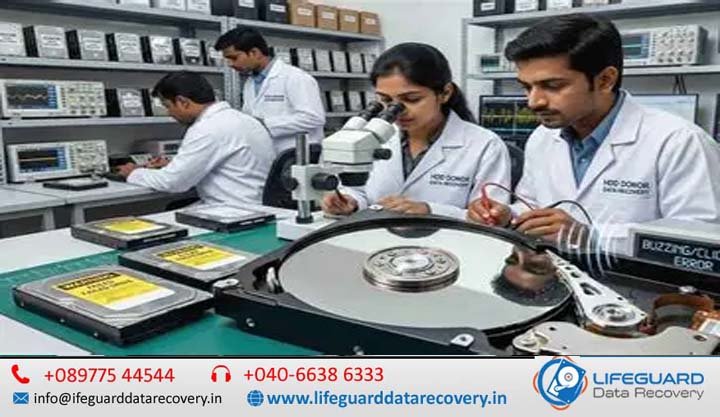
A sudden hard drive failure can paralyze business operations and cause immense personal panic, especially when a drive refuses to power up or spin. When your computer or external drive becomes completely quiet or emits a faint, rhythmic buzz, you are likely facing a mechanical failure of the spindle motor.
Understanding HDD spindle motor failure recovery India requires looking beyond standard software fixes. Spindle motor failure represents a complex physical state where the magnetic platters holding your critical files cannot achieve operational speed. Experiencing severe hard drive failure symptoms does not automatically mean your data is destroyed forever. Because data resides magnetically on the platters, successful failed hard drive recovery is frequently possible through specialized laboratory interventions.
This comprehensive guide breaks down the underlying mechanical mechanics of spindle failure, outlines critical diagnostic symptoms, evaluates professional cleanroom recovery procedures, and explains why DIY repair attempts routinely destroy otherwise recoverable data.
What is Hard Drive Spindle Motor Failure?
The spindle motor is the central electric motor responsible for spinning a hard drive’s magnetic platters at high, precise rotational speeds-typically 5,400 RPM, 7,200 RPM, or up to 15,000 RPM in enterprise units. This continuous rotation creates an aerodynamic air cushion (an air bearing surface) that allows the read/write heads to hover 5 to 10 nanometers above the spinning platters without making physical contact.
A hard drive spindle motor failure occurs when the motor assembly cannot rotate the platters. Without rotation, the drive’s controller firmware fails to read system service tracks (the system area or firmware zone), rendering the drive completely inaccessible to your operating system. A hard drive spindle failure can freeze the motor entirely, prevent it from starting, or cause it to shut down immediately after powering on.
Spindle Stiction vs. Motor Bearing Seizure
Distinguishing between head stiction and physical motor bearing seizure is vital for accurate diagnostic assessment:
-
Head Stiction: Occurs when the read/write heads fail to return to their designated park ramp or landing zone during power-off. Instead, the heads clamp directly onto the mirror-smooth surface of the magnetic platters. The surface tension and static friction physically anchor the platters, preventing the motor from turning even though the motor itself remains electrically functional.
-
Motor Bearing Seizure: Occurs within the core motor housing. Even when the read/write heads are parked safely off the disk stack on their parking ramp, the spindle shaft or its internal bearing assembly is physically locked. The heads are completely clear, but the motor axle cannot rotate.
Fluid Dynamic Bearing (FDB) Mechanics and Lubrication Breakdown
Modern hard disk drives have largely replaced traditional ball bearings with Fluid Dynamic Bearings (FDB) to reduce acoustic noise, lower operational heat, and improve shock resistance. FDB systems utilize a microscopic layer of high-viscosity synthetic oil trapped within a sub-micron clearance between a stationary sleeve and the rotating spindle shaft.
Over years of continuous operation-or following severe thermal stress-this fluid lubricant degrades. The oil can leak through compromised seals, oxidize into a viscous gel, or evaporate. Without the protective liquid film, direct metal-to-metal contact occurs between the shaft and sleeve. The resulting friction causes instantaneous cold-welding or galling, completely seizing the spindle motor.
Key Causes of Hard Disk Motor Failure and Physical Damage
Understanding the root causes of mechanical failure helps prevent sudden data loss and guides effective hard disk motor failure recovery.
Electrical Spikes and PCB Motor Driver IC Burnout
The Printed Circuit Board (PCB) attached to the bottom of the hard drive contains a specialized motor driver integrated circuit (often referred to as the “Smooth” chip).
This IC delivers precise multi-phase AC power signals to energize the motor coils in a exact sequence. Electrical power surges, unconditioned power delivery, or failing computer power supplies (PSUs) can blow this chip. When the driver IC short-circuits or burns out, power supply to the internal coils is cut off, causing the hard drive to remain completely motionless.
Physical Drops, Shock Impact, and Axle Displacement
Hard drives are extremely sensitive to kinetic shock. If a desktop, laptop, or external hard drive experiences a physical drop or violent bump-especially while the platters are spinning at thousands of RPM-the sudden lateral force can bend the hardened steel spindle axle or shatter the delicate ceramic/brass bearing sleeves.
This shock impact leads to immediate structural misalignment, locking the spindle shaft solid. Physical shock often causes simultaneous hard drive physical damage recovery scenarios involving both seized bearings and mangled head assemblies.
Thermal Stress and Humidity Factors in Indian Operating Climates
Operating environments across India present unique hardware challenges. Prolonged exposure to high ambient temperatures accelerates the thermal breakdown and evaporation of FDB bearing lubricants. Furthermore, extreme atmospheric humidity can introduce microscopic moisture through the drive’s barometric equalization port. Over time, moisture degrades internal lubricant formulations and accelerates microscopic corrosion on motor contact points, significantly increasing the statistical likelihood of damaged HDD motor recovery interventions in tropical regions.
Recognizing Symptoms for Non-Spinning Hard Drive Recovery
Accurate symptom identification prevents misdiagnosis and stops users from executing dangerous software fixes on physically damaged drives.
Auditory Cues: Silent Drives vs. Beeping and Grinding Sounds
Your hard drive’s acoustic profile offers clear diagnostic feedback regarding its physical state:
-
Complete Silence: The computer powers on, but the hard drive emits no vibration or sound whatsoever. This typically indicates an electrical failure on the PCB (burned motor driver IC/fuse) or a fully open circuit in the spindle motor coils.
-
HDD Making Beeping Sound or Faint Buzzing: The drive emits a low-frequency buzz, rhythmic pulse, or musical beeping tone every few seconds. This sound occurs when the motor controller energizes the spindle coils, but physical obstruction (stiction or seized bearing) prevents the shaft from turning. The beeping is the sound of the drive’s internal coils acting like a speaker as current pulses through them.
-
HDD Clicking Sound / Hard Drive Clicking Noise: A distinct repetitive clicking sound indicates the drive is spinning up to operational RPM, but the read/write heads cannot read the firmware area. While this primarily signals hard drive head failure, repeated recalibration sweeps can eventually cause thermal overload in the motor driver.
-
Hard Disk Grinding Noise: A harsh metallic scraping or grinding noise indicates active physical contact between components. This happens when a partially seized bearing grinds metal-on-metal or when damaged read/write heads scrape against the magnetic coating.
System Indicators: Hard Disk Not Detected and OS Timeout Errors
When a motor fails to turn, the computer’s operating system and motherboard BIOS exhibit specific error behaviors:
-
Hard Drive Not Spinning / HDD Not Spinning: Holding the drive in your hand while applying power yields zero gyroscopic force or subtle rotational vibration.
-
Hard Disk Not Detected: The BIOS/UEFI screen hangs for several minutes during the Power-On Self-Test (POST) while waiting for the SATA/SAS disk to report a
DRDY(Drive Ready) status signal. It eventually times out, and the disk is omitted from system device lists. -
System Freezes: In Windows Device Manager or Disk Management, attempting to initialize or refresh the drive causes the interface to freeze or report
I/O Device ErrorandFatal Hardware Errormessages.
Professional HDD Spindle Motor Failure Recovery and Data Retrieval Process
Executing successful HDD motor failure data recovery requires specialized cleanroom hardware, precision engineering tools, and advanced firmware manipulation systems like ACELab PC-3000.
Phase 1: Diagnostic Assessment and PCB Repair/Matching
Engineers do not immediately open a drive. Diagnostics begin on the electronic level:
-
Power & Impedance Testing: Using digital oscilloscopes and multimeters, engineers measure electrical resistance across motor coil terminals to verify if the motor windings are burned or shorted.
-
PCB Driver IC Repair: If the motor driver IC on the native PCB is burned, technicians micro-solder a replacement chip or prepare a matching donor PCB.
-
Adaptive ROM Transfer: Modern hard drives store unique, factory-calibrated adaptive parameters (head alignment offsets, pre-amp gains, tracks-per-inch maps) within an EEPROM chip on the PCB. The native ROM chip must be unsoldered and transferred to the donor PCB-or dumped and reprogrammed via PC-3000-for the donor board to read the drive’s unique system area.
Phase 2: Bearing Unseizing vs. Multi-Platter Transposition
If electrical diagnostics confirm the PCB is healthy but the motor remains seized, cleanroom mechanical restoration is required:
-
Bearing Unseizing (Single-Platter / Minor Stiction): For single-platter drives with minor spindle binding, engineers may utilize custom spindle wrenches to carefully apply counter-rotational torque to free the bearing shaft without disturbing platter alignment.
-
Multi-Platter Transposition (Platter Swap): On modern multi-platter drives (containing 2 to 5 stacked platters), motor replacement is impossible in the field because the spindle motor is integrated into the hard drive base casting. Instead, engineers perform a platter swap—extracting the entire platter stack and moving it into an identical donor drive chassis with a functional motor.
-
Precision Platter Clamping: Using specialized multi-platter alignment tools (platter exchangers/jigs), engineers lock the individual platters in absolute relative synchronization. This maintains rotational phase alignment down to sub-micron tolerances before moving the stack to the donor chassis.
Phase 3: Drive Emulation, Head Alignment, and Bit-Level Imaging
Once platters are mounted in the functional donor chassis inside an ISO 5 Cleanroom, the drive is connected to a hardware data recovery workstation (e.g., PC-3000):
-
Firmware Patching: Engineers patch the drive microcode in RAM to disable automatic background operations, defect remapping, and aggressive head recalibrations.
-
Head Map Editing: If any read/write head suffered degradation during the motor seizure, engineers configure the controller to bypass weak heads temporarily and focus initial reading on healthy channels.
-
Targeted Sector Extraction: Hardware imagers perform raw bit-by-bit sector cloning. The system reads drive sectors in controlled passes—first extracting critical file system metadata (MFT/FAT structures), then copying user files, and finally retrying degraded sectors with adjusted head timing and read-channel gains.
Can You Perform DIY HDD Spindle Motor Repair or Motor Replacement?
The short answer is no. Attempting DIY hard drive motor repair or opening a hard drive at home almost guarantees permanent data destruction.
Track Pitch Tolerances and Multi-Platter Alignment Loss
Modern hard drives utilize Perpendicular Magnetic Recording (PMR) or Shingled Magnetic Recording (SMR), reaching data storage densities exceeding 1 Terabit per square inch.
-
Nanometer-Scale Track Width: Magnetic data tracks on a platter are narrower than 100 nanometers.
-
Rotational Synchronization: In multi-platter drive assemblies, data sectors are written vertically across platters (forming logical cylinders).
-
Angular Skew Destruction: If you loosen the center spindle retention screw without precision alignment jigs, the platters shift relative to each other by microscopic fractions of a degree. This rotational displacement makes it physically impossible for the head stack assembly to align with cylinder tracks across multiple platter surfaces simultaneously, rendering data permanently unrecoverable.
Debunking Dangerous Internet Myths (Freezer Trick, Side Tapping)
Internet forums frequently circulate temporary “hacks” for non-spinning drives. Here is why these methods fail and ruin drives:
| DIY Myth | The Claim | Technical Reality & Real Hazard |
| The Freezer Trick | Freezing the hard drive contracts metal components, releasing seized bearings. | Extreme Condensation: Moving a cold drive to room air causes immediate water condensation on platters. When powered on, water droplets destroy the magnetic layer and short PCB electronics instantly. |
| Tapping / Whacking the Drive | Striking the hard drive freeing locked motor bearings or stuck heads. | Platter Scoring: Physical impact slams read/write heads onto the platters, gouging the magnetic coating and destroying billions of data sectors permanently. |
| Direct PCB Swapping | Buying an identical model board online and screwing it on will fix a dead drive. | Adaptive Mismatch: Modern drives require unique factory adaptive ROM data. A generic board swap causes head microcode errors and can lead to immediate head crashes. |
Damaged HDD Motor Recovery Solutions and Cleanroom Standards in India
Selecting a qualified lab for physical HDD data recovery India requires verifying their physical infrastructure and technical credentials.
The Role of Class 100 / ISO 5 Cleanroom Workstations
When a hard drive is opened, its internals are exposed to ambient air. Standard indoor air contains millions of microscopic dust particles, dander, and smoke particles per cubic meter, ranging in size from 1 to 100 micrometers.
Because read/write heads fly 5 to 10 nanometers above the platters, a single dust particle (which is thousands of times larger than the flying height) acts like a massive boulder on a highway. The head collides with the dust particle, stripping away the protective carbon overcoat and scraping off the magnetic recording layer. Professional facilities perform failed HDD motor recovery inside certified ISO 5 / Class 100 cleanrooms, where laminar air filtration units maintain fewer than 100 particles
Donor Drive Sourcing Challenges and Matching PCB/Motor Revisions
Finding a compatible donor drive for a platter transplant requires strict criteria matching beyond basic model numbers:
-
Micro-code and Firmware Revision: The donor drive must share identical microcode levels and firmware architecture.
-
Site and Date Codes: Drives produced at different manufacturing plants often utilize different internal motor designs, bearing tolerances, or head stack variations despite sharing identical model designations.
-
Pre-amp Compatibility: Donor read/write head pre-amplifier chips must match native communication specifications to read data signals from transplanted platters correctly.
Preventive Measures to Protect Hard Drives From Motor Burnout
While mechanical components naturally degrade over time, proper hardware maintenance significantly reduces the risk of premature spindle failure.
Thermal Management and Uninterruptible Power Supply (UPS) Setup
-
Use Voltage-Stabilized Power: Connect desktop systems and external drive arrays to a high-quality Online UPS with Automatic Voltage Regulation (AVR). This shields internal drive PCBs from brownouts, power spikes, and dirty power delivery.
-
Ensure Active Airflow: Ensure drive enclosures and PC cases maintain active intake and exhaust ventilation. Keeping drive operating temperatures below 45°C dramatically slows down FDB lubricant breakdown.
-
Safely Eject External Drives: Always use the “Safely Remove Hardware” option in your operating system before unplugging USB external drives. This sends a hardware command to unload read/write heads safely onto parking ramps before power is cut, preventing stiction.
Implementing a Reliable 3-2-1 Backup Strategy
All mechanical hard drives eventually suffer hardware wear. The only absolute defense against permanent data loss is a structured backup framework:
-
3 Copies of your critical data (1 primary copy, 2 backups).
-
2 Different storage media types (e.g., local hard drive + network attached storage/NAS).
-
1 Copy stored off-site or in secure cloud storage.
Frequently Asked Questions (FAQs)
Can a hard drive spindle motor be repaired without opening the drive?
Only if the failure is purely electrical-such as a blown motor driver IC or shorted resistor on the exterior PCB. If the failure involves mechanical bearing seizure, axle deformation, or internal head stiction, the drive must be opened inside an ISO 5 Cleanroom to transfer platters or unstick components.
How much does physical HDD data recovery cost in India for motor failure?
Cost varies depending on drive capacity, the number of platters, donor drive availability, and whether head replacement is required alongside platter transposition. In India, professional cleanroom recovery for physical motor failure typically ranges for standard consumer drives, with enterprise or multi-drive RAID setups priced higher.
What is the difference between a clicking noise and a motor beeping noise?
A clicking noise typically means the motor is spinning normally, but the read/write heads cannot initialize or read the firmware track (head failure). A beeping or buzzing noise indicates an electrical current is flowing into the motor, but the motor cannot rotate due to bearing seizure or head stiction.
Is data permanently lost if the hard disk motor completely burns out?
No. Data is recorded magnetically on the platters, not inside the motor itself. As long as the magnetic surface of the platters remains free from severe scratches or scoring, specialized labs can recover 100% of your data by transplanting the platters into a working donor chassis.
Conclusion
A non-spinning hard drive or seized spindle motor represents a serious mechanical emergency, but it does not have to result in permanent data loss. Because stored data resides on magnetic platters, professional engineers operating in certified cleanroom environments can perform delicate platter transpositions and bit-level imaging to retrieve critical files.
The key to a successful recovery is early intervention. Avoid dangerous internet hacks like freezing or tapping the drive, disconnect power immediately upon hearing unusual noises, and consult a qualified physical data recovery specialist to safeguard your data.