
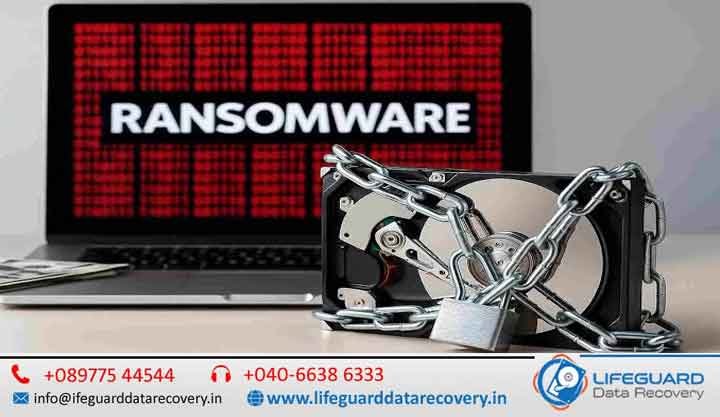
A ransomware attack can strike without warning, locking your files and holding them hostage until you pay the attacker.
For businesses, it can mean days of downtime and loss of critical data. For individuals, it can destroy years of personal memories and important documents.
While the situation may feel hopeless, the good news is – you can often recover files after a ransomware attack without paying the ransom.
At Lifeguard Data Recovery, we specialize in advanced ransomware data recovery services, helping clients across the UAE regain access to encrypted files with safe and proven methods.
Recover Files After a Ransomware Attack: Complete Guide
A ransomware attack can happen suddenly and without any warning, locking your important files and making them inaccessible until a ransom is paid. Cybercriminals use encryption to block access to documents, photos, databases, and system files, often demanding payment in cryptocurrency to restore access.
For businesses, this can result in operational downtime, financial losses, and disruption of critical services. For individuals, it can mean losing years of personal memories, work files, and essential digital data.
Although the situation may feel severe, the positive aspect is that it is often possible to recover files after a ransomware attack without paying the ransom. With the right approach, tools, and expertise, encrypted or affected data can frequently be restored safely.
At Lifeguard Data Recovery, advanced ransomware data recovery services are used to help recover encrypted, locked, or compromised files using secure and proven techniques.
Understanding How Ransomware Works
Before exploring recovery options, it’s important to understand how ransomware operates.
Ransomware is a type of malicious software that:
- Encrypts files and folders on infected systems
- Blocks access to operating systems or critical data
- Displays a ransom note demanding payment for a decryption key
- Often spreads across connected networks or drives
Key Risks of Paying the Ransom
- No guarantee of receiving a working decryption key
- Encourages further criminal activity
- Potential exposure to repeated attacks
- Possible loss of additional funds without recovery
Because of these risks, security experts generally discourage paying the ransom.
Can You Recover Files Without Paying the Ransom?
Yes – in many cases, file recovery is possible without paying attackers. The success depends on the ransomware type, encryption method, and system condition.
Common recovery approaches include:
1. Identifying the Ransomware Strain
Each ransomware family behaves differently. Identifying it helps determine whether decryption tools or known vulnerabilities exist.
2. Using Public Decryption Tools
Cybersecurity researchers occasionally release free decryption tools for specific ransomware variants. These tools can sometimes unlock files without payment.
3. Restoring from Backups
If offline or cloud backups are available, data can often be restored completely without needing decryption.
4. Forensic Data Recovery Techniques
In cases where backups are unavailable, experts may attempt to recover:
- Partially encrypted files
- Temporary file versions
- Deleted or shadow copies
- Residual file fragments
Step-by-Step Guide to Recover Files After a Ransomware Attack
Step 1: Isolate the Infected System
Immediately disconnect the device from:
- Internet connections
- Local networks
- External storage devices
This prevents further spread of the ransomware.
Step 2: Scan and Remove Malware
Use updated anti-malware tools to remove active threats before attempting recovery.
Step 3: Identify the Ransomware Variant
Tools like ID Ransomware can help determine the exact type of ransomware involved.
Step 4: Attempt Safe Recovery Methods
Depending on the situation:
- Use decryption tools (if available)
- Restore from backups
- Recover previous versions of files
Step 5: Seek Professional Data Recovery Services
For complex cases, professionals use advanced techniques to:
- Recover encrypted or damaged data
- Extract recoverable file fragments
- Safely image affected drives without further damage
Why Professional Help is Often the Best Choice
Ransomware recovery is highly technical, and incorrect handling can lead to permanent data loss.
Professional recovery services provide:
- Non-destructive recovery procedures
- Secure handling of encrypted storage devices
- Advanced forensic-level recovery tools
- Higher success rates across multiple ransomware types
- Confidential and secure data processing
Preventing Future Ransomware Attacks
Recovery is important, but prevention is critical for long-term protection.
Recommended safety practices include:
- Maintaining regular offline and cloud backups
- Keeping operating systems and software updated
- Avoiding suspicious email attachments and links
- Training employees on phishing awareness
- Using strong antivirus and endpoint protection
- Restricting unnecessary admin access
Ransomware Recovery Services in UAE
Professional ransomware recovery support is available across regions such as Dubai, Abu Dhabi, Sharjah, and Ras Al Khaimah.
Services typically include:
- Recovery of encrypted documents, images, videos, and databases
- Safe removal of ransomware infections
- System restoration and data reconstruction
- Secure handling of sensitive business information
Understanding How Ransomware Works
Before diving into recovery options, it’s essential to understand the enemy.
Ransom demand – The attacker demands payment, often in cryptocurrency, in exchange for a decryption key.
Risk of payment – Even if you pay, there’s no guarantee you’ll receive a working key.
Can You Recover Files Without Paying the Ransom?
Yes – in many cases, you can. Here’s how experts approach it:
Identifying the ransomware strain – Different ransomware types have different weaknesses.
Checking public decryption tools – Cybersecurity groups often release free tools for known strains.
Recovering from backups- Offline or cloud backups can restore lost files.
Forensic data recovery- In cases without backups, specialists can recover partially encrypted or deleted files.
Step-by-Step Guide to Recover Files After Ransomware Attack
-
Isolate the infected system – Disconnect it from the internet and local networks.
-
Scan with updated anti-malware – Remove the active threat before recovery attempts.
-
Identify the ransomware variant-Use tools like ID Ransomware.
-
Use professional data recovery services – For complex cases, experts can recover lost data from affected drives without risking further damage.
Why Professional Help is Often the Best Choice
Trying to recover files without experience can cause permanent data loss.
With Mac Repair, you get:
Safe, non-destructive recovery methods
Expert handling of encrypted drives
High success rates for multiple ransomware strains
Confidentiality and secure handling of sensitive files
Preventing Future Ransomware Attacks
Recovery is just the first step -prevention is essential:
Maintain offline backups
Keep systems and software updated
Train staff in phishing awareness
Use strong endpoint security solutions
Our Ransomware Recovery Services in UAE
Whether you’re in Dubai, Abu Dhabi, Sharjah, or Ras Al Khaimah, our ransomware recovery team can help you:
Recover encrypted documents, databases, images, and videos
Remove ransomware safely without spreading it
Restore systems to full functionality
FAQs – Recover Files After Ransomware Attack
Q1. Can all ransomware be decrypted?
Not all, but many strains have known weaknesses that experts can exploit.
Q2. How long does recovery take?
It can range from a few hours to several days depending on the case.
Q3. Will my data be 100% safe during recovery?
Yes – we use read-only methods to ensure no further corruption.