
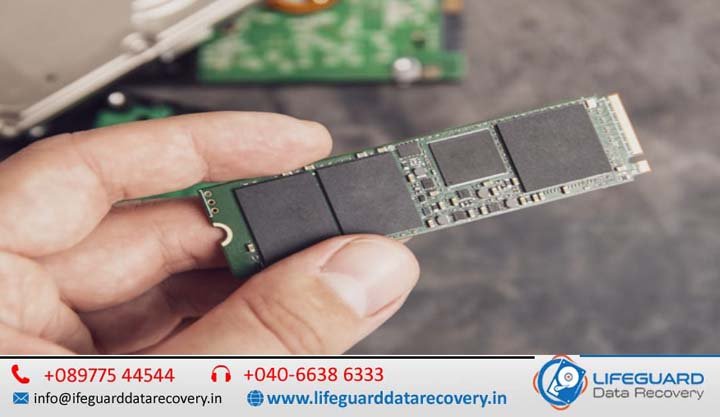
We have all been conditioned to look for the warning signs of a dying storage drive: the ominous clicking of a hard drive platter, the grinding of bearings, or a sudden, dramatic system slowdown. Solid-State Drives (SSDs) are universally praised for eliminating these mechanical vulnerabilities. Because they have no moving parts, we often assume they are immune to sudden catastrophic failure.
However, that lack of physical moving parts is exactly why do SSDs fail without warning? When a traditional Hard Disk Drive (HDD) degrades, it gives you physical clues. When an SSD fails, it is usually a silent, instantaneous electronic event that transforms a high-speed storage device into a non-responsive brick in microseconds.
In this comprehensive guide, you will learn the actual electronics behind why an SSD suddenly stops working, how to decode hidden early warning indicators that bypass basic operating system checks, and the step-by-step diagnostic actions to take if your drive suddenly drops off the radar.
The Core Difference: SSD Lifespan Explained
To understand why solid-state tech goes dark without a sound, we have to look closely at SSD storage technology. Unlike hard drives that use magnetic heads to read spinning platters, an SSD operates entirely on silicon chips. It is a highly complex embedded micro-system that relies on a symbiotic relationship between raw flash hardware and low-level engineering logic.
Understanding NAND Flash Memory Wear
At the microscopic level, your files are saved across clusters of NAND flash memory. NAND chips store data by trapping electrons inside microscopic floating gate transistors. Every time you write, modify, or erase data, the drive must apply an electrical voltage pulse (often between +15V and +20V) to force electrons through a thin insulating layer called the tunnel oxide layer.
Over thousands of execution cycles, this intense electrical stress creates microscopic physical fractures in the oxide insulator. Eventually, the insulation degrades to the point where the cell can no longer reliably isolate or hold an electrical charge. This natural degradation process is known as NAND flash memory wear.
While modern 3D NAND technology mitigates this by stacking cells vertically to balance storage efficiency, every solid-state drive is bound to a strict physical limitation: what happens when an SSD reaches its lifespan? Once those cell walls disintegrate entirely, the drive loses its ability to cycle data.
Why Do SSDs Suddenly Stop Working? The 3 Major Causes
If NAND flash wear is a slow, trackable process, what causes SSDs to fail unexpectedly long before their rated lifespan is reached? Total, instantaneous failure usually boils down to three primary electronic and structural culprits.
1. SSD Controller Failure and Voltage Spikes
If NAND flash chips are the filing cabinets where your data resides, the SSD controller failure is the catastrophic loss of the office manager. The controller is a specialized microprocessor responsible for critical management operations, including:
-
Managing the Flash Translation Layer (FTL) mapping matrix
-
Balancing cellular wear-leveling algorithms
-
Handling real-time Error Correction Code (ECC) scanning
Because the controller handles the heavy electrical shifting across the drive, it is exceptionally vulnerable to voltage fluctuations. A minor power surge, an under-powered or erratic Power Supply Unit (PSU), or an unexpected black-out can short-circuit the controller IC (Integrated Circuit). When the controller dies, the underlying NAND flash data chips are usually completely pristine, but your computer can no longer speak to them. The drive becomes instantly dead and undetectable.
2. Bricked Firmware and Software Corruption
An SSD runs on an internal, deeply complex embedded operating system known as firmware. It controls how the drive boots, processes system commands, and executes garbage collection.
Can SSD firmware become corrupted? Yes, and it happens more often than structural wear. If your system loses power while the controller is writing system metadata or updating its location tables, the firmware can easily scramble its own operating code. When this happens, the controller triggers a defensive “panic state.”
Instead of loading normally during your next boot sequence, it falls back into a hardcoded safe mode identity. This causes severe SSD firmware problems where the drive refuses to announce itself to your computer’s motherboard or populates under a generic factory fallback code like "SATAFIRM S11" with a capacity reading of exactly 0 GB.
3. Severe Thermal Throttling and Heat Damage
Modern high-speed NV Me M.2 SSDs transfer enormous volumes of data over compact surface areas, generating significant thermal output. While drives are engineered to execute safety protocols when temperatures spike, prolonged exposure to extreme heat can gradually weaken the physical surface-mount solder joints connecting the controller to the circuit board. Over time, thermal expansion and contraction break these microscopic paths, causing an instant, permanent structural disconnect.
Can SSDs Fail Without Any Warning Signs?
The short answer is yes. Because solid-state devices lack a mechanical arm or spin motor, they do not produce physical indicators of degradation. An SSD can be reading data perfectly at 5,000 MB/s, hit a fatally corrupted piece of core firmware metadata on the next command line, and instantly lock up forever.
Unlike a mechanical drive that may give you weeks of audible warning as a bearing fails, an electronic failure is binary: it is either functional, or it is broken. This makes a strict regimen of automated data safety and system mapping essential. If you want to protect your digital assets before an unexpected hardware failure occurs, implementing a reliable Data Backup Solution is your single best defense against data loss.
Crucial SSD Failure Symptoms to Watch Out For
While a catastrophic controller short leaves no trail, many solid-state drives undergo a period of logical distress before failing completely. If you spot any of the following SSD failure symptoms, your drive is actively sending up a digital flare.
Frequent Blue Screens (BSOD) and Kernel Panics
If your system crashes out into a Blue Screen of Death (or a Kernel Panic on macOS) whenever you attempt to launch specific applications or open large folders, your drive may be hitting bad blocks. When the operating system requests data from a dead sector and the controller times out trying to decode it via ECC algorithms, the entire OS crashes.
Files Disappearing or Becoming Read-Only
When a drive recognizes that its underlying NAND cells are degrading at a critical pace, it deploys a final SSD data protection feature: it switches the drive into a permanent “Read-Only” mode. This allows you to pull your files off the drive safely but blocks the operating system from making any modifications. If your system suddenly claims you lack permission to write to your main drive, the SSD is likely locking itself down before a complete shutdown.
Unusually Slow Read/Write Speeds
Are you experiencing massive lag spikes while saving simple text files, or is your computer taking ten minutes to pass the initial boot screen? Severe SSD performance issues frequently mean the controller is getting stuck in an infinite loop, constantly trying to reallocate data away from corrupted physical blocks to healthy spare sectors.
SSD Troubleshooting Guide: Diagnosing a Silent Failure
If your system suddenly locks up, refuses to boot, or leaves you staring at a “No Bootable Device Found” screen, utilize this step-by-step SSD troubleshooting guide to pinpoint the failure.
1.Verify Motherboard Visibility (BIOS/UEFI Check): Requires System Restart.
Shut down your computer completely, turn it back on, and repeatedly press your system’s setup key (usually Del, F2, or F12) to access the BIOS/UEFI. Navigate to the storage configuration screen. If your primary storage drive is completely missing or reads as an unbranded factory device with 0 GB capacity, your controller is likely experiencing a firmware panic lock.
2.Perform a Cold Hardware Reseat:5-10 Minutes.
3.Analyze Operating System Disk Utilities: Windows / macOS Environment.
4.Isolate Software vs. Hardware Failures via Diagnostics: Using Targeted Software.
Download a dedicated storage analysis program like Crystal Disk Info, smart montools, or your drive manufacturer’s proprietary software tool (e.g., Samsung Magician). If the program can communicate with the drive, check the structural health values immediately. If the software utility hangs indefinitely or crashes upon launch, it indicates the drive’s controller is failing to return basic inquiry commands.
Proactive SSD Health Monitoring and Maintenance Tips
You do not have to wait for a crash to see where your drive stands. Implementing a few SSD maintenance tips can save you from a catastrophic data loss event.
How to Check SSD Health Before It Fails via S.M.A.R.T. Attributes
Every modern drive tracks its own operational history using S.M.A.R.T. (Self-Monitoring, Analysis, and Reporting Technology). By tracking these specific software registers, you can implement an effective SSD health monitoring strategy:
| S.M.A.R.T. Attribute ID | Critical Indicator Name | What it Tracks | Red Flag Value |
| 05 (or 233) | Media Wear out Indicator / Percentage Used | Total consumed structural life of the NAND flash memory cells. | When health drops below 10% |
| 03 (or 05) | Reallocated Sectors Count | The number of broken NAND blocks that have been permanently retired. | Any steady upward trend |
| 0E | Critical Warning | Explanatory flags detailing hardware level errors (temperature, volatile memory backup failures). | Any value other than 0 |
Maintaining Adequate “Over-Provisioning” Space
To keep your controller running its automated garbage collection routines and wear-leveling passes efficiently, never fill your drive to maximum capacity. Ensure you leave roughly 10% to 15% of the total storage capacity completely unallocated. This hidden headroom gives the controller a clean sandbox to swap and move data blocks behind the scenes without wearing down active sectors.
Frequently Asked Questions (FAQ)
How long does an SSD typically last?
Under standard consumer usage patterns, a high-quality SSD typically operates reliably for 5 to 7 years. Most manufacturers explicitly tie their warranties to a measurement called TBW (Total Bytes Written), which states exactly how many terabytes of data can be written to the silicon chips before the NAND insulation degrades past safe operational limits.
Can firmware updates fix SSD issues?
Yes, but only if the firmware update is applied while the drive is still stable. Manufacturers frequently publish firmware patches to repair underlying software bugs that could trigger controller crash loops. However, if your drive has already entered a dead “panic state” or is not showing up in your BIOS, flashing a firmware update is no longer possible and can permanently overwrite critical device-specific parameters.
Why is my SSD not showing up in Windows?
If an SSD does not show up in Windows File Explorer but is visible inside Disk Management, it usually means the drive lacks a dedicated partition drive letter, or its file indexing system has become corrupted into a RAW state. If it is completely missing from Disk Management as well, you are likely looking at a physical power fault or a dead controller.
Conclusion: Shielding Your Data from Silent Storage Failures
The speed and lack of moving parts in solid-state technology make them fantastic for modern computing, but their silent failure modes require a shift in how we manage data protection. Because an SSD can fail completely in an instant without giving you a single physical warning sign, relying on manual health checks is not enough.
Pair a weekly check of your drive’s S.M.A.R.T. statistics with a fully automated, redundant backup routine. By the time an SSD controller decides to give up, the only asset that matters is the copy of your data stored safely elsewhere.