
Can clicking hard drives still be repaired
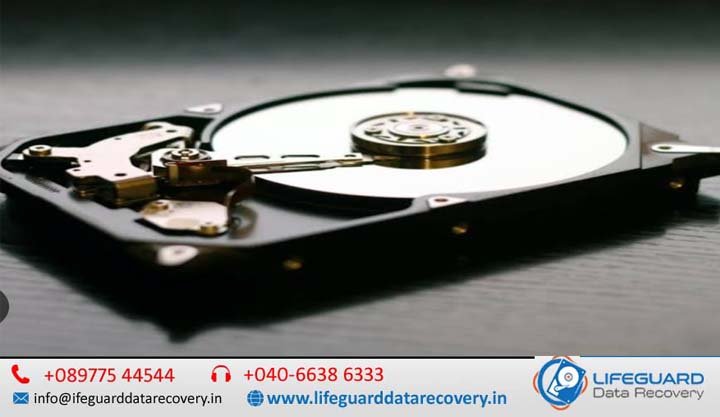
If your hard drive has suddenly started making a rhythmic, repetitive ticking or clicking noise, it is completely natural to panic. This sound-affectionately known in IT circles as the “Click of Death”-usually signals a critical hardware issue. The short answer is no, a clicking hard drive cannot be repaired for continued use, but yes, the data can almost always be recovered by professionals. When a hard disk drive (HDD) reaches this stage, the physical unit itself is effectively dead. However, your files, photos, and documents remain intact on the magnetic platters inside. To safely rescue those files, you must understand exactly what is happening beneath the chassis and what steps to take next. What Does a Clicking Hard Drive Actually Mean? To understand why a hard drive clicks, you have to look at how it reads data. Inside a traditional HDD, magnetic platters spin at speeds up to 7,200 RPM (revolutions per minute). A component called the Actuator Arm moves back and forth across these platters. At the tip of this arm sits the Read/Write Head, which flies a mere 3 to 5 nanometers above the platter surface-a distance thinner than a strand of human DNA or a single particle of smoke. When a hard drive is healthy, the head reads the alignment markers (servo tracks) on the platter to navigate. If the drive cannot read these markers, it drops into a blind recalibration loop: The drive attempts to read its position on the platter. It fails to receive a signal back from the read/write head. The actuator arm snaps back to its default baseline “home” position. It hits the physical mechanical stop, creating a distinct “click” sound. The drive immediately repeats the process, creating a rhythmic ticking sequence. The Root Causes of Hard Drive Clicking Sounds A clicking sound is an umbrella symptom for several distinct failures. Experienced engineers look for four primary causes: Read/Write Head Misalignment or Degradation: Over time, or due to physical shock, the microscopic sliders on the heads can degrade, warp, or wear out entirely, leaving them unable to track data lines. Pre-Amplifier (Preamp) Electrical Failure: The preamp is an integrated circuit mounted directly on the head stack assembly. Its job is to boost the incredibly weak electrical signals sent from the heads to the main controller board. If a power surge fries the preamp, the drive is effectively blinded, triggering the clicking loop. Service Area (Firmware) Corruption: Hard drives store their fundamental operational rules (translator tables, defect logs, adaptive configurations) in a hidden zone on the platters called the Service Area. If these sectors become corrupt, the drive will click as it endlessly searches for its baseline software instructions. Bad Sector Accumulation: If a drive develops a dense cluster of corrupted sectors, the firmware triggers an aggressive retry loop. The head moves repeatedly back and forth over the failing zone, mimicking a mechanical click. How to Identify Mechanical Hard Drive Failure Symptoms It is vital to distinguish between a healthy drive doing heavy lifting and a drive experiencing a terminal hardware failure. Sound / Symptom Likely Condition Immediate Action Occasional, erratic chirping Normal file indexing or background power management. None needed; maintain regular backups. Rhythmic, cyclical ticking (3–5 times, then spins down) Severe head or preamp failure; drive is failing to initialize. Power off immediately. Grinding, scraping, or harsh screeching Catastrophic Head Crash (heads are physically plowing into the platters). Power off immediately; do not restart. Silent, periodic clicking with sudden system freezes Failing read sectors or localized firmware corruption. Backup critical files immediately if stable; otherwise power off. The Dangers of the External Hard Drive Clicking Noise External portable drives are far more vulnerable to physical mechanical failures than internal desktop drives. Because they are moved frequently, they suffer from sudden drops, bumps while spinning, and unsafe cable disconnections. Furthermore, external enclosures rely heavily on USB power. An unpowered USB hub or a degraded cable can cause voltage drops, starving the spindle motor and forcing the drive to click simply because it cannot draw enough electrical current to stabilize. Critical Error: Hard Drive Not Detected After Clicking When a hard drive clicks repeatedly and then drops completely out of your operating system’s device manager or the motherboard’s BIOS, it means the drive’s internal operating system has given up. After a set number of failed initialization loops, the drive’s firmware shuts down the spindle motor to protect the platters from friction. If your computer cannot detect the drive, software fixes are 100% useless. Can a Clicking Hard Drive Be Fixed? Repair vs. Data Recovery One of the most dangerous misconceptions on tech forums is that a hard drive can be repaired, put back together, and slotted back into a computer for gaming or daily work. Once a drive’s internal mechanical tolerances are compromised, its structural reliability drops to zero. Any attempt to write new data to a previously clicking drive will inevitably cause another permanent crash. The Safe Path: How Experts Recover Files from a Clicking Hard Drive When a drive experiences true physical failure, a professional data recovery service follows a strict, highly controlled methodology to extract the user’s data safely. Step 1: Cleanroom Evaluation and Hard Drive Diagnostic Services A professional lab will never open a hard drive on a standard workbench. Ambient air contains millions of microscopic dust particles, skin flakes, and clothing fibers. If a single dust particle settles on a drive platter, the read/write head will slam into it at high speed, causing a catastrophic head crash. Drives must be evaluated inside a Class 100 ISO 5 cleanroom bench, where laminar air currents pass through high-efficiency filters to eliminate all microscopic contamination. Step 2: Mechanical Rehabilitation and Component Replacement If the diagnostics point to a physical fault, engineers source an exact matching “donor drive”—a drive from the same manufacturer, model, factory line, and close production date. In the cleanroom, the engineer carefully extracts the failed Head Stack Assembly (HSA) using specialized comb tools and drops the healthy donor