
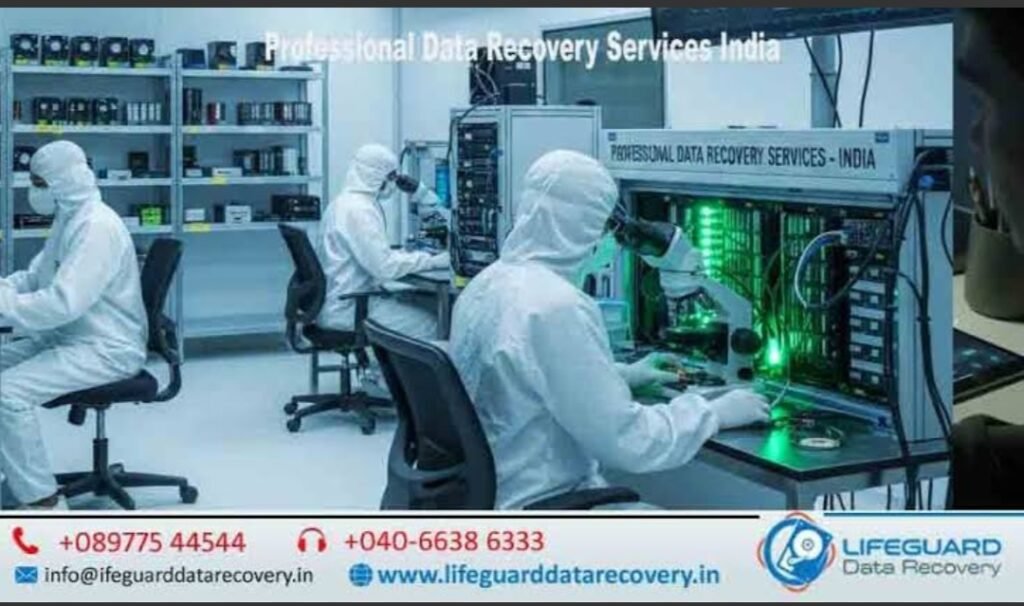
Data recovery laboratory in India
Data loss can cripple operations instantly. Whether an enterprise database degrades overnight or a personal hard drive stops mounting, retrieving critical files requires specialized infrastructure. Entrusting mission-critical storage to certified data recovery experts in India ensures that damaged drives undergo controlled laboratory intervention rather than unverified software attempts that can permanently destroy media platters. The Growing Scale of Data Loss in India’s Digital Ecosystem India’s rapid digital transformation across enterprise hubs in Bengaluru, Mumbai, Delhi-NCR, and Hyderabad has exponentially raised the volume of stored operational data. From hybrid cloud deployments to local server storage, hardware degradation remains a persistent risk. When primary storage fails, engaging verified data recovery experts in India provides a structured path to extracting data safely from failed physical media. What You Will Learn in This Guide This guide breaks down the operational differences between consumer software and a certified data recovery lab India. You will learn how cleanroom environments isolate mechanical faults, how engineers recover files from degraded SSD controllers and RAID arrays, and how to evaluate service providers for security compliance. Data Recovery Lab vs. Software: Understanding the Difference What is a Certified Data Recovery Lab? A professional data recovery lab India is a dedicated physical facility equipped with specialized hardware imagers, cleanroom environments, and firmware editing utilities. Unlike standard IT repair shops that rely on consumer-level host OS utilities, an accredited data recovery laboratory India operates in isolated hardware layers to prevent further wear on compromised media surfaces. How Does a Data Recovery Laboratory Work? Understanding how does a data recovery laboratory work? begins with isolating the failed device from write commands: Stage Process Specialized Equipment 1. Diagnostic Inspection Non-intrusive electrical and firmware check Hardware imagers (e.g., PC-3000) 2. Cleanroom Surgery Physical component donor replacement Class 100 / ISO 5 Cleanroom 3. Sector-by-Sector Cloning Low-level bit-stream image creation Write-blockers & deep-pass clone tools 4. Logical Reconstruction File system parsing and target extraction Data extraction algorithms Primary Causes of Data Loss Across Storage Devices Physical & Mechanical Hardware Failures Mechanical failure occurs when internal moving components undergo physical impact or wear. Attempting data recovery from physically damaged hard disk units without cleanroom containment risks permanent platter scratching. Severe physical shocks often lead to head crashes, spindle motor lockups, or completely unreadable media, requiring specialist intervention for data recovery from dead hard disk hardware. Logical Data Corruption & File System Damage Logical issues occur when storage hardware remains physically sound, but internal structures become readable garbage. Experienced labs utilize tailored deleted file recovery services India and formatted drive data recovery India protocols to rebuild master file tables. These protocols address issues stemming from data recovery from corrupted storage devices caused by forced system shutdowns, software bugs, or malware events. Solid-State Storage & Flash Controller Failures Unlike magnetic HDDs, solid-state drives store data across electronic NAND cells managed by complex controller firmware. When controllers fail, users need specialized procedures to recover data from failed SSD in India. When drives lock up entirely or fail to initialize in the BIOS, engineers execute data recovery from inaccessible SSD storage by analyzing raw memory chips directly. Critical Symptoms: When to Stop Using Your Device Warning Signs of Mechanical Hard Drive Failure Repetitive Clicking or Grinding: Indicates the read/write head assembly is striking physical stops or scraping platters. Immediate shutdown is required for a hard drive data recovery lab India to salvage the drive. Unreadable Sectors & OS Freezes: Operating systems freeze when attempting to process bad magnetic sectors on a data recovery from crashed hard drive candidate. BIOS/UEFI Non-Detection: The host system fails to establish an electrical handshake with the drive’s PCB logic board. Symptoms of SSD, NVMe, and Flash Memory Breakdown Flash media exhibits distinct failure signatures before total shutdown. A failing unit serviced at an SSD data recovery laboratory India often demonstrates: Read-Only Lock: The controller permanently blocks write operations to protect remaining memory cell integrity. Generic Controller Names: The drive reports in device manager under generic controller strings (e.g., “SATAFIRM S11”) instead of its true model name. Sudden Disappearance: Thermal stress causes flash controllers to drop connections during intensive file transfers. Signs of Enterprise RAID & Server Storage Degradation Enterprise infrastructures rely on multi-disk arrays. When failure occurs, a RAID data recovery lab India or server data recovery lab India intervenes upon observing: Degraded Array Status: Multiple member drives dropping offline simultaneously. Corrupted Logical Volumes: Virtual machine host hypervisors reporting missing storage datastores. Controller Failure Warnings: Hardware RAID cards failing to read configuration metadata across array disks. The Professional Data Recovery Process: Step-by-Step Phase 1: Diagnostic Assessment & Media Cloning Engineering teams begin professional hard disk data recovery in India by attaching the target storage to hardware write-blockers. Bit-stream images are generated at low read speeds to preserve read heads, ensuring all work takes place on identical digital copies rather than original source drives. Phase 2: Cleanroom Interventions for Physically Damaged Drives When dealing with physical component failure, technical teams recover data from damaged hard drives in India inside certified micro-filtered environments. Opening drives outside an accredited data recovery lab in India exposes magnetic platters to airborne microscopic dust, which causes catastrophic read-head collisions. Phase 3: Controller Bypass & PC-3000 Firmware Repair Engineers load drive-specific vendor microcode modules using hardware diagnostic systems. This step bypasses corrupted microcode zones, disables automatic background garbage collection routines (such as SSD TRIM functions), and stabilizes system communications. Phase 4: Data Extraction, Verification & Secure Delivery After resolving underlying structural errors, engineers extract user file trees to a target drive. The extracted data undergoes integrity checks at a accredited data recovery center in India before secure delivery to the client. Specialized Data Recovery Solutions by Storage Type Hard Disk Drive (HDD) & Laptop Data Recovery Compact 2.5-inch laptop drives present higher mechanical density and thermal strain. Specialized technicians at a laptop data recovery lab India use precision microscopic tools to align delicate multi-platter read head assemblies safely. Enterprise RAID, NAS & Server Recovery Systems Reconstructing multi-drive storage arrays requires manual parity