
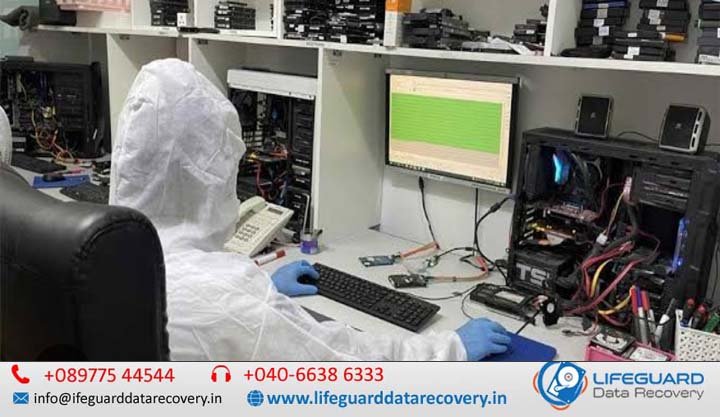
Data recovery consultation India
Data loss is often sudden, chaotic, and stressful. Whether it is a business server crash containing enterprise database backups or a personal hard drive holding years of family photographs, the instinct to act quickly can sometimes be fatal to your files. This is where a data recovery consultation in India plays a vital role. A data recovery consultation is a structured preliminary assessment where certified lab technicians and data recovery specialists evaluate the health, failure mode, and recovery feasibility of your storage media. Rather than immediately subjecting a vulnerable drive to intrusive scans or mechanical teardowns, professional data recovery consultation services India allow engineers to diagnose whether the loss is logical (software/file system level) or physical (hardware/mechanical failure). When Do You Need a Professional Data Recovery Specialist? Not all data loss situations are equal. While minor file deletions on a healthy flash drive might be fixed with basic tools, severe hardware anomalies require direct intervention by a certified data recovery specialist India. You should seek immediate data recovery assistance India if you observe any of the following symptoms: Failure Type Physical Symptoms Recommended Immediate Action Mechanical Failure Clicking, grinding, high-pitched screeching, or ticking noises. Power off immediately. Do not restart the computer or reconnect power. Firmware / PCB Corruption The drive spins normally but is not detected in BIOS or Disk Management. Stop reconnecting the drive. Requires specialized hardware imagers. Bad Sectors & Degradation File copying hangs at a specific percentage; OS prompts to “Format drive”. Avoid running CHKDSK or system repair tools. SSD Controller Crash Drive shows 0 MB capacity, generic controller names (e.g., “SATA FIRM S11”). Leave drive unpowered; SSD TRIM commands permanently erase unallocated blocks. By seeking expert data recovery advice India early, you ensure that a proper data recovery diagnosis India is performed under controlled laboratory conditions, preserving the original state of your magnetic media or flash memory arrays. Common Data Loss Scenarios Requiring Expert Evaluation Different storage architectures fail in unique ways. A comprehensive hard drive data recovery consultation evaluates the precise breakdown mechanism to craft a custom extraction strategy. Consultations for Failed and Crashed Hard Drives When dealing with a physical crash, a data recovery consultation for failed hard drives and a data recovery consultation for crashed hard disk units focus on identifying mechanical head degradation, motor spindle locks, or platter scratches. Technicians perform initial evaluations inside ISO-certified cleanrooms to prevent ambient dust from destroying platter surfaces during head replacement procedures. Damaged SSDs and NV Me Controller Failures Solid State Drives do not have moving parts, but their failure modes are complex. A data recovery consultation for damaged SSD devices assesses NAND flash degradation, controller firmware lockouts, and power surge damage. Unlike hard drives, SSDs require chip-off extraction or PC-3000 flash utility translation to reconstruct damaged raw wear-leveling algorithms. RAID Arrays, NAS Devices, and Enterprise Server Failures Enterprise environments cannot afford extended downtime. Specialized consultations address multi-drive arrays: Data recovery consultation for RAID failure: Diagnostics cover RAID 0, RAID 1, RAID 5, and RAID 6 stripe degradation, failed rebuild attempts, and controller card mismatches. Data recovery consultation for NAS devices: Specialized triage for Synology, QNAP, and Net gear appliances affected by file system corruption (Btrfs/EXT4). Data recovery consultation for server failure: Emergency assessment for VMware ESXi host failures, virtual machine (VHD/VMDK) corruption, and SQL/Oracle database crashes. Logical Data Loss: Deleted Files, Formatted Partitions, and Corrupted Drives Logical corruption occurs when storage media remains physically healthy, but access to data is blocked: Data recovery consultation for deleted files: Verifies whether deleted file pointers have been overwritten by active operating system usage. Data recovery consultation for formatted drives: Assesses partition table overwrites (FAT32, NTFS, exFAT, APFS) and calculates raw signature recovery chances. Data recovery consultation for corrupted drives: Diagnoses RAW partition formats, corrupted file system headers, and BitLocker/LUKS encryption header damage. How to Consult a Data Recovery Expert in India: Step-by-Step Process Knowing how to consult a data recovery expert in India helps you streamline your recovery timeline while protecting your confidential information. Initial Inquiry & Symptoms Documentation Contact a certified lab via phone or online data recovery consultation India portals. Provide exact details regarding the device model, operating system, failure symptoms, and any previous recovery attempts. Preliminary Remote Triage For non-hardware failures, an engineer may perform an initial free data recovery consultation India session via secure screen sharing to determine whether logical remote recovery is viable. Lab Drop-Off or Mail-In Diagnostics If mechanical or electronic damage is suspected, the media must be dispatched to an air-gapped laboratory. The engineering team performs deep-level diagnostics using specialized hardware tools (such as PC-3000 Express). Evaluation Report & Transparent Quote You receive a formal data recovery assessment India report detailing the recoverable file directory, estimated recovery probability, turnaround timeframe, and fixed quotation under a “No Data, No Fee” policy. What to Do Before Sending Your Hard Drive for Recovery Improper handling during shipping can turn a recoverable drive into permanent data loss. Follow these essential guidelines when reviewing what to do before sending a hard drive for recovery: Stop Using the Device: Disconnect power immediately to halt further platter degradation or file overwrites. Do Not Open the Drive Casing: Opening a mechanical hard disk outside a Class 100 / ISO Class 5 cleanroom introduces airborne dust particles that permanently ruin platter sectors. Use Anti-Static Packaging: Wrap the hard drive or SSD inside an ESD (electrostatic discharge) anti-static bag. Box with Cushioning: Enclose the anti-static bag in at least 2 inches of thick bubble wrap on all sides. Place it inside a rigid cardboard shipping box. Select Reliable Courier Trackers: Use reputable nationwide courier logistics (such as DTDC, Blue Dart, or Speed Post) with signature confirmation upon delivery to your chosen professional data recovery India center. Evaluating Data Recovery Companies in India: Key Criteria to Look For Selecting the right partner requires separating marketing claims from genuine technical infrastructure. When searching for data recovery experts near me or evaluating nationwide labs, verify the following standards: Partnering with an established