
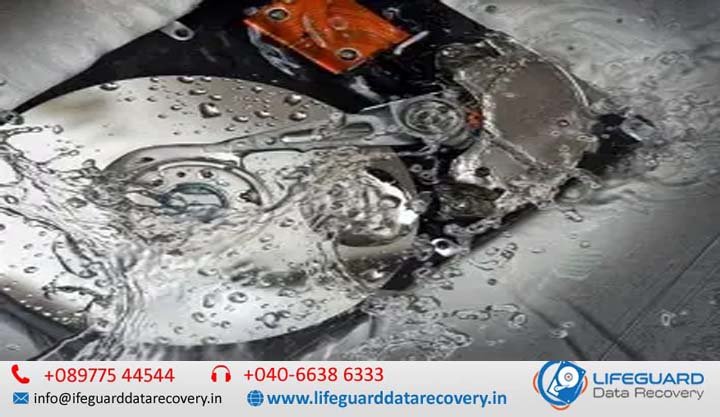
HDD water damaged recovery India
When a hard drive gets soaked-whether from heavy monsoon flooding, an accidental coffee spill, or high humidity exposure-the immediate reaction is usually panic. Hard disk drives (HDDs) house ultra-precise mechanical components, making liquid exposure one of the most critical physical failure scenarios. This guide breaks down what actually happens to a water-damaged hard drive, debunks dangerous drying myths, and walks you through an emergency protocol to maximize your chances of HDD water damaged recovery in India. Understanding Hard Drive Water Exposure: What Happens Inside a Wet Disk? Hard disk drives are precision electronic devices. Internal magnetic platters spin at high speeds ($5,400\text{ to }7,200\text{ RPM}$) while read/write heads hover mere nanometers above the surface. When liquid enters the assembly or touches external electronics, it triggers physical and chemical destruction. PCB Short Circuits vs. Platter Contamination A hard drive experiences water damage across two distinct functional layers: Printed Circuit Board (PCB) Short Circuits: The external circuit board handles power delivery and drive control. Water contains dissolved minerals, salts, and impurities that make it conductive. Passing electric current through a wet PCB shorts out traces, burns motor controller ICs, and destroys protection diodes. Platter Contamination and Head Stiction: HDDs are sealed to control airflow, but they are not completely hermetic-breather holes allow internal/external pressure equalization. Water drawn through breather filters deposits mineral residues on glass or aluminum platters. When these residues dry, read/write heads stick directly to the platter surface (head stiction) or scratch the magnetic coating upon spin-up. The Threat of Rapid Corrosion in Indian Climates In tropical and coastal Indian regions (such as Mumbai, Chennai, Kolkata, or monsoon-affected inland areas), high ambient humidity accelerates chemical oxidation. When copper traces, solder pads, and spindle motor bearings react with oxygen and moisture, surface rust and oxidation form within 12 to 24 hours. Saltwater exposure in coastal regions or muddy floodwater in urban monsoons speeds up this degradation even further. Critical First Steps: What to Do Immediately When Your Hard Drive Gets Wet Your actions in the first 60 minutes after a drive gets wet dictate whether the stored files remain salvageable. Immediate Emergency Triage (Do’s and Don’ts) Action Why It Matters DO NOT Power It On Electric current flowing through water causes instantaneous short circuits that burn board traces. DO NOT Open the Casing Opening the Head Disk Assembly (HDA) outside a certified Cleanroom introduces dust particles that ruin platters. DO Disconnect Power Immediately Unplug external power cables, remove the drive from its enclosure or laptop, and pull out the SATA/USB cables. DO Blot External Moisture Dab external water gently with a lint-free microfiber cloth without shaking or tilting the unit. DO Keep the Drive Sealed Damp Place the drive in a sealed anti-static or ziplock bag. Preventing rapid, ambient drying keeps mineral deposits from caking onto internal platters before lab cleaning. Debunking Dangerous DIY Myths: Rice, Heat Guns, and Freezing The Rice Bucket Trick: Rice does not remove internal corrosion or mineral deposits. It releases fine starch dust and grains into drive connectors and breather ports, creating a humid trap that accelerates oxidation. Hair Dryers & Heat Guns: Excessive heat warps internal plastic components, damages delicate voice-coil actuators, and bakes liquid contaminants directly into magnetic platter coatings. Freezing the Drive: Freezing expands water droplets inside the drive, causing micro-fractures on platters and damaging alignment mechanisms. Identifying the Symptoms of Water Damage on Internal & External Drives Recognizing physical and system signs helps you confirm liquid ingress without risking further power cycles. Physical Symptoms: Clicking, Buzzing, or Complete Power Loss Clicking/Clacking (The “Click of Death”): Indicates read/write heads are failing to calibrate, hitting mineral deposits on platters, or damaged by shorted pre-amplifier chips. High-Pitched Buzzing/Beeping: Caused by stuck read/write heads pinned against magnetic platters (head stiction) or a seized spindle motor bearing. Complete Dead Power (No Spin): Blown PCB protection diodes, shorted power rails, or destroyed motor controller chips. System Errors: Unrecognized Drive & I/O Errors Drive Not Detected: The host operating system cannot establish a SATA/NVMe link due to oxidized PCB contact pads or shorted USB bridge controllers. Fatal I/O Device Error: Appears when the drive’s controller fails mid-operation as moisture interferes with internal signal processing. Water Damaged HDD Recovery Options: DIY vs. Professional Cleanroom Labs Why Data Recovery Software Cannot Fix Wet Media Data recovery software requires stable hardware to read magnetic sectors. Running recovery software on a wet or corroded hard drive forces platters to spin at thousands of RPMs while wet heads grind against mineral debris. This creates concentric platter scratches (ring of death) and permanently strips away magnetic data layers. What Happens Inside a Professional Recovery Lab? Professional facilities follow a strict hardware-first recovery process: ULPA/HEPA Class 100 Cleanroom Bench: Mechanical teardowns take place under filtered laminar flow air units ($0.02\text{–}0.3\text{ micron}$ filtration) to protect bare platters from dust contamination. Ultrasonic PCB Decontamination: The wet circuit board is detached and submerged in an ultrasonic bath filled with specialized electronics cleaning solvents to strip away corrosion beneath BGA microchips. Platter Washing & Drying: If water breached the drive housing, platters are demounted, rinsed using purified solvent mixtures, and dried without introducing surface streaks. Donor Component Swaps: Damaged read/write head assemblies or micro-soldered PCB parts are replaced with matching donor hardware. Sector-by-Sector Hardware Imaging: Specialized imager systems (e.g., PC-3000) bypass Windows operating system errors, allowing engineers to read raw data safely at the hardware controller level. Prevention & Disaster Preparedness Keep Storage Off Floor Level: Store external drives and desktop towers on elevated stands to safeguard against urban monsoon waterlogging or indoor pipe bursts. IP67 Waterproof Enclosures: Use sealed, waterproof carrying cases for sensitive backup media during travel or transit. Follow the 3-2-1 Backup Strategy: Keep 3 copies of your data across 2 different storage media types, with at least 1 backup stored securely offsite or in the cloud. Frequently Asked Questions (PAA Style) Can a water-damaged hard drive be repaired and reused? No. Professional recovery stabilizes damaged hard drives solely to extract raw data files. The drive