Author name: admin

blog

Camera Card Data Recovery

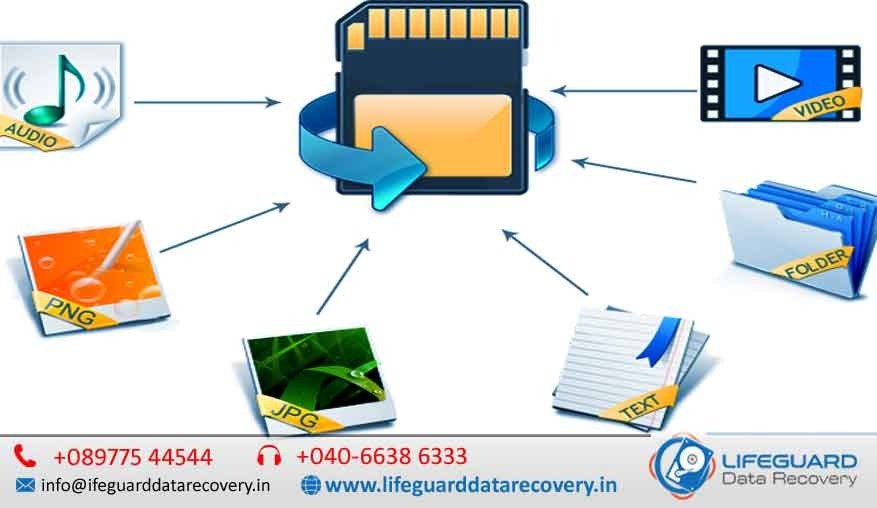
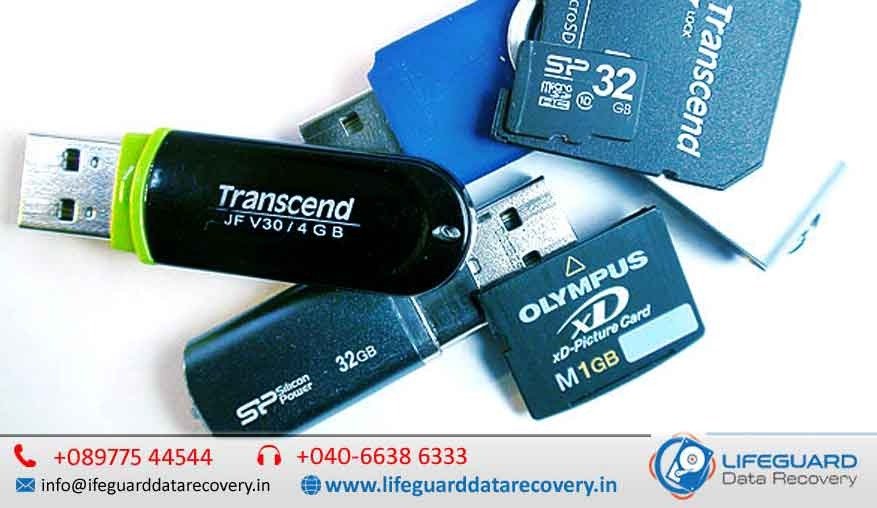
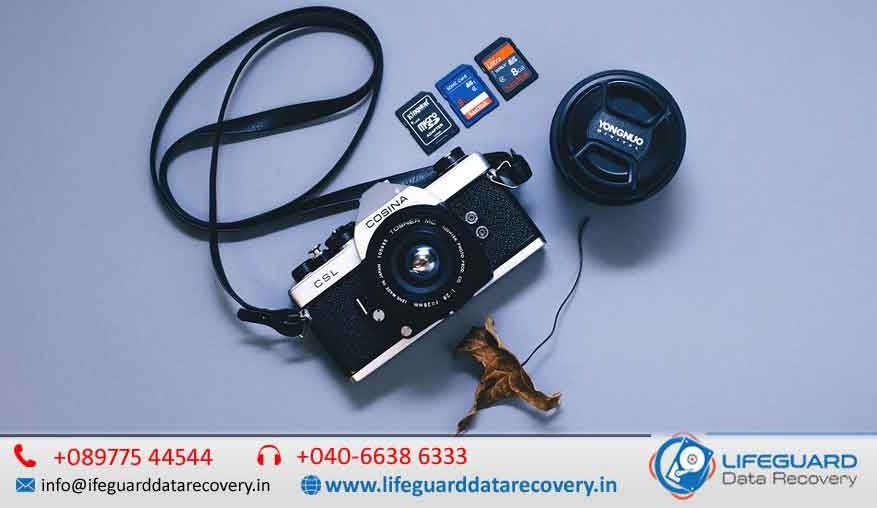
Losing your priceless photos and videos from a camera’s memory card can be devastating whether it’s a wedding album, rare wildlife captures, travel memories, or a crucial professional project.Sadly, camera card failures can happen to anyone from casual photographers to seasoned professionals and the causes can be as simple as an accidental deletion or as severe as physical damage. That’s where our professional camera card data recovery service makes all the difference. With cutting edge tools, a controlled cleanroom environment, and years of technical expertise, we can recover files that many others might consider beyond repair in Lifeguard Data Recovery. Why Camera Card Data Recovery Matters In today’s digital era, our most treasured memories are stored on tiny pieces of hardware. SD cards, microSD cards, CF cards, XQD cards, and similar media let us store thousands of high-quality photos and videos.However, their small size and delicate construction make them vulnerable to corruption, damage, and data loss. The good news? In most cases, your files aren’t truly gone they’re just inaccessible. Acting quickly and avoiding risky DIY recovery methods can dramatically increase the chances of a successful recovery.  Causes of Camera Card Data Loss Over years of experience, we’ve recovered data from thousands of cards. The most common reasons for failure include: Accidental Deletion Deleting the wrong files or formatting the card without backup. Card Corruption Sudden power loss, malware infections, or improper ejection can damage the file system. Physical Damage Bent pins, water exposure, or cracked casings can make the card unreadable. File System Errors Camera or computer errors causing the card to appear blank or inaccessible. Wear & Tear Over time, flash memory degrades, leading to sudden and unpredictable failure. Types of Cameras Cards We Recover We handle all major memory card types and brands, including: SD, SDHC, and SDXC cards microSD and micro SDHC cards CompactFlash (CF) cards XQD cards C Fast 2.0 cards Memory Stick Pro Duo & Pro-HG Other proprietary or professional camera storage media We recover cards from DSLRs, mirrorless cameras, drones, action cameras, and professional video equipment made by brands like Canon, Nikon, Sony, GoPro, DJI, Panasonic, and Blackmagic. Our Camera Card Data Recovery Process We follow a safe, structured, and nondestructive process to ensure the best possible results:  Initial Diagnosis We inspect your card, determine the issue, and provide a no obligation quote. Write Protection We lock the card to prevent overwriting data. Card Cloning A sector by sector copy is made so all work is done on the clone, keeping your original safe. Advanced Data Extraction Using specialized hardware and software, we retrieve data even from damaged sectors. File Verification Each file is checked for completeness and integrity. Secure Delivery Files are returned via encrypted download or on a new storage device. Our No Data, No Charge policy ensures you only pay for successful recoveries. Why Choose Us for Camera Card Data Recovery Over 95% Success Rate Proven track record in supported cases. Safe & Non-Destructive No further damage to your device. Fast Turnaround Same day and emergency recovery options. Strict Privacy Full confidentiality, with NDAs available. Transparent Pricing Fair, upfront quotes with no hidden costs. Pro Tips to Improve Recovery Chances If your camera card fails, remember: Stop Using It Immediately Continued use can overwrite recoverable files. Avoid Random Software Unreliable tools may worsen damage. Store in a Safe Place Keep it away from heat, moisture, and dust. Act Quickly The sooner you seek professional help, the better the outcome. Frequently Asked Questions  Q1: Can you recover RAW files from my camera card?Yes. We can recover RAW formats like CR2, NEF, ARW, ORF, and more, alongside JPEG, PNG, TIFF, and video formats such as MP4, MOV, and AVI. Q2: My camera card is physically broken. Can you still recover my data?Yes. If the memory chip is intact, we can often perform a chip off recovery to retrieve your data. Q3: How long does the recovery process take?Standard recovery takes 1 3 business days. For urgent cases, we offer same day or even same hour recovery (depending on the damage). Q4: Will my data remain confidential?Absolutely. We have strict data privacy protocols and can sign NDAs if needed. Q5: How much will it cost?Pricing depends on the type of damage and urgency. We provide a transparent quote after diagnosis. Q6: Can I try recovery software before coming to you?We advise caution. If the damage is physical or severe, using software could make recovery harder. Professional recovery is the safest route. Final Thoughts Losing photos and videos from your camera card is stressful but it’s not always the end of the story. With the right tools, expertise, and a professional approach, most files can be successfully restored.Whether you’re a professional photographer protecting client work or an enthusiast safeguarding personal memories, our fast, secure, and reliable camera card data recovery service in India is here to help you get your memories back.
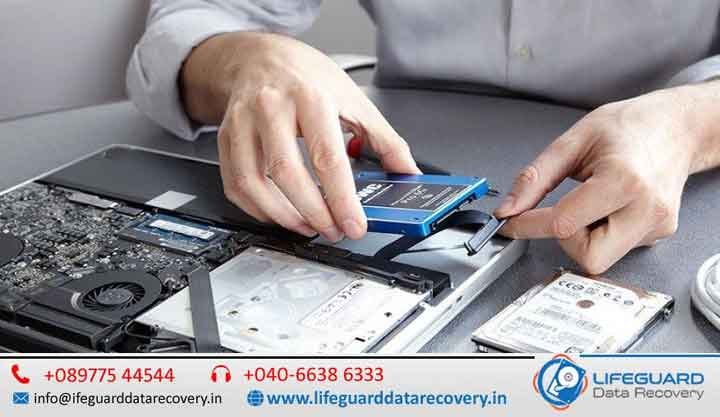

Apple Laptop Data Recovery
Life Guard

Apple Laptop Data Recovery

Apple Laptop Data Recovery in India – Get Your Mac Back to Life. When your Apple laptop suddenly stops recognizing your files, won’t boot, or shows a dreaded question mark folder, it’s more than just a technical glitch-it’s a moment of panic. Whether you’re a creative professional with irreplaceable design projects, a business owner with confidential data, or a student with your final year thesis, losing data on a MacBook or MacBook Pro is stressful. At Mac Repair India, we are experts in Apple Laptop Data Recovery–restoring lost documents, photos, videos, and essential files with precision using advanced recovery technology and the skill of certified Apple technicians. Why Apple Laptop Data Recovery Requires Specialized Expertise Apple laptops are built with cutting-edge technology-solid-state drives (SSD), proprietary file systems like APFS and HFS+, advanced encryption, and sleek but compact hardware design. While these make your Mac fast and secure, they also make data recovery more challenging for non-specialists. Unlike generic PCs, an Apple laptop’s data recovery demands Mac-specific tools, firmware-level understanding, and cleanroom-grade handling-something only a dedicated Apple recovery specialist can provide. Apple Laptop Data Recovery in India Losing important data from your Apple laptop can be one of the most frustrating experiences, especially when it contains irreplaceable business documents, family photos, research projects, creative work, or financial records. Whether your MacBook won’t boot, your SSD has failed, your files have been accidentally deleted, or your laptop has suffered liquid damage, professional data recovery can often restore your valuable information. We specialize in Apple Laptop Data Recovery in India, offering advanced recovery solutions for all models, including Apple Silicon devices. Our certified Apple technicians combine years of experience with industry-leading recovery equipment to retrieve lost, deleted, corrupted, and inaccessible data safely and securely. From simple file recovery to complex logic board-level data extraction, we provide reliable recovery services with a high success rate while maintaining complete confidentiality. Apple Laptop Data Loss Scenarios We Recover From We have helped clients across India in every possible data loss situation. Some of the most common include: Accidental Deletion or Formatting – Files emptied from Trash or drives reformatted without backup. macOS Corruption – Failed updates, sudden shutdowns, or system crashes. SSD or Hard Drive Failure – Physical damage, bad sectors, or firmware corruption. Water or Liquid Damage – Coffee spills or rainwater affecting internal storage. Logic Board Issues – Hardware faults that prevent your Mac from powering on. Encryption & File Vault Problems – Lost access due to password or encryption errors. No matter the reason, our Apple laptop data recovery in India follows a structured approach to ensure maximum recovery success. Our Proven Apple Laptop Data Recovery Process Free Initial Diagnosis – We start by carefully assessing the device to understand the extent of the damage. Detailed Recovery Plan – Our experts create a tailored strategy based on whether it’s logical, firmware, or physical damage. Advanced Recovery Tools – We use Apple-compatible recovery utilities, chip-off techniques, and secure disk imaging. Data Verification – Once recovered, files are verified for integrity and completeness. Secure Data Delivery – We provide your recovered data on a secure external drive, encrypted for safety. If someone has already opened the drive, a diagnosis charge of applies due to increased complexity. Pickup and delivery services are available across India for a nominal fee. Your Best Partner for Apple Laptop Data Recovery in India Apple-Certified Technicians – Skilled in Mac-specific recovery techniques. Cleanroom Facilities – Dust-free environment for physical drive repair. Genuine Apple-Compatible Parts – Ensuring no further damage during handling. All India Coverage – Whether you’re in Mumbai, Delhi, Bangalore, Chennai, Hyderabad, or a smaller city, we can help. Confidential & Secure – We treat your data with the highest level of privacy. No Data – No Charge Policy – You only pay when your data is successfully recovered. Data Recovery for All Apple Laptop Models We offer recovery for all MacBook and MacBook Pro generations, including: MacBook Air – Early models to M2 series MacBook Pro – All sizes, including 13-inch, 14-inch, 15-inch, and 16-inch models MacBook Retina – High-resolution display models Older MacBooks with HDD – Still recoverable with proper techniques Whether your laptop has an APFS-formatted SSD or a traditional HFS+ hard drive, our team has the expertise to get your data back. Tips to Increase Apple Laptop Data Recovery Success If your Apple laptop has suffered data loss: Stop using it immediately – Avoid overwriting recoverable data. Do not try DIY fixes – Many online methods can cause irreversible damage. Keep it powered off – Especially if it suffered physical or liquid damage. Contact a professional quickly – The sooner we begin, the higher the success rate. Service Locations Across India We serve clients in Delhi, Mumbai, Bangalore, Chennai, Hyderabad, Kolkata, Pune, Ahmedabad, Jaipur, Lucknow, and more, with doorstep pickup and delivery available nationwide. Contact Us Today Don’t let data loss slow you down. Our Apple laptop data recovery in India team is ready to bring your files back to life-safely, quickly, and securely. Call us now for a consultation.

macOS Data Recovery
blog

macOS Data Recovery

macOS Data Recovery in India – Expert Apple-Certified Solutions to Get Your Data Back. When your Mac running macOS suddenly loses important files, it’s not just a technical glitch-it’s a heart-stopping moment. Whether it’s irreplaceable family photos, years of business documents, or an urgent client project, data loss can bring panic, frustration, and even financial setbacks. The good news? Professional macOS data recovery in Lifeguard Data Recovery India can help you get those precious files back-quickly, securely, and with expert care. Why macOS Data Loss Happens – Causes Many believe macOS is immune to data loss thanks to its robust architecture and Time Machine backups. However, even the most reliable systems aren’t flawless. Data loss may occur due to: Accidental deletion – Emptying the Trash without realizing vital files were inside. macOS updates gone wrong – Failed installations or sudden shutdowns mid-update. Corrupt drives or partitions – APFS or HFS+ file systems becoming unreadable. Water or physical damage – Spills, drops, or internal hardware failure. Malware attacks – Rare, but capable of inflicting serious damage. Formatting errors – Accidentally formatting the wrong drive or partition. Identifying the cause is the first step toward the most effective recovery. DIY vs. Professional macOS Data Recovery in India While it’s tempting to try free or paid recovery software, there’s a key difference between a do-it-yourself approach and Apple-certified recovery services: DIY tools may help in simple cases like accidental deletion but risk overwriting lost files if used incorrectly. Professional recovery labs work in controlled, dust-free environments with advanced tools-essential for handling damaged drives or T2/M1/M2 security chips. Pro Tip: If your Mac is making unusual noises, won’t boot, or the drive isn’t detected-stop using it immediately. Further use could make recovery more difficult and expensive. Our Apple-Certified macOS Data Recovery Services in India We offer complete macOS data recovery solutions, covering everything from simple software-level retrieval to complex chip-level and cleanroom operations. 1. APFS and HFS+ Recovery macOS uses advanced file systems like APFS for newer Macs and HFS+ for older ones. Each demands a different recovery strategy to preserve file integrity. Our team is trained to handle both formats. 2. T2 Security & M1/M2 Chip Data Recovery Modern Macs feature T2 security chips or Apple Silicon processors, adding complexity to the recovery process. We follow authorized procedures to access encrypted data while protecting your privacy. 3. SSD and Fusion Drive Recovery Mac SSDs store data differently than traditional drives-and many are soldered to the motherboard. We have specialized tools to recover data from soldered SSDs and hybrid Fusion Drives. 4. Water & Physical Damage Recovery From coffee spills to accidental drops, our cleanroom environment allows safe and effective recovery without further hardware damage. What Makes Our macOS Data Recovery Services in India Stand Out? Apple-Certified Technicians – Experts in both hardware and software recovery for all Mac models. Secure & Confidential – Your files are protected under strict NDA-level privacy. Nationwide Service – Available across India, with pick-up and delivery in major cities. Transparent Process – Clear diagnosis, upfront estimates, and zero hidden charges. Our 3-Step macOS Data Recovery Process  Evaluation – We inspect your Mac and determine recovery feasibility. Secure Recovery – Performed using industry-leading tools in a controlled lab environment. Data Delivery – Files returned via encrypted drives or secure digital transfer. Data We Recover from macOS Systems We specialize in retrieving almost any type of file, including: Photos, videos, and audio files Office documents and presentations Database files Emails and archives System configuration files Whether you’re a graphic designer in Mumbai, a startup founder in Bangalore, or a student in Delhi, our services cater to every user and industry. Tips to Increase macOS Data Recovery Success Avoid installing any new software on the affected drive to prevent overwriting lost data. Store your Mac in a cool, dry place until inspected by a professional. Contact a trusted macOS data recovery expert immediately for the best possible outcome. Cities We Serve Across India We provide macOS data recovery in key locations including: Mumbai | Delhi | Bangalore | Hyderabad | Chennai | Pune | Ahmedabad | Kolkata | Jaipur | Chandigarh …and many other Tier-2 and Tier-3 cities through courier pick-up and delivery. FAQs on macOS Data Recovery in India Q1: Can you recover data from a Mac that doesn’t turn on? Yes. Even if your Mac won’t start, we can recover data directly from its internal storage in our lab. Q2: Is macOS data recovery 100% guaranteed? No service can promise absolute success, but our Apple-certified tools and techniques give you the highest chance possible. Q3: How long does the process take? Most recoveries are completed within 1-5 business days, depending on the damage and data size. Recover Your macOS Data Today Data loss can be stressful, but it doesn’t have to be permanent. Our macOS data recovery services in India combine technical expertise with customer-focused care, ensuring your files are recovered safely and efficiently. Call us now for a diagnosis and let us bring your lost data back to life.  

data recovery services data recovery company
Life Guard

Memory Card Data Recovery

From a DSLR packed with priceless wedding photos to a drone capturing breath taking aerial shots a memory card often holds more than just files; it holds irreplaceable moments and critical work. In India, professional memory card data recovery services have become the go-to solution for photographers, students, corporates, and content creators who can’t afford to lose their valuable files. Memory Card Data Recovery in India – Professional Recovery for SD, microSD, CF & Camera Memory Cards A memory card may be small in size, but it often stores your most valuable digital assets-from wedding photographs and family memories to business presentations, drone footage, CCTV recordings, and professional photography projects. Losing access to these files due to accidental deletion, corruption, formatting, or physical damage can be stressful, especially when no backup exists. Fortunately, losing access to your files does not always mean they are permanently lost. In many cases, professional data recovery specialists can successfully recover deleted, formatted, corrupted, or inaccessible data using advanced forensic techniques and specialized recovery equipment. At LifeGuard Data Recovery, we provide expert Memory Card Data Recovery in India for photographers, videographers, businesses, students, government organizations, content creators, and individual users. Our certified engineers recover valuable data from all major memory card types and brands while maintaining complete confidentiality and industry-leading recovery success rates. Why Memory Card Data Recovery Requires Professional Expertise Unlike traditional hard drives, memory cards use NAND flash memory and sophisticated controllers to store information. When a memory card becomes damaged, the recovery process often requires chip-level analysis, firmware repair, and advanced forensic software that standard recovery programs cannot provide. DIY recovery software may work in simple deletion cases, but using the wrong tools or continuing to use the damaged card can permanently overwrite recoverable data. Professional recovery offers: Advanced forensic recovery tools NAND chip-level recovery Firmware repair capabilities Recovery from physically damaged cards Secure laboratory environment High recovery success rates Strict confidentiality for personal and business data Common Causes of Memory Card Data Loss Memory cards can fail for many different reasons. Our specialists regularly recover data from cards affected by: Accidental Deletion Photos, videos, or documents deleted by mistake from cameras, smartphones, drones, or computers. Accidental Formatting Formatting the wrong memory card or accepting a device prompt to format the card before use. File System Corruption Improper ejection, interrupted file transfers, or sudden power loss can corrupt the card’s file system and make data inaccessible. Physical Damage Memory cards may become damaged due to: Cracked casing Broken connectors Bent pins Water exposure Fire damage Excessive heat Electrical damage Virus or Malware Infection Connecting memory cards to infected computers may damage files or corrupt the storage structure. Card Not Detected Your camera, phone, or computer may fail to recognize the memory card because of firmware corruption, controller failure, damaged contacts, or internal hardware faults. Bad Sectors Over time, flash memory cells wear out, creating unreadable sectors that can result in missing or corrupted files. Why Memory Cards Fail   Causes of Data Loss Memory cards are convenient, but their compact size also makes them fragile. Here are the most frequent issues that lead to data loss: Accidental deletion The classic moment, deleting files or entire folders without a backup. Formatting errors Formatting by mistake or due to system prompts. Card corruption Removing the card mid-transfer or a device crash can damage the file structure. Physical damage Cracks, bent pins, water exposure, or heat damage. Virus/malware infection Especially when cards are used on multiple devices or unprotected systems. Card not recognized Firmware faults or connector damage stopping the device from detecting the card. Why Professional Recovery Is Worth It Trying recovery software might sound appealing but it can be risky. A wrong step could overwrite the very data you’re trying to save.Professional labs offer: Cleanroom facilities for safe handling of damaged cards. Specialized tools for NAND chip level recovery. High recovery success rates for both logical and physical damage. Support for all card brands    SanDisk, Samsung, Sony, Kingston, Lexar, Transcend, and more. Strict confidentiality for sensitive personal or business data. Types of Memory Cards Supported Whether you’re recovering a 4GB microSD card from an old phone or a 256GB SDXC card from a high end camera, experts can handle almost every type: SD / SDHC / SDXC microSD / micro SDHC / micro SDXC CF (CompactFlash) x D Picture Cards Memory Stick Pro Duo MMC (Multimedia Cards) The Recovery Process Step by Step Assessment & Diagnosis Technicians check the type of damage and recovery feasibility. Write Protection The card is locked to prevent further data loss. Cloning A secure bit by bit copy is made to work from. Logical or Physical Recovery Depending on the damage, either software tools or chip level extraction methods are used. File Repair Corrupted files are reconstructed and made usable again. Delivery Data is returned securely, often on a new storage medium. Preventing Future Memory Card Data Loss Always use Safely Remove before unplugging. Avoid reusing the same card across multiple devices without reformatting. Keep cards in protective cases and away from moisture/heat. Make regular backups to a hard drive or cloud. Replace old or faulty cards before they fail. FAQs Memory Card Data Recovery in India Q1: My memory card isn’t detected at all. Can data still be recovered?Yes, in most cases. Even if your device can’t detect the card, professionals can access the memory chip directly and extract the data. Q2: How long does recovery take?Simple cases can be resolved in a few hours, while severe damage may take 2 5 working days. Q3: Can I recover videos that won’t play anymore?Yes. Recovery software can restore the raw files, and video repair tools can make them playable again. Q4: Will recovery damage my original card further?No. Professionals work on a cloned copy to keep the original card untouched. Q5: Is my data safe with a recovery service?Yes trusted companies sign confidentiality agreements and store recovered data in secure, access-controlled systems. Q6: Can water-damaged cards be repaired?Often yes, but the chances

photo recovery after accidental deletion
blog

Flash Drive Data Recovery in India

Losing important data from a flash drive can be both frustrating and stressful especially when it contains irreplaceable photos, business critical documents. Whether the cause is accidental deletion, virus infection, file corruption, or even physical damage, flash drive data recovery in India has evolved significantly. Today, professional recovery labs and advanced tools can retrieve data from almost any scenario with high success rates in Lifeguard Data Recovery. This guide covers everything you need to know about USB flash drive, pen drive, and thumb drive recovery in India from causes of data loss and recovery methods to costs, prevention tips, and frequently asked questions. Understanding Flash Drive Data Loss A flash drive (pen drive or USB drive) is a portable device using NAND flash memory to store data. They are popular for their portability and convenience, but they are not immune to failures. Data loss can occur suddenly due to: Accidental Deletion Removing files unintentionally, including emptying the recycle bin. Formatting Errors Formatting the drive by mistake or due to system prompts. Corruption File system errors making the drive unreadable. Virus or Malware Infection Files being hidden, encrypted, or deleted. Physical Damage Broken USB connectors, cracked casings, or damaged chips. Power Surges Removing the device during data transfer or sudden power loss. Identifying the cause is the first step toward successful recovery. DIY Flash Drive Recovery vs. Professional Services When faced with data loss, many people try software or online tools first. These can be effective for simple cases but have their limitations. Advantages of DIY Recovery: Affordable or free Quick to try for minor issues Works well for non-critical files Disadvantages of DIY Recovery: Risk of overwriting lost data Low success rate for severe damage Possible malware risk from unsafe software Professional flash drive recovery services in India offer a more reliable approach, especially for physically damaged or heavily corrupted drives. Experts use advanced tools, cleanroom labs, and chip-off recovery techniques to maximize data recovery chances. How Professional Flash Drive Data Recovery Works Diagnosis The drive is examined to determine the damage type. Logical Recovery Specialized software restores deleted, formatted, or corrupted files. Physical Recovery Repairing connectors, replacing components, or extracting data directly from memory chips. Data Verification Ensuring recovered files are complete and usable. Secure Delivery Files are returned on a new storage medium with confidentiality guarantees. Cost of Flash Drive Data Recovery in India The cost depends on several factors: Damage Type: Logical issues are generally cheaper than physical repairs. Drive Capacity: Larger storage devices require longer scans. Urgency: Same-day or emergency services may cost extra. Data Volume: More files mean longer processing times. Why Choose Professional Recovery Services in India High Success Rate: Over 90% in cases where data isn’t overwritten. Advanced Equipment: Access to proprietary tools unavailable to the public. Data Privacy: Secure handling with strict confidentiality agreements. Experience with All Brands: San disk, Kingston, Transcend, HP, Sony, and more. Dedicated Support: Step-by-step guidance throughout the process. Tips to Prevent Flash Drive Data Loss Always safely eject the drive before removing it. Keep regular backups on multiple devices or cloud storage. Avoid physical stress such as bending or dropping. Store away from moisture and extreme heat. Use antivirus protection to guard against malware infections. Flash Drive Recovery for Different Needs in India Corporate Use: Presentations, confidential documents, contracts. Students: Assignments, research, projects. Photography & Videography: RAW images, edited videos, client work. Government & Legal: Sensitive reports, official documentation, evidence files. The Future of Flash Drive Data Recovery in India With portable storage demand growing, India’s data recovery industry is evolving rapidly. AI driven tools, advanced chip-off recovery, and faster scanning technologies are improving recovery accuracy and turnaround times, making services more accessible and affordable. FAQs Flash Drive Data Recovery in India Q1: Can I recover files from a flash drive that is not detected by my computer?Yes. Professionals can access the memory chip directly, even if the device isn’t recognized by your system. Q2: Is it safe to use free recovery software?Safe for small, non-critical recoveries, but risky for important or sensitive files. Overwriting is possible if not handled correctly. Q3: How long does the recovery process take?Simple recoveries may take a few hours, while complex physical repairs can take several days. Q4: Can water-damaged flash drives be repaired?Yes. With cleanroom equipment and chip-level repair, data can often be restored from water damaged devices. Q5: Will my recovered files be 100% intact?Most of the time, yes unless parts of the data have been overwritten or the flash memory is severely damaged. Q6: Do I get my original flash drive back after recovery?Yes. Most recovery center  return the original device along with your recovered files.

Deleted Video Data Recovery
blog

Deleted Video Data Recovery

Deleted Video Recovery in UAE- Fast, Secure & Professional Service. Accidentally deleted an important video? Lost your gallery videos after a factory reset? Or maybe your memory card stopped working right before you could back up your files? At Lifeguard Data Recovery, we specialize in deleted video data recovery helping individuals, businesses, and media professionals restore their precious footage-quickly, securely. Whether you need to recover deleted videos from a phone, camera, drone, CCTV system, or computer, our expert technicians use advanced video restore tools to bring your memories and important files back to life. Why Choose Mac repair for Video Recovery in the UAE? When every second counts, you need a recovery service that combines expertise, technology, and trust. Here’s why thousands of UAE residents choose us: Expert Technicians– Skilled in recovering videos from all devices, formats, and storage types. Advanced Tools-Capable of video repair and recovery for damaged or corrupted files. All Formats Supported -MP4, MOV, AVI, MKV, WMV, FLV, and more. Privacy Guaranteed– Strict confidentiality for personal, professional, or sensitive footage. Lost Video Recovery from Memory Cards & External Drives Our team recovers footage from SD cards, microSD cards, USB drives, and portable HDDs/SSDs, even if the device is corrupted or physically damaged. Restore Permanently Deleted Videos from Computers Formatted your hard drive or emptied the Recycle Bin? We can recover files from Windows and macOS devices. Recover Old Videos from Backup or Damaged Devices We restore footage from outdated drives, broken phones, and cloud backups like Google Drive, Dropbox, and iCloud. Our Video File Recovery Process Assessment & Diagnosis -We analyze your device to determine the cause of loss and the best recovery approach. Safe Extraction – Using specialized video recovery software and hardware tools, we retrieve your lost files without causing further damage. Repair & Restoration– If files are corrupted or incomplete, our video repair and recovery process fixes them. Secure Delivery – Your recovered videos are delivered via USB, external drive, or encrypted cloud link. When Professional Recovery is Necessary If your storage device is physically damaged, files are corrupted, or the footage is overwritten, professional recovery ensures the highest success rate without risking permanent loss. Deleted Video Recovery for Android & iPhone We recover deleted gallery videos, WhatsApp clips, and social media videos from both Android and iOS devices. Our services also cover: iCloud video restore Google Drive backup recovery Video repair for incomplete or damaged files Lost Video Recovery for Businesses, Media Creators & Security Systems Our clients include: Filmmakers & Vloggers-Recovery of project footage from cameras and editing drives Corporate Clients-Restoring training, marketing, and event videos Security Teams– Recovering deleted or overwritten CCTV footage for investigations All business recoveries are performed under Non-Disclosure Agreements (NDAs) to ensure complete confidentiality. How Much Does Video File Recovery Cost in the UAE? The cost depends on: Device type (phone, camera, CCTV, computer) Storage capacity and file size Damage type (logical or physical) Why Acting Fast Improves  Recovery Success Time is critical in  restore: Overwriting – Saving new data can permanently replace deleted videos. SSD & memory card clearing – Some devices automatically erase deleted data over time. Worsening damage- Physical or logical issues may get worse if left untreated. UAE-Wide Service – We Recover Deleted Videos Across All Emirates We provide fast, reliable  services in:Dubai • Abu Dhabi • Sharjah • Al Ain • Ajman • Fujairah • Ras Al Khaimah Our free pickup & delivery service makes the process simple and stress-free. FAQs on  Data Restore & Recovery How to recover deleted videos from my phone?We connect your device to specialized tools that scan for recoverable files and safely restore them. Can permanently deleted videos be restored?Yes, in many cases, even after formatting or factory reset. What is the best app to recover deleted videos?For simple cases, Disk Drill or Ease US can work- but for important footage, we recommend professional recovery. Can you recover videos from water-damaged devices?Yes, we handle data recovery from devices with water, fire, or impact damage. Do you repair corrupted video files?Absolutely- our video repair and recovery process restores playable versions of damaged files. Contact Mac repair – Deleted Video Restore Experts in UAE Don’t let your valuable footage disappear forever. Contact lifeguard data recovery today for professional deleted video recovery services in the UAE.Email:https://lifeguarddatarecovery.com/server-data-recovery-dubai/

NAS Data Recovery Services in India
blog

NAS Data Recovery Services in India

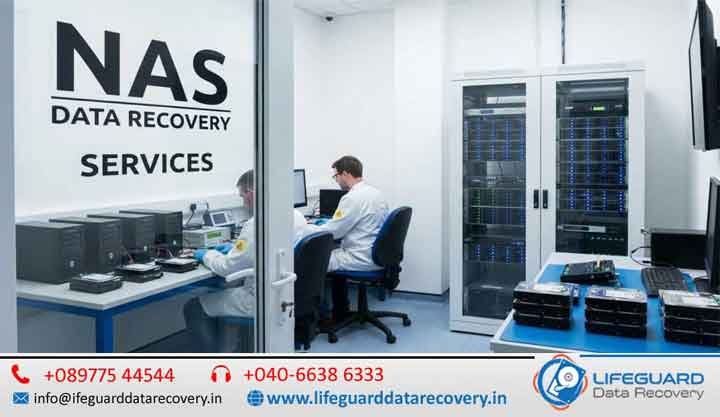
When your NAS stops working, it’s not just an inconvenience-it can bring your business or personal life to a standstill. Network Attached Storage (NAS) devices are designed to keep data safe, but like any hardware, they can fail. When they do, you need a professional NAS data recovery team that understands the complexity of NAS RAID configurations and has the tools to bring your files back. At Lifeguard Data Recovery, we provide NAS data recovery services in India-from corporate IT departments to home offices. Whether you’re looking for a NAS recovery service near me or urgent help with a failed RAID array, we’ve got you covered. NAS Data Recovery Services in India – Professional Recovery for NAS Devices & RAID Storage Network Attached Storage (NAS) devices have become the backbone of modern data storage for businesses, creative professionals, and home users. They provide centralized storage, seamless file sharing, automatic backups, and RAID-based redundancy to protect critical data. However, despite their reliability, NAS systems are not immune to failures. Hardware faults, RAID corruption, firmware issues, accidental deletion, and cyberattacks can make your valuable data inaccessible within seconds. When your NAS fails, the impact can be significant-business operations may stop, employees may lose access to shared files, surveillance recordings may become unavailable, and years of personal memories or business documents could appear lost. Fortunately, data is often recoverable with the right expertise. What is NAS Data Recovery and Why You May Need It NAS devices-like Synology, QNAP, and Net gear Ready NAS-are compact storage systems that connect to your network, allowing multiple users to store and access files. They’re perfect for backups, collaboration, and media storage. But when things go wrong, retrieving lost files isn’t as simple as plugging in a USB drive. Common reasons you might need NAS data recovery include: Hardware failures (disk crash, controller damage) File system corruption Accidental deletion or formatting Ransomware or malware attacks Natural disasters or sudden power outages Common Causes of NAS Data Loss Hardware Failures If your NAS RAID array suffers from mechanical failure-such as head crashes or motor issues-you’ll need NAS RAID failure recovery in a cleanroom environment. Software Corruption Firmware bugs or corrupted file systems can make your NAS inaccessible, requiring you to recover data from a failed NAS disk without overwriting data. Accidental File Deletion If you’ve mistakenly removed files, we can recover deleted files from NAS using advanced imaging and recovery tools. Boot Failures When your device shows “NAS not booting” errors, our engineers perform NAS not booting data recovery without damaging the drives. Signs You Need Professional NAS Recovery NAS constantly disconnects from the network Missing folders or corrupted files Unusual clicking or grinding noises from drives Frequent RAID rebuilds failures Firmware update crashes If you notice these signs, DIY NAS data recovery steps could make things worse. Instead, opt for a NAS data recovery company with the right tools and cleanroom facilities. Why Choose Lifeguard Data Recovery When searching for NAS recovery service near me, you’ll find dozens of options-but here’s why Lifeguard stands out: 24/7 Nationwide Service -Including NAS data recovery in Hyderabad, Mumbai, Delhi, Bangalore, and more. Expert Engineers – Skilled in Synology NAS data recovery, QNAP NAS data recovery, and Net gear Ready NAS recovery. Advanced Technology -Tools like R-Studio for NAS recovery and proprietary NAS recovery software. Secure Process – NDA-protected, encrypted handling of sensitive data. Transparent Pricing – Honest NAS data recovery cost estimates, no hidden fees. Our NAS Data Recovery Process Our manual NAS recovery process is built for safety and precision: Free Evaluation -We diagnose the issue, RAID type, and file system. Drive Imaging – Create sector-by-sector clones of all NAS drives. Virtual RAID Reconstruction – Restore the logical RAID configuration in a secure lab environment. Data Extraction -Recover, validate, and prepare your files for delivery. We follow best practices for NAS recovery to ensure zero risk of overwriting your original data. Supported NAS Brands & Configurations We recover data from all major NAS devices: Synology NAS data recovery – DS, RS, and FS series QNAP NAS data recovery – TS, TVS, and ES series Net gear Ready NAS recovery – RN and NV+ models Assuror NAS recovery tools support Buffalo, Terra Master, Drobot and more Supported file systems: EXT3, EXT4, BTRFS, ZFS, NTFS, XFS, APFSSupported RAID levels: RAID 0, RAID 1, RAID 5, RAID 6, RAID 10, JBOD When NAS RAID Recovery Gets Complicated Some failures are straightforward-like replacing a single failed drive in RAID 1-but others require complex recover overwritten NAS files techniques and custom scripts. Examples: NAS RAID failure recovery after multiple disk failures Recovering NAS corrupted- recover files cases with deep file carving Rebuilding unknown RAID parameters from damaged metadata DIY NAS Data Recovery vs Professional Services You might find guides on how to recover data from NAS or using best NAS recovery software at home. While these tools can work for simple logical failures, they won’t help if: Drives have physical damage RAID configuration is unknown Data has been overwritten Using the wrong recovery tool can make professional recovery harder-or impossible. NAS Data Recovery Cost in India NAS data recovery cost depends on: RAID level complexity Number of drives and their size Damage type (logical vs physical) Urgency (standard vs emergency service) At Lifeguard, we offer free evaluations before quoting a fixed price, and follow a no recovery, no fee policy. Preventing NAS Data Loss in the Future Once your data is safe, we help you plan ahead: Regular off-site backups UPS and surge protection Scheduled health checks Avoiding firmware updates without verified backups Frequently Asked Questions Q1. Can data be recovered from a failed NAS? Yes. In most cases, professional RAID reconstruction and forensic recovery techniques can restore data from failed NAS devices. Q2. Can you recover data from multiple failed RAID drives? Yes. Even when multiple drives have failed, recovery may still be possible depending on the RAID level and extent of damage. Q3. How long does NAS data recovery take? Simple logical recoveries

Malware data decryption services
blog

Malware data decryption services

When malware or ransomware encrypts your files, the situation can feel hopeless. Your business operations grind to a halt, personal memories become inaccessible, and cybercriminals may demand a ransom in exchange for the decryption key. But paying is risky and often ineffective. At Lifeguard Data Recovery, we specialize in safe, professional malware data decryption services across India- ensuring your valuable data is restored securely, without giving in to criminals. What Is Encryption and Why Is It Dangerous? Malware, particularly ransomware, works by locking your files using advanced encryption. Some examples include STOP/DJVU, Black Cat, Conti, and REvil. These threats can impact individuals, enterprises, and even government agencies. Once encrypted, files typically require a matching private key for decryption -something cybercriminals keep until ransom is paid. Unfortunately, paying doesn’t guarantee recovery. In many cases, attackers disappear after payment or send a corrupted key. That’s why professional ransomware decryption services are the safest path forward. Recognized cybersecurity initiatives like the No More Ransom project have proven that with the right approach, many ransomware variants can be decrypted without paying. How Malware Data Decryption Works  At Lifeguard, we follow a five-step ransomware recovery process: Identify ransomware strain-Using tools like the ID-Ransomware identification service or a ransomware family identification tool, we determine the exact malware variant affecting your files. Diagnosis – We analyze encryption patterns, the ransom note, and the affected file structures to understand the severity and scope. Key discovery or bypass-Our engineers may use offline keys, reverse-engineering, the Upload ransom note decrypt or, or leverage public/private key leaks from law enforcement to retrieve your data. Decryption & restoration-Files are decrypted using safe, controlled processes and checked for integrity before release. Secure delivery – Data is returned via encrypted online transfer or secure physical media. Free Decryption Tools & Resources While not all cases can be solved with free methods, there are trusted resources that can help with certain ransomware variants: Free ransomware decryption tools-Available for strains where decryption keys have been released. ID-Ransomware decrypt or-Helps identify and sometimes decrypt ransomware. Ems iSOFT descriptor free download-Specializes in decrypting STOP/DJVU and other variants. Kaspersky ransomware decrypt or-Effective on older or law-enforcement-busted malware families. No More Ransom project-A global initiative supported by Europol and the FBI to combat ransomware with community-driven decryption solutions. We often start with these community-driven tools for clients, especially when time is critical. If free solutions fail, our commercial ransomware recovery services take over. Commercial Decryption  When free tools can’t help, you need a professional ransomware decryption services provider like Lifeguard. Our offerings include: Incident response and decryption-Immediate containment to prevent malware spread. Cybersecurity ransomware negotiation services-Securely managing communication if payment is unavoidable. Enterprise ransomware recovery support-Tailored services for large-scale attacks and critical infrastructure. Ransomware Identification & Diagnosis Every successful decryption starts with correct identification. We use: Identify ransomware strain tools. ID-Ransomware identification service for pattern matching. Ransomware family identification tool for variant tracking. Upload ransom note descriptor to detect embedded keys or hidden clues. By identifying the ransomware correctly, we can choose the most effective decryption approach, reducing downtime and costs. Ransomware Prevention & Incident Response Recovery is important, but prevention is essential. We also provide: Malware data recovery service– For workstations, servers, cloud storage, and NAS devices. Ransomware containment and decryption -Isolating infected systems quickly to prevent further damage. Cyberattack decryption response -Full-scale technical, forensic, and remediation support. Our ransomware incident response plan ensures you recover faster and are better protected against future attacks. By Ransomware Family or Variant Our lab specializes in variant-specific decryption methods: STOP/DJVU descriptor online (including offline key scenarios). Black Cat ransomware decryption service – Neutralizing one of the most advanced strains. Conti ransomware decryption tool – Recovery after dismantling of the Conti network. REvil descriptor after law enforcement – Leveraging leaked keys and FBI-supported tools. Each strain demands unique techniques, and our team stays up to date with global cybersecurity research to ensure maximum recovery success. Why Choose Lifeguard Data Recovery in India ISO-certified cleanroom labs. Nationwide pickup and delivery. Strict confidentiality agreements to protect sensitive data. 24/7 urgent response line. Whether you are in Delhi, Mumbai, Bangalore, Hyderabad, or a remote region, our services are accessible nationwide. How to Get Started Contact our recovery team. Send your encrypted files or ransom note for a free analysis. Get a detailed recovery plan and quote. Approve and let our engineers begin work immediately. FAQs  Q: Can all ransomwares be decrypted?A: Not all, but many can – especially with recent law enforcement key releases and public tools like the No More Ransom project. Q: How long does it take?A: Simple cases-24-48 hours; complex enterprise attacks-longer. Q: Are my files safe during the process?A: Yes, we use secure, encrypted storage and transfers at every stage. Q: Do you work with law enforcement?A: Yes, when clients choose to involve them.

Raid server data recovery in India
blog

Raid server data recovery in India

When a RAID server fails, downtime can cost a business more than just money – it can damage client trust, disrupt operations, and cause permanent data loss if not handled correctly. RAID Server Data Recovery in India Services are crucial in such situations. RAID (Redundant Array of Independent Disks) configurations are designed to improve performance, reliability, and fault tolerance. But no system is immune to failure. That’s why Lifeguard data Recovery provide professional RAID server data recovery services exist – to restore your business-critical files quickly, securely, and without risking further damage. In this detailed guide, we will cover the safest recovery methods, industry best practices, and advanced solutions for RAID, DAS, NAS, and enterprise server environments. Recovery RAID Server Data – Safe & Secure Process The first step in recovering RAID server data is to stop all write operations to the array. Writing new data can overwrite lost files, making them impossible to restore. Professional recovery follows these steps: Initial Diagnosis – Identify the RAID level, disk sequence, and cause of failure (hardware damage, logical corruption, or multiple disk failures). Disk Imaging– Create sector-by-sector copies of each drive to ensure no further damage occurs during recovery. Virtual Reconstruction – Rebuild the RAID array in a virtual environment to restore its original structure without altering the source disks. Data Extraction – Recover and validate the files, databases, and application data. By following a safe, forensically sound process, experts ensure your data remains intact and confidential. RAID Data Recovery Services  Server Professional RAID data recovery services cater to a wide range of systems: RAID 0, 1, 5, 6, 10, 50, and 60 arrays DAS (Direct Attached Storage) systems NAS (Network Attached Storage) devices Enterprise servers running SQL, Exchange, VMware, or proprietary applications RAID Server Data Recovery – Best Methods The best RAID server data recovery methods depend on the failure type: Logical Failure – Caused by accidental deletion, formatting, or software errors. Solved using advanced recovery software and RAID emulation tools. Physical Failure – Damaged drives due to mechanical issues, head crashes, or PCB faults require cleanroom repair. Multiple Disk Failures – Often in RAID 5 or RAID 6, needing complex parity reconstruction. Experts use tools like R-STUDIO, UFS Explorer, and custom scripts to handle different scenarios without altering original data. Server Data Recovery  RAID Not all storage environments are equal. Recovery experts must understand: RAID Servers – Often used in data centers, hosting platforms, and corporate environments. DAS (Direct Attached Storage) – Simple but still prone to controller or disk failure. NAS (Network Attached Storage) – Popular for small-to-medium businesses, often running RAID configurations. Whether it’s a rack-mounted enterprise server or a small office NAS, professional recovery services adapt to each case. Raid Or Server Data Recovery Many businesses confuse RAID recovery with generic server recovery. The difference is that RAID recovery involves rebuilding array configurations, while server recovery may focus on application data restoration (e.g., SQL, Exchange). A combined approach ensures complete restoration of both raw files and operational systems. Expert Solutions for All Server & RAID Storage Leading data recovery companies offer expert solutions such as: Recovery from failed RAID controllers Handling foreign configuration imports without data loss Reconstructing arrays when drive order is unknown Restoring VMware and Hyper-V virtual machines stored on RAID Their experience covers all RAID levels and storage platforms, ensuring no matter the system, your data can be recovered. Server Data Recovery SQL, Exchange & RAID Server failures can impact databases and applications directly. Specialists provide SQL Server, Exchange, MySQL, and Oracle recovery along with RAID repair. This ensures not just the retrieval of raw data but also the restoration of functional applications, helping your business resume operations without costly reconfiguration. Server Data Recovery Services A reliable server data recovery service should provide: Free consultation and analysis Emergency 24/7 recovery for mission-critical systems ISO-certified cleanroom environments for physical repairs End-to-end data security with NDAs and encryption R-STUDIO Data Recovery Software R-STUDIO is a professional-grade recovery tool often used for RAID and server recovery. Its advanced RAID reconstruction feature allows specialists to rebuild virtual arrays, even when configuration parameters are unknown. However, it’s most effective in skilled hands- using it incorrectly can cause irreversible damage. For businesses in Hyderabad and beyond, fast & reliable server recovery services are crucial. Many providers offer on-site recovery for sensitive systems, ensuring minimal downtime. With local expertise and global-standard tools, Hyderabad has emerged as a hub for affordable, high-quality RAID recovery. Recovering a RAID 5 Single-Disk Failure – IBM A single disk failure in RAID 5 should not cause data loss due to parity. However, if a second disk fails during rebuild, the array becomes critical. IBM’s best practices emphasize immediate action – replace the failed drive with a matching one and rebuild using proper RAID management software. If rebuild fails, engage a professional immediately to avoid permanent damage. Best Data Recovery Software in 2025 – All the Top Picks for PC, Mac, and … Some of the best recovery software in 2025 for PCs, Macs, and servers include: While software can help in mild logical failures, hardware and multiple-disk issues require professional intervention.

Ransomeware Attack Data Recovery in india
blog

Ransomeware Attack Data Recovery in india

have become one of the most dangerous cybersecurity threats to businesses and individuals alike. In a matter of minutes, malicious software can encrypt all your critical files, locking you out and demanding payment in cryptocurrency. While the temptation to pay the ransom may be strong, it’s rarely a guaranteed solution. This guide will walk you through ransomware Attack data recovery in India, from detection to prevention, ensuring your digital assets remain safe. RANSOMWARE ATTACK DATA RECOVERY Ransomware has become one of the fastest growing and most destructive cybersecurity threats affecting businesses, government organizations, healthcare providers, educational institutions, and individual users across India. Within minutes, a ransomware attack can encrypt thousands of documents, databases, images, videos, and business applications, making them inaccessible and disrupting daily operations. Attackers then demand a ransom-usually in cryptocurrency-in exchange for a decryption key, but paying the ransom does not guarantee that your files will ever be restored. At Lifeguard Data Recovery, we provide professional Ransomware Attack Data Recovery in India, helping individuals and organizations recover encrypted data, restore business operations, and strengthen security against future attacks. Our experienced recovery specialists use advanced forensic tools, malware analysis, and secure recovery techniques to maximize data recovery while ensuring complete confidentiality. RANSOMWARE HOW TO SAVE YOUR DATA When ransomware strikes, the first step is to remain calm. Next, determine the type of ransomware some variants are easier to decrypt than others. Recovery methods include: Restoring from clean backups Using trusted ransomware decryption tools Consulting professional data recovery experts who specialize in encrypted file restoration RANSOMWARE DETECTION AND RECOVERING YOUR FILES Early detection can make the difference between minor disruption and total data loss. Signs of a ransomware infection include: Unexpected file extensions (e.g., lock, crypt) Sudden inability to open documents A ransom notes appearing on your screen Once detected, use offline backups or cloud-stored versions to recover files. Avoid using infected devices for recovery to prevent reinfection. DECRYPT RANSOMWARE ENCRYPTED FILES – DELHI For businesses and individuals in Delhi, specialized ransomware decryption services can help retrieve encrypted files without paying the attackers. Local cybersecurity providers often: Identify the ransomware strain Apply custom-built decryption scripts Restore data while ensuring no residual malware remains If your data is valuable, professional assistance is the safest choice. HOW TO RECOVER FROM A RANSOMWARE ATTACK Assess the Damage-Identify which files, servers, and devices are impacted. Remove the Malware-Use updated antivirus and malware removal tools. Restore from Secure Backups-Ensure backups are malware-free before recovery. Harden Security-Apply patches, enable multi-factor authentication, and train staff. HACKED?  AFTER RANSOMWARE ATTACK WITHOUT PAYING THE RANSOM It’s important to know that paying the ransom doesn’t guarantee recovery—many victims never receive the promised decryption key. Instead: Seek help from law enforcement and cybersecurity experts Use public decryption tools from trusted sources like No More Ransom Project Rely on offline backups stored before the infection RANSOMWARE SOLUTIONS TO PROTECT YOUR DATA Prevention is always better than cure. Effective ransomware protection includes: Regular, immutable backups Endpoint security software Email filtering to block phishing attempts Network segmentation to contain threats RANSOMWARE – RESTORE YOUR FILES WITH STELLAR Global recovery providers like Stellar Data Recovery offer advanced tools and techniques to recover ransomware-encrypted files. They: Diagnose the infection type Recover data from HDDs, SSDs, RAID servers, and NAS devices Ensure that restored files are malware-free RANSOMWARE STRATEGIES AND BEST PRACTICES Best practices for ransomware recovery include: Keeping multiple backup versions in separate physical locations Testing recovery procedures regularly Maintaining incident response playbooks Using AI-driven threat detection systems for faster response WHAT IS RANSOMWARE RESPONSE   Ransomware response involves immediate actions to contain, investigate, and mitigate an ongoing attack. Recovery is the process of restoring affected systems and data to a secure, operational state. Both are crucial components of a complete cybersecurity strategy. Final Thoughts: Your Data Can Be Saved Ransomware attacks are devastating, but with the right recovery strategy and protection measures, you can restore your data and prevent future incidents. Avoid paying ransoms, invest in robust backups, and partner with trusted cybersecurity professionals. Need Ransomware Data Recovery Now? Our expert team specializes in safe, fast ransomware file restoration without paying attackers. FAQs Q1: Can I decrypt ransomware files myself?>>>Sometimes if the strain is known and public decryptions exist. Q2: Is ransomware recovery 100% guaranteed?>>No, especially with new, complex variants but professional recovery greatly improves success rates. Q3: How can I avoid ransomware in the future?Regular updates, strong passwords, and offline backups are your best defense. Q4:Is my recovered data kept confidential? Absolutely. We follow strict confidentiality protocols, ensuring that all recovered data is handled securely and privately throughout the recovery process. CONTACT LIFEGUARD DATA RECOVERY TODAY If your business or personal devices have been affected by a ransomware attack, act quickly. Avoid formatting your storage devices or paying the attackers before seeking professional advice. Contact Lifeguard Data Recovery today for a professional assessment and let our experienced recovery specialists help restore your encrypted files safely, securely, and as quickly as possible.

Scroll to Top