
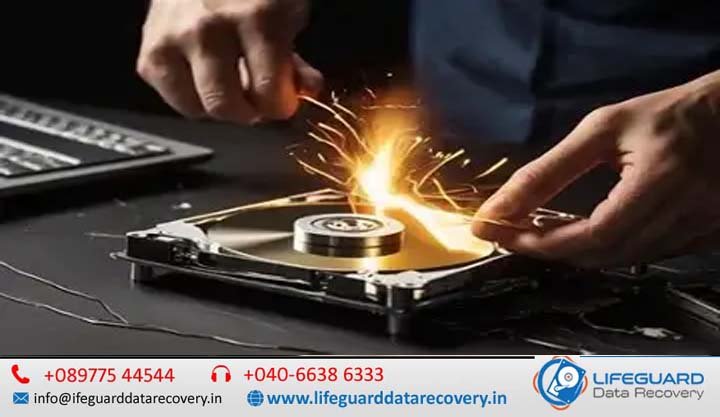
Losing access to critical files due to sudden storage media breakdown is a high-stress emergency. Whether it is an external hard drive dropped during transport, a sudden solid-state drive (SSD) failure on a workstation, or a bent USB drive holding essential business backups, hardware damage creates immediate disruption.
When physical hardware fails, standard troubleshooting steps can cause further harm. Unlike logical file deletion-where data remains intact on the storage medium-physical and electrical damage compromises the underlying hardware. Attempting to force a damaged device to read data can permanently destroy the storage layers inside.
1.1 The High Stakes of Physical and Mechanical Storage Device Failure
Storage devices are engineered with extreme physical and micro-electronic tolerances. Mechanical hard drives rely on nanometer-scale air cushions to float read/write heads above spinning magnetic disks, while solid-state media depend on sensitive controllers managing floating-gate NAND flash memory.
Knowing what to do after storage device damage occurs is the most critical factor in determining whether your files can be retrieved. The single most important rule is immediate power termination. Continued power supply to damaged hardware risks turning a reversible failure into permanent, unrecoverable data loss. For businesses and individuals across India seeking data recovery after storage device damage India, understanding the proper diagnostic pathways protects your critical records.
1.2 What You Will Learn in This Guide
This comprehensive guide provides an authoritative roadmap to navigating hardware media failures. In the following sections, you will discover:
-
The fundamental mechanical and electronic differences between physical hardware damage and logical file system corruption.
-
How environmental factors specific to India-such as power fluctuations, monsoon humidity, and thermal throttling-cause physical media breakdown.
-
Diagnostic indicators across mechanical drives, solid-state drives, USB flash drives, and SD cards.
-
Specialized hardware recovery workflows, including cleanroom surgery, SSD controller emulation, and monolithic chip-off extraction.
-
How to evaluate certified laboratory infrastructure in India to avoid unequipped local repair shops.
2. Overview: Understanding Physical vs. Logical Storage Media Damage
Understanding how to recover data from a damaged storage device begins with accurately classifying the failure mode. Storage issues generally fall into two broad domains: logical corruption and physical hardware failure.
2.1 Physical Damage vs. Logical Corruption: The Critical Difference
Treating a physical hardware failure with logical software tools is one of the primary causes of permanent data destruction.
| Characteristic | Logical Storage Corruption | Physical Hardware Damage |
| Root Cause | Accidental formatting, partition table loss, malware, incomplete write cycles. | Broken actuator arms, seized motors, shorted TVS diodes, cracked NAND dies. |
| Device Detection | Device enumerates correctly in BIOS / Disk Management; correct capacity displayed. | Device fails to enumerate, shows 0 Bytes, hangs system bus, or clicks repeatedly. |
| Physical Sounds | Normal, smooth motor spin without abnormal mechanical sounds. | Repetitive clicking, high-pitched grinding, squealing, or zero spinning motion. |
| Safe Recovery Path | Read-only software sector cloning, raw signature carving. | Cleanroom micro-surgery, donor part transplants, hardware chip-off extraction. |
| DIY Risk Level | Low to Moderate (if write operations are strictly prevented). | Catastrophic (powering the device accelerates physical platter/chip degradation). |
When performing storage device damage data recovery, establishing whether the failure is physical determines whether the device can safely remain plugged in. If physical damage is suspected, specialized Internal Service Link: data recovery from damaged storage devices must be performed using dedicated hardware imagers.
2.2 Storage Media Architectures: HDDs, SSDs, USB Drives, and Memory Cards
Different storage media rely on completely different internal architectures:
-
Hard Disk Drives (HDDs): Rely on mechanical moving parts—spinning platters, voice coil actuators, and delicate read/write heads.
-
Solid-State Drives (SSDs): Utilize non-volatile NAND flash memory chips managed by a complex central controller running internal Flash Translation Layer (FTL) firmware.
-
USB Flash Drives & SD Cards: Standard models feature a discrete controller and NAND chip mounted on a printed circuit board (PCB).
-
Monolithic Flash Drives (MicroSD / Compact USBs): Integrate the controller, NAND memory, and circuit traces into a single molded epoxy package with internal copper test points.
Because of these distinct designs, successful storage media data recovery India projects require specialized lab tools built for each specific hardware architecture.
3. Common Causes of Storage Device Failure and Physical Damage
Storage media breakdown can stem from acute external accidents or gradual component wear.
3.1 Environmental Hazards: Power Surges, Monsoon Moisture, and Overheating
In India, specific environmental conditions contribute heavily to electronic storage failure:
-
Grid Voltage Instability & Power Surges: Frequent power cuts and voltage spikes can blow Transient Voltage Suppressor (TVS) diodes on hard drive PCBs or fry delicate power management integrated circuits (PMICs) on SSDs.
-
Monsoon Moisture & PCB Corrosion: High relative humidity during the monsoon season leads to microscopic oxidation on exposed copper contacts, causing short circuits across power rails.
-
Thermal Throttling & Heat Degradation: Ambient room temperatures exceeding safe operating thresholds cause thermal expansion of mechanical drive components and accelerate NAND cell wear in high-speed NVMe SSDs.
Understanding these primary causes of storage device failure helps users implement proper preventive measures, such as using surge protectors and maintaining temperature-controlled environments.
3.2 Physical Impacts, Wear and Tear, and Controller Failures
Mechanical and solid-state devices are also vulnerable to physical handling accidents:
-
Shock and Deceleration (Drops): Dropping a running external hard drive forces floating read/write heads into direct contact with platters spinning at 5,400–7,200 RPM, scraping off the magnetic storage layer.
-
Physical Connector Shear: Snapping or bending USB connectors, SATA ports, or M.2 PCB fingers breaks signal traces between the drive and the computer host interface.
-
NAND Controller Brick/Firmware Failure: SSD controllers perform continuous wear-leveling and background garbage collection. If power is lost during a metadata update, the controller firmware can lock up, causing the drive to register as an uninitialized volume.
For users handling a drop or impact, seeking specialized Internal Service Link: physically damaged storage device recovery early prevents further hardware degradation.
4. Key Signs and Symptoms of Storage Device Damage
Recognizing signs of physical storage device damage allows users to halt operation before data becomes permanently unrecoverable.
4.1 Auditory and Visual Indicators Across Different Storage Media
Listen and inspect carefully when connecting a storage device:
-
Repetitive Clicking (“Click of Death”): The read/write actuator snaps back and forth repeatedly because it cannot read alignment markers on the platter surface.
-
High-Pitched Squealing or Buzzing: Indicates a seized spindle motor bearing or heads stuck to the platter surface (stiction).
-
Physical Distortion or Scorching: Snapped connector pins on USB drives, cracked plastic enclosures on SD cards, or visible burn marks near PCB power regulators.
-
Extreme Heat Generation: An SSD or USB controller chip that becomes hot to the touch within seconds of connection indicates a internal short circuit.
If your device exhibits auditory scraping or clicking, disconnect power immediately to prevent severe platter damage.
4.2 System Error Messages, Raw Partitions, and OS Non-Detection
Physical failures also display clear indicators within the operating system:
-
Drive Hangs the System Bus: Connecting the device causes File Explorer, Disk Management, or the entire operating system to freeze.
-
Incorrect Drive Capacity Reporting: An SSD or external drive enumerates as a generic device showing strange capacity values (e.g., “8 MB” or “0 Bytes”). This occurs when the drive controller enters fallback boot-code mode due to corrupted internal firmware.
-
Continuous I/O Device Error Prompts: Windows or macOS returns “The request could not be performed because of an I/O device error” when attempting to access files.
In these situations, attempting data recovery after storage device failure using standard file recovery applications will fail because the operating system cannot establish stable hardware communication.
5. Device-by-Device Recovery Solutions: From HDDs to Flash Media
Because storage architectures differ fundamentally, Internal Service Link: damaged hard drive data recovery India protocols must be tailored to the specific media type.
5.1 Hard Disk Drives (HDDs): Cleanroom Surgery & Head/Platter Recovery
When physical mechanical damage occurs inside an HDD, recovery requires surgical precision inside a certified lab.
-
ISO Class 100 (ISO 5) Cleanroom Inspection: The drive enclosure is opened exclusively inside an environment maintaining fewer than 100 dust particles per cubic foot of air.
-
Head Stack Assembly (HSA) Replacement: Engineers use precision head combs to safely remove damaged read/write heads without contacting platter surfaces.
-
Donor Drive Micro-Matching: Replacement parts must be harvested from an identical donor hard drive matching exact Model, DCM, Country, and Firmware Revision parameters.
-
Hardware-Level Imaging: The repaired drive is mounted to specialized recovery systems (such as ACE Laboratory’s PC-3000) to bypass damaged sectors and clone data bit-by-bit.
For users asking can data be recovered from a physically damaged hard drive, the answer is yes—provided the magnetic platter surface has not suffered heavy rotational scoring.
5.2 Solid State Drives (SSDs): Controller Firmware Locks & PCB Repairs
SSDs require entirely different electrical and algorithmic recovery methods:
-
PCB Trace & Power Rail Repairs: Replacing blown TVS diodes, micro-fuses, or power management ICs to restore power to the NAND chips.
-
Technological Terminal / Safe-Mode Entry: Shorting hardware test points on the SSD PCB forces the controller into factory safe mode, bypassing corrupted user firmware.
-
Virtual Translator Reconstruction: Engineers use advanced hardware utilities to rebuild the drive’s Flash Translation Layer (FTL) in software memory, translating raw physical block addresses back into structured logical files.
Executing damaged SSD data recovery India projects requires specialized hardware suites capable of working directly with proprietary controller protocols.
5.3 USB Flash Drives & Memory Cards: Connector Soldering & Monolithic Chip-Off
Flash media failures generally fall into two physical recovery paths:
-
Discrete NAND Chip-Off Recovery: The NAND flash memory chip is carefully desoldered from the PCB using controlled hot-air rework stations, cleaned, and mounted into a physical chip reader.
-
Monolithic Chip Decapsulation & Spider Board Probing: MicroSD cards and monolithic USB drives lack exposed chip pins. Engineers carefully scrape away the protective epoxy coating using a fine fiberglass pen to expose underlying copper test points. Precision needle probes (a “spider board”) are placed on these microscopic pads to read raw memory data directly.
Whether dealing with damaged USB drive data recovery India or damaged memory card data recovery India, chip-off techniques bypass broken physical boards to extract data directly from raw flash memory cells.
5.4 Evaluating Professional Physical Data Recovery Services in India
Because physical hardware repairs require significant capital equipment investment, choosing a qualified service partner is critical.
Key criteria to look for in a verified recovery facility:
-
Verified Cleanroom Certification: The facility must operate an actual ISO Class 100 / Class 5 cleanroom workspace.
-
Hardware Diagnostic Suites: Confirm the presence of professional hardware tools like PC-3000 Flash / Express systems.
-
Transparent “No-Data, No-Fee” Policy: Reputable labs provide clear diagnostic evaluations before performing non-reversible work.
Working with a certified Internal Service Link: professional storage device recovery India facility protects your storage media from improper handling.
6. Best Practices for Preventing Storage Media Damage and Data Loss
Taking proactive measures significantly reduces the risk of sudden hardware failure.
6.1 Safe Media Handling, Surge Suppression, and Environmental Safeguards
Protect your physical storage hardware by adopting these operational safeguards:
-
Use Dedicated Surge Protectors and UPS Systems: Connect desktop systems and external drive arrays through reliable Uninterruptible Power Supplies (UPS) to absorb electrical grid fluctuations.
-
Safely Remove Hardware Before Unplugging: Always use the operating system’s “Safely Remove / Eject” command to ensure read/write heads park safely and NAND write caches flush completely before disconnecting power.
-
Store Media in Antistatic, Protective Cases: Transport portable external hard drives and flash memory cards in padded, antistatic enclosures to absorb physical drops and shield against moisture ingress.
6.2 Implementing a Resilient 3-2-1 Backup Strategy
Hardware components naturally wear out over time. The ultimate defense against catastrophic data loss is a structured backup system:
When maintaining isolated off-site backups alongside local storage, a physical failure on any single device becomes a simple hardware replacement rather than a data emergency.
7. Frequently Asked Questions (FAQs)
Q1: Can data be recovered from a snapped or bent USB flash drive?
Yes. As long as the internal NAND flash memory die inside the casing remains intact, data can be recovered. For standard USB drives, engineers repair broken circuit traces using jumper wire micro-soldering or desolder the NAND chip for chip-off recovery. For monolithic USB drives, engineers scrape away the outer epoxy shell to attach needle probes directly to internal test points.
Q2: Is it safe to run recovery software on a physically damaged hard drive or SSD?
No. Running file recovery software on physically damaged hardware forces the device to operate continuously while executing intensive read operations. On a damaged hard drive, this causes broken read/write heads to scrape platters, destroying the magnetic storage layer. On a failing SSD, continued power accelerates controller failure and block degradation.
Q3: How much does physical storage device data recovery cost in India?
Professional data recovery costs in India vary based on the failure type and hardware required:
-
Logical Recovery (Software/Corruption): Typically ranges from ₹2,000 to ₹10,000.
-
Electrical/PCB/Firmware Repairs: Ranges between ₹3,000 and ₹12,000 depending on components and microcode complexity.
-
Physical Hardware / Cleanroom Recovery (HDD Head Crashes / Motor Seizures): Ranges from ₹10,500 to ₹35,000+, influenced by required donor parts and capacity.
-
Complex Flash Chip-Off / SSD Monolithic Recovery: Ranges from ₹4,500 to ₹25,000+ based on pinout tracing and NAND complexity.
Q4: How does physical data recovery differ between an HDD and an SSD?
HDD recovery focuses primarily on mechanical alignment, cleanroom head replacements, spindle unseizing, and platter transfers. SSD recovery involves micro-electronics, bypassing locked controller firmware, shorting safe-mode test points, and rebuilding Flash Translation Layer (FTL) algorithms in software.
8. Conclusion: Actionable Next Steps After Hardware Damage
When a storage device suffers physical or electrical damage, taking immediate, correct action protects your critical data:
-
Disconnect Power Immediately: Do not re-plug or power-cycle a clicking, grinding, or unreadable device.
-
Avoid DIY Software Utilities: Refrain from running disk check tools or software recovery applications on physically compromised hardware.
-
Consult a Qualified Laboratory: Ensure your storage media is evaluated by a lab equipped with ISO Class 100 cleanroom environments, hardware imagers, and experienced micro-soldering engineers.
Following these steps ensures your storage media receives safe, professional handling to maximize file retrieval success.