
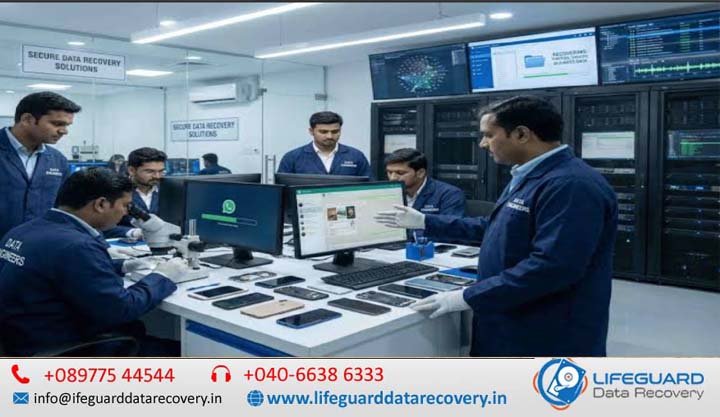
Experiencing sudden storage failure can cause immediate friction, whether it involves mission-critical corporate databases, personal financial archives, or sensitive legal records. When a hard drive, solid-state drive (SSD), or RAID array stops responding, the instinct to run immediate recovery software or repeatedly power-cycle the drive is strong. However, skipping a formal data recovery assessment in India often transforms a recoverable media issue into permanent data destruction.
Professional laboratory testing acts as your critical first line of defense. Understanding how data recovery diagnosis works helps individuals and enterprises understand that true diagnosis is a non-destructive evaluation process. It isolates mechanical, logical, electronic, and firmware issues without altering the original sectors of the storage media.
The High Risk of Immediate DIY Recovery Attempts
Commercial recovery utilities are engineered under the assumption that the target drive is physically healthy. When applied to media with severe bad sectors, failing read/write heads, or degrading flash controllers, DIY software forces the drive to read unreadable sectors repeatedly. This continuous friction can score magnetic platters, strip media coatings, or trigger flash controller panic locks. A laboratory evaluation eliminates this gamble by placing the media on specialized diagnostic hardware that operates in a safe, read-only environment.
What You Will Learn from a Professional Data Recovery Assessment
This comprehensive guide breaks down every aspect of a laboratory diagnosis. You will learn how engineers evaluate complex media failures, what equipment is required to preserve drive integrity, how to decode a diagnostic feasibility report, and how to select a certified data recovery facility operating under strict privacy standards in India.
What is a Storage Device Diagnostic Service India?
A storage device diagnostic service in India is a specialized laboratory procedure that evaluates damaged, corrupted, or unresponsive storage media to determine the exact root cause of failure, assess data feasibility, and calculate a transparent recovery timeline.
Unlike general computer repair shops that rely on basic operating system utilities or third-party scanning software, a professional data recovery lab diagnosis in India employs specialized hardware-software complexes-such as ACE Lab PC-3000-to communicate directly with drive microcode without mounting file systems.
Logical vs. Physical Data Recovery Diagnosis India
To understand a data recovery diagnosis in India, it is vital to separate logical corruption from physical hardware damage:
-
Logical Diagnostics: Analyzes damage to file structures, Master File Tables (MFT), partition tables, volume boot records, or accidental formatting while the underlying storage hardware remains 100% healthy.
-
Physical Diagnostics: Inspects electrical printed circuit boards (PCB), micro-actuator head stack assemblies (HSA), spindle motors, magnetic platter surfaces, and NAND flash controllers inside a controlled environment.
Software Assessment vs. Data Recovery Lab Diagnosis India
Standard operating systems (Windows, macOS, Linux) constantly attempt to auto-repair unreadable drives using background services like CHKDSK or fsck. These background operations overwrite raw metadata, making recovery infinitely more difficult. Conversely, specialized laboratory diagnostics bypass the native operating system entirely, utilizing hardware controllers that block write signals to preserve the drive’s exact state.
Why Storage Drives Fail: Root Causes Requiring Data Recovery Analysis Service
Different storage technologies exhibit completely distinct failure vectors. A dedicated data recovery analysis service evaluates media based on its architectural design.
Mechanical & Physical Media Failure (HDD Data Recovery Assessment India)
A detailed HDD data recovery assessment in India checks mechanical components operating within microscopic tolerances.
-
Head Assembly Failure: Read/write heads hover nanometers above spinning magnetic platters. Power surges or physical drops cause heads to contact the surface, leading to severe media scratch damage.
-
System Area (SA) / Service Area Firmware Corruption: Hard drives store critical operating parameters (translator tables, defect lists like P-list and G-list) on reserved platter sectors. If the SA becomes unreadable, the drive will fail to initialize or show incorrect capacity.
-
Spindle Motor Seizure: Thermal stress or drop impacts can bend fluid dynamic bearings (FDB), locking the motor and preventing disk spin.
Controller & Firmware Degradation (SSD Data Recovery Diagnosis India)
Executing an SSD data recovery diagnosis in India requires an entirely different methodology compared to mechanical drives. SSDs have no moving parts, but their complexity lies in flash management algorithms.
-
Flash Translation Layer (FTL) Corruption: SSD controllers map logical block addresses (LBA) to physical NAND flash addresses. If the FTL corrupts due to sudden power loss, the drive enters a “panic mode” (often reporting standard factory sizes like 2MB or remaining unmapped).
-
NAND Flash Wear & Bit Rot: Individual flash memory cells degrade over write cycles. When error-correcting code (ECC) capabilities are exceeded, data blocks become unreadable, triggering controller failure.
Array Desynchronization & Failure (RAID & NAS Case Evaluation)
For enterprise data centers and network-attached storage (NAS) devices, diagnosis centers on multi-drive synchronization. Diagnostic tools reconstruct missing parity, identify out-of-sync member drives, and emulate hardware RAID controller parameters virtually before reading raw array volumes.
Signs Your Storage Needs a Professional Data Recovery Assessment Immediately
Recognizing critical failure indicators allows you to request a professional data recovery assessment before complete hardware failure occurs.
Mechanical Symptoms: Clicking, Grinding, and Beeping Drives
Physical noise is the most definitive indicator that you require professional diagnosis for inaccessible hard drives.
-
Repeated Rhythmic Clicking (Click of Death): Indicates the drive controller is attempting to position damaged or uncalibrated read/write heads over the microcode tracks, failing, and sweeping back to the landing zone.
-
High-Pitched Whining or Buzzing: Indicates a seized spindle motor attempting to turn jammed magnetic platters.
-
Grinding or Scraping: Indicates active platter contact where read/write heads strip magnetic substrate off the disk. Power off the drive immediately if this sound occurs.
Logical & Electronic Symptoms: Unrecognized Drives, RAW File Systems, and OS Freezes
Even without physical noise, internal drive corruption presents clear warning signs:
-
The drive mounts as “RAW” in Windows Disk Management or prompts an immediate format dialog.
-
File structures return I/O device errors, CRC (Cyclic Redundancy Check) failures, or deep system freezes upon connection.
-
The device manager identifies the drive controller chip (e.g., “SATA Device”) but displays
0 Bytestotal capacity.
Step-by-Step Workflow: How a Data Recovery Evaluation Service India Operates
A certified data recovery evaluation service in India follows a strict, non-destructive scientific workflow to assess data viability.
Step 1: Initial Intake & Data Recovery Consultation India
The process begins with an initial data recovery consultation in India. Engineers log the device’s precise operational history: whether it was dropped, exposed to power spikes, submerged, or subjected to third-party repair attempts. Media is tagged, assigned a unique tracking number, and stored in Electrostatic Discharge (ESD) safe containers.
Step 2: Non-Destructive Hardware & SA Analysis (PC-3000 Imager Inspection)
Before opening any drive, technicians connect it to diagnostic workstations like the ACE Lab PC-3000. Operating in utility mode:
-
Write-blocking circuitry isolates the drive from OS write commands.
-
Engineers read the drive’s Service Area (SA), inspecting internal translator tables, ROM modules, and head health registers.
-
Weak or failing heads are isolated via software head-maps to prevent catastrophic crashes during initial sector reads.
Step 3: ISO Class 100 Cleanroom Physical Assessment for Damaged Drives
If electrical or SA testing indicates mechanical internal damage, the hard drive moves to an ISO 14644-1 Class 5 (Class 100) Cleanroom environment.
Standard room air contains up to 1,000,000 airborne dust particles per cubic foot. Because dust particles are larger than the gap between a read/write head and the spinning platter, opening a drive outside a cleanroom causes dust contamination that destroys data platters. In the cleanroom, laminar flow workstations equipped with HEPA filtration ensure dust-free internal micro-inspections.
Step 4: Data Recovery Feasibility Assessment & Raw File Tree Verification
Once hardware stability is established or temporarily bypassed, engineers run sector-by-sector read maps. A final data recovery feasibility assessment is generated, compiling:
-
Exact percentage of readable data sectors versus damaged sectors.
-
Verifiable logical file tree structure (folders, files, databases).
-
Raw file integrity validation (sampling critical headers like SQL, PDF, JPEG, or DOCX to verify they are not zero-filled).
Understanding Diagnostic Reports & Selecting a Lab (Data Recovery Case Evaluation India)
Receiving a data recovery case evaluation in India helps you make an informed decision before approving costly laboratory operations.
Deciphering the Feasibility Report: Sector Maps, File Previews & Recovery Quotes
A professional data recovery diagnostic service in India delivers a transparent evaluation report. Key elements include:
-
Drive Diagnostics Profile: Model, serial number, firmware version, and PCB revision.
-
Failure Classification: Hardware, firmware, logical, or composite failure breakdown.
-
File Health Log: An interactive or downloadable file list showing exactly which files are intact, partially damaged, or unrecoverable.
-
Fixed Cost Breakdown: Explicit recovery pricing categorized by job complexity, removing mystery charges.
Red Flags to Avoid During a Storage Diagnosis Evaluation
When choosing a provider in India, avoid labs that display these warning signals:
-
“Flat Rate” Recovery Without Prior Diagnosis: No two drive failures are identical; legitimate pricing depends on donor part requirements, head replacements, and lab labor time.
-
Opening Drives on Open Workbenches: Ensure the facility uses certified cleanrooms rather than standard office desks.
-
Destruction of Warranty Seals Without Consent: Authorized labs handle warranty protocol paperwork to avoid invalidating your drive manufacturer guarantees.
Evaluating Lab Standards: ISO Cleanrooms, DPDP Act Compliance & Security NDAs
For corporate, financial, or personal data, privacy compliance is paramount. Ensure your chosen laboratory complies with India’s Digital Personal Data Protection (DPDP) Act 2023. This guarantees:
-
Encrypted end-to-end data storage during diagnosis and imaging phases.
-
Formal, legally binding Non-Disclosure Agreements (NDAs).
-
Strict post-delivery data wiping protocols (typically purged automatically 7 to 14 days following successful client delivery).
Pre-Diagnosis Emergency Protocol & Prevention Tips
What you do in the first five minutes after a drive fails determines whether your data can be saved.
Emergency Pre-Diagnosis Checklist: What NOT to Do When a Drive Fails
If your storage device fails, follow these crucial guidelines before shipping it for a data recovery diagnostic service in India:
-
Disconnect Power Immediately: If a drive makes clicking or grinding noises, turn off power right away to avoid platter scoring.
-
Never Run Disk Repair Tools: Do not permit operating system tools (like
CHKDSKorFirst Aid) to modify bad sectors automatically. -
Do Not Open the Drive Cover: Exposing platters to normal air damages the media surface beyond repair.
-
Avoid Thermal Shock Myths: Do not place hard drives in freezers. Condensation will form directly on platter surfaces, corrupting the magnetic layer when spun up.
-
Package for Safe Transit: Wrap the storage media in anti-static ESD bags, followed by a minimum of 2 inches of dense bubble wrap on all sides prior to courier shipping.
Long-Term Storage Hygiene & Automated Backup Strategies
-
Implement the 3-2-1 Backup Rule: Maintain 3 copies of critical data across 2 different storage media types, with 1 copy stored securely offsite or on encrypted cloud storage.
-
Monitor S.M.A.R.T. Health Attributes: Use disk monitoring tools to watch for growing Reallocated Sector Counts or Uncorrectable Sector Errors.
-
Replace Aging Media Proactively: Mechanical drives have a typical operational lifespan of 3 to 5 years; rotate backup drives regularly before failure strikes.
Frequently Asked Questions (Data Recovery Diagnosis India)
How does data recovery diagnosis work for failed hard drives versus SSDs?
Hard drive diagnosis focuses on mechanical alignment, physical read/write head continuity, platter surface degradation, and Service Area firmware modules. SSD diagnosis focuses on electronic circuit continuity, controller communication states, NAND flash cell degradation, and Flash Translation Layer (FTL) microcode stability.
Can a damaged hard drive be diagnosed before recovery without risking further data loss?
Yes. Professional labs utilize hardware-based write-blockers and specialized diagnostic controllers (such as PC-3000). These systems communicate with the drive in read-only mode, bypassing operating system write attempts and preventing physical wear during evaluation.
What is involved in SSD failure diagnosis before data recovery?
Engineers connect the SSD to specialized software-hardware tools to determine if the controller is responsive. If the controller has crashed into a factory state, technicians access microcode parameters directly, bypass password locks, or perform chip-off NAND reads if the controller is unrecoverable.
How are data recovery assessments conducted for corrupted, deleted, or formatted drives?
For logical cases, engineers create a sector-by-sector disk image of the storage device. Diagnostics are conducted exclusively on the cloned image rather than the original drive. Raw sector analysis scans file headers (such as PDF or SQL signatures) to rebuild directory structures safely.
What makes data recovery lab diagnosis for RAID systems and NAS devices unique?
RAID and NAS diagnostics require analyzing every individual drive in the array, identifying out-of-sync drives, determining exact block striping sizes, and virtually reconstructing the array controller settings without altering physical disk configurations.
Is a data recovery expert consultation India free, or are there hidden fees?
Most reputable evaluation services in India offer initial diagnostic evaluations at zero charge for standard un-tampered drives. However, non-standard cases-such as drives previously opened outside a cleanroom or devices with tampered media seals-may require an initial cleanroom bench fee to cover donor part inspection.
Conclusion: Securing Your Data with Professional Diagnostics
Data loss is a high-stress emergency, but attempting unverified DIY fixes or using software on physically degraded drives significantly reduces your chances of successful recovery. A professional data recovery diagnosis service in India provides clear insight into your device’s failure mode, offering a safe, non-destructive feasibility assessment and verifiable file lists before financial commitments are made.
By prioritizing ISO-certified cleanroom standards, ACE Lab hardware diagnostics, and strict DPDP Act privacy compliance, you ensure that your critical files receive the highest level of care. Protect your valuable digital assets by starting with a comprehensive diagnostic evaluation today.