
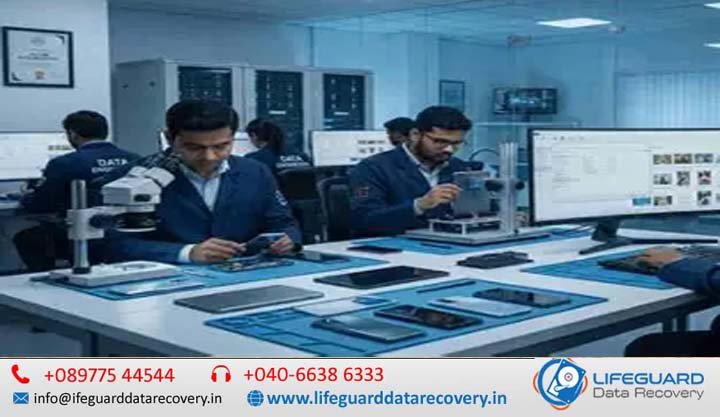
India’s enterprise data landscape is expanding at an unprecedented rate. As Indian businesses digitize operations across cloud, on-premises data centers, and hybrid infrastructures, storage deployment volumes have surged beyond tens of exabytes annually. However, this rapid scale brings heightened exposure to data loss caused by hardware wear, software corruption, ransomware, or human error.
When primary storage volumes collapse, standard consumer-grade recovery tools are insufficient. Recovering data recovery for critical business files India requires an understanding of complex file systems, enterprise encryption, hardware diagnostics, and strict statutory compliance under Indian law.
This non-promotional guide provides IT directors, system administrators, and chief technology officers (CTOs) with an enterprise framework for managing storage emergencies, navigating recovery workflows, and maintaining compliance.
1. Introduction: The High Stakes of Corporate Data Loss in India
Data is a primary driver of enterprise valuation, operational capability, and regulatory compliance. In high-density commercial hubs across India-from Bengaluru and the Mumbai Metropolitan Region to the National Capital Region (NCR) and Hyderabad-a single storage outage can disrupt core business functions.
The Financial, Legal, and Operational Impact on Business Continuity
When organizations lose access to enterprise databases, proprietary source code, financial ledgers, or customer files, the costs extend far beyond immediate IT repair:
-
Direct Operational Loss: Idle employees, halted production lines, and an inability to fulfill customer transactions.
-
Reputational Damage: Loss of client trust missed SLAs, and public fallout from service outages.
-
Regulatory Penalties: The legal liability of mishandling protected customer data during a crash or an unverified recovery attempt.
Organizations that lack a structured incident response plan risk turning a temporary hardware glitch into permanent data destruction.
What IT Leaders and Managers Will Learn in This Guide
This strategy guide provides an end-to-end operational roadmap. You will learn how to recover critical business files in India while preserving data integrity, evaluating recovery methods objectively, managing legal compliance during drive handoffs, and establishing storage resilience against future failures.
2. Understanding Corporate Data Recovery India: Scope and Storage Architectures
To execute corporate data recovery India successfully, IT teams must recognize that enterprise storage differs fundamentally from personal desktop storage.
Enterprise vs. Consumer Recovery: High Volumes, Complex File Systems, and Encryption
Consumer recovery usually involves retrieving unencrypted media files or documents from a single drive partition. Conversely, data recovery solutions for enterprises must navigate multi-layered complexity:
-
Volume and Scale: Storage arrays spanning tens or hundreds of terabytes.
-
Complex File Systems: Advanced file systems like ZFS, ReFS, VMFS, or EXT4 featuring dynamic volume management, deduplication, and parity striping.
-
Block-Level Encryption: Enterprise drives protected by BitLocker, FileVault, or hardware Self-Encrypting Drive (SED) protocols that require credential preservation prior to raw sector extraction.
Storage Media Overview: HDDs, Enterprise SSDs, RAID Arrays, and Virtual Servers
Modern office data recovery services India encounter diverse hardware platforms:
-
Mechanical Hard Drives (HDDs): High-capacity SAS/SATA enterprise drives utilized in archival storage and high-density NAS units.
-
Solid-State Drives (SSDs & NVMe): High-speed flash storage powering active databases and real-time application servers. Flash storage accounts for over 60% of enterprise storage deployment value in India.
-
RAID & Storage Area Networks (SAN): Redundant drive configurations (RAID 5, 6, 10, 50, 60) designed for fault tolerance.
-
Virtualization Platforms: Hypervisor-managed virtual disk files (
.vmdk,.vhdx) running atop hyper-converged hardware.
3. Primary Causes of Critical File Loss in Indian Enterprise Environments
Identifying the root cause of storage failure is essential for selecting the appropriate recovery path. Applying software fixes to physical hardware damage frequently results in irreversible data loss.
Physical & Hardware Failures: Head Crashes, Motor Seizures, and Thermal Wear
Physical failure occurs when the mechanical or electronic components of a drive sustain damage:
-
Head Crashes: Read/write heads flying nanometers above platter surfaces contact the magnetic media, stripping the data layer.
-
Spindle Motor Seizures: High ambient temperatures and continuous duty cycles lead to bearing seizure, stopping platter rotation.
-
NAND Controller & Component Breakdown: Flash memory controllers sustain electrical overstress or thermal degradation, locking the drive into a read-only or completely unreadable state.
Logical Corruptions, Accidental Deletion, and System File Corruption
Logical failures leave physical hardware intact but render the data structure unreadable:
-
File System Metadata Corruption: Damaged Master File Tables (MFT) or superblock pointers make partitions appear as unformatted
RAWspace. -
Accidental Deletion & Partition Loss: Human error during system repartitioning or volume expansion.
-
Database Index Corruption: Abrupt power interruptions leaving SQL, Oracle, or SAP databases in an inconsistent or unmountable state.
Cybersecurity Incidents: Ransomware Attacks, Malware, and Unauthorized Overwrites
Cyberattacks remain a primary driver of enterprise outages:
-
Ransomware Encryption: Malicious payloads encrypt volume shadow copies and master file pointers.
-
Malicious Overwrites: Advanced threats that overwrite unallocated space or destroy backup catalogs to prevent native system restoration.
4. Early Warnings: Signs and Symptoms of Impending Storage Failure
Recognizing storage degradation early allows IT teams to recover files from failed business computers and servers before complete catastrophic failure.
Hardware Symptoms: Mechanical Clicking, S.M.A.R.T. Errors, and I/O Bottlenecks
-
Acoustic Anomalies: Rhythmic clicking, ticking, or grinding sounds indicate read/write head assembly miscalibration or contact.
-
S.M.A.R.T. Attribute Alerts: Spikes in Reallocated Sectors Count, Current Pending Sector Count, or Uncorrectable Sector Count.
-
Extreme Latency: Read/write operations that previously took milliseconds stalling for tens of seconds, causing application timeouts.
System Symptoms: Missing File Directories, OS Freezes, and Corrupt Database Indices
-
Operating System Errors: Intermittent operating system freezes during disk access, accompanied by Event Viewer ID 7 or ID 11 disk errors.
-
Directory Disappearance: Folders or entire drive partitions vanishing following a reboot.
-
Unmountable Databases: Applications failing to attach primary database files due to header checksum mismatches.
5. Emergency First-Response Protocol: What To Do When Data Loss Strikes
When storage failure occurs on enterprise hardware, the immediate actions taken by system administrators dictate whether data can be saved.
The IT Admin Triage Checklist: Unmounting Drives and Halting Write Operations
Follow this standardized triage protocol immediately upon detecting a failure to support subsequent lost business file recovery:
-
Halt All Write Operations Immediately: Stop all active services, database writes, and background sync processes writing to the affected volume.
-
Unmount the Logical Volume: Unmount the file system (
umounton Linux, offline volume in Windows Disk Management) to prevent automatic OS background repairs (such as automaticchkdskorfsck), which can corrupt stripped metadata. -
Power Down Physical Drives (If Mechanically Compromised): If the drive emits unusual sounds, power down the system immediately to halt platter degradation.
-
Isolate and Label: Disconnect SAS/SATA/NVMe connections, mark the failed disk’s exact slot position in RAID arrays, and log all error messages.
-
Create a Bit-Stream Image (If Hardware Is Stable): Never work on live production drives. Clone the media block-by-block to a target drive of equal or greater capacity using hardware-based imaging tools.
Decision Matrix: DIY Recovery Software vs. Professional Data Recovery Services India
Selecting between commercial recovery software and professional data recovery services India requires an objective assessment of failure type.
| Criteria | DIY / Commercial Recovery Software | Professional Data Recovery Lab |
| Primary Use Case | Minor accidental file deletion; intact hardware. | Physical clicking, degraded heads, electrical failure, RAID controller crash. |
| Hardware State | 100% physically healthy; no bad sectors or noise. | Physically damaged, unreadable sectors, unstable firmware. |
| Risk Level | High risk if bad sectors are present (can stress drive to complete failure). | Low risk; non-destructive sector-by-sector extraction on specialized hardware. |
| Cost Structure | Software license cost. | Diagnostic evaluation and physical repair fees based on damage severity. |
| Compliance & Audit | No chain-of-custody logging. | Full ISO-certified cleanroom log, chain-of-custody documentation, non-disclosure compliance. |
6. Technical Workflows for Business File Recovery Across Systems
Restoring enterprise files requires specialized technical processes adapted to specific storage mediums.
Hard Drive & SSD Recovery: Managing Bad Sectors and NVMe TRIM Commands
-
Mechanical Hard Drives: Engineers isolate defective read heads, replace head assemblies inside cleanrooms, and use hardware imagers (such as PC-3000) to bypass bad sectors using customized read-retry algorithms.
-
Enterprise SSDs & NVMe: SSD recovery is complicated by the TRIM command. When files are deleted, TRIM commands notify the controller to clear memory blocks during background garbage collection, erasing data permanently at the cell level. Successful hard drive data recovery for businesses using flash storage requires freezing the controller firmware before garbage collection cycles run.
RAID Data Recovery India: Handling Degraded Arrays and Controller Failures
Recovering RAID data recovery India projects requires virtual array reconstruction without modifying original member drives:
-
Cloning: Individual bit-stream images are created for every array member.
-
Parameter Analysis: Engineers analyze sector offsets, block sizes (e.g., 64KB, 128KB), parity rotation patterns (Left Asynchronous, Right Synchronous), and disk order.
-
Virtual Assembly: The array is reconstructed virtually within software. Parity calculations regenerate missing data blocks from failed drives without forcing a risky physical hardware rebuild.
Server and Virtual Machine Recovery: ESXi, Hyper-V, and Database Restores
For complex server data recovery India deployments:
-
Hypervisor Recovery: Reconstructing damaged VMFS or VHDX headers directly from raw storage pools.
-
Database File Repair: Extracting underlying
.mdf(SQL Server) or.ibd(MySQL/InnoDB) files from unmountable virtual drives, repairing page allocation tables, and rebuilding corrupted indexes.
7. Compliance and Security: Protecting Confidential Business Files During Recovery
Enterprise data recovery involves strict legal liabilities, particularly regarding sensitive corporate and customer information.
Aligning Data Recovery with India’s Digital Personal Data Protection (DPDP) Act 2023
India’s Digital Personal Data Protection (DPDP) Act 2023 imposes strict responsibilities on organizations handling personal data:
-
Data Fiduciary Responsibility: Your enterprise remains legally responsible for protecting data, even when media is handed to third-party recovery vendors.
-
Vendor Due Diligence: Organizations must ensure recovery partners operate as compliant Data Processors, executing mandatory Data Processing Agreements (DPAs).
-
Breach Notification: Handing unencrypted drives containing personal data to unsecured facilities can trigger statutory breach notification obligations and significant financial penalties under the Act.
Execution of secure data recovery services requires verified encryption at rest, secure media transportation protocols, and certified data sanitization of temporary storage volumes following project completion.
Cleanroom ISO 5 / Class 100 Standards and Non-Disclosure Agreements (NDAs)
Opening hard drive enclosures outside of controlled environments damages internal magnetic platters. Microscopic dust particles cause catastrophic platter scratches when read/write heads park over them.
Professional recovery laboratories must utilize ISO 5 (Class 100) cleanrooms, maintaining fewer than 3,520 particles per cubic meter of air. Furthermore, every engagement must be protected by a legally binding Non-Disclosure Agreement (NDA) to safeguard intellectual property.
8. Prevention and Resilience: Building an Enterprise Data Protection Framework
The most reliable strategy to recover lost company data is preventing hardware dependency through redundant backup architecture.
Implementing the Modern 3-2-1-1 Immutable Backup Architecture
Modern disaster recovery strategies expand beyond traditional backup methods by adding air-gapping and immutability:
-
3 Copies of Data: Keep one primary production copy and two backup copies.
-
2 Different Media Types: Store backups across distinct media formats (e.g., local NVMe SAN and cloud object storage).
-
1 Offsite Copy: Maintain one copy at a geographically distinct secondary facility or cloud region.
-
1 Immutable Copy: Ensure one backup copy is write-once-read-many (WORM) locked, preventing ransomware or malicious administrators from altering historical records.
Conducting Routine Disaster Recovery Drills and Automated Disk Health Monitoring
-
Automate S.M.A.R.T. and Telemetry Tracking: Deploy enterprise monitoring scripts that alert sysadmins to storage performance anomalies before drives crash completely.
-
Scheduled Restoration Audits: Conduct monthly restoration testing on critical virtual machine images and database backups to ensure backup files are functional.
9. Frequently Asked Questions (FAQs)
Can deleted corporate files be recovered after a drive is formatted?
Yes, in many cases. A standard quick format resets file system allocation tables without overwriting underlying data blocks. However, if a full format was performed or if TRIM commands executed on an SSD, recovery becomes significantly more challenging. To maximize the likelihood of recovering recover deleted corporate files, halt all write operations to the drive immediately.
What is emergency data recovery India, and how fast can files be restored?
Emergency data recovery India refers to priority 24/7 engineering workflows designed for mission-critical business outages. Turnaround times typically range between 12 and 48 hours, depending on hardware availability, severity of physical drive damage, and total storage array volume.
Is software recovery safe for ransomware-encrypted server drives?
No. Running commercial recovery software directly on drives encrypted by ransomware is ineffective because the files have been modified using cryptographic keys rather than deleted logically. Running software tools on live encrypted servers risks overwriting unallocated disk space, destroying residual shadow copies or unencrypted temporary files.
How is pricing structured for enterprise data recovery in India?
Enterprise pricing is determined by engineering complexity rather than data size alone. Factors include required cleanroom time, spare parts availability (e.g., matching head donor drives), storage architecture (standalone HDD vs. multi-drive RAID arrays), and target turnaround speed.
Why is professional recovery required for failed RAID or NAS systems?
When a drive fails in a RAID array, the remaining drives experience increased read/write stress. Forcing a physical rebuild on degraded secondary drives frequently causes a secondary drive failure, resulting in array collapse. Professional laboratories clone each individual drive block-by-block first, reconstructing parity virtually without stressing fragile hardware