
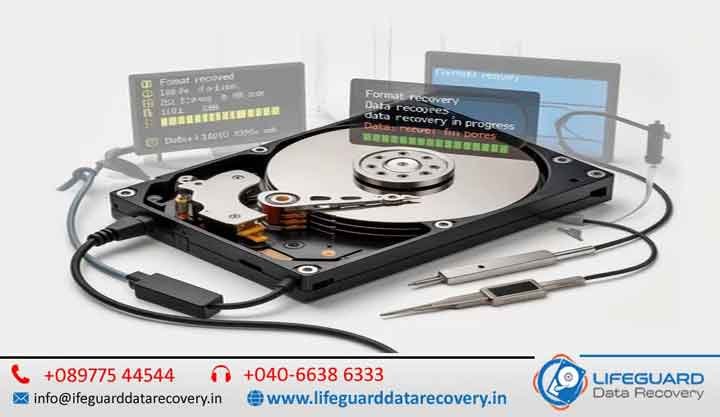
Formatted Drive Data Recovery in UAE -Fast, Secure & Professional Recovery Services. Accidentally formatting a hard drive, SSD, USB flash drive, memory card, or external storage device can result in the sudden loss of important documents, family photos, business records, videos, and other valuable files. While formatting may seem like it permanently erases your data, this is often not the case. In many situations, your files can still be recovered with the help of professional data recovery specialists.
At Lifeguard Data Recovery, we provide expert Formatted Drive Data Recovery in the UAE for individuals, businesses, photographers, students, and organizations. Using advanced recovery technology and forensic-grade tools, our certified engineers recover data from accidentally formatted storage devices while ensuring complete confidentiality and a high recovery success rate.
Whether you formatted your drive by mistake, reinstalled Windows or macOS, or lost access due to file system corruption, we are here to help restore your valuable data quickly, securely, and efficiently.
What Happens When a Drive Is Formatted?
Formatting a drive does not immediately erase the actual data stored on it. Instead, the operating system removes or recreates the file system structure, making the existing files appear inaccessible.
For example:
- Quick Format removes the file allocation table or index but leaves most of the actual data intact until new data overwrites it.
- Full Format may scan the drive for bad sectors and, depending on the operating system and formatting method, overwrite parts of the storage. Even then, some data may still be recoverable in certain situations.
Because the original data often remains on the storage media, professional recovery techniques can reconstruct files before they are overwritten.
Important: Once a drive has been formatted, stop using it immediately. Saving new files or installing software on the formatted drive can overwrite recoverable data and reduce the chances of successful recovery.
Common Reasons for Drive Formatting
Drives can be formatted intentionally or accidentally for many reasons.
Common causes include:
- Accidental formatting while installing Windows or macOS
- Formatting the wrong drive during system setup
- Operating system reinstallation without backing up important files
- File system corruption making the drive inaccessible
- Virus or ransomware attacks requiring drive formatting
- Drive showing as RAW or unallocated
- Device compatibility formatting for cameras, gaming consoles, or media players
- Partition deletion or accidental partition formatting
- Storage device initialization after connection errors
Regardless of how the formatting occurred, professional recovery offers the best chance of restoring your data.
Storage Devices We Recover
Our specialists recover formatted data from virtually every type of storage device.
Internal Hard Drives
We recover data from desktop and laptop hard drives that have been accidentally formatted, repartitioned, or affected by operating system installation.
External Hard Drives
Whether your portable external drive was formatted accidentally or became inaccessible after corruption, we can recover your important files.
Solid State Drives (SSDs)
We provide recovery for formatted SATA SSDs, NVMe SSDs, and external SSDs, taking into account TRIM-related recovery limitations.
USB Flash Drives
Formatted pen drives frequently contain important office documents, presentations, and personal files. Our recovery specialists retrieve data from all major USB brands.
Memory Cards
We recover photos, videos, and documents from:
- SD Cards
- microSD Cards
- CF Cards
- SDXC Cards
- Camera Memory Cards
File System Recovery Expertise
Our engineers support recovery from all major file systems.
NTFS Recovery
The most common Windows file system used on desktops, laptops, and external hard drives.
FAT32 Recovery
Frequently used for USB flash drives, memory cards, digital cameras, and multimedia devices.
exFAT Recovery
Popular for large-capacity USB drives, SD cards, and cross-platform storage.
APFS & HFS+ Recovery
Apple MacBook and Mac storage devices formatted with APFS or HFS+.
EXT File Systems
Linux storage devices using EXT2, EXT3, or EXT4.
Our Professional Formatted Drive Recovery Process
Every recovery case follows a structured and secure process.
1. Drive Diagnosis
Our engineers inspect the storage device to determine:
- File system condition
- Physical health
- Logical corruption
- Recovery complexity
- Risk factors
2. Secure Drive Imaging
Whenever necessary, we create a sector-by-sector clone of the drive to protect the original storage from additional damage.
3. Advanced Recovery
We use professional forensic recovery software and specialized hardware to rebuild lost file structures and recover deleted data.
4. File Verification
Recovered files are carefully verified to ensure they are complete and usable.
5. Secure Data Delivery
Recovered data is copied to a new storage device and returned securely to the customer.
Advanced Recovery Techniques We Use
Our recovery laboratory uses industry-leading recovery methods, including:
Data Carving
Recovers files based on their unique file signatures, even when the original file system has been lost.
Partition Recovery
Restores deleted or formatted partitions while preserving the original folder structure whenever possible.
RAW Drive Recovery
Extracts data from storage devices that appear as RAW or inaccessible.
Deep Scan Recovery
Performs a comprehensive sector-level scan to locate recoverable files that standard recovery methods cannot detect.
File System Reconstruction
Rebuilds damaged or corrupted file systems to restore access to existing data.
Why Choose Lifeguard Data Recovery?
Choosing the right recovery provider is essential when your valuable data is at risk.
Certified Recovery Experts
Our experienced engineers have successfully recovered data from thousands of formatted storage devices.
Advanced Recovery Laboratory
We use professional recovery hardware, forensic imaging tools, and specialized software designed for complex recovery scenarios.
Support for All Major Brands
We recover data from:
- Seagate
- Western Digital (WD)
- Toshiba
- Samsung
- Kingston
- SanDisk
- Transcend
- Lexar
- Crucial
- Dell
- HP
- Apple-compatible storage devices
Secure & Confidential
Every recovery project is handled under strict confidentiality to protect your personal and business information.
Fast Turnaround
Emergency recovery services are available for customers who need urgent access to critical files.
Risks of Using Free Recovery Software
Many free or trial recovery programs promise instant results, but they often create additional risks.
DIY recovery software may:
- Overwrite recoverable data
- Damage the original file system
- Corrupt existing partitions
- Recover incomplete files
- Fail to handle physically damaged drives
If your data is valuable, professional recovery remains the safest and most reliable option.
When Should You Avoid DIY Recovery?
Professional assistance is strongly recommended if:
- The drive is making clicking or grinding noises.
- The drive is not detected by the computer.
- Previous recovery attempts have failed.
- Business-critical or irreplaceable personal files are stored on the drive.
- The drive has suffered water, fire, or physical damage.
- The storage device contains encrypted or RAID-based data.
Attempting further recovery without proper tools can reduce the likelihood of successful data retrieval.
Tips to Prevent Future Data Loss
Although formatted drive recovery is often successful, prevention is always the best strategy.
We recommend:
- Maintain regular backups using external drives or cloud storage.
- Verify the correct drive before formatting.
- Avoid interrupting formatting or operating system installations.
- Use reliable antivirus and anti-malware software.
- Safely eject external storage devices.
- Monitor drive health regularly and replace aging drives before failure.
Frequently Asked Questions
Can you recover data from a formatted drive?
Yes. In many cases, formatted data can be recovered successfully, especially if new data has not overwritten the original files.
Can you recover data after reinstalling Windows or macOS?
Yes. If the original storage space has not been significantly overwritten during the operating system installation, recovery is often possible.
How long does formatted drive recovery take?
Recovery usually takes anywhere from a few hours to two days, depending on the storage capacity, type of device, and extent of data loss.
Is my recovered data secure?
Absolutely. We follow strict confidentiality procedures to ensure your recovered files remain private and protected.
Contact Lifeguard Data Recovery Today
Don’t assume your files are gone forever after formatting a drive. The sooner you stop using the storage device and seek professional assistance, the higher the chances of a successful recovery.
At Lifeguard Data Recovery UAE, our certified specialists provide fast, secure, and reliable Formatted Drive Data Recovery for hard drives, SSDs, USB flash drives, memory cards, and other storage devices.
Contact us today for a professional diagnosis and let our experts help restore your valuable data safely and efficiently.