August 13, 2025

SSD Data Recovery India
blog

SSD Data Recovery in Hyderabad

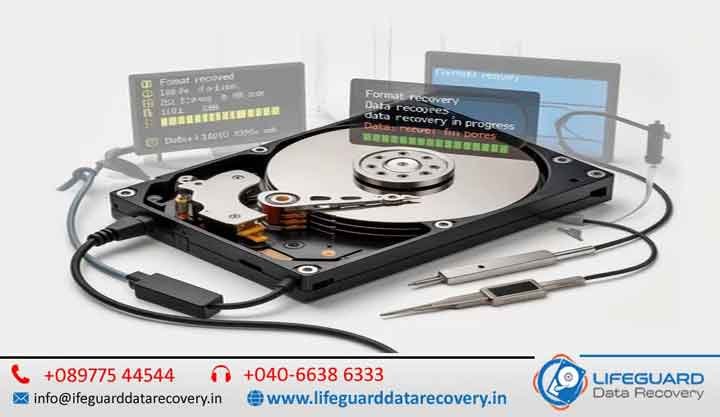
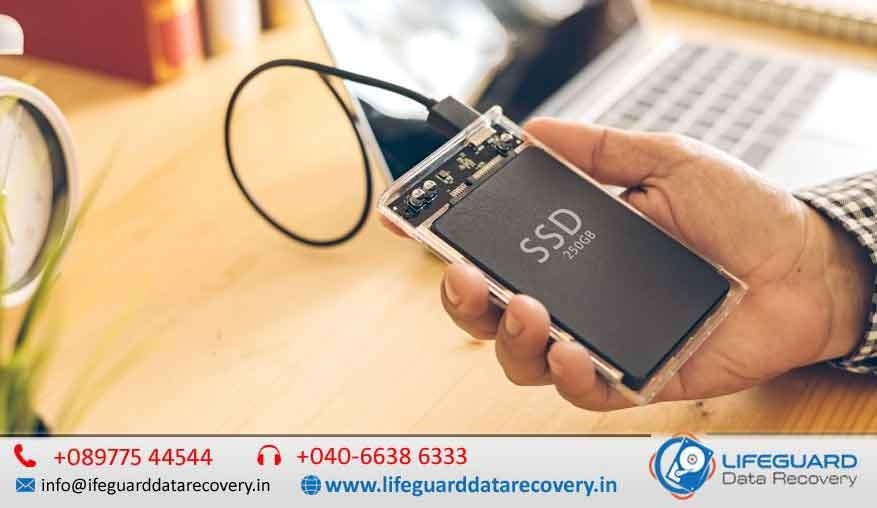
When your SSD fails, every moment counts. At Lifeguard Data Recovery, we provide expert SSD data recovery in India and SSD data recovery Hyderabad with cutting-edge technology, certified clean-room facilities. Whether you are a business handling critical data or an individual trying to retrieve precious memories, our engineers ensure your files are recovered quickly, securely, and affordably. Understanding SSD Data Recovery and Why It’s Different This makes them faster but also more complex to recover when they fail. Common SSD issues include firmware corruption, controller failure, or physical chip damage-each requiring specialized tools and expertise. SSD Data Recovery Services in India & Hyderabad – Fast, Secure & Professional Recovery Solutions When your SSD fails, every moment counts. At Lifeguard Data Recovery, we provide expert SSD data recovery in India and SSD data recovery Hyderabad using advanced recovery technology, certified clean-room facilities, and highly experienced engineers. Whether you are a business managing critical corporate information or an individual trying to recover valuable memories, we ensure your data is recovered quickly, securely, and cost-effectively. Our team specializes in recovering data from failed, damaged, corrupted, formatted, encrypted, and physically damaged SSDs. We understand how important your files are and use industry-leading techniques to maximize recovery success rates. Understanding SSD Data Recovery and Why It’s Different Solid State Drives (SSDs) use NAND flash memory instead of traditional spinning platters found in hard disk drives (HDDs). While SSDs offer superior speed, durability, and performance, recovering data from them is significantly more complex. Modern SSDs utilize advanced technologies such as: TRIM commands Wear leveling algorithms Garbage collection Encryption protocols Advanced firmware management These technologies improve SSD performance but make data recovery far more challenging when failures occur. Successful SSD recovery often requires specialized hardware, firmware-level access, and extensive engineering expertise. Common Causes of SSD Data Loss Firmware Corruption SSD Recovery Hyderabad Firmware corruption can occur due to interrupted updates, power failures, operating system crashes, or manufacturing defects. When firmware becomes corrupted, the SSD may become inaccessible or disappear from the system entirely. Controller Failure SSD Recovery India The SSD controller acts as the drive’s brain. If the controller fails, data may become inaccessible even though the memory chips still contain valuable information. Encrypted SSD Recovery Hyderabad Many SSDs use hardware-based encryption. Forgotten passwords, encryption key corruption, or security configuration issues can prevent access to important files. Types of SSDs We Recover NV Me SSD recovery Hyderabad -Ultra-fast storage devices found in modern laptops and PCs. SATA SSD data recovery Hyderabad– Common in both desktops and older laptops. External SSD data recovery Hyderabad – Portable drives used for backups and file transfers. RAID array SSD recovery Hyderabad – Multi-drive configurations used in servers and enterprise storage. Certified SSD Recovery Services in Hyderabad & Across India Our SSD recovery services Hyderabad and SSD data recovery services India cover everything from logical data loss to severe physical damage. As a trusted SSD data recovery center Hyderabad, we provide transparent diagnostics, safe handling, and guaranteed confidentiality. Why Choose Our Hyderabad SSD Recovery Service? Local expertise – Search “SSD recovery near me Hyderabad” and you’ll find Lifeguard ranked among the best. Clean room SSD recovery Hyderabad – ISO-certified environment to handle delicate SSD components. Fast turnaround SSD recovery Hyderabad – Most cases resolved in 24-72 hours. Brand-Specific SSD Data Recovery Our engineers have deep expertise with all major SSD brands, ensuring high success rates for: Samsung SSD data recovery Hyderabad Kingston SSD recovery Hyderabad WD (Western Digital) SSD recovery Hyderabad Crucial SSD recovery Hyderabad SanDisk SSD recovery Hyderabad We use brand-specific tools and firmware libraries to recover data safely without voiding warranties. Our Proven SSD Data Recovery Process  Diagnostic & Quote – We assess your drive for issues like firmware corruption, bad sectors, or controller failure. Specialized Repair -This may include SSD chip-off data recovery Hyderabad for severe cases, or controller board replacement for physical failures.  Data Extraction – Secure SSD data extraction Hyderabad to prevent further damage.  Data Verification & Delivery -We ensure every recovered file is intact before returning it to you on a secure medium. RAID SSD recovery Hyderabad – Restoring SSDs from multi-drive configurations. Password removal & Encrypted SSD recovery Hyderabad. Nationwide Coverage- India’s Most Trusted SSD Recovery Company We are not just local experts-we are a top SSD data recovery company India serving clients in every state. From startups to multinational corporations, our best SSD data recovery India solutions have helped thousands get back critical data. SSD Data Recovery Cost in India & Hyderabad We believe in transparency. Pricing depends on the complexity of the case-logical issues cost less than physical repairs. Our No recovery no fee SSD Hyderabad guarantee means you only pay if we get your data back. Book Your SSD Recovery Today Whether you need SSD recovery India or SSD recovery Hyderabad, we’re here 24/7. Call us, WhatsApp, or visit our Hyderabad SSD recovery service center for a free diagnostic. Contact Lifeguard Data Recovery – The Best SSD Recovery Service in India Fast. Secure. Affordable. FAQs- SSD Data Recovery Q: Can data be recovered from a dead SSD?Yes, with advanced chip-off techniques, most dead SSDs can be recovered. Q: How long does recovery take?Standard jobs take 1-3 days; complex cases may take longer. Q: Do you recover SSDs from laptops and Macs?Yes, including NV Me and proprietary Apple SSDs.
NAS boot drive failure
blog

NAS boot drive failure

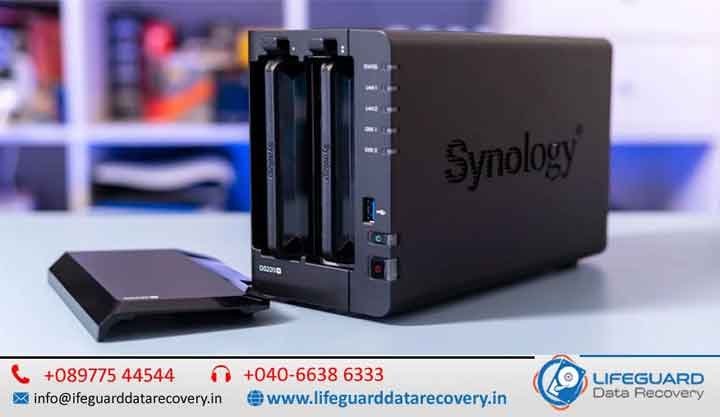
A True NAS boot drive failure can be a nightmare for both home and business users. Your NAS is the central hub for all your files, backups, and sometimes even business-critical databases. When it refuses to start, the immediate fear is data loss – but don’t panic. In most cases, your data is still safe on the storage drives, and with the right NAS data recovery service, you can get it back intact with Lifeguard Data Recovery. Recovering the Data from a NAS with No Power If your NAS refuses to power on, it doesn’t automatically mean your data is gone. causes include: Power supply failure Motherboard or controller card damage Faulty RAM Short circuits caused by overheating or dust buildup In such situations, a professional NAS recovery service near me can safely extract the drives and connect them to a specialized recovery workstation. This process bypasses the failed NAS hardware entirely, allowing experts to recover NAS data directly from the drives. Tip: Never attempt to repair the electronics yourself unless you have hardware recovery experience — one wrong move can cause irreversible damage. NAS Data Recovery: Recover Data from NAS (over network) Sometimes the NAS powers on but refuses to boot correctly due to a corrupt boot partition or RAID configuration error. If your NAS supports SSH or Telnet access, you might still be able to pull data over the network before complete failure. A professional NAS data recovery team can: Mount your RAID array virtually Rebuild corrupted file systems Extract and transfer data to external storage Maintain the integrity of file hierarchies and permissions If remote access isn’t possible, recovery experts will clone each drive before working on them to ensure no further data loss. NAS Failure -How to Access Data – Reclaim File Recovery Reclaim File Recovery is a trusted software solution for DIY users who want to try NAS data recovery at home. It can detect multiple RAID configurations, even without the NAS enclosure. However, it requires the drives to be connected to a Windows PC, so you’ll need SATA ports or USB adapters. Recover NAS Data – Chasity Documentation Chasity Documentation outlines recovery strategies for enterprise-grade NAS systems, including snapshot restores, cloud replication, and granular file recovery. These techniques often require advanced IT knowledge, so smaller businesses may benefit from outsourcing to a NAS data recovery company. Hard Drive Data Recovery: How to Recover Data From a Dead Hard Drive If your NAS drive is physically dead – clicking, grinding, or not spinning- data recovery requires a cleanroom environment. Specialists replace damaged read/write heads or repair failed PCBs before cloning the data. This is the most complex and costly type of NAS data recovery, but often the only option for mission-critical information. NAS Failure – How to Access Data Accessing NAS data after failure involves: Identifying the type of failure (software vs. hardware) Cloning drives to prevent further deterioration Rebuilding the RAID array using specialized tools Extracting data to a secure medium NAS Failure – How Do You Access the Failed NAS Drive If the NAS enclosure itself is faulty but the drives are intact, you can remove them and connect directly to a recovery workstation. Keep in mind that RAID arrays store data across multiple disks in a specific order -mixing up the sequence can corrupt recovery efforts. Recovering NAS boot drive failure (The Actual NAS Not Working) When the NAS hardware fails completely, professional recovery labs can simulate your original NAS environment to virtually mount the drives. This ensures all data, metadata, and folder structures are preserved. How to Recover Data from Failed NAS Drives? Step-by-step: Power off the NAS immediately Label and remove the drives in the correct order Contact a NAS data recovery service – Recover Data from NAS Server Allow professionals to clone and rebuild your RAID How Do I Recover Data from a Synology NAS that is No Longer Accessible? Synology NAS systems use proprietary file structures that can be complex to rebuild. Tools like Reclaim or R-Studio can sometimes recover the data, but for encrypted volumes, professional help is essential. NAS Data Recovery Service A NAS data recovery service can handle everything from firmware corruption to multi-drive RAID failures. Look for a provider with: Cleanroom facilities for physical drive repairs RAID reconstruction expertise Support for all NAS brands (Synology, QNAP, True NAS, ASUSTOR, WD) Transparent NAS data recovery cost estimates NAS Data Recovery Service – Recover NAS boot drive failure If your NAS contains sensitive client or business data, choose a provider that guarantees data confidentiality. This is particularly important in industries like finance, healthcare, and law. People also search for NAS RAID recovery QNAP data recovery Synology NAS repair Network storage recovery tools Best NAS for data backup NAS recovery software reviews FAQs – NAS boot drive failure Q1: What causes NAS drive failure?NAS drive failure can occur due to physical issues like head crashes, motor failure, or PCB damage, as well as logical problems such as RAID corruption, firmware errors, or file system damage. Power surges, overheating, and improper shutdowns are also common culprits. Q2: Can data be recovered from a failed NAS drive?Yes. In most cases, data can be recovered from a failed NAS drive using specialized NAS data recovery services. The success rate depends on the extent of damage and whether the drives were overwritten after the failure. Q3: How much does NAS drive failure recovery cost?NAS drive recovery costs vary depending on the severity of the failure, number of drives, RAID type, and whether cleanroom repairs are required. Simple recoveries can cost a few hundred dollars, while complex RAID rebuilds can cost significantly more.

Life Guard

NAS drive failure recovery

A True NAS boot drive failure can be a nightmare for both home and business users. Your NAS is the central hub for all your files, backups, and sometimes even business-critical databases. When it refuses to start, the immediate fear is data loss – but don’t panic. In most cases, your data is still safe on the storage drives, and with the right NAS data recovery service, you can get it back intact in Lifeguard Data Recovery. Recovering the Data from a NAS with No Power If your NAS refuses to power on, it doesn’t automatically mean your data is gone. causes include: Power supply failure Motherboard or controller card damage Faulty RAM Short circuits caused by overheating or dust buildup In such situations, a professional NAS recovery service near me can safely extract the drives and connect them to a specialized recovery workstation. This process bypasses the failed NAS hardware entirely, allowing experts to recover NAS data directly from the drives. Tip: Never attempt to repair the electronics yourself unless you have hardware recovery experience – one wrong move can cause irreversible damage. NAS Data Recovery: Recover Data from NAS (over network) Sometimes the NAS powers on but refuses to boot correctly due to a corrupt boot partition or RAID configuration error. If your NAS supports SSH or Telnet access, you might still be able to pull data over the network before complete failure. A professional NAS data recovery team can: Mount your RAID array virtually Rebuild corrupted file systems Extract and transfer data to external storage Maintain the integrity of file hierarchies and permissions If remote access isn’t possible, recovery experts will clone each drive before working on them to ensure no further data loss. NAS Failure – How to Access Data – Reclaim File Recovery Reclaim File Recovery is a trusted software solution for DIY users who want to try NAS data recovery at home. It can detect multiple RAID configurations, even without the NAS enclosure. However, it requires the drives to be connected to a Windows PC, so you’ll need SATA ports or USB adapters. Recover NAS Data – Chasity Documentation Chasity Documentation outlines recovery strategies for enterprise-grade NAS systems, including snapshot restores, cloud replication, and granular file recovery. These techniques often require advanced IT knowledge, so smaller businesses may benefit from outsourcing to a NAS data recovery company. Hard Drive Data Recovery: How to Recover Data From a Dead Hard Drive If your NAS drive is physically dead -clicking, grinding, or not spinning – data recovery requires a cleanroom environment. Specialists replace damaged read/write heads or repair failed PCBs before cloning the data. This is the most complex and costly type of NAS data recovery, but often the only option for mission-critical information. NAS Failure – How to Access Data Accessing NAS data after failure involves: Identifying the type of failure (software vs. hardware) Cloning drives to prevent further deterioration Rebuilding the RAID array using specialized tools Extracting data to a secure medium NAS Failure -How Do You Access The Failed NAS Drive If the NAS enclosure itself is faulty but the drives are intact, you can remove them and connect directly to a recovery workstation. Keep in mind that RAID arrays store data across multiple disks in a specific order -mixing up the sequence can corrupt recovery efforts. Recovering Data When NAS Fails (The Actual NAS Not Working) When the NAS hardware fails completely, professional recovery labs can simulate your original NAS environment to virtually mount the drives. This ensures all data, metadata, and folder structures are preserved. How to Recover Data from Failed NAS Drives? Step-by-step: Power off the NAS immediately Label and remove the drives in the correct order Contact a NAS data recovery service – Recover Data from NAS Server Allow professionals to clone and rebuild your RAID How Do I Recover Data from a Synology NAS that is No Longer Accessible? Synology NAS systems use proprietary file structures that can be complex to rebuild. Tools like Reclaim or R-Studio can sometimes recover the data, but for encrypted volumes, professional help is essential. NAS Data Recovery Service A NAS data recovery service can handle everything from firmware corruption to multi-drive RAID failures. Look for a provider with: Cleanroom facilities for physical drive repairs RAID reconstruction expertise Support for all NAS brands (Synology, QNAP, True NAS, ASUSTOR, WD) Transparent NAS data recovery cost estimates NAS Data Recovery Service – Recover Data from NAS Server If your NAS contains sensitive client or business data, choose a provider that guarantees data confidentiality. This is particularly important in industries like finance, healthcare, and law. People also search for NAS RAID recovery QNAP data recovery Synology NAS repair Network storage recovery tools Best NAS for data backup NAS recovery software reviews FAQs -NAS Drive Failure Recovery Q1: What causes NAS drive failure?NAS drive failure can occur due to physical issues like head crashes, motor failure, or PCB damage, as well as logical problems such as RAID corruption, firmware errors, or file system damage. Power surges, overheating, and improper shutdowns are also common culprits. Q2: Can data be recovered from a failed NAS drive?Yes. In most cases, data can be recovered from a failed NAS drive using specialized NAS data recovery services. The success rate depends on the extent of damage and whether the drives were overwritten after the failure. Q3: How much does NAS drive failure recovery cost?NAS drive recovery costs vary depending on the severity of the failure, number of drives, RAID type, and whether cleanroom repairs are required. Simple recoveries can cost a few hundred dollars, while complex RAID rebuilds can cost significantly more. Contact LifeGuard Data Recovery If your NAS has failed, stop using the device immediately to prevent further data loss. Contact our recovery specialists for a free evaluation and professional assistance.

Restore accidentally deleted emails
Life Guard

RAID sever not booting data recovery in India

RAID (Redundant Array of Independent Disks) is a powerful storage solution designed for speed, redundancy, or both. However, even the most reliable RAID systems can fail due to hardware issues, configuration errors, or multiple drive failures.When this happens, RAID recovery becomes critical -and the sooner you act, the higher the chances of saving your data. In this guide, we’ll walk you through how to raid server not booting data recovery in India, troubleshoot common problems, and know when to call in a professional RAID data recovery service. RAID Server Not Booting Data Recovery in India – Complete RAID Recovery Guide RAID (Redundant Array of Independent Disks) is one of the most trusted storage technologies for businesses, enterprises, creative professionals, and organizations that rely on uninterrupted access to critical data. By combining multiple hard drives into a single storage system, RAID improves performance, fault tolerance, and storage capacity. However, despite its reliability, RAID systems are not immune to failures. A RAID server that suddenly refuses to boot can bring business operations to a halt. Whether the issue is caused by hardware failure, RAID controller corruption, firmware problems, operating system crashes, accidental RAID reconfiguration, or multiple disk failures, immediate action is essential to prevent permanent data loss. At Lifeguard Data Recovery, we provide professional RAID server not booting data recovery in India for businesses of all sizes. Our certified engineers recover data from damaged RAID arrays, failed servers, NAS devices, SAN storage systems, and enterprise storage solutions using advanced recovery techniques and industry-leading tools. Raid Windows Server is not booting anymore A RAID 0 Windows Server not booting anymore is a serious issue because RAID 0 offers no redundancy. Possible causes include: Corrupt boot sectors Drive failure in the array Controller malfunction Malware or OS corruption Solution:Recovery for RAID 0 usually requires reconstructing the stripe order and reading sectors directly from each drive. This is best handled by a RAID server data recovery specialist. Facing a RAID Server Failure? Whether caused by hardware faults, RAID sever not booting data recovery in India, or multiple drive failures, the recovery process must be swift and precise.Professional RAID engineers can virtually rebuild the RAID configuration and extract your data without causing further corruption. Raid Or Server Data Recovery RAID or server data recovery involves: Cloning each disk to avoid further deterioration Rebuilding the array logically using specialized software Extracting and verifying files Attempting recovery without proper tools can risk permanent data loss. RAID Recovery: How to raid server not booting data recovery in India The general RAID recovery steps include: Stop using the array immediately after failure. Label each drive according to its original position. Clone drives before attempting recovery. Rebuild the array virtually using professional RAID tools. Export recovered data to a safe location. How to Recover Data from a RAID Server? If you’re wondering how to recover data from a RAID server, here’s the approach professional’s use: Inspect hardware for obvious damage. Test each drive’s health individually. Rebuild RAID using original parameters. Use file system repair tools if necessary. Important: Avoid initializing or formatting the drives – it will overwrite metadata. RAID Server Data Recovery RAID server data recovery services specialize in: RAID controller failures Firmware corruption Accidental RAID reconfiguration Multi-drive failures They use advanced cloning and parity analysis to recover the maximum possible data. How to Recover Data When RAID Configuration Goes Wrong If you entered the wrong RAID configuration settings, your data might become inaccessible. Recovery experts can analyze the drives’ parity blocks and original order to reverse the configuration mistake. How to Troubleshoot RAID Hard Drive Problems To troubleshoot RAID hard drive problems: Check RAID management software for alerts. Test each drive individually. Review controller logs. Look for SMART warnings. If drives are failing, replace them only after cloning and securing the data. How to Recover RAID Recovery steps vary by RAID level. For example: RAID 1: Recover from the healthy mirror. RAID 5: Rebuild from parity and remaining drives. RAID 6: Recover from dual parity drives. Always maintain backups to avoid emergency recovery situations. My Server wont boot. What do I do? -Pro MAX Support When your server won’t boot: Check power and network connections. Inspect RAID BIOS for drive status. If drives are detected but OS fails to load, consider boot repair tools. For RAID failures, contact recovery services before reinitializing the array. How Do Recover Data From the Server? – Cy future Cloud Cy future Cloud advises that the safest way to recover data from the server is by: Using snapshots or backups if available. Employing RAID-aware recovery tools. Engaging certified recovery engineers for mission-critical data. What is RAID Storage? Levels,  Failures, Recovery Options  levels include: RAID 0 – Speed only, no redundancy RAID 1 – Mirroring for redundancy RAID 5 – Balanced speed and fault tolerance RAID 6 – Two-drive fault tolerance RAID 10 – Combined mirroring and striping Failures can result from drive damage, controller faults, or accidental configuration changes. RAID Data Recovery Services | Server Recovery Experts Professional RAID data recovery services can handle: Physical drive repairs in cleanrooms RAID rebuilds from scratch Encrypted RAID recovery Virtual machine data recovery from RAID storage They maintain confidentiality and offer fast turnaround times for businesses. FAQs – RAID Drive Failure & Recovery Q1: Can I recover RAID data myself?It’s possible with software tools for simple failures, but complex cases – especially with physical damage or multidrive failures – require professional help. Q2: How long does RAID recovery take?It can take a few hours to several days depending on RAID complexity, drive count, and damage extent. Q3: How much does RAID data recovery cost?Costs vary widely based on RAID level, number of drives, and recovery difficulty. Expect higher costs for physical repairs. Q4: What should I do first after a RAID failure?Shut down the system, label drives, and avoid any rebuild attempts until you consult an expert. Contact LifeGuard Data Recovery If your RAID server is not booting, avoid making changes that could overwrite critical data.

External Hard Drive Data Recovery in India
Life Guard

External Hard Drive Data Recovery in India

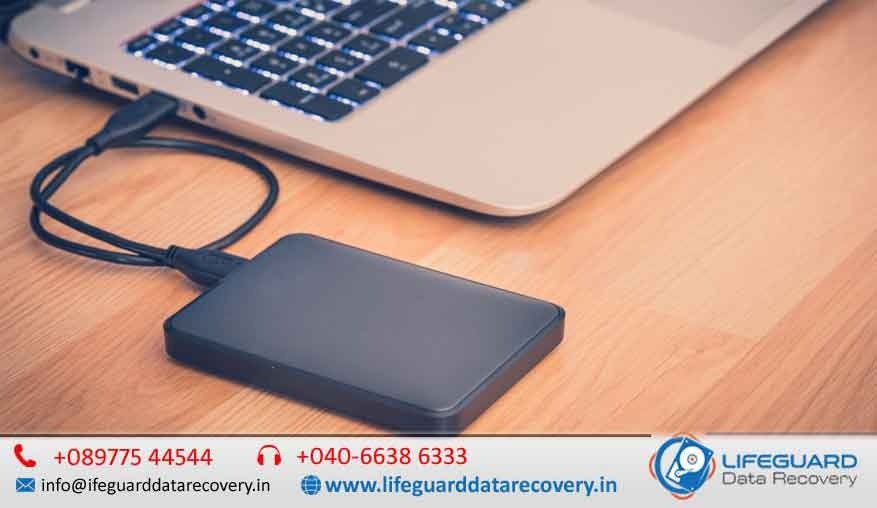
When your external hard drive stops working or your files mysteriously disappear, it can feel like losing a part of your digital life. Whether it’s accidental deletion, physical damage, or a corrupted drive, Lifeguard Data Recovery is here to help. With certified labs, expert engineers, we specialize in external hard drive data recovery in India and external drive recovery in Hyderabad with the fastest turnaround times in Lifeguard Data Recovery. Why Choose Professional External Hard Drive Data Recovery? An external hard drive can fail for many reasons -from accidental drops to firmware corruption. Attempting DIY recovery can cause permanent data loss. Our certified lab external drive recovery ensures safe handling, accurate diagnosis, and maximum recovery success rates. External Hard Drive Data Recovery in India -Professional External HDD Recovery Services An external hard drive is one of the most convenient ways to store important documents, family photos, business records, videos, backups, and creative projects. However, when an external hard drive suddenly stops working or your files become inaccessible, it can be a stressful experience. Whether the issue is caused by accidental deletion, physical damage, file system corruption, firmware failure, or mechanical defects, professional recovery services can often restore your valuable data. At LifeGuard Data Recovery, we provide reliable external hard drive data recovery in India for individuals, businesses, photographers, students, and organizations. Our experienced recovery engineers use advanced diagnostic equipment and specialized recovery techniques to retrieve lost data from damaged, corrupted, and failed external hard drives of all brands and capacities. With certified recovery laboratories, modern cleanroom facilities, and a high recovery success rate, we are committed to recovering your data safely while maintaining complete confidentiality. Why Choose Professional External Hard Drive Data Recovery? External hard drives are delicate storage devices that can fail without warning. Many users attempt DIY recovery software or repeatedly reconnect the drive, which often worsens the damage and reduces the chances of successful recovery. Professional recovery offers several advantages: Safe handling of physically damaged drives Advanced recovery tools unavailable to consumers Cleanroom facilities for internal drive repairs Accurate diagnosis before recovery begins High recovery success rates Secure handling of confidential files Fast turnaround for urgent recovery cases Choosing professional external drive recovery in India significantly increases the likelihood of recovering your valuable data without causing permanent damage. Common Causes of External Hard Drive Failure External hard drives can fail for both logical and physical reasons. Accidental File Deletion Files deleted accidentally or removed using Shift + Delete may still be recoverable if the drive has not been overwritten. Drive Formatting Formatting an external drive removes access to stored files. Professional recovery can often restore formatted data. File System Corruption Unexpected power failures, improper ejection, malware, or software errors may corrupt the file system, making the drive unreadable. Physical Damage External hard drives frequently suffer damage from: Drops Water exposure Fire damage Electrical surges Excessive vibration Physical damage usually requires specialized recovery equipment. Mechanical Failure Internal mechanical failures include: Head crashes Spindle motor failure Stuck read/write heads Clicking sounds Grinding noises These issues require cleanroom repairs before data extraction. Firmware Corruption Corrupted firmware prevents the drive from communicating correctly with the computer, making professional firmware repair essential. Common reasons you may need our service: Accidental deletion external hard drive recovery Physical damage external HDD recovery Corrupted external drive data recovery RAW external hard drive recovery Clicking sound external drive recovery Damaged PCB external HDD recovery External hard drive head crash recovery Our External Hard Drive Data Recovery Services Across India We recover data from all brands and models of external hard drives, no matter the cause of failure. Brand-Specific Recovery Expertise Seagate external drive recovery WD (Western Digital) external HDD data recovery Toshiba external hard drive data recovery Samsung external drive recovery SanDisk external HDD recovery Specialized Recovery for Complex Issues Our advanced tools allow us to recover data even from the most challenging cases: Firmware repair external drive recovery RAID external drive data recovery Damaged PCB external HDD recovery External hard drive head crash recovery Why LifeGuard Data Recovery is the Best Choice in India We’re not just another data recovery company – we’re India’s most trusted external hard drive recovery service. Here’s what makes us stand out: Fast turnaround external hard drive recovery Affordable external HDD data recovery rates Certified lab external drive recovery facilities Secure external drive recovery service with full confidentiality Serving Customers Nationwide We provide external hard drive recovery services India-wide, including: External hard drive recovery Hyderabad External HDD recovery near me India External data recovery center India in multiple cities Whether you search for “external hard drive recovery near me” or “best external hard drive recovery India”, you’ll find LifeGuard Data Recovery ready to help. Our Recovery Process Diagnosis- We assess your drive in our certified lab. Quote & Approval -Transparent pricing before we start. Data Recovery -Using advanced tools for maximum results. Data Delivery – Secure transfer of recovered files. Get Started Today Don’t risk your data with unverified methods. Contact LifeGuard Data Recovery – the best external HDD recovery company in India. Call us now or visit our external data recovery center India for expert help.

NAS drive failure recovery in India
Life Guard

NAS drive failure recovery in India

A True NAS drive failure recovery in India can be a nightmare for both home and business users. Your NAS is the central hub for all your files, backups, and sometimes even business-critical databases. When it refuses to start, the immediate fear is data loss -but don’t panic. In most cases, your data is still safe on the storage drives, and with the right NAS data recovery service in Lifeguard Data Recovery, you can get it back intact. Whether you have a Synology NAS, QNAP, ASUSTOR, WD, or a custom-built True NAS server, understanding the causes of failure and the available recovery methods is key to minimizing downtime. Recovering the Data from a NAS with No Power If your NAS refuses to power on, it doesn’t automatically mean your data is gone. causes include: Power supply failure Motherboard or controller card damage Faulty RAM Short circuits caused by overheating or dust buildup In such situations, a professional NAS recovery service near me can safely extract the drives and connect them to a specialized recovery workstation. This process bypasses the failed NAS hardware entirely, allowing experts to recover NAS data directly from the drives. Never attempt to repair the electronics yourself unless you have hardware recovery experience — one wrong move can cause irreversible damage. NAS Data Recovery: Recover Data from NAS (over network) Sometimes the NAS powers on but refuses to boot correctly due to a corrupt boot partition or RAID configuration error. If your NAS supports SSH or Telnet access, you might still be able to pull data over the network before complete failure. A professional NAS data recovery team can: Mount your RAID array virtually Rebuild corrupted file systems Extract and transfer data to external storage Maintain the integrity of file hierarchies and permissions If remote access isn’t possible, recovery experts will clone each drive before working on them to ensure no further data loss. NAS Failure – How to Access Data – Reclaim Me File Recovery Reclaim File Recovery is a trusted software solution for DIY users who want to try NAS data recovery at home. It can detect multiple RAID configurations, even without the NAS enclosure. However, it requires the drives to be connected to a Windows PC, so you’ll need SATA ports or USB adapters. What happens if my NAS hard drive fails? – ASUSTOR Inc. When one drive fails in a RAID 5 or RAID 6 setup, the NAS can often continue running in a degraded mode. However, ignoring the failure risks a second drive failure, which can cause complete data loss. ASUSTOR Inc. recommends replacing failed drives immediately and always keeping a recent backup – ideally saved to Google Drive or Gmail for offsite safety. Recover NAS Data – Chasity Documentation Chasity Documentation outlines recovery strategies for enterprise-grade NAS systems, including snapshot restores, cloud replication, and granular file recovery. These techniques often require advanced IT knowledge, so smaller businesses may benefit from outsourcing to a NAS data recovery company. Hard Drive Data Recovery: How to Recover Data From a Dead Hard Drive If your NAS drive is physically dead – clicking, grinding, or not spinning- data recovery requires a cleanroom environment. Specialists replace damaged read/write heads or repair failed PCBs before cloning the data. This is the most complex and costly type of NAS data recovery, but often the only option for mission-critical information. NAS Failure – How to Access Data Accessing NAS data after failure involves: Identifying the type of failure (software vs. hardware) Cloning drives to prevent further deterioration Rebuilding the RAID array using specialized tools Extracting data to a secure medium NAS Failure – How Do You Access The Failed NAS Drive If the NAS enclosure itself is faulty but the drives are intact, you can remove them and connect directly to a recovery workstation. Keep in mind that RAID arrays store data across multiple disks in a specific order – mixing up the sequence can corrupt recovery efforts. How to Recover Data from Failed NAS Drives? Step-by-step: Power off the NAS immediately Label and remove the drives in the correct order Contact a NAS data recovery service – Recover Data from NAS Server Allow professionals to clone and rebuild your RAID NAS Data Recovery Service A NAS data recovery service can handle everything from firmware corruption to multi-drive RAID failures. Look for a provider with: Cleanroom facilities for physical drive repairs RAID reconstruction expertise Support for all NAS brands (Synology, QNAP, True NAS, ASUSTOR, WD) Transparent NAS data recovery cost estimates NAS Data Recovery Service – Recover Data from NAS Server If your NAS contains sensitive client or business data, choose a provider that guarantees data confidentiality. This is particularly important in industries like finance, healthcare, and law People also search for NAS RAID recovery QNAP data recovery Synology NAS repair Network storage recovery tools Best NAS for data backup NAS recovery software reviews FAQs – NAS Drive Failure Recovery Q1: What causes NAS drive failure?NAS drive failure can occur due to physical issues like head crashes, motor failure, or PCB damage, as well as logical problems such as RAID corruption, firmware errors, or file system damage. Power surges, overheating, and improper shutdowns are also common culprits. Q2: Can data be recovered from a failed NAS drive?Yes. In most cases, data can be recovered from a failed NAS drive using specialized NAS data recovery services. The success rate depends on the extent of damage and whether the drives were overwritten after the failure. Q3: How much does NAS drive failure recovery cost?NAS drive recovery costs vary depending on the severity of the failure, number of drives, RAID type, and whether cleanroom repairs are required. Simple recoveries can cost a few hundred dollars, while complex RAID rebuilds can cost significantly more.

Data Recovery After a Cyber Attack
blog

Data Recovery After a Cyber Attack

Data Recovery After a Cyber Attack. A cyber-attack can bring your digital life or business operations to a standstill. Whether ransomware has encrypted your files, malware has corrupted important data, or a targeted cyber breach has left your Mac inaccessible, losing valuable information can be overwhelming. Fortunately, professional data recovery can often restore your files and help you regain control of your system. At Lifeguard Data Recovery, we specialize in Data Recovery After a Cyber Attack in Dubai. Our certified recovery specialists use advanced forensic recovery tools and proven recovery techniques to retrieve lost, deleted, encrypted, or corrupted data from MacBooks and other Apple devices. Beyond recovering your files, we also secure your Mac against future cyber threats, helping you return to work safely and confidently. Professional Cyber Attack Data Recovery with Free Pickup & Delivery Our reputation is built on fast, reliable, and professional Apple repair services, and we bring the same commitment to every cyber-attack recovery case. When you choose Mac Repair, you benefit from: Fast turnaround for urgent cyber-attack data recovery. Free pickup and delivery anywhere in Dubai. Certified recovery specialists using professional recovery tools. Secure and confidential handling of your personal and business data. Thorough malware removal and system cleanup. Post-recovery security checks and system hardening. Warranty on our recovery services for added peace of mind. Whether you’re dealing with ransomware, malware infections, or accidental data loss following a cyber-attack, our team works quickly to recover your important files while minimizing downtime. Signs You Need Data Recovery After a Cyber Attack Cyber-attacks often cause noticeable changes to your Mac before complete data loss occurs. Common warning signs include: Files suddenly become encrypted or inaccessible. Documents, photos, or folders disappear without explanation. Pop-up messages demand payment to unlock your files. The Mac becomes unusually slow or frequently freezes. Unexpected restarts or system crashes. Suspicious applications or unknown programs appear. Antivirus software detects malware or ransomware. You receive warnings about unauthorized account access. If you notice any of these symptoms, stop using the Mac immediately and seek professional assistance. Continuing to use an infected system may overwrite recoverable data or allow the attack to spread further. Our Cyber Attack Data Recovery Process Every recovery case begins with a careful evaluation of your Mac and storage device. Our recovery process includes: Initial Diagnosis We examine your Mac to identify the type of cyber-attack, determine the extent of the damage, and assess the likelihood of successful recovery. Data Protection Before any recovery work begins, we isolate the affected storage device to prevent additional corruption or malware activity. Data Recovery Using advanced recovery software and forensic techniques, we recover: Documents Photos Videos Business files Emails Databases Creative projects Personal files Malware Removal Our engineers remove ransomware, viruses, spyware, and other malicious software that may have compromised your system. System Security Hardening After recovering your data, we strengthen your Mac by: Installing the latest security updates Removing security vulnerabilities Configuring advanced protection settings Recommending backup solutions Improving overall system security This helps reduce the risk of future cyber-attacks. Data Recovery vs Complete System Reinstallation Not every cyber-attack requires wiping your Mac and reinstalling macOS. Our specialists first determine whether: Data recovery alone is sufficient. Files can be safely restored without reinstalling the operating system. A complete system rebuild is necessary due to severe malware infection. Whenever possible, we prioritize recovering your files while preserving your existing applications and settings, saving you both time and money. Support for All MacBook Models Our data recovery specialists support virtually every Apple laptop and desktop, including: MacBook Air MacBook Pro MacBook Pro Retina Intel-based Macs Apple Silicon Macs (M1, M2, M3, and newer) iMac Mac Studio Mac mini No matter which Mac model you own, our team uses recovery methods designed specifically for Apple file systems and storage technologies. Fast Recovery Because Every Minute Matters A cyber-attack can interrupt business operations, delay important projects, and put valuable personal memories at risk. That’s why our priority is to recover your data as quickly as possible while maintaining the highest standards of security and confidentiality. Many urgent recovery cases can be completed within 24 hours, depending on the severity of the attack and the condition of the storage device. Book Your Data Recovery Service Today If your Mac has been affected by ransomware, malware, or any other cyber-attack, don’t risk further data loss by attempting unverified recovery methods. Contact Lifeguard Data Recovery today for professional Data Recovery After a Cyber Attack. Our experienced specialists are ready to recover your important files, remove malicious software, and secure your Mac against future threats. Frequently Asked Questions Q1: Can all files be recovered after a cyber-attack? In many cases, yes. The success of recovery depends on the type of attack, the extent of encryption or corruption, and how quickly professional recovery begins. Q2: How long does cyber attack data recovery take? Recovery times vary depending on the complexity of the case. Many urgent recoveries can be completed within 24 hours, while more complex cases may take longer. Q3: Will my Mac be secure after recovery? Yes. After recovering your data, we thoroughly remove malware, repair affected system components, apply security updates, and strengthen your Mac to help protect it from future cyber threats. Q4: Should I pay the ransomware demand? In most situations, paying a ransom is not recommended. There is no guarantee that attackers will restore your files. Contact a professional data recovery specialist first to evaluate available recovery options. Q5: What should I do immediately after a cyber-attack? Disconnect your Mac from the internet, avoid creating or modifying files, and contact a professional data recovery service as soon as possible. Early intervention significantly improves the chances of successful data recovery.

HDD Firmware Repair
blog

HDD Firmware Repair

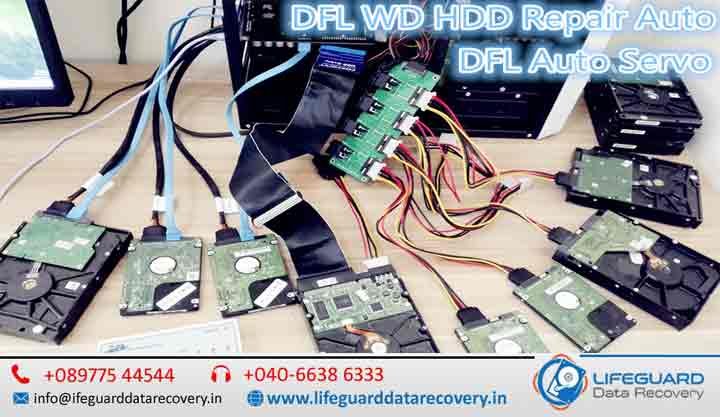
A damaged or corrupted HDD firmware can lock you out of your valuable data, cause your system to malfunction, or even make your drive completely undetectable. At Lifeguard Data Recovery, we don’t just handle MacBook Pro GPU repair –we also specialize in HDD firmware repair for both laptops and desktops, restoring functionality and recovering lost data. Our technicians have successfully repaired hundreds of drives, working with all major HDD brands, and using specialized tools that ensure a safe and accurate firmware restoration process. HDD Firmware Repair – Professional Hard Drive Firmware Recovery & Data Restoration A damaged or corrupted HDD firmware can make your hard drive inaccessible, prevent your computer from recognizing the drive, or cause critical data to become unavailable. Firmware is the internal software that controls how your hard drive communicates with your computer. When it becomes corrupted due to power failures, bad sectors, manufacturing defects, malware, or physical damage, your drive may stop functioning even though the stored data is still intact. At Mac Repair, we specialize in HDD firmware repair for MacBooks, desktops, laptops, external hard drives, and enterprise storage devices. Our experienced technicians use advanced firmware repair tools and professional recovery equipment to restore damaged firmware and recover valuable data safely and efficiently. Whether your hard drive has become undetectable, is reporting incorrect capacity, or has stopped responding completely, our team provides reliable HDD firmware repair and data recovery services throughout Dubai. Why Choose Professional HDD Firmware Repair? Firmware problems require specialized knowledge and hardware-level tools. Attempting DIY firmware repair can permanently damage the drive or overwrite important firmware modules. Our professional HDD firmware repair service offers: Advanced firmware diagnostics Safe firmware rebuilding and restoration Professional data recovery from firmware-damaged drives Recovery without compromising original data Support for internal and external hard drives Fast turnaround for urgent recovery cases Secure and confidential handling of all customer data With years of experience, our engineers successfully repair firmware issues on hard drives from all major manufacturers. MacBook Pro Graphics Card Repair  While our reputation was built on services like MacBook Pro graphics card repair Dubai and MacBook GPU repair service Dubai, our same commitment to speed and quality applies to HDD firmware issues. With our HDD firmware repair, you also get: Same day GPU repair Dubai level turnaround for urgent HDD fixes. Original Apple GPU parts Dubai equivalent – we only use trusted OEM tools for firmware handling. 90 days warranty MacBook GPU repair style guarantee on all HDD repair services. Signs of HDD Firmware Failure (and How They Resemble GPU Issues) Some HDD problems can be just as frustrating as MacBook screen lines GPU failure or MacBook hang on loading GPU issue. Common firmware-related symptoms include: Drive not being detected by the system. Incorrect drive size showing up. Slow read/write speeds similar to MacBook GPU artifact horizontal lines performance drops. If you notice these signs, prompt action is essential to prevent permanent data loss. Why Choose Mac Repair for HDD Firmware and GPU Diagnostics in Dubai Whether you need MacBook GPU diagnostics Dubai or HDD firmware troubleshooting, our diagnostic process is thorough: Assess drive health and isolate firmware corruption. Use professional tools to read, back up, and repair firmware modules. Test the drive under real-world conditions before returning it to you. For GPUs, this would involve MacBook GPU chip replacement or video chip soldering MacBook Pro Dubai. For HDDs, it’s about rebuilding the firmware map and restoring stable communication with your system. HDD Firmware Repair vs Replacement – Just Like GPU Decisions When facing GPU repair vs replacement MacBook, the choice depends on cost, urgency, and hardware health. Similarly, HDD firmware repair is often a better first step than replacing the entire drive, especially if your data is critical. Model-Specific Services -From MacBook Pro 2011 to High-Capacity HDDs Our team is known for handling niche cases like MacBook Pro 2011 GPU repair Dubai, MacBook Pro Retina GPU repair Dubai, and MacBook GPU repair Intel MacBook Pro. We apply the same precision and attention to detail for HDD firmware repairs, whether it’s a standard desktop HDD, an enterprise-class drive, or a specialized NAS disk. Fast HDD Firmware Repair with Data Recovery Options We don’t just fix firmware – if your files are at risk, we can integrate full data recovery into the same job. That means you get your drive restored and your data back, just like our fast GPU repair for MacBook Pro Retina models in Dubai approach where performance and reliability are both priorities. Book Your HDD Firmware Repair Today Whether it’s your HDD or your GPU that needs expert care, Mac Repair is your trusted service provider in Dubai. FAQs – HDD Firmware Repair in Dubai Q1: Can HDD firmware be repaired without replacing the drive? Yes. In many cases, firmware corruption can be repaired successfully without replacing the hard drive, allowing both the drive and your data to be restored. Q2: How long does HDD firmware repair take? Most firmware repairs are completed within 1–2 business days. Complex cases involving physical damage or extensive data recovery may require additional time. Q3: Will firmware repair recover my lost files? If firmware corruption is preventing access to your files, repairing the firmware often restores them. If additional issues exist, our engineers perform professional data recovery to retrieve as much information as possible. Q4: Is my data kept confidential? Absolutely. We follow strict confidentiality procedures throughout the repair and recovery process to ensure your personal and business data remains secure. Q5: What should I do if my hard drive is not detected? Stop using the drive immediately and avoid formatting or running repair utilities. Contact our HDD firmware repair specialists for a professional diagnosis to maximize the chances of successful recovery.

iphone data recovery india
blog

iphone data recovery india

iPhone Data Recovery India-Lifeguard Data Recovery India When your iPhone stops working, deletes your memories, or gets damaged, it can feel like everything is lost. At Lifeguard Data Recovery, we specialize in iPhone data recovery for all models, from the oldest iPhone to the latest iPhone 15 Pro Max. Whether you need to recover deleted photos iPhone, restore important WhatsApp chats, or retrieve files from a water-damaged iPhone, our experts use advanced tools and techniques to bring your data back securely. Why Choose Lifeguard Data Recovery for iPhone Data Recovery Service? Our iPhone data recovery service is designed to handle every possible data loss situation – accidental deletion, hardware failure, water damage, or even a completely dead phone. We don’t just use any basic iPhone data recovery software – our lab-grade tools allow us to go deeper, ensuring maximum data retrieval success. Recover Deleted Photos & Videos from iPhone One of the most common problems iPhone users faces is losing photos and videos. We help you: Recover deleted photos iPhone Guide you on how to recover deleted photos from iPhone Restore deleted pictures iPhone using specialized recovery tools Recover deleted videos iPhone without overwriting other data Teach you how to recover videos on iPhone even without backup Perform a full iPhone recover deleted videos scan to restore memories No matter how long ago the files were deleted, our team at Lifeguard Data Recovery can often retrieve them if they haven’t been overwritten. Recover from iCloud Backup Apple’s iCloud is powerful, but sometimes restoring from it can be tricky. Our services include: Recover from iCloud backup iPhone when your device is lost or damaged Complete iPhone data recovery from iCloud without errors Safely restore iPhone from iCloud backup without losing newer data We ensure that your recovered files are organized exactly as they were before. Recover Data from Broken or Dead iPhones It’s not the end when your device won’t turn on. We handle cases like: Recover data from broken iPhone after accidents How to recover data from dead iPhone without causing further damage iPhone data recovery for non-responsive phone using chip-off techniques Our experts can often recover data even when Apple says it’s impossible. Water Damaged iPhone Data Recovery     Water and electronics don’t mix, but that doesn’t mean your data is gone forever. We offer: Water damaged iPhone data recovery in our controlled lab environment Recover data from water-damaged iPhone before corrosion spreads iPhone recovery after water damage with maximum file preservation Quick action is crucial – the faster you bring your phone, the better the recovery chances. iPhone WhatsApp Recovery Losing WhatsApp messages can mean losing important conversations, documents, and photos. At Lifeguard Data Recovery, we can: Perform iPhone WhatsApp recovery for deleted or lost chats Recover WhatsApp messages iPhone without overwriting recent conversations Restore WhatsApp chat iPhone from both iTunes and iCloud backups Recover Data from iPhone Internal Storage & External Media Even if your iPhone has no SD card slot, we can perform: Recover data from internal storage iPhone using direct chip reading iPhone internal memory recovery for contacts, photos, and files iPhone file recovery from internal storage when the OS is corrupted SD card or external iPhone recovery for devices that used card readers or external drives Our Process at Lifeguard Data Recovery  Evaluation -We diagnose the problem and share recovery possibilities. Secure Recovery -Using advanced lab tools, we retrieve your lost files. Safe Delivery -We return your recovered data on a secure storage device. Our focus is 100% on data safety, privacy, and recovery success. Frequently Asked Questions-iPhone Data Recovery Q1: Can I recover deleted photos from iPhone without backup? Yes, our tools can often recover deleted photos directly from iPhone storage without needing iCloud or iTunes backup. Q2: Is water-damaged iPhone data recovery possible? Yes, if the internal storage chip is intact, we can recover data even if the phone is beyond repair. Q3: How long does iPhone data recovery take? Most recoveries take 1–5 days, depending on the damage severity. Q4: Can you recover WhatsApp messages without backup? Yes, we can recover deleted WhatsApp messages directly from internal storage. Q5: Do you recover data from broken or dead iPhones? Absolutely. We specialize in recover data from dead iPhone and recover data from broken iPhone. Contact Lifeguards Data Recovery Location: Lifeguard Data Recovery, India Email: support@lifeguarddatarecovery.com Website: www.lifeguarddatarecovery.com

Formatted Drive Data Recovery
Case Studies

Formatted Drive Data Recovery

Formatted Drive Data Recovery in UAE -Fast, Secure & Professional Recovery Services. Accidentally formatting a hard drive, SSD, USB flash drive, memory card, or external storage device can result in the sudden loss of important documents, family photos, business records, videos, and other valuable files. While formatting may seem like it permanently erases your data, this is often not the case. In many situations, your files can still be recovered with the help of professional data recovery specialists. At Lifeguard Data Recovery, we provide expert Formatted Drive Data Recovery in the UAE for individuals, businesses, photographers, students, and organizations. Using advanced recovery technology and forensic-grade tools, our certified engineers recover data from accidentally formatted storage devices while ensuring complete confidentiality and a high recovery success rate. Whether you formatted your drive by mistake, reinstalled Windows or macOS, or lost access due to file system corruption, we are here to help restore your valuable data quickly, securely, and efficiently. What Happens When a Drive Is Formatted? Formatting a drive does not immediately erase the actual data stored on it. Instead, the operating system removes or recreates the file system structure, making the existing files appear inaccessible. For example: Quick Format removes the file allocation table or index but leaves most of the actual data intact until new data overwrites it. Full Format may scan the drive for bad sectors and, depending on the operating system and formatting method, overwrite parts of the storage. Even then, some data may still be recoverable in certain situations. Because the original data often remains on the storage media, professional recovery techniques can reconstruct files before they are overwritten. Important: Once a drive has been formatted, stop using it immediately. Saving new files or installing software on the formatted drive can overwrite recoverable data and reduce the chances of successful recovery. Common Reasons for Drive Formatting Drives can be formatted intentionally or accidentally for many reasons. Common causes include: Accidental formatting while installing Windows or macOS Formatting the wrong drive during system setup Operating system reinstallation without backing up important files File system corruption making the drive inaccessible Virus or ransomware attacks requiring drive formatting Drive showing as RAW or unallocated Device compatibility formatting for cameras, gaming consoles, or media players Partition deletion or accidental partition formatting Storage device initialization after connection errors Regardless of how the formatting occurred, professional recovery offers the best chance of restoring your data. Storage Devices We Recover Our specialists recover formatted data from virtually every type of storage device. Internal Hard Drives We recover data from desktop and laptop hard drives that have been accidentally formatted, repartitioned, or affected by operating system installation. External Hard Drives Whether your portable external drive was formatted accidentally or became inaccessible after corruption, we can recover your important files. Solid State Drives (SSDs) We provide recovery for formatted SATA SSDs, NVMe SSDs, and external SSDs, taking into account TRIM-related recovery limitations. USB Flash Drives Formatted pen drives frequently contain important office documents, presentations, and personal files. Our recovery specialists retrieve data from all major USB brands. Memory Cards We recover photos, videos, and documents from: SD Cards microSD Cards CF Cards SDXC Cards Camera Memory Cards File System Recovery Expertise Our engineers support recovery from all major file systems. NTFS Recovery The most common Windows file system used on desktops, laptops, and external hard drives. FAT32 Recovery Frequently used for USB flash drives, memory cards, digital cameras, and multimedia devices. exFAT Recovery Popular for large-capacity USB drives, SD cards, and cross-platform storage. APFS & HFS+ Recovery Apple MacBook and Mac storage devices formatted with APFS or HFS+. EXT File Systems Linux storage devices using EXT2, EXT3, or EXT4. Our Professional Formatted Drive Recovery Process Every recovery case follows a structured and secure process. 1. Drive Diagnosis Our engineers inspect the storage device to determine: File system condition Physical health Logical corruption Recovery complexity Risk factors 2. Secure Drive Imaging Whenever necessary, we create a sector-by-sector clone of the drive to protect the original storage from additional damage. 3. Advanced Recovery We use professional forensic recovery software and specialized hardware to rebuild lost file structures and recover deleted data. 4. File Verification Recovered files are carefully verified to ensure they are complete and usable. 5. Secure Data Delivery Recovered data is copied to a new storage device and returned securely to the customer. Advanced Recovery Techniques We Use Our recovery laboratory uses industry-leading recovery methods, including: Data Carving Recovers files based on their unique file signatures, even when the original file system has been lost. Partition Recovery Restores deleted or formatted partitions while preserving the original folder structure whenever possible. RAW Drive Recovery Extracts data from storage devices that appear as RAW or inaccessible. Deep Scan Recovery Performs a comprehensive sector-level scan to locate recoverable files that standard recovery methods cannot detect. File System Reconstruction Rebuilds damaged or corrupted file systems to restore access to existing data. Why Choose Lifeguard Data Recovery? Choosing the right recovery provider is essential when your valuable data is at risk. Certified Recovery Experts Our experienced engineers have successfully recovered data from thousands of formatted storage devices. Advanced Recovery Laboratory We use professional recovery hardware, forensic imaging tools, and specialized software designed for complex recovery scenarios. Support for All Major Brands We recover data from: Seagate Western Digital (WD) Toshiba Samsung Kingston SanDisk Transcend Lexar Crucial Dell HP Apple-compatible storage devices Secure & Confidential Every recovery project is handled under strict confidentiality to protect your personal and business information. Fast Turnaround Emergency recovery services are available for customers who need urgent access to critical files. Risks of Using Free Recovery Software Many free or trial recovery programs promise instant results, but they often create additional risks. DIY recovery software may: Overwrite recoverable data Damage the original file system Corrupt existing partitions Recover incomplete files Fail to handle physically damaged drives If your data is valuable, professional recovery remains the safest and most reliable option. When Should You Avoid DIY

Scroll to Top