
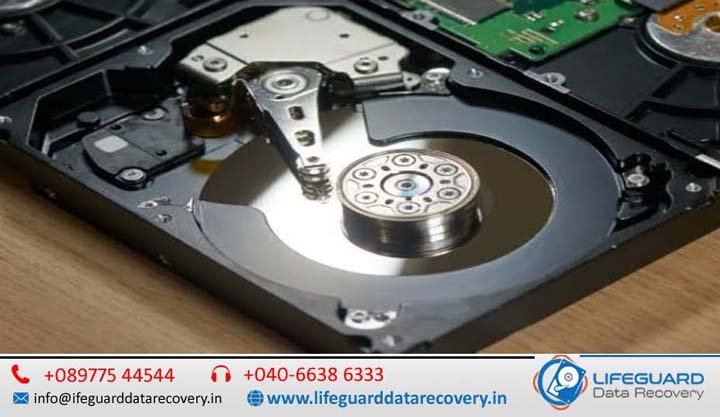
What Are the Warning Signs Before Hard Drive Failure?
Few things trigger a sudden spike of panic like a computer that freezes mid-task, followed by a strange noise coming from your machine. Your storage drive is the heart of your system, holding years of irreplaceable work, software, and memories. When it begins to degrade, it rarely goes out without a fight-leaving clues that point toward impending doom. Whether your computer uses a traditional mechanical Hard Disk Drive (HDD) or a modern Solid-State Drive (SSD), recognizing the early warning signs of a hard drive about to fail is critical to saving your files before your system crashes completely. This guide details the physical and digital distress signals of storage drives, breaks down step-by-step diagnostic workflows, and outlines an immediate triage strategy to rescue your data safely. How to Tell if a Hard Drive is Failing: The Early Warning Signs Learning how to recognize hard drive failure before your operating system refuses to boot is the difference between an easy hardware upgrade and an expensive data recovery nightmare. Data from large-scale studies-including Back blaze’s extensive 2025/2026 drive fleet logs-confirms that while storage drives are highly reliable, failures consistently trend upward after the three-to-four-year mark. Knowing how to spot anomalies during this window is vital. Can a Hard Drive Fail Without Warning? Yes, a hard drive can fail without warning. While many storage devices degrade slowly, sudden failures occur due to electrical spikes, firmware corruption, controller damage, or severe physical trauma. Understanding why hard drives fail unexpectedly helps highlight the differences between gradual degradation and sudden electronic death: Mechanical Wear: Physical components gradually break down over several years. Sudden Failure Vectors: A major power surge can fry an internal printed circuit board (PCB) instantly. Similarly, manufacturing anomalies can trigger early drive failures within the first 90 days of deployment-a phase engineers call “infant mortality.” The Core Symptoms of a Failing Hard Disk (Mechanical HDDs) Mechanical HDDs operate using physical magnetic platters spinning at high speeds while read/write heads hover mere nanometers above them. Because they are mechanical, the symptoms of a failing hard disk often present as distinct sounds or unmistakable physical lags. What Does a Failing Hard Drive Sound Like? If you are wondering what a failing hard drive sounds like, the answer depends on which physical component is breaking down: The Clicking Noise (“Click of Death”): When the read/write heads cannot correctly align with the magnetic platters or read the tracking data, they quickly snap back to their home position. This creates a rhythmic, metallic clicking noise. Grinding or Screeching Noises: A harsh grinding sound indicates that the spindle motor bearings are failing, or worse, that the read/write head has dropped directly onto the platter surface, permanently destroying the magnetic coating. Whirring or Buzzing: If the spindle motor is stuck trying to spin up the heavy internal platters, you may hear a faint, repeating buzzing sound from the drive body. Frequent File Corruption and Disappearing Data As magnetic sections on a drive surface break down, files become unreadable. You might try to open a known good file only to receive errors that the format is unreadable, or you may notice that folders suddenly vanish. When an application attempts to modify or pull data from an unreadable block, it will fail, frequently corrupting the surrounding filesystem structure. Aggressive System Slowdowns, Freezes, and Blue Screens (BSOD) A slow computer can easily indicate hard drive failure. When Windows or macOS attempts to read or write a file across a degrading sector, the operating system enters an infinite loop trying to access that block. Your cursor freezes, apps stop responding, and the entire system locks up. If the block contains critical operating system files, your system will crash entirely, displaying a Blue Screen of Death (BSOD) on Windows or a kernel panic on Mac. Silent Killers: How to Recognize Hard Drive Failure in Modern SSDs Solid-State Drives (SSDs) have no moving parts. They store data electrically inside NAND flash memory blocks. Because they lack physical arms and motors, you cannot rely on noise to spot an issue. SSDs fail silently, meaning you must monitor behavioral anomalies closely. Read-Only Locking and Boot Failures Unlike HDDs, an SSD has a predefined lifespan dictated by its Terabytes Written (TBW) threshold. Every time data is modified, the underlying flash memory cells degrade. When the drive controller detects that the flash cells have run out of write cycles, it implements a protective mechanism: it locks the drive into a permanent read-only mode. When this happens, you can view and copy existing files, but you cannot save new documents, download updates, or boot into your operating system if it requires writing temporary system files. Frequent Software Crashes and Crypto-Errors When the internal SSD controller encounters bad memory blocks that can no longer hold an electrical charge, it triggers application crashes during basic save operations. You may notice files failing to copy, or error codes mentioning cryptography mismatches or invalid checksums. This indicates that the data entering the memory cells is mutating due to unstable flash hardware. Hard Drive Failure Diagnosis: Understanding Bad Sectors To understand how to diagnose hard drive issues before failure, you must understand how data storage blocks degrade. What Are Bad Sectors and How Do They Affect Performance? A bad sector is a tiny cluster of storage space that has become unreadable or unresponsive to write commands. They fall into two distinct categories: Bad sectors degrade performance because the drive controller has to spend time locating alternate sectors to re-write data. This constant data re-routing increases access times and slows down your overall performance. Hard Drive Health Monitoring Guide: Using S.M.A.R.T. Data Every modern SSD and HDD contains an internal diagnostic brain known as S.M.A.R.T. (Self-Monitoring, Analysis, and Reporting Technology). This framework constantly updates health parameters inside your drive’s firmware. What is S.M.A.R.T. Status on a Hard Drive? S.M.A.R.T. status acts as a reliable early warning indicator for your drive. It tracks real-time telemetry like total power-on hours, operational temperatures, and write endurance levels. When evaluating