
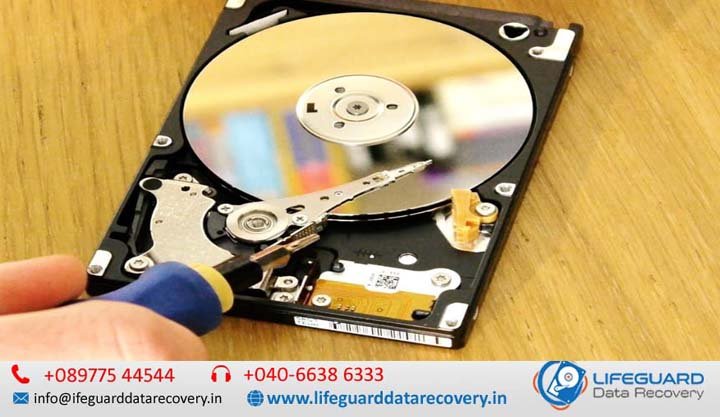
hard disk failure symptoms
Hard drives rarely fail without leaving a trail of subtle warning signs. Whether it begins with a mysterious system slowdown, a sudden file corruption error, or a rhythmic clicking noise coming from your computer case, early detection is the single most critical factor in preventing catastrophic data loss. According to long-term drive telemetry data collected across hundreds of thousands of hard drives, mechanical hard disk drives (HDDs) experience an annualized failure rate of 1.3% to 1.8% during their initial operational years, with failure rates spiking significantly after 3 to 5 years of continuous use. This hard disk failure guide walks you through the early hard drive warning signs, explains how mechanical and logical disk corruption occurs, provides step-by-step diagnostic procedures, and outlines the exact emergency steps to take if your drive is on the brink of collapse. 2. What Is Hard Disk Failure and How Do Drives Fail? Hard drive failure explained simply: it is the operational state where a storage drive can no longer reliably read, write, or retain binary data. Unlike Solid State Drives (SSDs)-which rely on NAND flash memory chips and floating-gate transistors-a traditional Hard Disk Drive (HDD) is an electromechanical device. It relies on high-speed rotating magnetic platters spinning between 5,400 to 7,200 RPM (or up to 15,000 RPM in enterprise systems) and floating read/write heads positioned just nanometers above the spinning surface. How Hard Drives Fail When answering what is hard disk failure and how hard drives fail, it helps to look at the three main failure vectors: Mechanical Wear & Head Crashes: The read/write heads float on a cushion of air created by the spinning platter. If the drive suffers physical shock or bearing wear, the head can physically contact the platter surface, stripping away the magnetic coating and destroying data instantly. Magnetic Degradation: Over time, the magnetic domains on the platters weaken, causing read errors that turn healthy disk blocks into bad sectors. Electronic Component Breakdown: The external Printed Circuit Board (PCB) houses power regulation chips and controller microprocessors that can fail due to thermal stress or electrical surges. 3. Types of Hard Disk Failures: Physical, Logical, and Firmware Understanding the specific types of hard disk failures helps you decide whether a drive can be fixed via software troubleshooting or if it requires emergency professional data recovery services before further powering on the drive. Failure Type Root Cause Common Symptoms Can Software Fix It? Physical / Mechanical Broken read/write heads, seized spindle motor, damaged platters Clicking, grinding, high-pitched whining, drive not spinning No. Requires cleanroom repair. Logical Failure Corrupted Master Boot Record (MBR/GPT), damaged file system (RAW drive) OS fails to boot, files missing, “Format drive before use” prompt Yes. Via recovery software or formatting. Electronic Failure Blown diode/resistor on controller board (PCB), power surge Complete lack of power, drive unrecognized in BIOS, burning smell Partial. Requires PCB swap & ROM transfer. Firmware Corruption Corrupted service area (SA) on platter sectors Drive detected with wrong capacity (0 GB) or generic model name No. Requires specialized hardware toolkits. Physical & Mechanical Failures Physical failures stem from structural damage inside the drive’s sealed chamber. When a head crash occurs, microscopic debris distributes across the platters, compounding physical damage every second the drive remains powered. Logical Failures & Bad Sectors A logical failure occurs when the drive’s physical hardware remains functional, but the organizational structure of the data (such as the NTFS or FAT32 file system) becomes corrupt. This is frequently accompanied by bad sectors-damaged micro-regions on the platter surface that can no longer process read/write operations. Electronic Failure When a power surge hits your desktop or external power supply, the drive’s PCB board often acts as a fuse. The drive may appear completely “dead”-producing no sound, vibration, or LED indicators. 4. 10 Critical Hard Disk Failure Symptoms You Should Never Ignore Spotting hard drive failure symptoms early provides a critical window to copy important files before the drive locks up permanently. 1. Unusual Noises (Clicking, Grinding, or Beeping) If you are asking “why is my hard drive making clicking noises?”, you are likely observing the infamous “Click of Death.” This sound occurs when the actuator arm moves the read/write head across the platter to locate a track, fails to read the magnetic alignment, resets back to its home position, and retries rhythmically. 2. Extreme Slowdowns and Freezing If you are wondering “why is my computer running slow?” or freezing whenever you attempt to open folders, your OS may be hung up trying to read data from deteriorating sectors. When Windows encounters unreadable sectors, it repeatedly retries the operation, causing File Explorer to lock up or report 100% Disk Usage in Task Manager. 3. Corrupted Data, Missing Files, and File Access Errors When files that opened smoothly yesterday suddenly display errors like “File format not recognized” or disappear entirely from folders, magnetic degradation is likely taking place. 4. Frequent System Crashes and Blue Screen of Death (BSOD) If you wonder “why does my hard drive keep crashing?”, check if vital system files are located on bad sectors. When Windows attempts to access system code from a degraded sector, it triggers a system crash (STOP Code / BSOD). 5. Computer Fails to Boot or Drive Unrecognized Errors such as “Operating System Not Found”, “Insert Boot Media”, or a drive dropping out of the BIOS/UEFI altogether signal severe firmware or boot partition damage. 6. Accumulation of Bad Sectors What are bad sectors on a hard drive? Bad sectors are tiny storage areas that have lost their magnetic integrity. They fall into two categories: Hard Bad Sectors: Caused by physical platter damage or head contact. Soft Bad Sectors: Caused by interrupted write cycles (e.g., power loss while saving a file). 7. SMART Status Warnings Modern hard drives monitor their internal health using SMART status on a hard drive (Self-Monitoring, Analysis, and Reporting Technology). If your motherboard screen displays a “SMART Capable Diagnostic Error” during boot, the internal microcode has logged hardware parameters exceeding critical safety thresholds. 8. Abnormally