
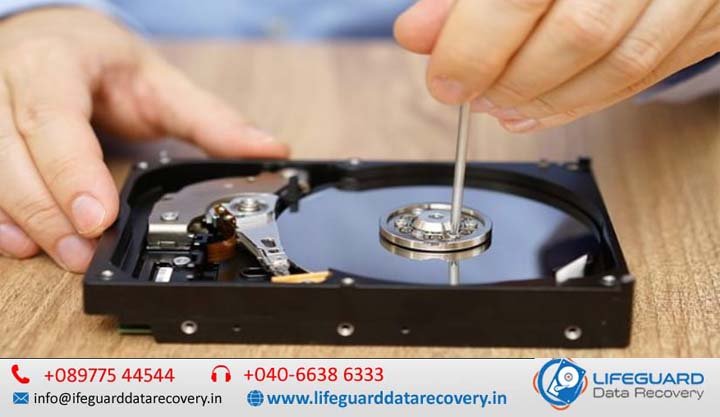
What Causes Hard Drive Failure?
Whether you hear a sudden clicking sound or encounter a blank screen during bootup, experiencing a storage failure is stressful. Understanding what causes hard drive failure is essential for protecting sensitive documents, photos, and critical business data before total loss occurs. While all storage media inevitably reaches the end of its operational lifecycle, most hard drive crashes result from specific physical, electrical, logical, or thermal causes. This comprehensive guide breaks down why hard drives fail, the critical warning signs to watch for, step-by-step diagnostic fixes, and how to preserve your files. Understanding Hard Drive Failure: Mechanical vs. Logical Issues To diagnose a malfunctioning drive properly, you must first distinguish between hardware (mechanical) failures and software (logical) failures. Mechanical Hard Drive Failure: Occurs when physical internal components break down-such as read/write heads contacting spinning magnetic platters or motor bearings seizing. Physical damage usually produces distinct mechanical noises (clicking, grinding) and requires professional hardware intervention. Logical Hard Drive Failure: Occurs when the physical drive remains functional, but the file system, partition table, or boot sectors become damaged, corrupted, or unreadable. Logical failures can often be repaired using software utilities without physical opening or specialized lab equipment. The 5 Primary Reasons and Causes of Hard Drive Failure Exploring common causes of hard drive failure reveals five core factors responsible for the majority of storage crashes. 1. Mechanical Wear and Head Crashes Traditional HDDs rely on high-speed magnetic platters spinning at 5,400 to 15,000 RPM while read/write heads float mere nanometers above the surface on a cushion of air. A head crash occurs when physical impact, motor wear, or drop damage causes the read/write head to touch the spinning platter surface. This gouges magnetic coating off the disk, causing immediate catastrophic failure. 2. Electrical Spikes and Power Surges A sudden voltage spike-caused by lightning strikes, unstable power grids, or low-quality power supply units (PSUs)-can destroy a hard drive’s Printed Circuit Board (PCB). Power surge hard drive damage typically fries the drive controller, voltage-smoothing diodes, or motor controller chips, leaving the drive entirely unresponsive without spinning up. 3. Heat, Inadequate Airflow, and Environmental Factors Excessive heat causes internal metal components to expand unequally, altering delicate mechanical tolerances. An overheating hard drive accelerates component degradation, breaks down lubrication on spindle bearings, and alters magnetic properties on platters. Poor computer case ventilation, blocked fan vents, and high ambient temperatures are direct hard drive crash causes. 4. File System Corruption and Software Errors Not every failure stems from hardware damage. Abrupt system shutdowns, pulling out external drives without safely ejecting them, OS crashes during writing operations, and malware infections lead to file system corruption. When file index tables (like NTFS, FAT32, or APFS) break down, the OS cannot locate files, marking the entire drive as a corrupted hard drive or unformatted raw space. 5. Bad Sectors and Degrading Storage Media Storage platters are divided into billions of microscopic sectors. Over time, physical imperfections or magnetic degradation create bad sectors on hard drive surfaces. Soft Bad Sectors: Caused by logical writing errors or interrupted data streams; can usually be cleared with software zero-fills. Hard Bad Sectors: Caused by physical wear or manufacturing flaws; permanently unusable sectors that the drive attempts to reallocate. An increasing number of bad sectors indicates impending structural failure. Critical Signs and Symptoms of Hard Drive Failure Recognizing early hard drive failure symptoms allows you to back up vital files before total media lock-up occurs. Symptom Category Observable Warning Signs Probable Underlying Cause Auditory Repeating clicking sound, high-pitched whining, or quiet rhythmic beeping Mechanical read/write head assembly failure or seized motor bearing Performance File transfers freeze at 99%, system locks up opening folders, slow boot times Rapidly accumulating bad sectors or degrading read/write head efficiency System Visibility Operating system displays blue screens (BSOD) or unreadable drive warnings Corrupted boot records, bad sector clusters, or degraded file system index Hardware Detection Computer fails to boot; “Boot Device Not Found” or drive absent in BIOS Blown controller PCB diodes, dead spindle motor, or loose connection interface Auditory Warning Signs: Clicking, Beeping, and Grinding A functional drive operates with a low hum and faint clicking during intensive read operations. However, a distinct, repeating hard drive clicking noise (known in recovery circles as the “Click of Death”) indicates that the actuator arm cannot find track positioning data and is snapping back into its park position. A hard drive making beeping sound usually means the spindle motor is attempting to turn, but the heads are physically stuck glued to the platter surface (head seizure). Performance Drops, Freezes, and Thermal Symptoms When your computer freezes regularly while opening large files or folder directories, it often indicates the drive controller is attempting repeated read retries on bad sectors. Monitoring software exhibiting hard drive overheating symptoms-such as internal drive temps consistently exceeding 55°C (131°F)-indicates immediate cooling or airflow intervention is necessary. File Disappearance, Corruption, and System Read Errors Receiving repeated disk read error notifications, finding opening files truncated or filled with gibberish, or noticing folders vanishing overnight are classic indicators of escalating hard drive failure causes. System Startup Failures and BIOS Unrecognizability If your system reboots into error screens displaying boot device not found, hard drive not detected, or BIOS not recognizing hard drive, the drive has either suffered total logical boot block destruction, broken connection pathways, or complete PCB electrical failure. SSD vs. HDD Reliability: Do Solid-State Drives Fail Differently? Understanding reasons for hard disk failure requires distinguishing traditional mechanical drives (HDDs) from Solid-State Drives (SSDs). While SSDs lack moving parts, their underlying architecture creates unique failure profiles: When evaluating SSD vs HDD reliability, mechanical HDDs generally fail progressively offering acoustic warnings like clicking or sector retries. SSDs, by contrast, frequently experience sudden death syndrome caused by flash controller firmware corruption, power loss events bricking the drive, or reaching total write capacity limits (TBW). Immediate Steps: What to Do When Your Hard Drive Starts Failing If you suspect why is my hard drive failing or hear unnatural drive noises, taking immediate correct