
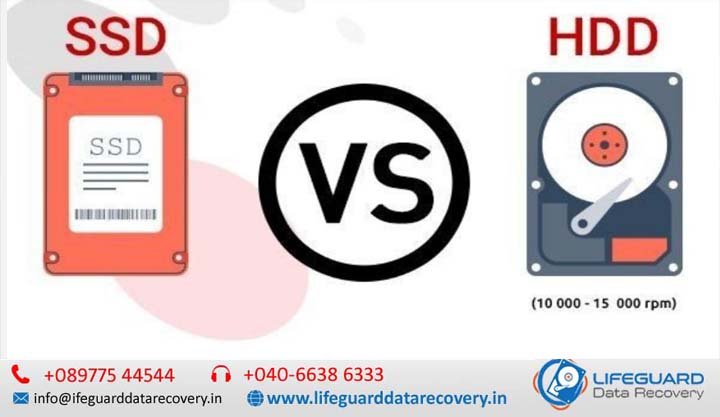
HDD vs SSD reliability comparison
Every storage drive eventually fails, but which is more reliable: HDD or SSD? When choosing hardware for boot drives, home servers, or cold storage backups, understanding drive reliability is critical to preventing sudden data loss. For years, mechanical Hard Disk Drives (HDDs) dominated secondary storage, while Solid-State Drives (SSDs) were reserved for high-speed boot volumes. Today, SSD capacities have grown, and prices have dropped, making SSD vs HDD reliability a primary consideration for IT managers and everyday users alike. Data center telemetries reveal clear differences in failure rates, longevity, and data retention between these two technologies. HDD vs SSD Reliability Overview: How Their Architectures Differ To evaluate HDD vs SSD reliability, you must first examine how each drive stores and retrieves binary data. Physical architecture dictates vulnerability. Mechanical Hard Drives (HDD): Spinning Platters and Moving Parts Hard Disk Drives store data magnetically on rapidly spinning glass or aluminum platters (typically rotating at 5,400 to 7,200 RPM). A mechanical actuator arm holds a tiny read/write head hovering just nanometers above the spinning platter surface. Because HDDs rely on high-precision mechanical motion, they are inherently susceptible to physical wear over time, thermal expansion, motor failure, and catastrophic damage caused by physical bumps or drops while active. Solid State Drives (SSD): NAND Flash and Electronic Controllers Solid State Drives contain zero moving parts. Instead, they write data electronically into floating-gate or charge-trap memory cells across microchips known as NAND flash memory. An integrated microchip called the SSD Controller manages data placement, wear leveling, garbage collection, and error correction (ECC). By eliminating mechanical motors and read/write heads, SSDs eliminate the primary source of physical hardware failure seen in traditional hard drives. HDD vs SSD Failure Rate and Lifespan: What the Data Shows Real-world statistics from enterprise data center deployments reveal distinct operational failure curves for both drive types. Annualized Failure Rates (AFR): SSD vs HDD Reliability Over Time Multi-year drive telemetry collected by cloud storage providers like Back blaze demonstrates that SSDs maintain lower and flatter failure rates than HDDs throughout their operational lifespans. HDD Failure Trends: Mechanical hard drives generally follow a traditional “bathtub curve.” Failure rates peak slightly in Year 1 due to manufacturing defects (infant mortality), stabilize during Years 2-3, and spike sharply after Year 4 as mechanical bearings, motors, and platter coatings wear down. Cumulative HDD Annualized Failure Rates (AFR) often exceed 5% to 6% per year once drives pass the 5-year mark. SSD Failure Trends: SSD failure rates remain consistently lower averaging between 0.8% and 1.2% AFR across early and mid-life cycles. Because SSDs do not suffer from mechanical friction, their failure curve remains flat for many years until the NAND flash memory reaches its write endurance limit. Drive Longevity: How Long Do HDDs and SSDs Last? When evaluating how long HDDs and SSDs last in daily computing environments: Metric Hard Disk Drives (HDD) Solid State Drives (SSD) Typical Lifespan 3 to 5 Years 5 to 10+ Years (light/moderate use) Primary End-of-Life Cause Mechanical wear, motor failure, head crash NAND cell endurance depletion (write wear out) Shock Tolerance Poor (vulnerable to drops/vibration) Excellent (high resistance to impact) Average Failure Rate (Mid-Life) 1.3% – 2.5% AFR 0.8% – 1.0% AFR Flash Endurance Metrics: Understanding TBW and DWPD Unlike HDDs-where read and write cycles do not directly degrade the magnetic media-SSDs wear out slightly every time data is written. TBW (Terabytes Written): The total amount of cumulative data that can be written to an SSD before the memory cells degrade beyond specification. A standard consumer 1TB NVMe SSD typically offers a 600 TBW rating. DWPD (Drive Writes Per Day): The number of times the drive’s total capacity can be overwritten every day for its warranty period (usually 3 to 5 years). For consumer workloads (browsing, gaming, office tasks), typical users write 10-30 GB per day. At this rate, a 600 TBW SSD would take over 50 years to consume its write endurance, meaning controller failure or electrical issues are far more likely to occur before write-exhaustion happens. HDD vs SSD Durability and Failure Causes Understanding what causes HDD failure versus what causes SSD failure helps identify operational environments best suited for each drive type. Primary Causes of HDD Failure: Wear, Drops, and Heat Physical Impact & Shock: Dropping a running laptop or bumping an external desktop drive can cause the head to strike the spinning platter (a head crash), causing instant data loss. Mechanical Bearing Wear: Over time, spindle motor bearings degrade, resulting in vibration, increased operating temperatures, and eventual motor seizure. Bad Magnetic Sectors: Platter surfaces gradually lose magnetic flux density over time, creating unreadable bad sectors. Primary Causes of SSD Failure: NAND Wear, Voltage Spikes, and Thermal Throttling Controller Circuit Failure: The SSD controller is a complex processor. If the controller chip fails, the drive becomes unreadable instantly, even if the NAND flash memory chips remain intact. Power Outages & Voltage Flashes: Unexpected loss of power during active flash write cycles can corrupt partition tables or damage drive firmware. Thermal Degradation: High operating temperatures accelerate electron leakage in NAND cells and place extreme stress on power delivery capacitors. HDD vs SSD Failure Symptoms: How to Spot an Impending Drive Crash Recognizing the early warning signs of drive failure provides a window to rescue critical data before total loss occurs. HDD Warning Signs: Clicking, Slow Seek Times, and S.M.A.R.T. Errors The “Click of Death”: Repeating clicking or grinding noises indicate the actuator arm is repeatedly attempting to calibrate over damaged platter sectors. Extreme Slowdowns: Abruptly long file access times, freezing file transfers, or spinning drive indicators. S.M.A.R.T. Warnings: Operating system alerts indicating reallocated sector counts or uncorrectable sector errors. SSD Warning Signs: Read-Only Mode, File System Crashes, and Bad Blocks Sudden Read-Only Mode: Many modern SSD controllers lock the drive into a read-only state when NAND wear reaches 100% or bad blocks accumulate, allowing you to back up files but preventing new writes. System Crashes During Boot: Blue Screen of Death (BSOD) errors occurring when the OS attempts to