
blog

blog

Camera SD Card Not Reading Recovery in India

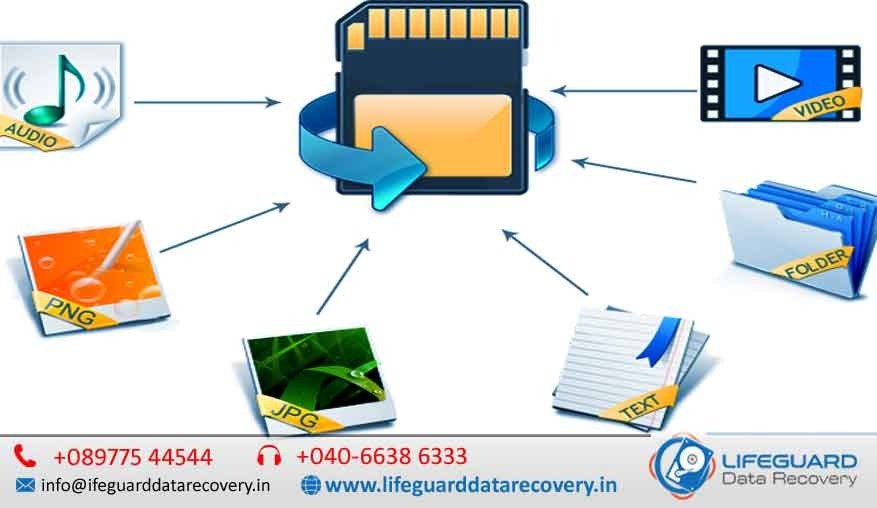
SD cards are widely used in digital cameras, DSLRs, drones, and action cams to store photos and videos. But sometimes, when you insert your SD card, the camera or computer shows an error like “Card Not Reading”, “Unsupported Format”, or simply does not detect the card at all. This can be stressful, especially if the card contains once-in-a-lifetime memories or professional work. The good news is that professional camera SD card recovery in India can help restore lost files, even when your device fails to recognize the card. With advanced tools and specialized techniques, experts can recover inaccessible photos, videos, and RAW files safely. Why Camera SD Cards Stop Reading There are several reasons why your camera may fail to read an SD card: File System Corruption   Improper ejection, sudden power loss, or malware can corrupt the SD card. Physical Damage  Cracks, bent pins, or water exposure can prevent detection. Compatibility Issues   Some SD cards may not be supported by older cameras. Bad Sectors   Continuous use can create unreadable sectors on the card. Accidental Formatting   Formatting errors may cause data to become inaccessible. Understanding the root cause helps determine the best recovery approach. How SD Card Recovery Works When your SD card is not reading, the data is usually still present—it’s just inaccessible due to corruption or damage. Professional recovery services in India use advanced software and hardware techniques such as: Logical Recovery   Fixing file system corruption to restore photos and videos. Physical Recovery   Repairing damaged chips or connectors to extract data. RAW File Recovery   Extracting camera-specific file formats like CR2, NEF, ARW, or DNG. Partition Repair   Rebuilding damaged partitions to make files readable again. These methods ensure that your images are retrieved safely without further damage to the card. Why Choose Professional SD Card Recovery in India While there are free tools available online, they may not always work and can even worsen the corruption. Professional recovery services in India are recommended because they offer:  Specialized Labs with dust-free environments.Advanced Tools for both logical and physical recovery. Support for All Brands  SanDisk, Samsung, Lexar, Kingston, Sony, and more. Secure & Confidential Process to protect your personal or professional data. Whether you are a photographer, videographer, traveler, or casual user, expert recovery ensures your precious memories are not lost forever. Steps to Take When Your SD Card Is Not Reading If your camera SD card is not being recognized, follow these steps before seeking recovery: Stop Using the Card Immediately   Do not click new photos, as it may overwrite existing data. Avoid DIY Fixes   Formatting or free recovery tools can cause permanent damage. Contact a Professional Recovery Service  Experts can safely retrieve your data. Camera SD Card Recovery Services in India These services cover: Corrupted SD Cards not recognized by cameras. Damaged Cards due to water, fire, or physical cracks. Deleted Photos & Videos accidentally removed from the card. RAW Image Recovery for professionals working with high-quality files. Formatted Card Recovery where accidental formatting erased data. With same day evaluation and transparent pricing, you can trust reliable providers to restore your files. FAQs  Camera SD Card Not Reading Recovery in India Q1. Can unreadable SD cards be fixed at home?In some minor cases, cleaning the card or trying a different card reader may help. However, if corruption or damage is involved, it’s best to seek professional help in India. Q2. How much does SD card photo recovery cost in India?The cost depends on the level of damage—logical recovery is cheaper, while physical recovery may cost more. Prices usually range from affordable basic services to premium cleanroom recovery. Q3. Will recovery bring back RAW photos from my DSLR?Yes, advanced recovery labs in India can restore RAW files like CR2, NEF, ARW, and DNG from professional cameras. Q4. What should I avoid if my SD card is not reading?Do not reformat, write new data, or try multiple free tools. This can overwrite files and reduce recovery chances. Q5. How long does SD card recovery take?Simple cases may take a few hours, while severe physical damage may require several days. Q6. Is it safe to hand over my SD card for recovery?Yes, trusted providers in India follow strict confidentiality policies to ensure your private photos and videos remain secure.

External Hard Drive Not Detected Data Recovery – India’s Trusted Service
blog

External Hard Drive Not Detected Data Recovery India’s

When an external hard drive is not detected, panic often sets in. These drives store our most valuable files—photos, videos, office projects, or even entire business backups. Many people face this issue daily and search for solutions like “recover data from external hard drive not detected” or “external hard disk not recognized recovery.” At Lifeguard Data Recovery, we specialize in external hard drive not detected data recovery in India, offering reliable solutions that restore your lost files with the highest success rate. Why Is My External Hard Drive Not Detected? The first question most users ask is: “why is my external hard drive not detected?” Several reasons could be behind it: Faulty USB ports or cables – simple hardware issues may block detection. Corrupted file system – NTFS, FAT32, or exFAT corruption can make drives unreadable. Driver/software issues – outdated or incompatible drivers in Windows, Mac, or Linux. Partition damage or bad sectors – causes external HDDs to become invisible. Physical damage – drops, overheating, or water damage can stop drives from working. If these problems sound familiar, don’t worry—data recovery from undetected external hard drive is possible with the right approach. How to Recover Data from an External Hard Drive Not Detected Many users try searching for “how to recover data from external hard drive not detected” or “fix external hard drive not showing up without losing data.” While there are DIY methods like checking Disk Management, updating drivers, or using recovery software, these solutions come with risks. Safe steps you can try at home: Check cables, ports, and power supply. Run CHKDSK or Disk Utility to detect logical errors. Update your device drivers. Avoid risky DIY fixes: Opening the drive without expertise. Using random recovery tools that may overwrite files. If these fail, it’s time to consult a professional external hard drive recovery service to ensure your data isn’t lost permanently. Our Professional Data Recovery Process At Lifeguard Data Recovery India, we follow a structured approach for external HDD not detected data recovery: Free Diagnosis – We inspect your drive and identify whether it’s a logical or physical failure. Advanced Recovery Methods – Using cutting-edge tools in certified cleanrooms, we handle even complex cases like external hard disk repair and recovery service. Data Extraction & Secure Delivery – Once recovered, we transfer your files safely back to you. We are known as the best data recovery service for undetected external HDD because of our No Data, No Fee external hard drive recovery policy, ensuring you only pay if we successfully recover your files. Why Choose Lifeguard Data Recovery? 30+ years of expertise in hard drive recovery. ISO-certified labs with advanced equipment. High success rate (95%+) for undetected HDDs. Nationwide coverage: whether you search for “external hard drive not detected data recovery near me” or need help in metro cities, we are available across India. Transparent pricing – we are known for affordable external hard disk recovery service without hidden charges. If you’re in the UAE, we also provide external hard drive recovery service in Dubai and Abu Dhabi, handled by certified engineers. Supported External Hard Drive Brands & Models We recover data from all major brands and models: Seagate, Western Digital (WD), Toshiba, Samsung, Transcend, Sony, Hitachi Portable HDDs, SSD-based external drives, encrypted storage devices Windows, Mac, and Linux compatibility issues Whether it’s external hard drive not detected in Windows/Mac/Linux or a corrupted partition, our certified external HDD recovery experts [location] can help. When to Seek Professional Help Immediately Don’t delay recovery if: Your drive makes clicking or grinding noises. It overheats or fails to power up. It doesn’t show up in Disk Management or Finder. DIY recovery attempts didn’t work. The sooner you act, the better the chances of a full external HDD not detected data recovery. Cost of External Hard Drive Not Detected Data Recovery in India The cost varies depending on: Type of issue (logical vs. physical). Size of data to be recovered. Urgency level. At LifeGuard Data Recovery, we provide a free diagnosis, affordable pricing, and a No Data, No Fee guarantee. External Hard Drive Not Detected? Contact LifeGuard Data Recovery Losing access to your drive doesn’t mean your data is gone forever. Whether you’re searching for external hard drive not detected recovery service near me or need a nationwide provider, LifeGuard Data Recovery India is here to help.  Contact us today for a free diagnosis and get your files back quickly, safely, and securely. Frequently Asked Questions Q1. Can I recover files from an undetected external hard drive myself?Yes, but success is limited. DIY recovery often fails, especially in case of hardware damage. Professional services offer higher success rates. Q2. How long does external HDD recovery take?Anywhere from 24 hours to a few days depending on the issue. Q3. How much does it cost in India?It depends on the severity of damage, but we offer affordable external hard disk recovery service in India. Q4. Is my data safe during recovery?Yes, we maintain strict confidentiality and secure environments. Q5. Do you offer international recovery services?Yes, we also provide external hard drive recovery service in Dubai and Abu Dhabi. An external hard disk not recognized doesn’t mean your files are gone forever. With LifeGuard Data Recovery India, you can safely recover data from external hard drive not detected and enjoy peace of mind knowing your files are in expert hands. Choose the certified external HDD recovery experts in India, backed by a No Data, No Fee guarantee and nationwide support. Don’t wait—contact us today to secure your lost files.

iphone
blog

Recover Lost contacts From Android phone

Fast, Genuine & Trusted by Thousands – Recover Lost Contacts from Android Phone in India Losing your phone contacts can be frustrating – especially if they contain important business numbers, family connections, or client information. At LifeGuard Data Recovery India, we specialize in helping users recover lost contacts from Android phones quickly, securely, and reliably. With our chip-level recovery labs, expert technicians, and transparent pricing, we’re trusted by thousands across India. Whether you need to restore lost contacts on Android, recover them from a SIM card, or get them back without a backup, our professionals have you covered. Why Do Contacts Disappear from Android Phones? Before you explore Android contact recovery, it helps to understand why the issue happens in the first place. Some common reasons include: Accidental deletion during syncing. Factory reset or formatting. Contacts hidden due to sync issues with Google account. SIM card corruption. System crash, malware, or software updates. If you’re wondering how to recover deleted contacts on Android, the solution depends on the cause of data loss – and that’s where expert help makes all the difference. Step-by-Step -Ways to Restore Lost Contacts on Android At LifeGuard Data Recovery, we recommend trying simple steps first before going for advanced recovery. Here’s a complete guide: 1. Check Contact Display & Sync Settings Many times, contacts are not deleted but just hidden. By reviewing display settings and enabling Google sync, you can often sync lost contacts on Android with Google. 2. Recover Android Contacts from Google Account If your phone was synced, you can easily recover Android contacts from Google account using Gmail’s “Undo Changes” feature. This allows you to restore deleted contacts from Gmail on Android within 30 days. 3. Retrieve Contacts from SIM Card In cases where contacts are stored on SIM: You can recover deleted contacts from the SIM card Android. Restore numbers by choosing “import from SIM.” Fix cases where you need to retrieve contacts from the SIM card not showing in Android. 4. Recover Contacts Without Backup or Gmail Didn’t back up your data? No worries. With Android contact recovery without Gmail and specialized tools, it’s still possible to recover contacts from Android without a backup. This is where LifeGuard’s expert Android data recovery tool for contacts comes in handy. 5. Use Advanced Tools & Software For tough cases, tools like iMobie/Dr. Phone Android contacts recovery or other contact recovery apps for Android free may work, but they often have limitations. That’s why professional intervention ensures the best Android contact recovery software approach with a higher success rate. Why Professional Android Contact Recovery is Better While DIY solutions may work in simple cases, they’re risky if your data is critical. At LifeGuard Data Recovery India, we offer: Recovery even from damaged, formatted, or dead phones. Chip-level Android contact extraction. Safe & secure recovery environment. Transparent charges: Pickup ₹50, Delivery ₹50, Diagnosis ₹150 (if device already opened). Support for all Android brands: Samsung, OnePlus, Oppo, Vivo, Xiaomi, and more. With our android contact recovery expertise, you’ll never have to worry about losing valuable connections again. Why Choose LifeGuard Data Recovery India? Trusted by thousands of clients nationwide. High recovery success rate. Certified technicians & secure labs. Affordable & transparent service charges. Specialized in recovering lost contacts from Android phones without backup. Our Recovery Process – Simple & Transparent Pickup Service (anywhere in India). Diagnosis & Quote ( if the device was already opened). Professional Recovery using advanced Android contact recovery tools. Safe Delivery of your restored contacts). Service Coverage Across India We proudly serve all major cities, including Delhi, Mumbai, Bangalore, Hyderabad, Chennai, Pune, Ahmedabad, Kolkata, and more. No matter where you are, we’re your trusted partner for Android contact recovery in India. FAQs on Recovering Lost Contacts from Android Phones Q1: Can I recover deleted contacts without a Google account? Yes, using Android contact recovery without Gmail, our experts can help you recover contacts from Android without backup. Q2: How do I recover contacts from the SIM card? We can restore contacts from a SIM to an Android phone and even recover deleted numbers from Android SIM. Q3: What’s the best way to find missing contacts in Google? Check sync settings and use Gmail’s restore option to find lost contacts in Google Contacts. Q4: Do free Android recovery apps work? While you can try a contact recovery app for Android for free, they often fail in complex cases. For reliable results, professional service is recommended. Q5: How much does Android contact recovery cost in India? Costs vary by case. LifeGuard offers affordable, transparent pricing with no hidden charges. Contact LifeGuard Data Recovery – Get Your Lost Contacts Back Today! Don’t let missing numbers disrupt your life. Whether you need to recover deleted contacts from Gmail on Android, restore deleted contacts without a Google account, or recover contacts from a damaged phone, our team is here to help. Call us today or request a pickup anywhere in India and let the experts at LifeGuard Data Recovery handle your Android contact recovery with care.  

Business Data Recovery Solutions India Business Data Recovery India
blog

Corrupted Memory Card Photo Recovery in India

Memory cards are among the most common storage devices in India, used in smartphones, DSLR cameras, action cameras, drones, tablets, and more. They are lightweight, budget-friendly, and capable of holding thousands of high-resolution pictures and videos. Corrupted memory card photo recovery in India However, when a memory card becomes corrupted, the fear of losing priceless memories can be heartbreaking. Memory card data recovery services India Wedding clicks, vacation albums, professional shoots, or once-in-a-lifetime videos may vanish instantly due to corruption, formatting errors, or physical faults. Thankfully, with the growth of professional photo recovery solutions in India, retrieving photos from corrupted memory cards is achievable. Whether your SD card, microSD card, or CF card is inaccessible, specialists can recover your files quickly and safely. Why Memory Cards Become Corrupted There are several reasons why memory cards get damaged in India, and knowing them helps in avoiding future issues: Unsafe Removal: Pulling out the card from a phone, laptop, or camera without safe ejection can corrupt the file system. Malware Infections: Using memory cards across multiple devices or unsecured systems may introduce dangerous viruses. Power Interruptions: Sudden device shutdown while saving photos can leave the card unreadable. Wear & Tear: Like any storage medium, memory cards have limited durability and may fail after heavy usage. Physical Harm: Exposure to water, heat, bending, or accidental drops often leads to severe corruption. Signs of a Damaged Memory Card Photos take too long to load or refuse to open. Errors such as “Memory Card Not Recognized” or “Card Requires Formatting”. Files and folders show up but cannot be opened. Images disappear randomly from the card. Camera or phone fails to detect the card.Memory card data recovery services India If you notice these issues, stop using the card immediately, as continued use can overwrite lost data, reducing recovery chances. Corrupted memory card photo recovery in India Professional Memory Card Photo Recovery in India Free recovery software and DIY tools exist online, but they come with risks and may cause permanent loss. For valuable images, expert recovery services are strongly advised. In India, recovery engineers use modern tools and controlled labs to: Fix logical errors and rebuild corrupted file systems. Retrieve photos from broken or physically harmed memory cards. Recover RAW image files preferred by professional photographers. Ensure secure recovery without overwriting original files. Corrupted memory card photo recovery in IndiaMemory card data recovery services India The Recovery Process Generally Includes: Diagnosis & Inspection: The card is assessed to determine type and severity of damage. Secure Extraction: Damaged or lost files are carefully retrieved. Recovery & Testing: Photos are restored, verified for quality, and delivered to the user. Benefits of Professional Recovery Services High Recovery Rate: Specialists use advanced equipment that provides better success than free software. Confidentiality: Sensitive photos and files are protected with strict privacy standards. All File Formats Supported: From JPEG, PNG to RAW, CR2, NEF, ARW, and even videos. Quick Service: In metro cities, same-day recovery is offered for urgent requirements. No Data, No Charge: Many  charge only if recovery is successful. Preventing Memory Card Corruption Even though recovery services are available, prevention saves time and stress: Always eject cards safely before removal. Avoid using the same card across many devices. Back up images regularly to cloud or external drives. Keep cards away from extreme heat, dust, and moisture. Format the card in the device instead of just deleting files. FAQs on Corrupted Memory Card Photo Recovery in India 1. Can I recover photos from a fully corrupted card in India?Yes, experts in India specialize in retrieving data from unreadable or corrupted cards. Even if the device can’t detect the card, professionals can often recover it. 2. How much does corrupted memory card recovery cost in India?The price depends on card damage and capacity. On average, recovery in India costs ₹1,500–₹15,000, with higher charges for severe physical issues. 3. Is free recovery software safe to use?Free tools might recover some files but can also overwrite or damage data. For priceless photos, professional help is safer. 4. How long does recovery take in India?It usually takes a few hours to 3 days, depending on damage. Some labs provide same-day recovery for urgent needs. 5. Can damaged memory cards be fixed?Yes, Indian labs repair water-damaged, burnt, or bent cards using cleanroom technology. 6. Do recovery services guarantee data privacy?Yes, reputable recovery providers in India follow strict confidentiality rules to protect your images. 7. What should I not do with a corrupted card?Do not format, copy, or keep using it. Stop immediately and consult a recovery expert to increase success chances.

digital storage recovery India digital data storage recovery services storage device data recovery India professional digital storage reco
blog

Recover Deleted Files from USB Drive in India

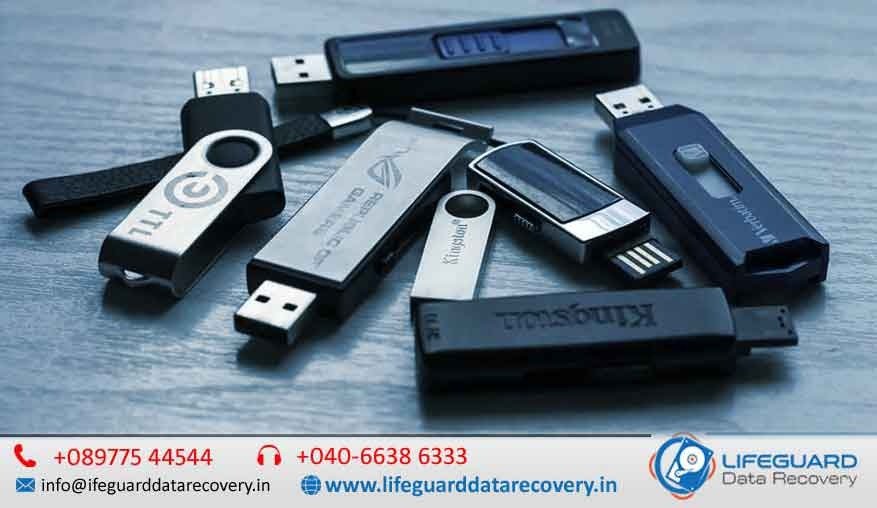
USB drives are one of the most common storage devices in India, used daily by students, professionals, photographers, and businesses. recover deleted files from USB drive in India  Whether it’s academic projects, office documents, wedding photos, or important client files, these tiny devices carry a lot of valuable data. But what happens if your USB drive gets corrupted, accidentally formatted, or you delete files by mistake? For most people, it feels like everything is lost forever. The truth is: you can recover deleted files from a USB drive in India using reliable software tools or professional data recovery services. The sooner you act, the higher the chances of getting your files back safely. Why USB Drives Lose Data Before we dive into recovery solutions, it’s important to understand why files disappear from USB drives in the first place. recover deleted files from USB drive in India Accidental deletion  Pressing Shift +Delete or emptying the Recycle Bin while the USB was connected. Formatting errors  Sometimes, users format the drive by mistake or Windows asks to “format before use Virus or malware attacks  Infected systems can corrupt or hide USB files. File system corruption  Improper ejection, sudden power failure, or bad sectors can make data inaccessible. Physical damage  Broken connectors or water-damaged USB drives often need professional help. Each situation requires a different recovery method, but in most cases, deleted files can be restored. Methods to Recover Deleted Files from USB Drive 1. Check Recycle Bin and Backups If you deleted files from a USB drive while it was connected to your Windows PC, the first step is to check the Recycle Bin. Sometimes, deleted files still remain there. Additionally, check if you have backups stored in Google Drive, OneDrive, iCloud, or an external hard drive. Many users in India rely on cloud services, which can save you a lot of time and effort. 2. Use USB Data Recovery Software If your files are not in the Recycle Bin or backup, the next step is using recovery software. Some of the most popular tools available in India include: Recuva Free and simple software for basic recovery needs. Ease US Data Recovery Wizard   User-friendly, with powerful scanning options. Disk Drill   Effective for recovering files from formatted or lost partitions. Stellar Data Recovery   Trusted globally, with an office presence in India. MiniTool Power Data Recovery   Good for both beginners and professionals. These tools can scan your USB drive and restore deleted, hidden, or lost files. For the best results, stop using the USB immediately after data loss to prevent overwriting.  Professional USB Data Recovery Services in India If your USB drive is physically damaged, not detected by your computer, or contains critical files, it’s safer to go for professional recovery services. Many specialized data recovery companies in India offer: Free diagnosis and evaluation of your USB drive. No data – no fee policies, ensuring you only pay if files are recovered. Cleanroom facilities to safely handle delicate USB chips. Emergency recovery services for urgent situations. recover deleted files from USB drive in India Professional data recovery center are available in major cities like Delhi, Mumbai, Bangalore, Chennai, Hyderabad, and Pune, making it easy for users across India to access reliable support. Why Choose Professional USB Recovery While recovery software is good for simple cases, professional services have several advantages: Higher success rates even with severely corrupted or broken USB drives. Secure handling of sensitive data with strict confidentiality policies. Ability to recover files from formatted, encrypted, or virus-infected drives. Advanced equipment that can extract data directly from NAND chips if the USB connector is broken. If your lost files include business data, academic research, wedding photographs, or legal documents, it’s worth investing in professional USB recovery. How Much Does USB Data Recovery Cost Software-based recovery: Free to ₹5,000 depending on the tool. Logical damage recovery (corrupted or formatted drive): ₹2,500 to ₹8,000. Physical damage recovery (broken USB, chip-off recovery): ₹8,000 to ₹15,000 or more. Many companies offer free evaluations and only charge if the recovery is successful, which gives customers peace of mind. Tips to Improve USB Data Recovery Success Stop using the USB immediately after data loss. Do not install recovery software on the same drive where files were lost. Store recovered files on another device to avoid overwriting. Handle the USB carefully if it’s physically damaged. FAQs on USB Data Recovery in India Q1: Can permanently deleted files from a USB drive be recovered?Yes, files deleted permanently (using Shift +Delete or after emptying the Recycle Bin) can still be recovered using data recovery software or professional labs, as long as they haven’t been overwritten. Q2: Is USB data recovery software safe?Yes, if you use trusted software like  Ease US, or Stellar. However, avoid unreliable or pirated tools, as they can damage the drive or compromise your data. Q3: How long does USB data recovery take in India?The time depends on the extent of damage. Simple recoveries may take a few hours, while complex physical recoveries can take 2 5 days. Q4: Can physically broken USB drives be repaired?Yes, experts in India use advanced chip off techniques to extract data from broken USB connectors, water-damaged drives, or burnt chips. Q5: What is the best way to avoid losing files from a USB drive?Always eject the USB safely, avoid using it on multiple virus infected systems, and keep a backup of important files in cloud storage or external hard drives. Final Thoughts Instead of panicking, follow the right recovery methods, and you’ll likely get back your valuable photos, videos, documents, and projects without hassle. Remember data loss is temporary, but prevention through regular backups is permanent.

Lifeguard data recovert LOGO
blog

IOS device file recovery

IOS Device File Recovery in India – Fast, Genuine & Trusted by Thousands When your iPhone or iPad loses valuable data, every second counts. At LifeGuard, we specialize in iOS data recovery that’s fast, secure, and transparent. With certified experts, advanced iOS file recovery tools, and fair pricing, we’ve become India’s trusted name in restoring lost files. Whether it’s accidental deletion, failed updates, or system crashes, we ensure your iOS files are recovered with maximum success. Why Choose LifeGuard for iOS Data Recovery in India? Not all recovery services are equal. LifeGuard stands out because: We use advanced methods that go beyond ordinary iPhone file recovery software. 95% success rate with photos, videos, contacts, messages, and more. Pickup & delivery available across India Transparent pricing with no hidden charges Equipped with forensic iOS data recovery tools trusted by professionals worldwide. When people search for the best iOS file recovery app, they often end up with generic tools. But LifeGuard provides lab-grade solutions that deliver real results. What Types of iPhone & iPad Files Can We Recover? At LifeGuard, you don’t just recover files-you recover memories, conversations, and business data that matter. Recover Deleted Photos from iPhone From vacation albums to critical work snapshots, we can bring back lost or deleted photos. Recover Deleted Messages on iPhone Accidentally deleted important text messages or iMessages? Our team retrieves them securely. Recover Deleted Contacts on iPhone Business contacts or personal numbers lost during sync or update-we help you restore them quickly. Recover Deleted Videos on iPhone Even if your iPhone says it’s gone, our iOS data recovery experts can often restore full video files. Our Advanced iOS File Recovery Methods We understand that every case is unique. That’s why we offer multiple recovery approaches: Direct iPhone File Recovery Perfect if you need to recover iPhone files without computer or when the device fails after a crash. Useful for issues like recover iPhone files after update or accidental deletion. Recovery from iTunes Backup Helps you recover iPhone files from iTunes backup without overwriting your device. Selectively extract only what you need instead of restoring the full backup. iCloud File Recovery Solutions With our tools, we can recover iPhone files from iCloud, even if your iPhone is damaged. Supports recover iPhone data without backup by accessing hidden synced data. iPhone Recovery in Special Scenarios If your device is stuck in DFU mode or won’t boot, we perform iPhone recovery from DFU mode. Specialized techniques for corrupted file systems and recover deleted files on iPhone after factory reset. How to Recover Lost Files on iPhone – Step-by-Step with LifeGuard Many people search online for how to recover lost files on iPhone, but DIY methods often fail. Here’s how LifeGuard ensures success: Diagnosis & Device Check – We evaluate your iPhone/iPad to identify data loss reasons (₹150 if device is already opened). Advanced Scanning with iOS File Recovery Tools – More powerful than standard iPhone file recovery software. Real-Time File Preview – You see recoverable files before final recovery. Selective Data Recovery – Choose to restore only what you need. Secure Delivery – Files returned safely with pickup & delivery service across India. Why LifeGuard is India’s Best iOS Data Recovery Service Expertise in handling iOS data recovery across all versions (iOS 9 to iOS 18). Works with iPhone, iPad, and encrypted backups. Safe, reliable, and transparent pricing. Answers to common concerns like: Is it possible to recover deleted files on iPhone? → Yes, with professional-grade tools. Can files be recovered if the iPhone is dead or in DFU mode? → Yes, with forensic iOS data recovery tools. Cost of iOS Device File Recovery in India Our pricing is straightforward: Pickup: ₹50 Delivery: ₹50 Diagnosis: ₹150 (if the device has been previously opened) Recovery charges: Based on file type, corruption level, and device condition. Searching for “how much does iOS data recovery cost in India?” LifeGuard ensures you get upfront estimates with no surprises. Navigating Your Recovery with LifeGuard Our India-Wide Service Locations We serve customers across Delhi, Mumbai, Bangalore, Hyderabad, Chennai, Pune, Kolkata, Ahmedabad, and more. Easy Pickup & Delivery Simply book online or call us. Our doorstep pickup & delivery ensures a hassle-free experience.   FAQs on iOS File Recovery in India Q1: Can you recover files without backup? Yes, we can recover iPhone data without backup using advanced scanning. Q2: Do you support iCloud & iTunes recovery? Absolutely-we handle recover iPhone files from iTunes backup and recover iPhone files from iCloud. Q3: Is my data safe with LifeGuard? 100%. We guarantee privacy and confidentiality for all recoveries. Q4: Can you recover files if my iPhone won’t turn on? Yes, even if your device is stuck, we use iPhone recovery from DFU mode techniques. Q5: Do you use forensic tools? Yes, our lab is equipped with forensic iOS data recovery tools for complex cases. Contact LifeGuard – India’s Trusted iOS Data Recovery Experts Don’t let lost data slow you down. LifeGuard is here to help you recover files on iPhone quickly and securely. Call us now or book your pickup & delivery service today. Your files deserve expert care-trust LifeGuard, India’s #1 iOS device file recovery service provider.  

Lifeguard icon
blog

Smartphone Water Demage Recovery india

Smartphone Water Damage Recovery India Fast, Reliable & Trusted At LifeGuard Data Recovery, we understand how devastating it is when your phone comes in contact with water. One moment your device works fine, and the next it won’t even turn on. That’s where our smartphone water damage repair near me services come in – offering fast, reliable, and affordable solutions across India. Whether it’s a sudden spill, rain exposure, or accidental submersion, we provide emergency phone water damage recovery with quick turnaround time and maximum success rates. With our expertise in professional mobile water damage restoration, we’ve successfully recovered thousands of smartphones and their data. Why LifeGuard Data Recovery is India’s Go-To for Water Damaged Phones Certified technicians with years of experience. Advanced lab with chip-level repair tools. Nationwide pickup & delivery (charges apply). Transparent pricing with no hidden costs. The best water damage repair service for phones trusted by individuals and businesses alike Warning Signs Your Smartphone Has Water Damage Not sure if your phone has been affected? Look out for these signs: Wet phone not turning on fix attempts fail. Screen shows flickering lines or goes black. Battery drains faster than usual. Distorted sound or muffled speakers. Camera fogging after water exposure. If you experience any of these, don’t delay – professional help is the safest option. Is It Really Possible to Repair a Water-Damaged Phone? Absolutely! Many people search “how to fix water damaged phone”, but the reality is that home remedies often make things worse. Instead, professionals follow structured phone water damage recovery steps, which include: Careful disassembly Phone water extraction service Mobile device dehumidification service Chip-level diagnostics and board cleaning Secure data recovery and final testing DIY Fixes vs. Professional Repair – What Actually Saves Your Phone? Many smartphone users first turn to quick fixes. Let’s break them down: Does putting phone in rice work? While popular, it’s not reliable. Rice cannot fully absorb moisture inside the phone. Is rice drying phone effective or harmful? Often ineffective – worse, rice particles may damage charging ports. Smarter Alternatives – Best Desiccant for Wet Phone Using silica gel packets or professional-grade desiccants works far better than rice. Pro Tip: If you’re curious about DIY smartphone drying techniques, they might buy you some time, but they’re no substitute for expert recovery. Our Proven Process for Smartphone Water Damage Recovery in India At LifeGuard, we follow a step-by-step process for maximum recovery success: Step 1 – Professional Phone Water Extraction Service We carefully remove trapped liquid without harming delicate circuits. Step 2 – Mobile Device Dehumidification Service Moisture is removed using specialized drying chambers. Step 3 – Chip-Level Cleaning & Logic Board Repair Our engineers repair short circuits and corroded areas. Step 4 – Data Recovery & Final Testing We ensure your data is safe and your device functions again. This thorough approach makes us the top choice for emergency phone water damage recovery in India. Smartphone Water Damage Repair Cost in India – What to Expect One of the most common questions we get is about pricing. The phone water damage repair cost depends on the extent of the damage, the brand, and whether data recovery is needed. iPhone wet damage service price: Usually higher due to Apple-specific parts. Android devices: Affordable solutions available for most brands. We provide a clear estimate before repair, and diagnosis fees apply if the device has already been opened. Expert Water Damage Recovery for Smartphones Across India LifeGuard proudly serves customers nationwide. Whether you search for phone water damage repair Hyderabad, emergency smartphone drying service Hyderabad, or mobile water damage cleanup Hyderabad, our team is ready to assist. We also cover major Indian cities including Delhi, Mumbai, Bangalore, Pune, and Chennai – making us accessible wherever you are. How to Protect Your Smartphone from Future Water Damage While we’re always here to help, prevention is better than cure. Here’s how: Use waterproof cases or pouches. Keep your device away from pools, sinks, and bathrooms. Store silica gel packs in your phone case or bag. Learn how to waterproof your phone screen with protective coatings. These small steps go a long way in preventing water damage to smartphones. LifeGuard’s Expertise – Why Thousands Trust Us for Mobile Recovery 95% success rate in severe water damage cases. Professional mobile water damage restoration for all major brands. Trusted by thousands of customers across India. 100% secure handling of your personal data. When you need the best water damage repair service for phones, LifeGuard Data Recovery is the name you can rely on Frequently Asked Questions About Phone Water Damage Recovery in India How long does recovery usually take? Typically 2-5 days, depending on severity. Can you recover data if my phone doesn’t power on? Yes – we specialize in wet phone not turning on fix cases. Is my data safe during recovery? Absolutely. We guarantee privacy and secure handling. Do you offer pickup and delivery across India? Yes – available with a nominal fee. Book Your Water Damaged Phone Repair with LifeGuard Today! Don’t risk permanent damage – book smartphone water damage repair near me with LifeGuard now. Call us for emergency phone water damage recovery or schedule a pickup anywhere in India. LifeGuard Data Recovery – your trusted partner for professional mobile water damage restoration.

Restore files after Quick Format
blog

Restore files after Quick Format

Restore Files After Quick Format – Expert Data Recovery in UAE. Have you accidentally performed a quick format on your hard drive, USB stick, or memory card and lost important files? Don’t panic—your data may not be permanently gone. With the right methods, you can restore files after quick format and bring back your documents, photos, videos, and business data. At our UAE-based recovery service, we specialize in quick format data recovery for individuals and businesses. Whether it’s a formatted hard drive, partition, or USB drive, our experts can help you get back what matters most. What Happens During a Quick Format? When you perform a quick format, your device does not erase the actual files. Instead, it only removes the file system’s references to the data, making the storage space appear empty. The files remain on the disk until new data overwrites them. This means recovering lost files after quick format is possible, especially if you act quickly and stop using the drive.  Reasons for Quick Format Data Loss Accidental formatting of drives or partitions. Formatting a drive during Windows or macOS installation. USB drive or SD card showing “format required” error. Virus or malware attack that forces formatting. Human error while partitioning or cleaning drives. Many users panic after a quick format, but with the right steps, you can still restore data after formatting hard drive or even from portable devices like USB sticks and SD cards. Can You Restore Files After Quick Format? Yes-absolutely. The chances of recovery are high if: You stopped using the formatted drive immediately. The data has not been overwritten. You use professional tools or services. Our UAE-based experts have advanced technology to recover files after quick format, ensuring safe and reliable restoration. Step-by-Step Solutions to Recover Files After Quick Format Method 1 – Professional Quick Format Recovery Services in UAE If your lost files are critical (work documents, financial data, family photos), the safest choice is to use a data recovery specialist. We offer: Secure lab recovery for HDDs, SSDs, and external drives. No recovery, no charge policy. 24/7 emergency service across UAE (Dubai, Abu Dhabi, Sharjah, Al Ain). Method 2 -Using File Recovery Software Several software tools can recover files after quick format, including Stellar, EaseUS, and Disk Drill. They scan the formatted drive and rebuild lost files. Best option for non-critical, personal data. Inserted keywords: best software to recover files after quick format, restore files after quick format without software. Method 3 – Recovery from USB & External Devices Did you quick format a USB stick, SD card, or external hard drive? Don’t worry. We specialize in: Restoring files from quick formatted USB drives. Recovering deleted photos, videos, and documents from SD cards. Specialized Quick Format Recovery Cases Recover Data from Quick Formatted Hard Drive If your internal hard drive was formatted during OS installation, recovery is still possible. We help retrieve documents, project files, and emails. Restore Files After Quick Format on SSDs & Laptops Recovering files from SSDs is trickier due to TRIM function. However, with advanced tools, we can restore data in many cases. Quick Format vs Full Format -Which Is Recoverable? Quick Format – Data is easily recoverable (only directory erased). Full Format – Overwrites files, making recovery difficult. Why Choose Our Quick Format Data Recovery Services in UAE? Certified recovery engineers with years of expertise. Recovery for HDDs, SSDs, USB drives, partitions, and RAID arrays. 100% secure and confidential process. Local presence in Dubai, Abu Dhabi, Sharjah, and Al Ain. Affordable pricing with a free evaluation. When it comes to quick format data recovery in UAE, we are the trusted choice for businesses, students, and home users. FAQs About Quick Format Data Recovery Q1: How to restore files after quick format at home?You can try recovery software like Stellar or Ease US, but success depends on whether new data has been written. Q2: Can I recover files without software?Yes, if you choose professional recovery services. DIY methods without software are very limited. Q3: Can formatted partitions be fully restored?In most cases, yes. Partitions formatted with quick format are highly recoverable. Q4: How long does professional recovery take?It depends on the drive size and damage. Small drives may take hours, while large ones may take a day. Get Expert Help – Restore Files After Quick Format in UAE Today If you’ve accidentally formatted your drive, don’t risk permanent loss. Our experts are ready to recover lost files after quick format quickly and securely. 📞 Call us today or request a   consultation for quick format data recovery in UAE.

data recovery services data recovery company
blog

Recover deleted videos from sd card

Recover Deleted Videos from SD Card in UAE – Fast, Reliable & Secure. Have you accidentally deleted your videos from an SD card? Or did your memory card get formatted or corrupted, wiping away important footage? Don’t panic! At our professional recovery center in the UAE, we specialize in recovering deleted videos from SD cards of all types-whether they were captured on a DSLR, GoPro, smartphone, or camcorder. Our advanced techniques and expert team ensure you can restore permanently deleted, formatted, or lost videos safely and quickly. Why Do Videos Get Deleted from SD Cards? Video loss can happen anytime, and for many reasons: Accidental deletion while transferring or viewing files Formatting the SD card without backup Corrupted or damaged SD card due to improper ejection or power failure Virus or malware attacks File system errors leading to unreadable storage If you’ve experienced any of these, you still have a high chance to retrieve deleted videos from SD card, provided you act fast and avoid overwriting data. Can You Recover Deleted Videos from an SD Card? Yes! In most cases, deleted or formatted videos are not permanently gone from your SD card until they are overwritten. With the right SD card video recovery methods, you can get them back. Recover deleted videos from SD card without software – Check Recycle Bin/Trash, recent backups, or cloud syncs. Use SD card video recovery tools– Software can scan deeply and restore lost videos. Professional services – Best for formatted, corrupted, or physically damaged memory cards. DIY Methods – How to Recover Deleted Videos from SD Card If your SD card is still functional, try these methods: 1. Check Your Computer or Device Sometimes deleted videos are stored temporarily in the Recycle Bin (Windows) or Trash (Mac). Restore them before they are permanently erased. 2. Restore Deleted Videos from Android/iPhone For Android, check Google Photos > Trash. For iPhone, check Photos App > Recently Deleted. 3. Use Free SD Card Video Recovery Tools Tools like Recurve, Photo Rec, or Ease US allow you to scan your SD card and recover lost videos from SD card. While free options exist, they may have limits and are not always reliable for large or 4K video files. Best SD Card Recovery Software for Videos If DIY recovery is your choice, here are some of the best SD card recovery software for videos: Stellar Data Recovery-Powerful for large video formats Ease US Data Recovery Wizard– Beginner-friendly Disk Drill – Works on Windows & Mac MiniTool Power Data Recovery– Affordable option  While these tools can help, they may not work on corrupted or formatted SD cards. In such cases, professional recovery is the best option. Professional SD Card Video Recovery Services in UAE If your videos are priceless-wedding footage, client projects, travel memories-don’t risk them with trial-and-error software. Our UAE-based experts provide professional SD card video recovery services with: Advanced lab tools that go beyond regular software Recovery from formatted or corrupted SD cards Support for all file formats (MP4, MOV, AVI, 4K, HD, etc.) Compatible with cameras, drones, Go Pros, smartphones, and more Secure, confidential, and high-success recovery Whether it’s recovered formatted SD card videos or restoring corrupted files, our team can help. Supported Recovery Scenarios We can help you with: Accidental deletion Formatted SD cards Virus-infected or corrupted cards Physically damaged memory cards Lost partitions or unreadable storage No matter the issue, we aim to recover deleted files from SD card, including photos, videos, and documents. Why Choose Us in the UAE?  Certified recovery specialists 95%+ success rate in video recovery  Works on all SD, microSD, SDHC, and SDXC cards  Affordable pricing with no hidden fees Data confidentiality guaranteed How Our Recovery Process Works Contact us for a   consultation Submit your SD card to our UAE center We perform a diagnostic check & share a quote Our experts carry out safe, advanced recovery You get your videos back securely FAQs on SD Card Video Recovery Q1. Can I recover deleted videos from SD card without software?Yes, check Trash, Recycle Bin, or backups first. Q2. Is free SD card video recovery safe?Free tools can work but may not guarantee complete recovery. Q3. Can formatted SD card videos be restored?Yes, with professional recovery tools, even formatted cards can be recovered. Q4. Can you recover 4K or HD videos?Absolutely! We specialize in retrieving all video formats, including 4K UHD files. Contact Us for SD Card Video Recovery in UAE Don’t let your precious memories or important project files vanish forever. Contact our expert team today for secure and reliable SD card video recovery services in the UAE.  Call us now |   Email us |   Visit our recovery center

Professional hard disk recovery service near me"
blog

Professional hard disk recovery service near me

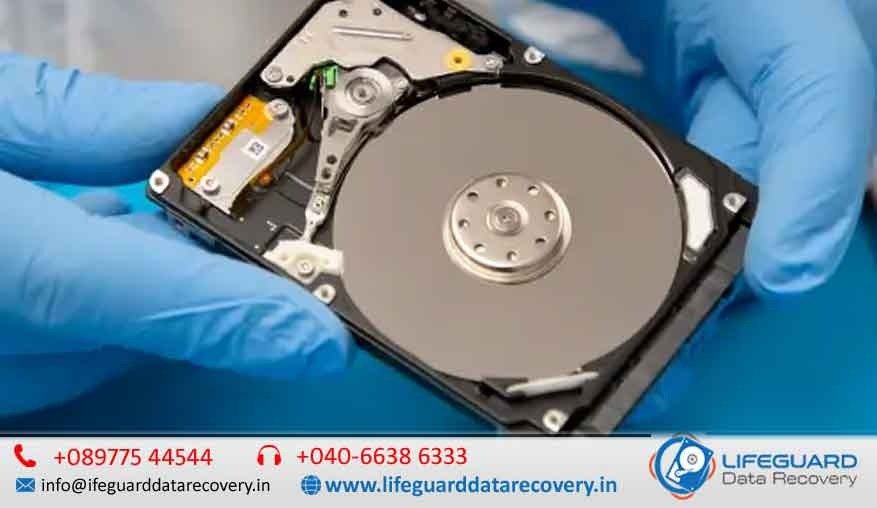
Why Hard Disk Recovery Matters If you are searching for a professional hard disk recovery service near me, chances are your drive has failed, crashed, or is making unusual sounds. Losing important files, work documents, or family memories can feel devastating. The good news is that with LifeGuard Data Recovery India, you don’t have to worry. We provide certified hard disk data recovery services near me with advanced tools, expert engineers, and a No Data – No Fee guarantee. Whether you need hard drive repair and recovery near me, emergency recovery, or specialized solutions for logical and physical damage, we are recognized as the best hard disk recovery service near me across India. Common Scenarios Where You Need Professional Hard Disk Recovery Many people wonder: “Can data be recovered from a failed hard drive?” The answer is YES – but only with the right expertise. Here are common cases where our hard drive data recovery near me service can help: Logical Issues: Accidental deletion, formatting, corrupted partitions. Physical Failures: Clicking or grinding sounds, head crashes, motor failure. Firmware Errors: HDD stuck in BIOS or inaccessible drives. Platter Damage: Advanced recovery for scratched or damaged platters. Water/Fire Damage: Specialized cleanroom solutions.  If your drive makes a clicking sound, stop using it immediately and bring it to a local hard disk data recovery center to prevent permanent loss. Steps in Our Professional Hard Disk Recovery Service At LifeGuard Data Recovery, we follow a structured approach that ensures safe, quick, and affordable hard disk recovery service near me: Initial Diagnostics – Free assessment of the HDD condition. Damage Classification – Identifying logical vs physical hard disk recovery needs. Expert Recovery Process – Using Class-100 cleanroom labs for physical issues and specialized software for logical recovery. Data Extraction – Secure retrieval of lost files. Verification & Delivery – We recover files, validate them with you, and only then hand them over. This transparent process makes us the go-to choice for certified hard drive data recovery service in India. Why Choose Lifeguard Data Recovery India? When comparing options for a hard drive repair service near me, here’s why thousands of customers trust us: ✅ Professional Hard Drive Recovery Experts Near Me – 30+ years of experience.✅ Emergency Hard Disk Recovery Service – Fast turnaround for urgent cases.✅ No Data – No Fee Hard Disk Recovery Near Me – Pay only when we recover your files.✅ Affordable Hard Disk Recovery Service Near Me – Transparent pricing with no hidden costs.✅ Certified Engineers & Cleanroom Facilities – Safe handling of critical drives. Whether it’s HDD head crash data recovery or hard drive motor failure recovery service, our team handles it all. Local Hard Disk Recovery Services in India – City-Specific Expertise Searching for hard disk recovery service India? We serve customers nationwide: Professional Hard Disk Recovery Service Delhi – Corporate & personal recovery solutions. Hard Drive Recovery Service Mumbai – Fast turnaround with emergency options. Hard Disk Repair and Recovery Bangalore – Advanced cleanroom diagnostics. Hard Disk Data Recovery Service Hyderabad – Expert handling for damaged HDDs. Professional Hard Drive Recovery Chennai – High success rate for logical & physical failures. Certified Hard Disk Recovery Pune – Affordable yet professional HDD recovery. With centers across India, you’ll always find a hard disk repair near me open now when you need it. Difference Between Hard Disk Repair and Recovery Many customers confuse hard disk repair with data recovery. Here’s the difference: Hard Disk Repair: Fixes the drive so it becomes usable again (hardware level). Data Recovery: Focuses on retrieving data, even if the drive itself cannot be repaired. In most cases, professional services combine both – ensuring recover files from damaged hard drive and restoring usability if possible. When to Choose Professional Recovery Over DIY or Software You may find guides on how to recover data from hard disk near me using free tools. While DIY software works for minor logical issues, it is risky for: Drives making unusual clicking or grinding sounds. Drives not detected in BIOS. Drives with firmware or head crash problems. ⚠️ Attempting DIY in such cases can worsen platter damage and make data unrecoverable. Always consult a professional HDD firmware repair service for safety. FAQs – Answering Common User Queries Q1: Can data be recovered from a formatted hard disk?✅ Yes, with advanced tools, data recovery for formatted hard disks is possible. Q2: How long does the process take?⏱️ Our quick hard disk data recovery service usually takes 24–72 hours, depending on damage. Q3: Is recovery guaranteed?We follow a No Data – No Fee model – meaning you only pay if recovery is successful. Q4: Is it safe to give my drive?Yes, our certified hard disk recovery Pune & other labs maintain strict confidentiality. Get the Best Hard Disk Recovery Service Near You If you’re searching for the best hard disk recovery service near me, Lifeguard Data Recovery India is your trusted partner. From recovering deleted data from hard disks to professional HDD firmware repair service, we ensure high success rates with maximum security.  Don’t risk permanent loss. Contact our local hard disk data recovery center today for professional hard disk recovery service near me and bring your lost data back safely.

Scroll to Top