Life Guard

Life Guard

Why Choosing a Local Data Recovery Lab in India Matters

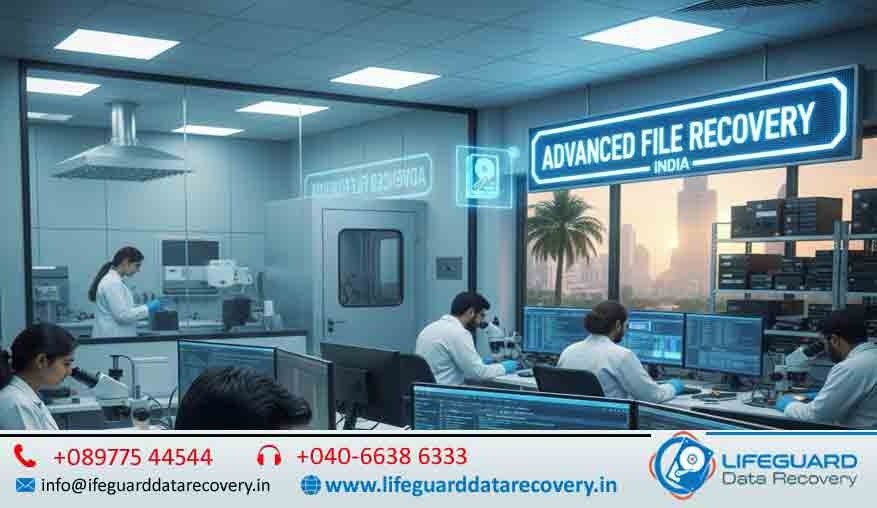
In our current data-centric environment losing essential files along with photos and business data creates a disaster scenario. Professional data recovery becomes necessary when hard drives become damaged or SSDs become corrupted or RAID servers experience malfunctions. The internet provides numerous data recovery services but using a local data recovery lab in India guarantees superior reliability combined with fast service and complete peace of mind. What Is a Local Data Recovery Lab? Understanding the Role of Data Recovery Labs A data recovery lab functions as a dedicated facility which uses its equipment to restore missing data and recover deleted files from many storage devices including hard drives and SSDs and USBs and servers. These labs combine advanced tools with cleanroom environments and trained technicians to achieve successful data recovery from hardware exhibiting significant damage. Local vs. Online Data Recovery Services Selecting a local data recovery laboratory enables you to meet their team at the facility and get direct expert advice while keeping your storage device inside your local area. Various online-based services need customers to send their devices abroad through shipping which adds significant risks and high costs and long processing durations. Common Types of Data Recovery: Logical, Physical, and Firmware Logical recovery addresses software-related issues such as file corruption or accidental deletion. Physical recovery involves hardware-level repair like fixing broken components. Firmware recovery deals with malfunctioning firmware that prevents the device from working. Every day professional data recovery specialists based in India manage various data loss situations by using their advanced technical abilities to bring back your valuable files. Top Reasons to Choose a Local Data Recovery Lab in India Faster Turnaround Time with Local Experts A data recovery lab located nearby provides rapid service whenever time is critical. The local experts start the recovery process instantly because you do not need international shipping or remote diagnostics.  Transparent Communication and In-Person Consultations India-based data recovery services provide direct communication between customers and technicians who answer questions clearly. The process eliminates all misunderstanding and language issues. Avoiding International Shipping Delays and Costs Sending data internationally for recovery causes customs delays while adding extra shipping costs and potential damage to the shipment. Choosing a local data recovery center in India eliminates these issues entirely.  Enhanced Data Security and Confidentiality Standards Selecting a secure local recovery lab reduces data breach vulnerabilities. Keeping your sensitive business and personal data within national borders provides maximum control and privacy. Professional data recovery experts in India deal with various scenarios every day by employing their advanced technical expertise to recover your valuable files. Benefits of Working with Certified Local Data Recovery Experts Access to Cleanroom Facilities and Advanced Tools Certified labs operate Class 100 cleanrooms which protect storage devices from dust and static during the recovery process. Such conditions become essential during physical recoveries especially when performing MacBook data recovery in India. Experienced Technicians Trained on MacBooks and Other Devices The team of experts receives training on multiple systems which include Windows PCs along with servers and Apple products. The professionals demonstrate complete understanding of all device intricacies whether they perform SSD or MacBook data recovery. Higher Recovery Success Rates from Local Labs The success rate of data recovery remains higher when using local certified labs in India because they adopt individual approaches and perform detailed diagnostics while possessing extensive knowledge about regional device models and usage habits. Why “LifeGuard Data Recovery” Is the Trusted Local Lab for Data Recovery in India 30+ Years of Experience with Apple & Windows Devices Since 1990 LifeGuard Data Recovery has developed into one of the most reliable data recovery companies across the Indian market. Their technicians demonstrate expertise in restoring data from MacBooks alongside external drives servers and other storage devices. Thousands of Satisfied Clients Across India Clients from all over India have chosen LifeGuard for their fast and reliable service. Real success stories and testimonials make them a go-to for those searching “local data recovery near me.” Free Pickup & Drop for Local Customers One of the most customer-friendly perks is their free pickup and drop service. It saves time and ensures your device is handled securely. No Data – No Charge Policy If LifeGuard can’t recover your data, you don’t pay. This “No Data – No Charge” policy reflects their confidence and commitment to quality. Risks of Choosing Remote or Unverified Recovery Services Loss or Theft During International Shipping Sending your hard drive overseas opens the door to potential loss or even theft. Avoid remote data recovery options that lack clear security protocols. Lack of Real-Time Support and Updates You can’t walk into a remote lab or talk to someone in person. With unreliable data recovery services, you might be left in the dark about your device’s status for weeks. Poor Handling of Sensitive Drives Without Lab-Grade Environments Not all online services use lab-grade environments, risking permanent damage to your drive. Local certified labs follow strict handling procedures that ensure the best possible recovery outcomes. How to Choose the Right Local Data Recovery Lab in India Check Certifications and Cleanroom Standards Make sure the lab is certified and has a cleanroom facility for handling physical drive issues. This is essential for the best local data recovery lab. Ask About Device-Specific Experience Different devices need different handling. Ask if they have experience in MacBook SSD recovery India or enterprise-level RAID systems.  Evaluate Customer Reviews and Success Rates Check online reviews, testimonials, and success stories. A local data recovery lab with a high success rate is always a better choice.  Confirm Transparent Pricing and No Hidden Fees A good recovery center offers a clear estimate upfront. Avoid labs that spring surprise costs later. Get Started with India’s Trusted Local Data Recovery Lab Book Your Free Diagnostic Today Visit the LifeGuard website or call to schedule a free diagnostic with no obligation. Find out exactly what can be recovered and how fast. Call Our Nearest Recovery Center Reach out at 089775 44544 or 040-66386333 to speak with a technician.

Life Guard

Top 10 Reasons Why Hyderabad Needs Professional Data Recovery Services

Introduction Maintain business continuity, whether in an initial startup, a large enterprise, or a home user; partnering with professionals helps you avoid permanent data loss. Our experts suggest that the use of personal and business devices has increased dramatically. Lifeguard Data Recovery provides lab-based data recovery services and qualified personnel in Hyderabad to protect your important data. Lifeguard Data Recovery’s expert team handle everything from hard drives and SSDs to RAID arrays, mobile devices and data backup, ensuring secure, fast, and reliable retrieval. Understanding the Need for Professional Data Recovery in Hyderabad Hyderabad’s digital dependency spans IT parks, healthcare networks, and educational institutions, making data protection vital. A single server crash or accidental file deletion can cost startups and enterprises lakhs in downtime and lost revenue. Even personal users face emotional and financial strain when precious memories vanish. Engaging data recovery experts in Hyderabad ensures rapid restoration, secure handling, and minimal disruption, transforming potential data disasters into recoverable incidents and safeguarding Hyderabad’s booming digital ecosystem. Top 10 Reasons Why Hyderabad Needs Expert Data Recovery Services 1. Growing Number of Small Businesses and Startups in Hyderabad Startups demand reliable data protection and recovery support to safeguard their innovations and client data. 2. Frequent Hardware Failures in Hot & Dusty Climate High temperatures and dust accelerate drive wear, necessitating professional hard drive recovery in Hyderabad for HDDs and SSDs. 3. Rise in Ransomware & Cyberattacks Escalating threats mean businesses require emergency data recovery in Hyderabad to restore encrypted files rapidly. 4. Data Loss in Laptops, External Drives & SSDs From flash drives to SSD and HDD, our SSD data recovery services cover all device types without compromise. 5. DIY Data Recovery Risks Untrained attempts can cause data recovery failure, overwriting files and compromising data integrity. 6. RAID & Server Failures in Enterprises Complex array configurations need expert RAID recovery in Hyderabad to rebuild and rescue critical volumes. 7. Urgent Recovery Needs for Students & Freelancers We provide reliable, quick, and affordable data recovery in Hyderabad prevents project delays and grade loss. 8. Accidental Deletion or Formatting Mistakes happen; professional formatted drive recovery and file deletion solutions restore lost work. 9.Water or Fire Damaged Devices Disasters strike unexpectedly—professional data recovery in Hyderabad ensures safe, thorough cleanup and rescue. 10. Lack of Local Expertise & In-house Solutions We are the best data recovery service provider in Hyderabad. LifeGuard Data Recovery delivers certified, lab-grade recovery when you need it most Why Choose Life Guard Data Recovery in Hyderabad? ISO-Certified Cleanroom Lab: Industry-standard environment for secure, dust-free data recovery. 90 %+ Success Rate: Proven track record in rescuing data from HDDS, SSDs, RAID arrays, and more. Free Evaluation: No-cost, no-obligation diagnostics to assess your recovery needs. No Data, No Charge Policy: You only pay when your data is successfully restored. Expert Data Recovery Hyderabad: Certified engineers using advanced tools. Trusted Data Recovery Brand in Hyderabad: Preferred by businesses and individuals alike. What Devices and Data Types Do We Recover? Hard Drives, SSDs & USB Drives: We handle physical disk failures and logical corruption on HDDs, SSDs, and flash media, offering the best data recovery centre in Hyderabad. RAID Arrays, NAS & Servers: Our experts rebuild complex RAID configurations and recover data from enterprise NAS units and servers with minimal downtime. MacBooks, Windows PCs & Laptops: Whether it’s macOS or Windows, our certified team restores lost files from notebooks and desktops reliably. Mobile Phones & Tablets: We retrieve contacts, photos, and app data from iOS and Android devices, providing expert data recovery in Hyderabad support for all your digital devices. Final Thoughts: Don’t Risk Permanent Data Loss In Hyderabad’s fast-paced digital world, attempting DIY fixes can lead to irreversible damage.  Life Guard Data Recovery to safeguard your critical files, trust the data recovery services in Hyderabad with professionals. Contact us for a free evaluation and transparent pricing to ensure your data is protected and fully recoverable. FAQs About Data Recovery Services in Hyderabad How much does data recovery cost in Hyderabad? Costs vary by device type and damage, according to customer requirements. Get an initial quote after evaluation. Is data recovery safe? Yes. We use ISO-certified cleanrooms and secure protocols to protect your data and privacy throughout the process. Can deleted files be recovered? Most deleted files can be restored unless they’ve been overwritten. Our experts use advanced tools to maximise recovery success. How long does it take? Standard recoveries take 24–72 hours. Emergency services can deliver results within 24 hours for critical needs.

Physically Damaged Hard Drive
blog, Life Guard

How to Recover Data from a Physically Damaged Hard Drive

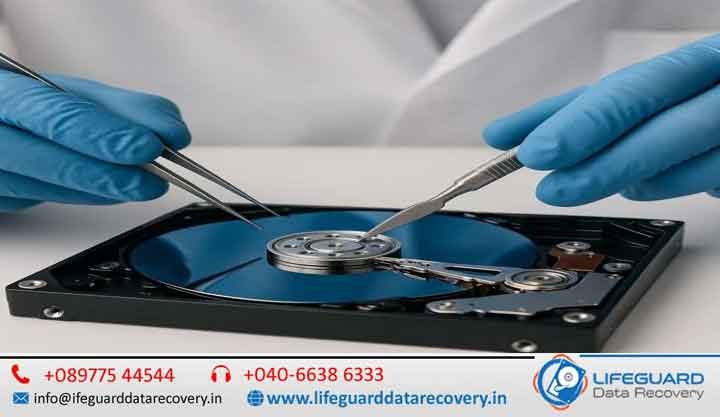
Introduction Hard drives are very crucial for the storage of data by both individuals and organizations. However, physical damage causes severe loss of data, causing inconveniences and financial loss. In case you require the best service in Hyderabad about data recovery, this is a guide on the best method of recovery. Understanding Physical Hard Drive Damage Physical damage to a hard drive can occur in various ways, leading to inaccessible data!. Below are the common types of physical hard drive damage: Mechanical Failure: Issues like head crash, spindle motor failure, and stuck read/write heads.Electronic Failure: Problems with the PCB board, power surges, or short circuits.Firmware Corruption: Malfunctioning firmware can make the hard drive unreadable.Water/Fire Damage: Exposure to liquid or heat can cause severe hardware failure.Signs of a Physically Damaged Hard Drive You can notice the following signs if your hard drive is physically damaged: Unusual Noises: Clicking, grinding, or beeping sounds indicate mechanical failure.System Not Detecting the Hard Drive: The drive may not appear in BIOS or Windows Explorer.Slow Access or Freezing: The system may hang while trying to access files.Burning Smell: A burnt PCB can cause hard drive failure. What NOT to Do When a Hard Drive Fails When facing a physically damaged hard drive, avoid these mistakes to prevent further data loss:Do Not Attempt DIY Repairs: Opening the drive in a non-cleanroom environment can cause irreversible damage. Avoid Running Software-Based Recovery Tools: Software tools are ineffective for physical damage and may worsen the situation.Stop Using the Drive – Turning on a failing drive may cause permanent data loss. How to Recover Data from a Physically Damaged Hard Drive? Basic Troubleshooting Steps (For Minor Damage Cases)Check Cables and Power Connections: Loose or faulty cables can prevent detection.Try Connecting to Another System: Test the drive on a different computer.Use an External Enclosure or SATA-to-USB Adapter: Connecting via USB may allow access.  Professional Data Recovery Methods (For Severe Damage Cases) If the above steps fail, professional intervention is necessary. Experts use advanced techniques such as: Cleanroom Recovery Process: Data is retrieved in a controlled, dust-free environment.Platter Transplant & Head Replacement: Physically damaged components are replaced.Firmware Repair & PCB Replacement: Fixes electronic failures preventing data access.Data Imaging & Cloning: A safe method to extract data from a failing drive. For successful recovery, opting for a professional data recovery service in Hyderabad is the safest option. Choosing the Best Data Recovery Service in Hyderabad When selecting a data recovery provider, consider the following factors: Cleanroom Facility: Ensures safe recovery without contamination.Certified Technicians: Experts trained in data recovery techniques.Success Rate: Choose a provider with a high recovery rate.Pricing Transparency: Clear pricing without hidden fees.Why Choose Lifeguard Data Recovery? (Navigational Intent) 95%+ Success Rate Class 100 Cleanroom Facility Trusted by Businesses and Individuals Across Hyderabad Free Diagnostics & No Recovery, No Charge Policy If you need the best data recovery services in Hyderabad, Lifeguard offers expert solutions for all types of hard drive failures! Cost of Hard Drive Data Recovery in Hyderabad It depends on how badly damaged and what kind of recovery techniques required. Here’s a general estimation: Logical Issues: Recovery from accidental deletion, formatting, or corrupted file systems.Minor Physical Damage: Cases involving mild hardware failure, such as bad sectors or minor PCB issues. Severe Mechanical Failure: Recovery from head crashes, spindle motor failure, or damaged platters requiring cleanroom intervention. If you are still wondering about the data recovery cost in Hyderabad, then the amount depends upon the complexity and the methods required for recovery. For the exact quote, you may call Lifeguard Data Recovery for free diagnostic inspection.  How to Prevent Physical Hard Drive Damage? The hard drive is a hardware. Therefore, to protect against the physical damage of ensuring safe data and accessible, the hard drive would be very important. The loss of data results from the physical damage; in most cases, it has been the hardest and the costliest method to recover data from hard disks, which are physically damaged. Some measures to avoid such a situation are preventing physical damage, as well as preventing the necessity of recovery of hard disk physical damage. Regular BackupsOne of the best ways to ensure that your data does not go missing is regular backup of important files-Use: Cloud Storage Solutions like Google Drive, Dropbox, or OneDrive. External Hard Drives or SSDs for offline backups. Automated Backup Software to ensure continuous protection. Proper Storage & HandlingHard drives are delicate, and physical impact can cause mechanical failure. Follow these best practices: Handle with Care – Do not drop, shake, or roughly handle the hard drive. Store in a Safe Place – Store the batteries in anti-static bags when not in use. Avoid Sudden Movements – Do not move external hard drives while they are in use. Use UPS & Surge ProtectorsPower fluctuations can cause severe hard disk damage. Protect your system by: Use a UPS to ensure no power loss during a sudden power outage. Installing Surge Protectors to protect against voltage spikes. Keep Hard Drives Away from Water, Dust & HeatEnvironmental factors can contribute to hard disk failure, making hard disk data recovery software free solutions ineffective. Ensure: A Clean, Dust-Free Environment – Avoid placing the hard drive in areas prone to dust accumulation. Temperature Control – Store drives in cool, dry places to prevent overheating. Protection from Water & Humidity – Keep liquids away to avoid short circuits and corrosion Contact Lifeguard Data Recovery for Hard Drive Recovery in Hyderabad Lifeguard Data Recovery is here if you get stuck with hard drive failure and need professional data recovery services in Hyderabad. Maybe your hard drive has got a physical damage or accidental format or the problem that the device no longer detects it. Our professional technicians immediately offer hard drive Windows 10 file recovery and many other devices. Why Choose Lifeguard Data Recovery? Get a Free Consultation & Diagnostic Check – We assess your hard drive for issues and provide a transparent recovery plan.Get a Free Consultation & Diagnostic Check – We

crashed hard drive
blog, Data Recovery, Life Guard

Best Methods to Retrieve Lost Data from a Formatted Hard Drive

It is a nightmare when the data goes missing due to formatting an internal hard drive, an external HDD, or an SSD. Most of them consider a fact that whenever the hard disk gets formatted, all the data is completely erased. Not true. The data remains on the disk until new files overwrite it when a hard drive is formatted. It is quite possible to retrieve lost files from a formatted hard drive by applying the right recovery techniques. Here, we look at the best DIY methods and professional data recovery services in Hyderabad to help you recover your important files safely and efficiently. We look at all free recovery tools, built-in Windows commands, and expert recovery services that may help you in recovering your lost data. Introduction Accidental hard drive formatting can be a stressing process, with a potential risk of losing files from an internal hard drive, external HDD, or SSD. Scenarios often involve formatting a hard drive in Windows 10, losing critical files from an external hard drive, or simply making the wrong selection during an installation. In this case, however, the data is not actually erased-it’s just marked to be overwritten-and recovery can occur with the proper methods. For crucial data loss situations, professional data recovery services in Hyderabad provide the best solution. With cutting-edge recovery tools and certified cleanroom facilities, experts can retrieve lost data safely and efficiently, ensuring maximum recovery success. Can You Recover Data from a Formatted Hard Drive? A large number of users believe that a formatted hard drive will always and completely delete the data it contains. Not quite. How formatting works helps ensure the likelihood of successful recovery. Quick Format vs. Full Format Quick Format: Removes file system references but keeps the data intact until overwritten. Recovery is highly possible. Full Format: Overwrites data by writing zeros across the disk, making recovery extremely difficult. Why Data Recovery is Possible  The hard drive is divided into sectors. During a format of the hard drive, only the directory of the file is removed. The actual data remains on the drive until overwritten by new files. But, after writing data to the drive after the format, it will be almost impossible to recover the data.  To increase the likelihood of restoring lost files, avoid using the formatted drive and immediately use reliable data recovery software or seek professional data recovery services in Hyderabad for expert assistance. Best DIY Methods to Recover Data from a Formatted Hard Drive Now if you have reformatted your hard drive by error, you have a chance for self-recovery of lost data without professional attention. There exist several DIY means of data retrieval, including various built-in free Windows features as well as useful free recovery instruments and even secure software like Data Recovery Disk Drill. Here you can find what is the most effective way for retrieving your missed data. 3.1 Using Built-in Windows Features How to Recover Formatted Data from Hard Disk Using CMD Windows provides some built-in commands that may help recover deleted or hidden files from a formatted hard drive. These methods work best if the data is still intact and has not been overwritten. Steps to Use CMD for Data Recovery Open Command Prompt: Press Win + R, type cmd, and hit Enter. Run CHKDSK Command:Type chkdsk X: /f (replace X with your drive letter) and press Enter.This checks for disk errors and attempts to fix them.Use ATTRIB Command to Recover Files:Type: attrib -h -r -s /s /d X:*.*. ( dont use this ! )(Replace X with your drive letter.) This command restores hidden files.When to Use This Method?Best for recovering hidden or deleted files.Works well for external hard drives and accidentally formatted hard drive Windows 10 users. Not effective for deep recovery after full formatting. Free Software Solutions Recover Files from Formatted Hard Drive Free When CMD method doesn’t work, it is advisable to use free data recovery software like Recuva, TestDisk, or PhotoRec. Such programs like the ones above ensure the files will be retrieved despite their unavailability.  Recuva has the simplest user interface, ideal for recovering deleted files within the most recent days, but may fail for deeper recoveries. TestDisk is a free tool, open-source, that focuses mainly on partition recovery. Lost partitions can easily be recovered as well as restoration of file systems, but needs technical knowledge due to lack of graphical interface.  PhotoRec is designed for recovering images, documents, and multimedia files. It works on multiple file systems but does not restore original folder structures.  Steps to Recover Data Using Recuva Download and install Recuva on a different drive to avoid overwriting lost data. Open Recuva and select the formatted drive. Choose “Deep Scan” for a thorough search. Click “Start” and wait for the scan to complete. Preview and restore lost files to a safe location. Limitations of Free Data Recovery Tools Free software has some limitations. It may not work if the data has been overwritten, and it is often less effective for SSD recovery with TRIM enabled. Additionally, these tools have a lower success rate for deep file recovery compared to professional-grade software. If these tools fail, you may need to seek help from data recovery services in Hyderabad for better results. 3.3 Using Disk Drill Data Recovery (Recommended DIY Solution) Disk Drill Data Recovery is, therefore, another very reliable application in case you want something better. It includes deep scanning algorithms and has easy user interface where you can be able to restore your files after the formatting on your HDD or from an external hard drive/SSD.  Disk Drill works with all major file systems, including NTFS, FAT32, exFAT, and EXT4. It might work well for users who have formatted hard drive Windows 10 by mistake and need a potent recovery tool. Deep Scan mode helps recover lost files where the structure of the file was damaged. How to Use Disk Drill to Recover Lost Data Download and install Disk Drill on a separate drive. Open

Scroll to Top