
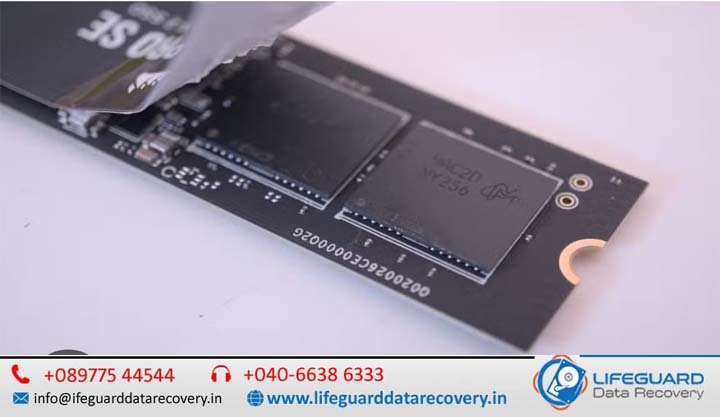
What Is Firmware Corruption in SSDs? Causes, Signs, and Data Recovery Realities
Solid-State Drives (SSDs) are highly regarded for their speed and lack of moving parts, leading many to believe they are nearly immune to sudden failure.
However, while a traditional Hard Disk Drive (HDD) typically degrades through audible mechanical failures, an SSD failure is usually quiet and completely digital. One of the most severe, non-physical disruptions a storage drive can experience is internal microcode degradation.
When this software layer breaks down, your operating system loses its ability to communicate with the storage hardware.What is firmware corruption in SSDs? This article explores how drive microcode operates, how to identify system failures, and the precise steps required to safely recover your data.
Foundations: What Is SSD Firmware and How Does It Work?
SSD firmware is the specialized, low-level embedded software programmed directly onto an SSD’s controller chip. Think of it as the highly specialized operating system of the drive.
While your computer runs Windows, macOS, or Linux to manage applications, the SSD runs its own internal firmware to manage physical data storage, voltage distributions, and memory organization. Without it, your computer would see nothing more than a collection of disconnected silicon components.
The Role of the SSD Controller
The SSD controller is the physical processor (CPU) of the drive. It executes the firmware instructions, handles error correction, and routes incoming host data. Every read and write command sent from your computer must pass through the controller’s active processing pipeline.
How Firmware Manages NAND Flash Memory
Unlike mechanical disks that overwrite sectors uniformly, flash storage cannot write data directly over existing data without clearing the entire storage sector first. The firmware handles these complex backend tasks continuously:
-
Flash Translation Layer (FTL): An internal database that maps logical block addresses (LBAs) used by your operating system to physical block addresses (PBAs) on the silicon chips.
-
Wear Leveling: Algorithms that distribute write and erase cycles evenly across memory cells to prevent premature sector degradation.
-
Garbage Collection and TRIM: Background operations that clear deleted or invalid data blocks to maintain write speeds.
-
Bad Block Management: Identifying failing memory cells and rerouting data to safe backup sectors.
Understanding the Service Area (SA)
The firmware code and its dynamic mapping directories are not stored in a separate, dedicated ROM chip. Instead, they reside inside a hidden, highly protected partition of the primary NAND flash memory known as the Service Area (SA).
To ensure high durability, the drive operates this area in an ultra-reliable, simplified layout mode. If this specific partition becomes unreadable, the entire drive will fail to boot.
What Causes Firmware Corruption in SSDs?
Internal software failure occurs when the critical code blocks or structural mapping registries stored inside the Service Area become corrupted or systematically unaligned.
Sudden Power Outages and Electrical Fluctuations
If your computer experiences a sudden power loss while the SSD is actively modifying its internal mapping tables, those tables can be left in a half-written state.
This structural metadata mismatch prevents the drive from compiling its map on the next startup loop.
Interrupted or Failed Firmware Updates
Applying a manufacturer-issued firmware update rewrite modifies the core execution code. If this update process is interrupted by a system crash, power loss, or a software freeze, the controller is left with fragmented code, rendering the drive unbootable.
NAND Flash Degradation and Bad Block Table Overflow
Every NAND flash cell has a limited number of Program/Erase (P/E) cycles before it can no longer reliably hold an electrical charge.
If cells within the hidden Service Area degrade, or if the drive generates more bad blocks than the firmware’s internal tracking registry can manage, the mapping table collapses under its own errors.
Thermal Stress and Environmental Damage
Sustained exposure to extreme heat alters the electrical properties of the drive’s memory components. This thermal stress accelerates data retention loss within the flash cells, destabilizing the system blocks that store initialization instructions.
Specialized Malware and Microcode Tampering
While uncommon, sophisticated malware strains or malicious low-level rootkits can target hardware boot sectors, attempting to rewrite or corrupt controller-level code directly.
Recognition: What Are the Signs of SSD Firmware Corruption?
When an SSD’s software layer breaks down, it stops processing standard system calls. Recognizing these specific warning signs can help differentiate an internal microcode error from basic file or operating system corruption.
The Drive Disappears or Isn’t Detected in BIOS/UEFI
When you power on your computer, the system may halt at a “No Boot Device Found” screen. If you check your computer’s motherboard BIOS/UEFI configuration and the storage drive slot shows up as completely empty, the controller is likely stuck in an internal boot loop, unable to initialize its software.
Reporting a Safe-Mode Alias
When a controller chip works properly but cannot read its configuration maps from the Service Area, it drops into a basic factory fallback state. For example, drives utilizing Phison controllers frequently rename themselves “SATAFIRM S11” or “SATABURN” in your system tools. Silicon Motion or Marvell chips display similar generic hardware strings instead of their actual product names.
Nonsensical Drive Capacities (0 GB or 8 MB)
If you open your operating system’s disk management tool, you might see the drive listed, but its total capacity will report an unusable size like 0 Bytes, 32 KB, or 8 MB.
This indicates that while the controller interface is communicating with your motherboard, it cannot load the translation tables needed to access the actual storage cells.
Sudden Read-Only Lockout
To prevent further corruption when tracking critical data errors, the firmware may permanently lock the drive into a strict write-protected state. What is firmware corruption in SSDs? You will still be able to copy existing files off the drive, but you cannot save new data, delete files, or format the partition.
Technical Breakdown: SSD Firmware Corruption vs. Hardware Failure
Distinguishing between software breakdown and electrical hardware failure is essential when planning a data recovery strategy.
| Factor | Firmware Corruption | Physical/Hardware Failure |
| Primary Root Cause | Scrambled mapping tables or corrupted microcode modules within the Service Area. | Burned capacitors, shorted controller chips, or degraded data lines. |
| SATA/NVMe Interface Status | The drive usually communicates with the system board, often under a generic factory alias. | The drive remains completely unresponsive and cold to the touch, showing no electronic presence. |
| Condition of Stored Files | User data cells are typically healthy, but the path mapping layout is broken. | Data cells may be intact, but physical components must be modified to access them. |
| Software Scan Behavior | Standard data recovery software will freeze, crash, or fail to find any valid storage blocks. | Software cannot interact with the device because there is no active hardware interface. |
How Do You Diagnose SSD Firmware Corruption?
If your drive behaves unpredictably, use this safe diagnostic sequence to evaluate its condition without writing new data to the failing storage cells:
-
Isolate the Device: Remove the drive from its primary boot slot and connect it as a secondary storage device to a separate, functional computer. Use an external USB-to-SATA enclosure or an NVMe-to-USB adapter.
-
Inspect System Utility Tools: Open Windows Disk Management or macOS Disk Utility. Look closely at how the drive identifies itself.
-
Check Identity and Capacity: If the tool displays a generic manufacturer name (like Phison, Silicon Motion, or S11) alongside a highly inaccurate storage capacity (such as 0 bytes or 8 MB), internal microcode failure is highly probable.
-
Review SMART Health Status: Use diagnostic tools like CrystalDiskInfo to pull the drive’s telemetry logs. If the software fails to read the S.M.A.R.T. health attributes or shows a critical error status, stop testing immediately to avoid further degradation.
Can Firmware Corruption Damage an SSD, and Can It Be Repaired?
Internal software corruption does not physically break the silicon components of an SSD, but it does make the storage drive completely unusable through standard computer commands.
While these utilities can re-initialize the storage controller and restore the drive to working order, they do so by clearing the factory defect maps and reformatting the Translation Layer. This permanently deletes the underlying data, making subsequent file recovery impossible.
Why Traditional Data Recovery Software Fails
Commercial data recovery utilities work by scanning the file structures presented through your operating system.
When an SSD’s software layer is corrupted, the storage controller cannot read its own translation maps, meaning it cannot provide access to the physical storage blocks. Because the application cannot interact with the underlying data blocks, a standard software scan will freeze, crash, or show an empty drive.
Step-by-Step Data Recovery Realities: How to Recover Data From a Firmware-Corrupted SSD
Safely extracting files from a drive with corrupted microcode requires professional forensic hardware, such as a PC-3000 diagnostic system. This specialized equipment allows recovery technicians to bypass standard system protocols and interact directly with the drive hardware.
Suspending Autonomous Controller Actions
When a corrupted SSD is powered on normally, it immediately attempts to read its broken mapping tables, causing the controller to freeze or panic.
Specialized diagnostic hardware allows technicians to send a direct electrical command to the drive’s boot lines, placing the controller into a low-level technological mode. What is firmware corruption in SSDs? This action disables autonomous background processes like TRIM, wear leveling, and background garbage collection, preventing the drive from overwriting its own data cells.
Injecting Volatile Microcode into Controller SRAM
Because the drive’s native firmware inside the Service Area is unreadable, technicians bypass it entirely. They load a custom, clean software emulation module directly into the controller’s volatile on-chip memory (SRAM).
This custom code provides the controller with the basic instructions needed to accept read commands without modifying any data stored on the flash chips.
Rebuilding the Flash Translation Layer (FTL) in Virtual Memory
With the custom emulator active, the diagnostic system bypasses the broken system tables and scans the hidden metadata headers located within the spare area of every physical memory sector.
The specialized diagnostic software reads these raw data blocks, sorts out outdated entries, and reconstructs a complete mirror of the original Translation Layer within the host computer’s virtual memory.
Once this virtual map is completed, engineers gain stable, read-only access to the drive’s file structure, allowing them to copy your files safely onto a separate, functional storage device.
Proactive Habits: How to Prevent Firmware Corruption in SSDs
While you cannot control unexpected electronic component failures, adopting these storage management habits can lower the risk of experiencing a critical software failure:
-
Deploy a Dedicated Uninterruptible Power Supply (UPS): Using a desktop UPS protects your system from sudden power losses, ensuring the storage controller can finish updating its mapping tables safely during a shutdown.
-
Update Software Utilities Safely: Use your drive manufacturer’s management software (such as Samsung Magician or Crucial Storage Executive) to check for stable updates.
-
Maintain Proper Airflow and Cooling: Sustained high operating temperatures accelerate data errors within memory storage blocks. Install adequate thermal pads or dedicated aluminum heatsinks over high-speed NVMe drives to keep operating temperatures within safe limits.
-
Avoid Saturating Your Drive Capacity: Try to keep at least 15% to 20% of your drive’s total capacity empty. This space gives the background allocation algorithms room to move data blocks around efficiently, minimizing excess wear on the Service Area cells.
Frequently Asked Questions
Can a dead SSD be fixed by swapping its control printed circuit board (PCB)?
On older hard drives, swapping a broken controller board with a matching donor board could sometimes restore functionality.
On modern SSDs, however, this technique will not work. The controller chip uses unique, factory-calibrated encryption keys linked directly to its specific NAND memory chips. Swapping the board prevents the new controller from decrypting your data blocks, locking away your files permanently.
How does the TRIM command affect data recovery chances on a corrupted drive?
The TRIM command allows your operating system to proactively clear deleted data blocks to maintain write speeds.
However, when an SSD experiences a complete microcode failure and enters a safe-mode lockout, the controller stops accepting all standard system instructions-including TRIM. This operational lockdown actually helps preserve your underlying files, leaving them intact for professional extraction tools.
Can you extract data from a corrupted SSD by desoldering individual NAND chips?
Removing individual memory chips (“chip-off recovery”) is used as a last resort when a controller chip is physically shorted or broken. For software-level corruption, this method is rarely necessary.
Modern controllers store data using highly complex scrambling algorithms and interleave data across multiple physical channels. Reassembling these raw data structures manually without the original controller’s mapping layout is incredibly difficult and time-consuming.
Conclusion
SSD firmware corruption is an analytical map failure rather than a physical hardware breakdown. When the structural address tables collapse, the drive hides your file structure behind factory safe-mode aliases to prevent further data damage.
Attempting to fix this issue with generic software fixes or factory re-flashing utilities can permanently erase your files. If the drive contains critical data, power down the system immediately and contact a professional laboratory equipped with hardware-level diagnostic tools to safely extract your files.