Author name: admin

recover files after ransomware attack
blog

recover files after ransomware attack

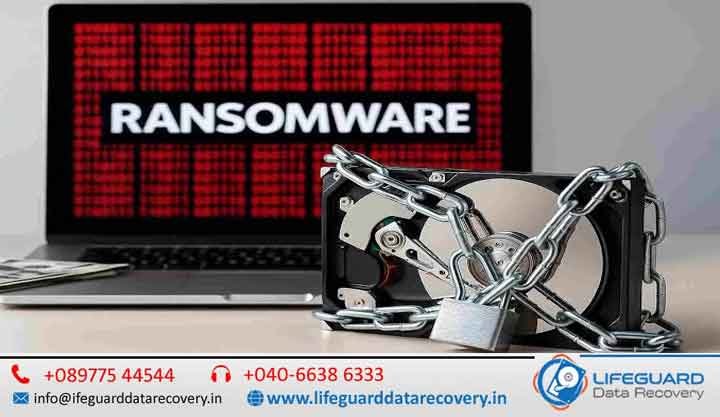
A ransomware attack can strike without warning, locking your files and holding them hostage until you pay the attacker. For businesses, it can mean days of downtime and loss of critical data. For individuals, it can destroy years of personal memories and important documents. While the situation may feel hopeless, the good news is – you can often recover files after a ransomware attack without paying the ransom. At Lifeguard Data Recovery, we specialize in advanced ransomware data recovery services, helping clients across the UAE regain access to encrypted files with safe and proven methods. Recover Files After a Ransomware Attack: Complete Guide A ransomware attack can happen suddenly and without any warning, locking your important files and making them inaccessible until a ransom is paid. Cybercriminals use encryption to block access to documents, photos, databases, and system files, often demanding payment in cryptocurrency to restore access. For businesses, this can result in operational downtime, financial losses, and disruption of critical services. For individuals, it can mean losing years of personal memories, work files, and essential digital data. Although the situation may feel severe, the positive aspect is that it is often possible to recover files after a ransomware attack without paying the ransom. With the right approach, tools, and expertise, encrypted or affected data can frequently be restored safely. At Lifeguard Data Recovery, advanced ransomware data recovery services are used to help recover encrypted, locked, or compromised files using secure and proven techniques. Understanding How Ransomware Works Before exploring recovery options, it’s important to understand how ransomware operates. Ransomware is a type of malicious software that: Encrypts files and folders on infected systems Blocks access to operating systems or critical data Displays a ransom note demanding payment for a decryption key Often spreads across connected networks or drives Key Risks of Paying the Ransom No guarantee of receiving a working decryption key Encourages further criminal activity Potential exposure to repeated attacks Possible loss of additional funds without recovery Because of these risks, security experts generally discourage paying the ransom. Can You Recover Files Without Paying the Ransom? Yes – in many cases, file recovery is possible without paying attackers. The success depends on the ransomware type, encryption method, and system condition. Common recovery approaches include: 1. Identifying the Ransomware Strain Each ransomware family behaves differently. Identifying it helps determine whether decryption tools or known vulnerabilities exist. 2. Using Public Decryption Tools Cybersecurity researchers occasionally release free decryption tools for specific ransomware variants. These tools can sometimes unlock files without payment. 3. Restoring from Backups If offline or cloud backups are available, data can often be restored completely without needing decryption. 4. Forensic Data Recovery Techniques In cases where backups are unavailable, experts may attempt to recover: Partially encrypted files Temporary file versions Deleted or shadow copies Residual file fragments Step-by-Step Guide to Recover Files After a Ransomware Attack Step 1: Isolate the Infected System Immediately disconnect the device from: Internet connections Local networks External storage devices This prevents further spread of the ransomware. Step 2: Scan and Remove Malware Use updated anti-malware tools to remove active threats before attempting recovery. Step 3: Identify the Ransomware Variant Tools like ID Ransomware can help determine the exact type of ransomware involved. Step 4: Attempt Safe Recovery Methods Depending on the situation: Use decryption tools (if available) Restore from backups Recover previous versions of files Step 5: Seek Professional Data Recovery Services For complex cases, professionals use advanced techniques to: Recover encrypted or damaged data Extract recoverable file fragments Safely image affected drives without further damage Why Professional Help is Often the Best Choice Ransomware recovery is highly technical, and incorrect handling can lead to permanent data loss. Professional recovery services provide: Non-destructive recovery procedures Secure handling of encrypted storage devices Advanced forensic-level recovery tools Higher success rates across multiple ransomware types Confidential and secure data processing Preventing Future Ransomware Attacks Recovery is important, but prevention is critical for long-term protection. Recommended safety practices include: Maintaining regular offline and cloud backups Keeping operating systems and software updated Avoiding suspicious email attachments and links Training employees on phishing awareness Using strong antivirus and endpoint protection Restricting unnecessary admin access Ransomware Recovery Services in UAE Professional ransomware recovery support is available across regions such as Dubai, Abu Dhabi, Sharjah, and Ras Al Khaimah. Services typically include: Recovery of encrypted documents, images, videos, and databases Safe removal of ransomware infections System restoration and data reconstruction Secure handling of sensitive business information Understanding How Ransomware Works Before diving into recovery options, it’s essential to understand the enemy. Ransom demand – The attacker demands payment, often in cryptocurrency, in exchange for a decryption key. Risk of payment – Even if you pay, there’s no guarantee you’ll receive a working key. Can You Recover Files Without Paying the Ransom? Yes – in many cases, you can. Here’s how experts approach it: Identifying the ransomware strain – Different ransomware types have different weaknesses. Checking public decryption tools – Cybersecurity groups often release free tools for known strains. Recovering from backups- Offline or cloud backups can restore lost files. Forensic data recovery- In cases without backups, specialists can recover partially encrypted or deleted files. Step-by-Step Guide to Recover Files After Ransomware Attack Isolate the infected system – Disconnect it from the internet and local networks. Scan with updated anti-malware – Remove the active threat before recovery attempts. Identify the ransomware variant-Use tools like ID Ransomware. Use professional data recovery services – For complex cases, experts can recover lost data from affected drives without risking further damage. Why Professional Help is Often the Best Choice Trying to recover files without experience can cause permanent data loss. With Mac Repair, you get: Safe, non-destructive recovery methods Expert handling of encrypted drives High success rates for multiple ransomware strains Confidentiality and secure handling of sensitive files Preventing Future Ransomware Attacks Recovery is just the first step -prevention is essential: Maintain offline backups Keep systems and software updated Train staff in phishing awareness Use
Mobile Phone Data Retrieval Services India
blog

Mobile Phone Data Retrieval Services India

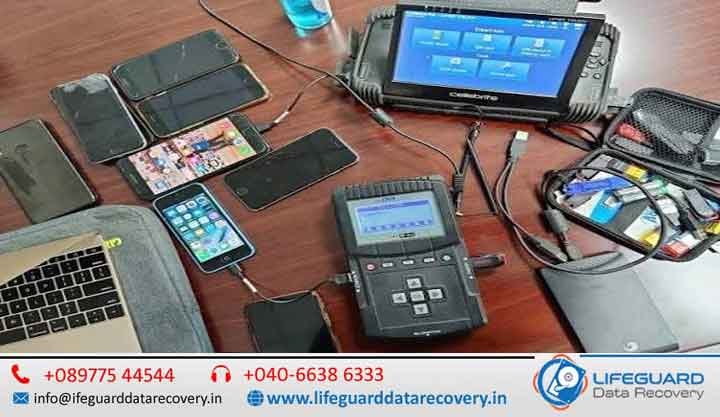
Mobile Phone Data Retrieval Services in India. Fast, Genuine & Trusted by Thousands When important memories, business files, or messages vanish from your phone, you need more than just hope – you need Lifeguard Data Recovery, India’s most trusted name in mobile phone data recovery services. From the latest iPhones to budget Androids, from water damage to total device failure, we recover what matters to you, quickly, securely. Recover Lost Mobile Data with India’s Trusted Experts When important memories, business files, contacts, messages, or documents disappear from your phone, you need more than just hope-you need professional recovery specialists. Lifeguard Data Recovery provides industry-leading Mobile Phone Data Retrieval Services in India, helping individuals, businesses, and organizations recover critical data from damaged, dead, locked, or malfunctioning smartphones. From the latest iPhones to Android devices of every brand, our expert engineers use advanced recovery techniques to retrieve lost data safely and securely. Whether your phone suffered water damage, motherboard failure, accidental deletion, or software corruption, we have the tools and expertise to help. With our No Data, No Fee policy, you only pay when we successfully recover your data. Why Choose Lifeguard for Mobile Data Recovery Services in India? Industry-Leading Recovery Success Rate We maintain a high recovery success rate across all smartphone brands, operating systems, and storage technologies. Advanced Recovery Technology Our laboratory utilizes professional forensic and recovery equipment unavailable to ordinary repair shops. Certified Data Recovery Engineers Our specialists are trained in advanced recovery methods including: Chip-Off Mobile Data Recovery JTAG Mobile Phone Recovery Board-Level Repair NAND Flash Recovery Encrypted Data Extraction Secure Recovery Environment Your privacy matters. All recovery work is performed in a secure, confidential environment with strict data protection procedures. Nationwide Service Coverage We provide secure pickup and delivery services throughout India. Transparent Pricing No hidden charges. You receive a detailed quotation before recovery begins. Complete Mobile Phone Data Retrieval Solutions iPhone Data Recovery Service Our iPhone recovery experts can retrieve: Deleted photos and videos Contacts and call history WhatsApp chats Notes and reminders Messages and attachments Business documents App data Why Choose Lifeguard for Mobile Data Recovery Services in India? 98% success rate across all makes, models, and operating systems Specialists in iPhone data recovery services and Android phone data retrieval In-house engineers for chip-off mobile data recovery and JTAG mobile phone recovery Secure mobile data recovery lab with ISO-certified cleanroom Transparent pricing with nationwide pickup and delivery Our Complete Mobile Phone Data Retrieval Solutions iPhone Data Recovery Service We can restore lost photos, videos, messages, and contacts from any iPhone model – whether it’s water damaged, dead, or stuck in recovery mode. Android Phone Data Retrieval in India From Samsung data recovery services to Xiaomi phone data recovery, recover data from Pixel phone, and more, we handle all Android brands. Even if your phone has a broken screen, OS crash, or accidental deletion, we can bring your data back. Dead Phone Data Recovery If your phone won’t turn on due to hardware failure, motherboard damage, or software corruption, our team can safely extract your files. Water Damaged Phone Data Recovery Spilled coffee, dropped in the pool, or soaked in the rain? We repair board-level damage and recover your data from even the most severe cases. Chip-Off Mobile Data Recovery When standard recovery isn’t possible, we remove and read the memory chip directly – ideal for extreme damage or advanced forensic work. JTAG Mobile Phone Recovery A non-invasive method to access phone memory through special debug ports, perfect for devices with inaccessible storage. Boot Loop Data Extraction Mobile If your device is stuck restarting endlessly, we can bypass the boot process to retrieve your files without further damage. SIM Card Data Retrieval Services Recover lost contacts, SMS, and call logs directly from your SIM card. How Our Mobile Data Recovery Process Works? Consultation & Device Pickup – We assess your case and arrange secure pickup. Diagnosis & Quotation – fee applies only if the device has been previously opened. Data Recovery & Verification – You see your files before making payment. Secure Delivery – Get your recovered data via encrypted storage or cloud transfer. What We Can Recover for You Photos & Videos – including how to recover deleted photos from phone, even after accidental formatting Contacts & Messages – know how to retrieve contacts from broken phone and get back lost messages on smartphone Documents & Notes – PDFs, Word, Excel, app data, and more Social Media & App Data – WhatsApp, Messenger, and other popular platforms Mobile Data Recovery for Every Brand Samsung Data Recovery Services – all Galaxy models, including water-damaged and dead units Xiaomi Phone Data Recovery – from Redmi to Mi flagship devices Recover Data from Pixel Phone – Google Pixel series, regardless of system or hardware issues Other Brands – OnePlus, Oppo, Vivo, Realme, and more Data Loss Scenarios We Solve, Mobile Phone Data Retrieval Services India Physical damage (drops, cracked screens) Liquid damage from spills or submersion OS corruption or failed updates Factory resets without backup Forgotten passwords or lock patterns Devices stuck at boot logo or blank screens Tips to Increase Your Recovery Success Rate Stop using the device immediately Avoid installing recovery apps that may overwrite lost data If water damaged, turn off and dry the phone – do not charge it Contact a fast phone data recovery service like Lifeguard immediately FAQs – Mobile Phone Data Recovery Service Q: Can you recover data from a phone that’s completely dead? A: Yes, our dead phone data recovery service handles even non-powering devices. Q: Is my data secure? A: Absolutely – our secure mobile data recovery lab follows strict confidentiality protocols. Q: Do you recover from all brands? A: Yes – from iPhone data recovery service to Android phone data retrieval, including Samsung, Xiaomi, Pixel, and more. Q: How long will it take? A: Many cases are resolved within 24-72 hours, depending on complexity. Contact Lifeguard Data Recovery Today Stop searching for “phone data retrieval near me”

Recover Erase Files From Computer
Case Studies

Recover Erase Files From Computer

Recover Erase Files From Computer  in UAE -Fast, Secure & Reliable. Have you accidentally erased important files from your computer? Whether it’s office documents, personal photos, or project files, losing data can be stressful – but it’s not the end of the road. At Lifeguard Data Recovery, we specialize in recovering erased files from computers across the UAE, ensuring you get your valuable data back quickly, securely, and without hassle. Recover Erased Files from Computer in UAE – Fast, Secure & Reliable Data Recovery Services Have you accidentally erased important files from your computer? Whether it’s business documents, family photos, videos, project files, emails, or financial records, losing valuable data can be frustrating and stressful. Fortunately, deleted files are often recoverable when handled by experienced professionals. At Lifeguard Data Recovery, we specialize in recovering erased files from computers across the UAE. Our expert engineers use advanced recovery tools and proven techniques to retrieve lost data from desktops, laptops, SSDs, HDDs, and external storage devices. With fast turnaround times, secure recovery procedures, and a high success rate, we help individuals and businesses recover what matters most. Understanding File Deletion and Recovery What Happens When You Erase a File? Many people assume that deleted files disappear permanently. In reality, when a file is deleted, the operating system simply marks the storage space as available for reuse. The actual data often remains on the drive until new information overwrites it. This means there is usually a window of opportunity during which deleted files can be successfully recovered. Why Immediate Action Matters The sooner you stop using the affected device, the greater the chances of successful recovery. Continued use of the computer may overwrite the deleted data, making recovery more difficult or impossible. Common Causes of File Loss Our specialists frequently recover data lost due to: Accidental Deletion Files deleted unintentionally during cleanup or storage management. Empty Recycle Bin Recovery Many users permanently remove files by emptying the Recycle Bin before realizing important data was included. Drive Formatting Quick or full formatting can make files inaccessible, but recovery is often possible. Partition Loss or Corruption Partition tables may become damaged due to software errors, viruses, or power failures. Virus & Malware Attacks Malicious software can delete, encrypt, or corrupt important files. Operating System Failure System crashes, failed updates, or OS reinstallation can result in data loss. Hard Drive Errors Bad sectors, file system corruption, and drive failures may make files inaccessible. SSD Failure Modern SSDs can experience firmware corruption, controller failures, or logical errors leading to data loss. Professional File Recovery Services in UAE Our recovery specialists provide solutions for virtually every file loss scenario. Recover Deleted Files from Computer We recover deleted files from: Desktop computers Laptop computers Internal hard drives SSDs External hard drives USB flash drives Memory cards Restore Permanently Deleted Files from Computer Even if files have been permanently deleted using Shift + Delete or after emptying the Recycle Bin, our advanced recovery methods can often retrieve them. Recover Files After Formatting We recover data from: Formatted hard drives Formatted SSDs Reformatted partitions Accidentally initialized drives Partition Recovery Services Lost partition? We can restore: Deleted partitions Corrupted partitions Missing drive volumes Damaged file systems Recover Accidentally Deleted Files Whether one file or thousands of files were removed, our specialists can often recover them before they are overwritten. Understanding File Deletion and Recovery What Happens When You Erase a File? When you delete a file on your computer, it doesn’t immediately disappear. The system simply marks the storage space as “available” for new data. Until that space is overwritten, your files can still be recovered using the right tools and techniques. Common Reasons for File Loss Accidental deletion while clearing storage Emptying the Recycle Bin without checking its contents Formatting errors on your drive or partition Virus/malware attacks corrupting files System crashes or OS reinstallation issues Our Professional File Recovery Services in UAE We provide specialized recovery for all types of file loss scenarios, including: Recover Deleted Files from Computer – HDDs, SSDs, laptops, and desktops Restore Permanently Deleted Files from Computer Even if the Recycle Bin is emptied Retrieve Lost Files After Formatting or Partition Loss Recover Accidentally Deleted Files Without Data Overwriting Restore Deleted Documents – Word, Excel, PDF, images, and more Recover Erased Files on Windows & macOS Advanced Tools & Techniques We Use We use a combination of industry-leading software and hardware-based recovery methods to maximize success: Best File Recovery Tools for PC – Disk Drill, Ease US, Stellar, R-Studio, etc. Deep Scan & File Carving – Recover data even from corrupted drives RAW Drive Recovery – Restore files when partitions become inaccessible External Drive & SSD Recovery – Full support for all storage devices How to Recover Erased Files on PC – Pro Tips If you’ve just erased files, follow these steps for the best chance of recovery: Stop using the computer immediately to avoid overwriting data Do not install new software on the same drive where files were lost Contact a professional data recovery service instead of trying risky DIY methods Why Choose Us for File Recovery in UAE? High success rate even in complex cases Confidential & secure process – Your data stays private Support for all devices – Desktops, laptops, external drives, SSDs, and more Quick turnaround – Same-day recovery options available FAQs – Recover Erased Files from Computer Q. Can permanently deleted files be recovered?Yes, in most cases – unless the storage space has been overwritten. Q. Is file recovery guaranteed?We achieve high success rates, but results depend on how quickly you act after file loss. Q. Can you recover files from a formatted drive?Absolutely – as long as the data hasn’t been overwritten. Get Your Files Back – Contact Us Today Don’t risk losing your valuable data forever. Our expert Recover Erased Files from Computer service in UAE is here to help.Call us now for a free evaluationChat with our specialists for instant adviceVisit our service center for on-the-spot recovery

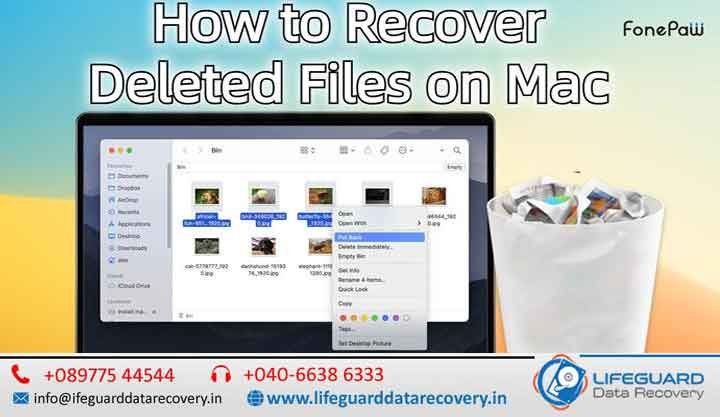
Recover Deleted Files on Mac
Life Guard

Recover Deleted Files on Mac

Recover Deleted Files on Mac in India – Quick, Safe & Reliable Solutions. Losing essential files on your Mac can be stressful and disruptive. Whether it’s crucial work documents, treasured family photos, or an important creative project, accidental deletion can bring everything to a halt. The positive news? In most situations, deleted files are not permanently lost – and with the right steps, Mac file recovery in India can restore them safely with Lifeguard Data Recovery. This guide explains how Mac deleted file recovery works, the immediate actions you should take, and why choosing professional recovery services is often the most secure way to retrieve your data. Why Mac Files Go Missing Apple devices – from MacBooks to iMacs and Mac minis – use advanced storage technology, but they’re still susceptible to file loss.Common causes of accidental deletion include: Unintentionally deleting files through Finder or Terminal Emptying the Trash Bin before realizing a file is needed Formatting or altering partitions macOS update errors Data corruption from malware or sudden power outages Hardware problems in HDDs, SSDs, or Fusion Drives – which require careful diagnosis before recovery  When you delete a file on your Mac, it’s not erased immediately. Instead, the system removes its directory entry and marks the storage space as available for reuse.If that space is overwritten by new data, recovery becomes far less likely – until then, the files are often retrievable.Time is critical: the more you use your Mac after deletion, the greater the risk of overwriting. That’s why quick action is essential. What to Do Right After Deleting Files If you’ve just lost important files, follow these steps without delay: Stop using your Mac – Prevents new data from overwriting deleted files. Check the Trash Bin – Restore files immediately if they’re still there. Avoid installing or downloading anything – This can overwrite recoverable sectors. Unplug the storage device if the data was on an external drive or Time Machine backup. Ignoring these steps can make recovery more difficult, even for experts. DIY Recovery vs. Professional Services in India While DIY recovery software exists, it carries risks. Misuse can lead to further corruption or irreversible loss.Certified recovery labs in India have Apple-trained specialists, advanced tools, and controlled cleanroom environments to handle the process safely and effectively. Why Professional Mac File Recovery Is Better In-depth File System Knowledge – Technicians understand APFS, HFS+, and Fusion Drive structures thoroughly. Secure Data Handling – Strict privacy measures keep your information confidential. Cleanroom Repairs – Essential for fixing physically damaged drives without contamination. Advanced Tools – Hardware-level recovery methods go far beyond consumer software. Support for Every Storage Type – Internal or external HDDs, SSDs, and hybrid Fusion Drives. Professional Recovery Process in India Here’s how expert labs usually manage Mac deleted file recovery: Drive Inspection – Identifies whether the problem is logical (file system) or physical (hardware). Safe Imaging – Creates a complete sector-by-sector clone for safe analysis. Deep Scan – Uses advanced scanning algorithms to locate lost data. Data Reconstruction – Restores files while preserving their original structure. Secure Delivery – Transfers recovered data to a safe medium for return. Special Scenarios – Encryption & APFS Snapshots Modern Macs combine T2 security hardware with APFS encryption for enhanced protection.Recovering from these setups requires specialized tools and decryption expertise.In some cases, APFS snapshots can revert your system to an earlier state, restoring lost files without extensive extraction – but only if certain conditions are met, which professionals know how to check. Mac Deleted File Recovery Costs in India Pricing depends on several factors: The storage type – HDD, SSD, or Fusion Drive The cause of file loss – logical or physical The complexity of the recovery Many professional services offer a free or low-cost diagnosis before providing a quote. How to Prevent Future Data Loss Although no method is 100% fail-proof, adopting good habits greatly reduces the risk: Enable Time Machine for automated backups to an external drive. Use iCloud for real-time syncing of critical files. Keep files organized and avoid unsafe storage practices. Perform regular disk health checks to detect issues early. Frequently Asked Questions Can deleted files be recovered after emptying the Trash? Yes. In many situations, files can still be recovered if the storage space has not been overwritten. How long does Mac file recovery take? Recovery times vary depending on drive condition and complexity. Simple logical recoveries may take a few hours, while severe hardware cases can require several days. Can files be recovered from a damaged SSD? Yes. SSD recovery is possible in many cases, although specialized techniques are often required. Is my recovered data kept private? Absolutely. We follow strict confidentiality procedures and ensure only the customer has access to recovered files. What is the success rate for Mac deleted file recovery? Success rates depend on the cause of data loss and how quickly recovery begins. Immediate professional assistance significantly improves recovery chances. Contact India’s Trusted Mac File Recovery Experts If you’ve accidentally deleted important files from your Mac, don’t take unnecessary risks with DIY recovery attempts. Professional intervention can often recover data that would otherwise be lost permanently. Lifeguard Data Recovery India offers safe, secure, and reliable Mac deleted file recovery services for individuals, businesses, students, photographers, and professionals across the country. Contact our recovery experts today for a consultation and take the first step toward restoring your valuable data.

iPad Data Recovery India
blog

iPad Data Recovery India

Fast, Genuine & Trusted by Thousands – iPad Data Recovery India When your iPad suddenly loses important files, it can feel like a nightmare. At Lifeguard Data Recovery, we specialize in iPad data recovery across India, offering fast, genuine, and highly secure solutions trusted by thousands of customers. Whether your device is accidentally damaged, disabled, or has suffered a system crash, our experts use advanced iPad data recovery software and professional-grade iPad recovery tools to bring your data back – safely and efficiently. Lost iPad Data? Get It Back Safely & Quickly in India Data loss can happen at any time – maybe you’ve deleted important photos, your iPad won’t turn on, or it’s stuck after a failed iOS update. Our iPad file recovery service covers every possible scenario, from accidental deletion to severe hardware failure. We have recovered data for students, businesses, photographers, and professionals across India, even in situations where others have failed. Advanced iPad Data Recovery Solutions for Every Situation Modern iPads store thousands of valuable files, from family photos and videos to business documents and academic projects. When data loss occurs, it can disrupt both personal and professional life. At Lifeguard Data Recovery India, we use advanced recovery techniques to recover data from damaged storage chips, corrupted iOS systems, failed updates, and accidental deletions. Our specialists are trained to handle complex recovery cases involving iPadOS corruption, boot loop issues, motherboard failures, and liquid-damaged devices. Even when an iPad appears completely dead, there may still be a strong chance of recovering important data. Recover Deleted Photos, Videos & Important Memories Photos and videos often hold irreplaceable memories. Whether you’ve accidentally deleted your media files, performed a factory reset, or lost access after an iOS update, our experts can help recover deleted iPad photos and videos using advanced recovery methods. We understand how important these memories are, which is why every recovery process is handled with extreme care and confidentiality. Business & Professional iPad Data Recovery Many professionals rely on iPads for presentations, client information, invoices, project files, and communication records. Losing this data can impact productivity and business operations. Our iPad data recovery services are trusted by: • Business owners • Corporate professionals • Students and educators • Architects and designers • Photographers and content creators • Healthcare professionals We work to recover critical files quickly, helping minimize downtime and prevent permanent data loss. Secure & Confidential Recovery Process Your privacy is our top priority. Every recovery project is performed under strict confidentiality guidelines. We never share, copy, or distribute customer data. Our secure recovery environment ensures: • Complete data privacy • Safe handling of devices • Confidential recovery procedures • Secure transfer of recovered files • Professional customer support throughout the process Signs Your iPad Needs Professional Data Recovery You may require professional iPad recovery services if you notice any of the following: • iPad stuck on Apple logo • Endless reboot loops • Device not turning on • Black or blank screen • Water or liquid damage • Failed iOS update installation • Forgotten passcode issues • Missing photos, videos, or documents • Storage corruption errors • Device detected but inaccessible The earlier you seek professional help, the better the chances of successful recovery. Why Immediate Action Matters Many users continue using their iPad after data loss, which can reduce the chances of successful recovery. When files are deleted, the data often remains on the storage until it is overwritten. To maximize recovery success: • Stop using the device immediately • Avoid installing new apps or updates • Do not perform factory resets • Avoid attempting DIY recovery methods repeatedly • Contact professional recovery experts as soon as possible Types of Data We Recover from iPads Whether it’s personal memories or business files, our iPad recovery tool can handle it all: Photos & Videos – We can recover deleted iPad photos and videos from all iPad models. Messages & Call History – Securely recover deleted iPad messages without affecting your other data. Contacts, Notes & Calendars – Restore essential information quickly. App Data – Retrieve files from apps like WhatsApp, Instagram, and more. Documents & PDFs – Recover work files, presentations, and important reports. iPad Models & Conditions We Support Our iPad data recovery India service covers every iPad generation and condition: All iPad Models – iPad 1, 2, 3, 4, iPad Mini, iPad Air, iPad Pro. Recover Data from Disabled iPad – Even if your iPad won’t respond or is locked out. Recover Data from Locked iPad – Safely access and restore your files without compromising security. Recover Data from Broken iPad – From water damage to shattered screens. Recover Data After iPad Crash – Get your files back from sudden system failures. iPad Recovery After Failed iOS Update -Fix and restore devices stuck in loops or frozen screens. Recovery from All Sources & Scenarios Recover iPad from iTunes Backup – Even if your device is unresponsive. Recover iPad from iCloud Backup -Retrieve files stored in your Apple account. Restore iPad Data Without Backup -Perfect for cases where no previous backup exists. Why Choose Lifeguard Data Recovery in India Nationwide Service – Serving all major cities with quick turnaround. Highest Success Rate -Advanced chip-level recovery and proprietary methods. Transparent Pricing – No hidden fees. Cutting-Edge Tools – We use the best iPad data recovery tools 2025 for maximum results. Data Privacy Guarantee – 100% confidentiality throughout the process. Common iPad Data Loss Situations We Handle Accidental deletion of files. Water damage or liquid spill. iPad stuck at Apple logo. Screen damage with no display. Malware infection. Failed jailbreak or iOS update. How Much Does iPad Data Recovery Cost in India? Costs vary depending on the device’s condition, storage size, and type of damage. Our iPad data recovery tips suggest acting fast – the sooner you bring the device to us, the higher the recovery success rate. FAQs -iPad Data Recovery India Q: How to recover iPad data without backup? A: We use specialized

Business Data Recovery Solutions India Business Data Recovery India
blog

Micro SD Data Recovery in India

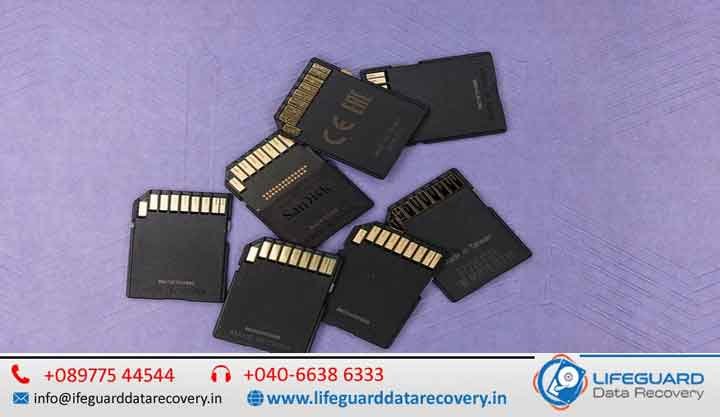
Micro SD cards may be small in size, but they play a huge role in modern digital life. Micro SD data recovery India from smartphones and tablets to drones, dashcams, action cameras, and portable gaming consoles, these tiny storage devices safeguard thousands of irreplaceable photos, videos, documents, and app data. But when a micro-SD card becomes corrupted, unreadable, or physically damaged, it can lead to panic and frustration. Micro SD data recovery India for millions of users across India, micro-SD data recovery in Inda has become an essential service to restore critical files quickly, securely, and with the highest possible success rate with Lifeguard Data Recovery. Micro SD card recovery service India Why Micro SD Cards Fail Micro SD cards are reliable, but they’re not immune to damage or data loss. Common causes of failure include: File System Corruption Caused by sudden power cuts, device crashes, or improper ejection. Physical Damage Due to bending, water exposure, excessive heat, or impact. Bad Sectors Over time, memory cells can wear out, creating unreadable sections on the card. Virus or Malware Malicious software can hide, encrypt, or delete your files. Micro SD card recovery service India Wear and Tear Frequent write/erase cycles gradually reduce the card’s lifespan. You might need professional recovery services if you see: Card Not Detected or No Memory Card messages. Photos and videos that won’t open or appear distorted. Extremely slow read/write speeds. Missing files or folders without explanation. Card Needs to be Formatted errors. Early detection and immediate action can dramatically increase recovery success rates. The Micro SD Data Recovery Process in India While the exact recovery method depends on the card’s issue, most professional services follow these steps: Diagnosis Determining whether the damage is logical (software) or physical (hardware). Image Creation Creating a complete clone of the card to preserve original data. File Extraction Using advanced hardware and software tools to retrieve lost files. Data Verification Checking recovered files for accuracy and completeness. Secure Delivery Returning data via a safe download link or external storage device. Micro SD card recovery service India Recovery labs in India are equipped to handle popular brands like SanDisk, Samsung, Kingston, Lexar, Transcend, Toshiba, and Sony. Who Benefits from Micro SD Data Recovery Services? Micro SD recovery isn’t just for personal use it’s critical across multiple sectors: Photography & Videography Restoring wedding photos, travel videos, and commercial shoots. Security & Surveillance Recovering CCTV footage for investigations. Aviation & Drones Retrieving high-resolution aerial images and mapping data. Media & Journalism Saving breaking news footage and on-location reports. Education & Research Restoring research data, academic projects, and presentations. Why Recovery in India Has Unique Challenges India’s diverse environmental conditions and technology usage patterns make micro-SD recovery here particularly challenging. Factors include: Extreme Climate Humidity in coastal cities, high heat in central India, and freezing temperatures in the north can impact card performance. Power Fluctuations Sudden outages can corrupt file systems during transfers. Frequent Device Swaps Moving cards between devices increases wear and risk of damage. Recovery labs in India use specialized methods to handle heat-damaged cards, moisture-affected chips, and multilingual file structures common in local devices. Data Types Recovered from Micro SD Cards Professional recovery services can restore: Photos JPEG, PNG, RAW, TIFF, HEIF Videos MP4, MOV, AVI, MKV, 3GP, MTS Audio Files MP3, WAV, AAC, FLAC Documents PDF, DOCX, XLSX, PPT, TXT App Data Game files, GPS logs, and Android app data Best Practices to Prevent Future Data Loss Once your files are restored, take preventive measures to protect your data: Always eject the card before removing it from a device. Store cards in dust proof, moisture-proof cases. Keep backup copies of critical files on cloud storage or external drives. Replace cards that show frequent errors or slow performance. Cost of Micro SD Data Recovery in India The cost depends on: Card Capacity Higher storage often means more complex recovery. Damage Type Logical errors cost less than physical or chip level recovery. Urgency Emergency 24-hour services may cost more. While prices vary, the value of recovering priceless memories or critical business data often far outweighs the expense.  Micro SD Data Recovery in India For SEO and searchability, relevant keywords include: Micro SD data recovery in India Recover data from micro-SD card India Micro SD card file recovery India SDHC SDXC card recovery India Damaged micro-SD card recovery India Recover photos from micro-SD card India Micro SD data recovery India  Micro SD Data Recovery in India Q1: How long does micro-SD card recovery take in India?Most recoveries take 25 business days, but urgent cases can be completed in 2448 hours with express service. Q2: Can files be recovered from a formatted micro-SD card?Yes as long as the data hasn’t been overwritten with new files, recovery is often possible. Q3: Can a physically broken micro-SD card be recovered?Yes, but it requires chip-off recovery techniques, which involve extracting data directly from the memory chip. Q4: Is my data safe during recovery?Reputable services follow strict confidentiality agreements and store your data securely during the process. Q5: Can I recover 4K or high-resolution videos from a micro-SD card?Yes – provided the storage sectors are intact, 4K and even 8K video recovery is possible.

Mac Hard Drive Data Recovery
blog

Mac Hard Drive Data Recovery

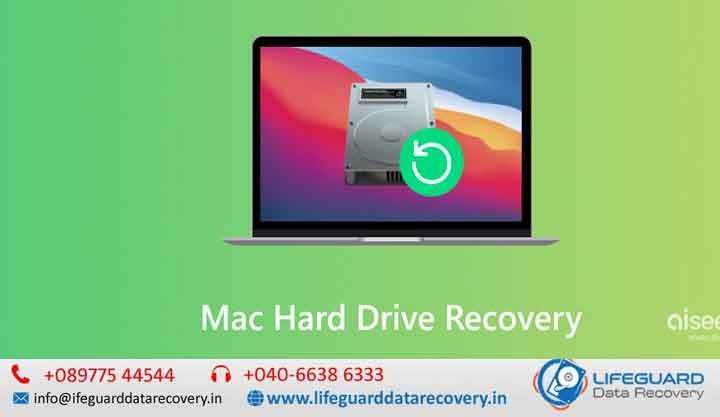
Mac Hard Drive Data Recovery in India -Bring Your Data Back to Life. When your Mac hard drive fails, it can feel like a sudden blackout in your digital life. All your documents, photos, videos, and work files – gone in an instant. But in most cases, your data is not truly gone; it’s just trapped. With professional Mac hard drive data recovery in India, you can unlock and restore those precious files without compromising quality or security in Lifeguard Data Recovery. Why Mac Hard Drive Data Recovery Is Different Unlike regular PCs, Apple’s macOS devices use advanced file systems like APFS and HFS+, along with encryption and proprietary storage structures. This makes recovery more complex -and why general “do-it-yourself” methods often cause more harm than good. A skilled recovery specialist understands: The architecture of Apple storage systems How to deal with failed Fusion Drives and SSDs Secure handling of Time Machine backups Recovery from encrypted File Vault drives Mac storage is advanced – and recovering it demands the same level of expertise.  Causes of Mac Hard Drive Failure Hard drive or SSD failure in a Mac can be sudden or gradual. The most frequent causes include: Physical Damage-Dropping your MacBook or iMac, or water damage, can harm internal drive components. Logical Errors – Corruption in the file system, accidental formatting, or partition errors. Bad Sectors – Gradual wear and tear leading to unreadable data blocks. Firmware Issues – Drive’s internal software gets corrupted. Overheating – Prolonged heat exposure damages storage chips. Recognizing early symptoms – like strange clicking sounds, system freezes, or frequent crash messages -can help prevent further data loss. Professional Mac Hard Drive Data Recovery Process in India A reputable recovery lab in India follows a systematic approach to ensure the highest possible success rate without compromising your privacy: Diagnosis & Assessment Pinpoints if the problem is caused by physical damage, logical corruption, or a combination. Assesses if the damage is rooted in hardware problems, software corruption, or a mix. Secure Data Extraction All damaged drives are treated in controlled, dust-free cleanroom facilities. Specialized hardware imagers are used to create a sector-by-sector clone. Data Reconstruction Specialized recovery from APFS snapshots and secure encrypted partitions. Restores data from APFS snapshots and secure encrypted partitions. Data Verification Engineers check the integrity of recovered files. Ensures files open correctly and are free from corruption. Secure Delivery Data is transferred to your chosen storage device, encrypted if required. Why Trust a Certified Mac Data Recovery Expert in India Recovering data from a Mac is not a job for every IT technician. Inexperienced handling can permanently destroy recoverable files. Here’s why certified professionals are essential: Apple Storage Mastery – Skilled in APFS, HFS+, Fusion Drive systems, and T2 security architecture. Cleanroom Facilities – Prevents dust and contamination during physical repairs. Advanced Recovery Tools – Professional-grade imaging and recovery software. Privacy Assurance – Secure handling with strict confidentiality agreements. Data Recovery for All Mac Models in India From classic hard-drive MacBooks to the latest SSD-powered MacBook Pros, expert recovery labs are equipped to handle: All MacBook Air & MacBook Pro models – including HDD, SSD, and Fusion Drive variants Every MacBook Air and Pro configuration, from classic HDDs to SSD and Fusion Drive setups iMac & Mac Mini drives Time Capsule and external Mac-formatted drives APFS & HFS+ formatted USB/Thunderbolt drives Emergency Mac Hard Drive Recovery Services If your work or memories can’t wait, many providers offer priority same-day recovery for urgent cases. This is especially helpful for: Creative professionals with critical project deadlines Businesses facing downtime due to data loss Photographers and videographers with irreplaceable footage Tips to Prevent Further Data Loss Before Recovery If your Mac hard drive shows signs of failure: Stop using the drive right away – Further use can overwrite and permanently erase recoverable files. Avoid untested recovery software – Inaccurate tools may corrupt data beyond repair. Don’t open the drive at home -Dust and static electricity can destroy delicate components. Contact a certified recovery lab as soon as possible. Cost of Mac Hard Drive Data Recovery in India Prices vary depending on: Type of drive (HDD, SSD, Fusion Drive) Severity of damage (logical, physical, firmware) Amount of data to be recovered While basic recoveries may be affordable, severe physical damage requires more advanced and costly interventions. But compared to losing years of work or memories, professional recovery is worth it. Why India Is a Growing Hub for Mac Data Recovery India’s top-tier recovery labs offer world-class expertise at competitive prices. Many engineers are Apple-certified, using equipment on par with international standards, making India a trusted destination for Mac owners needing data recovery. Frequently Asked Questions (FAQs) Can data be recovered from a dead Mac hard drive? Yes. Even if your Mac no longer powers on, professional recovery techniques can often retrieve data from the storage device. Can you recover data from a MacBook with a failed SSD? Yes. We specialize in recovering data from failed Apple SSDs, including soldered SSD storage found in many modern MacBook models. Can you recover data from a formatted Mac drive? Absolutely. In many cases, files can be recovered from accidentally formatted APFS and HFS+ drives. Do you recover File Vault-encrypted drives? Yes. We support recovery from encrypted File Vault volumes, provided the necessary credentials are available. Can you recover deleted files from a Mac? Yes. Deleted documents, photos, videos, and other files can often be recovered if they have not been overwritten. What is the success rate of Mac data recovery? Recovery success depends on the type and severity of damage. Logical failures typically have very high success rates, while physical damage varies based on the condition of the storage device. How long does Mac hard drive recovery take? Most standard recoveries are completed within 2-5 business days. Emergency recovery options are available for urgent cases. Is my recovered data secure? Yes. All data is handled under strict confidentiality and security protocols. Do you recover data from Time Machine backups?

Certified Data Recovery Specialists India Certified Data Recovery Experts India Professional Certified Data Recovery India
blog

Partition loss data Recovery

Partition Loss Data Recovery in UAE-Restore Your Lost Data with Confidence. Losing a partition can feel like losing an entire chapter of your digital life. Whether it’s an important work project, years of family photos, or critical system files, partition loss data recovery is often the only way to get it all back. At lifeguard Data Recovery, we specialize in recovering data from lost, deleted, formatted, or corrupted partitions across HDDs, SSDs, and external drives. Our UAE-based recovery experts use advanced tools and proven methods to restore your files without overwriting or causing further damage -no matter how severe the partition loss. Professional Partition Recovery Services for HDDs, SSDs, External Drives & Servers Losing a partition can feel like losing an entire chapter of your digital life. Whether it’s years of family photos, important business records, financial documents, project files, or critical system data, partition loss can make your valuable information appear inaccessible in an instant. Fortunately, lost partitions do not always mean lost data. At Lifeguard Data Recovery, we provide professional Partition Loss Data Recovery Services in UAE, helping individuals and businesses recover data from deleted, formatted, corrupted, inaccessible, or damaged partitions. Our experienced recovery engineers use advanced recovery tools and proven methodologies to restore data safely without causing further damage to your storage device. Whether your partition was accidentally deleted, corrupted by malware, damaged by hardware failure, or lost during a system crash, our specialists are ready to help. Common Causes of Partition Loss Accidental Partition Deletion One of the most common causes of partition loss occurs during disk management operations when users accidentally delete a partition. Formatting Errors Incorrect formatting or accidental drive initialization can make entire partitions disappear. Virus & Malware Attacks Malicious software can corrupt partition tables, file systems, and boot records, resulting in inaccessible data. Operating System Crashes Unexpected system shutdowns, failed updates, and operating system corruption can damage partition structures. SSD & Hard Drive Failures Physical issues such as bad sectors, controller failures, firmware corruption, and mechanical problems can cause partition loss. Power Surges & Improper Shutdowns Sudden power interruptions may corrupt partition metadata and file systems. Partition Table Corruption Damaged partition tables can prevent the operating system from identifying existing partitions. Signs of Partition Loss You may be experiencing partition loss if: A drive suddenly appears as unallocated space A partition disappears from File Explorer The drive requests formatting before access The partition shows as RAW Files become inaccessible Operating system fails to boot Storage capacity appears incorrect Error messages appear when accessing the drive If you notice these symptoms, stop using the drive immediately and seek professional assistance. Our Partition Loss Data Recovery Services in UAE At Lifeguard Data Recovery, we offer comprehensive recovery solutions for all types of partition failures. Recover Lost Partitions We recover partitions that have: Been accidentally deleted Disappeared after formatting Become inaccessible Been damaged by malware Been corrupted due to system errors What is Partition Loss? A partition is a logical section of your storage drive that stores data separately from other sections. When a partition is lost – due to deletion, formatting, corruption, or other issues – your files become inaccessible even though they still physically exist on the drive. Common causes of partition loss include: Accidental deletion during disk management Virus or malware attacks corrupting partition tables Formatting errors or system crashes Hardware failures or bad sectors Operating system updates gone wrong  Our Partition Loss Data Recovery Services in UAE At lifeguard, we provide safe and precise recovery for: Recover lost partitions from HDDs, SSDs, and external drives Hard drive partition recovery for both Windows and macOS Restore deleted partition without losing data Data recovery after partition loss due to virus or corruption Partition loss recovery for external hard drive and USB devices Supported File Systems Our recovery process supports all major file systems: NTFS, FAT32, (Windows) HFS+, APFS (Mac) EXT3, EXT4 (Linux) Whether you need to recover data from formatted partitions or repair a RAW partition, we have the right tools to help.  How We Recover Your Lost Partition Our recovery process follows industry best practices to ensure maximum results: Initial Diagnosis – We scan your drive to detect lost partitions. Deep Scan & Data Carving – Advanced algorithms locate files even from damaged sectors. Secure Recovery– We extract and restore your data without overwriting. File Verification – Ensuring your files are intact and usable before delivery.  Why Choose lifeguard for Partition Recovery? 99% recovery success rate in most cases Evaluation before starting the process Support for all storage brands including Seagate, Western Digital, Samsung, and more Fast turnaround with same-day recovery available in urgent cases Partition Recovery for Every Device We offer recovery services for: Internal Hard Drives (HDD, SSD) External USB Drives Laptop & Desktop Partitions Server & RAID Storage SD Cards & Other Media  Tips to Improve Recovery Success Stop using the drive immediately to avoid overwriting data Do not install recovery software on the same drive where data is lost Seek professional help for hardware-related failures  Get Professional Partition Loss Data Recovery in UAE Today If you’ve lost a partition, don’t panic – but don’t delay either. The sooner you act, the higher the chances of a successful recovery. Contact lifeguard today for expert partition recovery in the UAE and bring your lost data back to life. Call Us Now | Live Chat Support | Visit Our Service Center Email us: https://lifeguarddatarecovery.in/raid-data-recovery/

SD Card Recovery Services in India
blog

SD Card Recovery Services in India

An SD card is small enough to fit on your fingertip, yet powerful enough to store hundreds of hours of video, thousands of photos, and countless work files. SD card recovery services in India  But for all their convenience, SD cards are vulnerable to accidents and failures. A moment’s distraction while formatting, a sudden ejection during file transfer, or exposure to water can turn your precious data into a blank, inaccessible card. If this has happened to you, you’re not alone.  Corrupted SD card recovery India Every month, thousands of people across India face SD card data loss. The good news Professional SD card recovery services can often restore what you’ve lost safely, quickly, and with high success rates in Lifeguard Data Recovery. Understanding Why SD Cards Fail Before talking about recovery, it’s important to understand why SD cards stop working in the first place. Some of the most common reasons include: SD card recovery services in India Human error  Accidental deletion or formatting without a backup. Corruption  Power loss or improper ejection can damage the file system. Physical damage  Bending, water, or dust can harm delicate internal components. Wear over time  SD cards have a finite number of read/write cycles. In most cases, the files are still on the card  they’re just inaccessible without specialized tools. Why DIY Software Isn’t Always Enough Search online and you’ll find plenty of  SD card recovery software. While these tools can work in simple deletion cases, they can also: Overwrite recoverable data if not used correctly. Fail completely when the SD card is physically damaged. Cause further corruption if the card is already unstable. That’s why many users in India turn to certified recovery labs. These facilities use advanced imaging equipment and cleanroom environments to work on even the most damaged cards without risking further loss. Our Proven SD Card Recovery Process When you send us your SD card, we follow a five-stage process designed to protect your data: Assessment & Diagnosis We inspect the card for both physical and logical issues. Card Imaging Instead of working directly on your SD card, we create a sector-by-sector clone. Deep Data Extraction Our technicians use industry-leading tools to locate recoverable files. File Verification Each recovered file is checked for usability. Secure Return Data is delivered via encrypted download link or on new media. This method ensures the highest recovery chance while keeping your original card untouched. What We Can Recover Our recovery specialists in India can retrieve: Photos JPEG, PNG, RAW, HEIF, TIFF Videos MP4, MOV, AVI, MTS, 3GP Documents PDF, DOCX, XLSX, PPTX Audio files MP3, WAV, AAC, FLAC Specialized files Photoshop PSD, AutoCAD DWG, project archives We recover data from SD, microSD, mini-SD, SDHC, and SDXC cards used in cameras, drones, dashcams, action cameras, smartphones, and more. Nationwide Service From to the Most Remote Towns Whether you live in Hyderabad, or a small hill station in Himachal Pradesh, you can access our services. We offer courier pick-up and delivery to make recovery possible no matter where you’re located in India. Our process is designed to be hassle you package your card, our logistics team collects it, and our technicians handle the rest. Why Customers Trust Us No Recovery, you pay only if we successfully recover your files. High Success Rates Thanks to advanced hardware recovery methods. Strict Privacy Your data is never shared with third parties. Emergency Options Get your data back in as little as 24 hours for critical cases. Support for Severe Damage Including broken connectors, chip-level recovery, and water exposure cases. How to Protect Your Data Before It’s Too Late Even with expert recovery services, prevention is always better. Here are a few tips: Always eject your SD card safely before removing it from a device. Back up regularly to a computer or cloud storage. Avoid filling the card to 100% capacity, as this can accelerate wear. Keep cards away from moisture and extreme temperatures. Replace aging cards every few years, especially if used heavily. Frequently Asked Questions Q1: How much does SD card recovery cost in India?A: Prices vary depending on damage type and storage capacity. Logical issues are usually less expensive than physical chip repairs. Q2: Can you recover data from a card that doesn’t show up on my computer?A: Yes. Even if the system can’t detect it, we can often access the memory chip directly. Q3: Will recovery affect the original data on my SD card?A: No. We work on a cloned copy, leaving the original card unchanged. Q4: Can you recover encrypted SD cards?A: If you have the correct password or encryption key, recovery is often possible. Q5: How long does the recovery process take?A: Most cases are completed within 2 5 working days. Urgent requests can be handled in 24 hours. Q6: Is my data safe with you?A: Absolutely. We follow strict confidentiality protocols and secure all recovered files.

SSD Data Recovery India
blog

SSD Data Recovery in Hyderabad

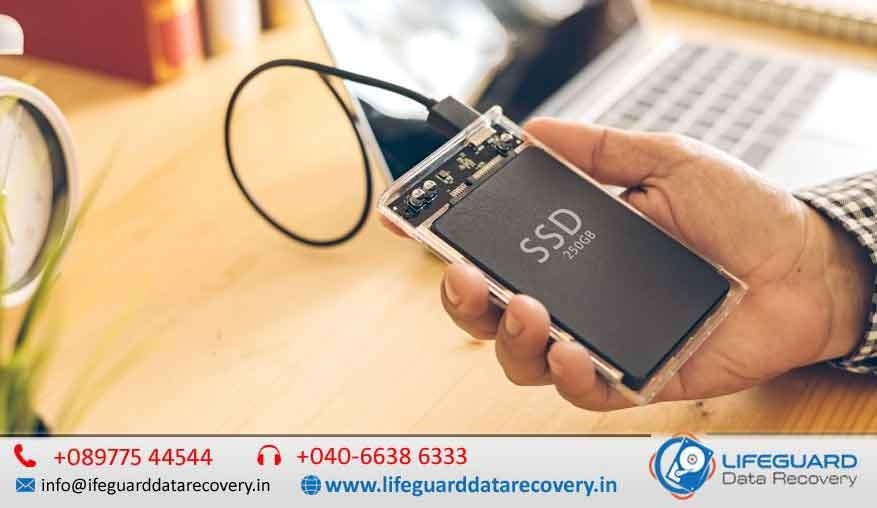
When your SSD fails, every moment counts. At Lifeguard Data Recovery, we provide expert SSD data recovery in India and SSD data recovery Hyderabad with cutting-edge technology, certified clean-room facilities. Whether you are a business handling critical data or an individual trying to retrieve precious memories, our engineers ensure your files are recovered quickly, securely, and affordably. Understanding SSD Data Recovery and Why It’s Different This makes them faster but also more complex to recover when they fail. Common SSD issues include firmware corruption, controller failure, or physical chip damage-each requiring specialized tools and expertise. SSD Data Recovery Services in India & Hyderabad – Fast, Secure & Professional Recovery Solutions When your SSD fails, every moment counts. At Lifeguard Data Recovery, we provide expert SSD data recovery in India and SSD data recovery Hyderabad using advanced recovery technology, certified clean-room facilities, and highly experienced engineers. Whether you are a business managing critical corporate information or an individual trying to recover valuable memories, we ensure your data is recovered quickly, securely, and cost-effectively. Our team specializes in recovering data from failed, damaged, corrupted, formatted, encrypted, and physically damaged SSDs. We understand how important your files are and use industry-leading techniques to maximize recovery success rates. Understanding SSD Data Recovery and Why It’s Different Solid State Drives (SSDs) use NAND flash memory instead of traditional spinning platters found in hard disk drives (HDDs). While SSDs offer superior speed, durability, and performance, recovering data from them is significantly more complex. Modern SSDs utilize advanced technologies such as: TRIM commands Wear leveling algorithms Garbage collection Encryption protocols Advanced firmware management These technologies improve SSD performance but make data recovery far more challenging when failures occur. Successful SSD recovery often requires specialized hardware, firmware-level access, and extensive engineering expertise. Common Causes of SSD Data Loss Firmware Corruption SSD Recovery Hyderabad Firmware corruption can occur due to interrupted updates, power failures, operating system crashes, or manufacturing defects. When firmware becomes corrupted, the SSD may become inaccessible or disappear from the system entirely. Controller Failure SSD Recovery India The SSD controller acts as the drive’s brain. If the controller fails, data may become inaccessible even though the memory chips still contain valuable information. Encrypted SSD Recovery Hyderabad Many SSDs use hardware-based encryption. Forgotten passwords, encryption key corruption, or security configuration issues can prevent access to important files. Types of SSDs We Recover NV Me SSD recovery Hyderabad -Ultra-fast storage devices found in modern laptops and PCs. SATA SSD data recovery Hyderabad– Common in both desktops and older laptops. External SSD data recovery Hyderabad – Portable drives used for backups and file transfers. RAID array SSD recovery Hyderabad – Multi-drive configurations used in servers and enterprise storage. Certified SSD Recovery Services in Hyderabad & Across India Our SSD recovery services Hyderabad and SSD data recovery services India cover everything from logical data loss to severe physical damage. As a trusted SSD data recovery center Hyderabad, we provide transparent diagnostics, safe handling, and guaranteed confidentiality. Why Choose Our Hyderabad SSD Recovery Service? Local expertise – Search “SSD recovery near me Hyderabad” and you’ll find Lifeguard ranked among the best. Clean room SSD recovery Hyderabad – ISO-certified environment to handle delicate SSD components. Fast turnaround SSD recovery Hyderabad – Most cases resolved in 24-72 hours. Brand-Specific SSD Data Recovery Our engineers have deep expertise with all major SSD brands, ensuring high success rates for: Samsung SSD data recovery Hyderabad Kingston SSD recovery Hyderabad WD (Western Digital) SSD recovery Hyderabad Crucial SSD recovery Hyderabad SanDisk SSD recovery Hyderabad We use brand-specific tools and firmware libraries to recover data safely without voiding warranties. Our Proven SSD Data Recovery Process  Diagnostic & Quote – We assess your drive for issues like firmware corruption, bad sectors, or controller failure. Specialized Repair -This may include SSD chip-off data recovery Hyderabad for severe cases, or controller board replacement for physical failures.  Data Extraction – Secure SSD data extraction Hyderabad to prevent further damage.  Data Verification & Delivery -We ensure every recovered file is intact before returning it to you on a secure medium. RAID SSD recovery Hyderabad – Restoring SSDs from multi-drive configurations. Password removal & Encrypted SSD recovery Hyderabad. Nationwide Coverage- India’s Most Trusted SSD Recovery Company We are not just local experts-we are a top SSD data recovery company India serving clients in every state. From startups to multinational corporations, our best SSD data recovery India solutions have helped thousands get back critical data. SSD Data Recovery Cost in India & Hyderabad We believe in transparency. Pricing depends on the complexity of the case-logical issues cost less than physical repairs. Our No recovery no fee SSD Hyderabad guarantee means you only pay if we get your data back. Book Your SSD Recovery Today Whether you need SSD recovery India or SSD recovery Hyderabad, we’re here 24/7. Call us, WhatsApp, or visit our Hyderabad SSD recovery service center for a free diagnostic. Contact Lifeguard Data Recovery – The Best SSD Recovery Service in India Fast. Secure. Affordable. FAQs- SSD Data Recovery Q: Can data be recovered from a dead SSD?Yes, with advanced chip-off techniques, most dead SSDs can be recovered. Q: How long does recovery take?Standard jobs take 1-3 days; complex cases may take longer. Q: Do you recover SSDs from laptops and Macs?Yes, including NV Me and proprietary Apple SSDs.

Scroll to Top