Author name: admin

MacBook repair in Abu Dhabi
blog

MacBook repair in Abu Dhabi

Expert MacBook Repair in Abu Dhabi -Fast, Affordable & Trusted Service.Is your MacBook not turning on, showing a broken screen, or suffering from battery issues? At Mac repair, we offer professional MacBook repair services   tailored to your needs. From minor fixes to major hardware replacements, our Apple-trained technicians ensure your MacBook is restored quickly, affordably, and with care. Whether you use a MacBook Air, MacBook Pro, or M-series Mac, we’re your go-to MacBook repair center in the UAE Certified Apple MacBook Repair Services At Mac repair, we provide Apple MacBook repair   using the latest tools and Apple-certified techniques. Our expert team diagnoses issues accurately and uses original Apple parts to maintain performance, compatibility, and warranty safety. Whether you’re a student, creative professional, or business owner, we provide reliable MacBook service that keeps your device running like new. Our Complete MacBook Repair Services.                                                                                                  We offer comprehensive MacBook repair solutions to address both hardware and software issues. Our in-house experts are trained to handle even the most complex MacBook failures. Specialized MacBook Repair Solutions MacBook Screen Repair – Cracked or Flickering DisplaysIf your screen is cracked, black, or displaying vertical lines, our MacBook screen repair service in Abu Dhabi will restore clarity and full display functionality. We offer original screen replacements for MacBook Air and MacBook Pro, including Retina and M1 models. MacBook Battery Replacement – Fast, Same-Day ServiceIs your battery draining fast, swollen, or not charging? We offer MacBook battery replacement in Abu Dhabi with same-day turnaround using original Apple batteries. MacBook Keyboard Repair- Sticky or Unresponsive KeysSpilled coffee or worn-out keys? Our MacBook keyboard repair experts in Abu Dhabi will replace or clean sticky, broken, or non-functional keyboards for all models, including backlit versions. MacBook Logic Board Repair- Motherboard Fix & ReplacementFacing unexpected shutdowns or no power? We specialize in MacBook logic board repair in Abu Dhabi, fixing IC components, graphics chips, and more without needing a full replacement. MacBook Water Damage Repair – Liquid Spill RecoveryDropped your MacBook in water or had a coffee spill? Our MacBook water damage repair service in Abu Dhabi uses professional-grade cleaning and diagnostics to revive devices. MacBook Hinge Repair – Loose or Broken HingesA loose hinge can lead to screen damage or total failure. We offer MacBook hinge repair in Abu Dhabi to realign, tighten, or replace faulty hinges. SSD & RAM Upgrade Services – Boost Your Mac’s SpeedNeed more speed and storage? We provide SSD upgrades and RAM replacements for improved MacBook performance and multitasking, especially helpful for design professionals and video editors. Camera, Trackpad, IO Repairs – Restore Full MacBook FunctionalityWe fix MacBook webcams, trackpads, USB-C ports, and audio jacks to bring your device back to full working condition. Software & macOS Support – System Fixes and TroubleshootingWhether it’s an OS crash, system slowdown, or boot failure, our macOS support team handles clean installations, data migrations, and virus removals Certified MacBook TechniciansOur engineers are trained specifically on Apple hardware and macOS, ensuring your Mac is handled by qualified MacBook technicians in Abu Dhabi. Genuine Apple Parts with WarrantyWe only use original MacBook parts that ensure durability and system compatibility, backed by warranty for peace of mind. Transparent Pricing with No Hidden FeesWe believe in clear communication – you get upfront pricing for MacBook repairs in Abu Dhabi with no surprise charges. Quick Turnaround and Same-Day RepairsMost repairs are completed within the same day. Our team is committed to minimizing your downtime. Affordable MacBook Repair ServicesQuality repairs shouldn’t cost a fortune. Our services are priced competitively, making us the go-to choice for affordable MacBook repairs        Get Original MacBook Parts Replacement Apple-Certified Components for Maximum CompatibilityWe provide only Apple-certified parts for replacements, whether it’s a screen, battery, or internal chip. Warranty on All MacBook Replacement PartsEvery replacement comes with a service warranty, ensuring long-term satisfaction. Long-Lasting Repairs That You Can TrustOur repair quality means fewer returns and maximum uptime for your MacBook. FAQs- MacBook Repair  How much does MacBook screen replacement cost?Prices vary by model, but we offer affordable screen replacement for MacBook Air and Pro, including Retina displays. Contact us for a free quote. Is it worth repairing an old MacBook?Yes! Many older Macs benefit from RAM, SSD, or battery upgrades, which are more cost-effective than buying a new machine. Can you repair water-damaged MacBooks in Abu Dhabi?Absolutely. Our advanced cleaning and diagnostic tools allow us to recover water-damaged MacBooks with a high success rate. Do you provide warranty on repairs and replaced parts?Yes, we provide warranty on all major parts and repairs to guarantee reliability and peace of mind. Where can I find Apple MacBook Pro repair near me in Abu Dhabi?You’ve found it. Mac repair is your trusted MacBook repair center serving all areas of Abu Dhabi. Visit at: https://lifeguarddatarecovery.com/sd-card-data-recovery/

Deleted video data recovery
Case Studies

macbook air battery replacement in ajman

MacBook Air Battery Relief in Ajman – Fast, Reliable & Affordable. If your MacBook Air isn’t holding a charge, turns off suddenly, or shows a MacBook Air battery health low warning – we can help.At our MacBook Air battery service center, we provide Apple-certified repairs using original MacBook Air batteries for all models. Whether you need a MacBook Air battery change or a complete MacBook Air form and battery change Ajman, we’ve got you covered. Why Choose Us for MacBook Air Battery Change? Original Apple MacBook Air batteries – No cheap carbons. Apple-certified technicians – Experts in all MacBook Air models. Same-day MacBook Air battery relief Ajman – Get your device back within hours. Affordable MacBook Air battery relief Ajman – Quality service at competitive rates. Bond on all repairs – Peace of mind with every relief. Signs You Need a MacBook Air Battery Relief If you notice any of these issues, it’s time to visit a MacBook Air battery shop near me: MacBook Air not charging battery issue – Device plugged in but not charging. MacBook Air battery draining fast fix  – Loses power quickly even after charging. MacBook Air battery blown relief  – Battery bulging and pushing against the trackpad or case. MacBook Air turns off suddenly – Shuts down suddenly even with charge remaining. MacBook Air battery health is low  – Battery capacity has significantly reduced. Ignoring these warning signs could lead to sense board damage or overheating. Our MacBook Air Battery Relief Process We make the MacBook battery relief in Ajman, UAE process easy and transparent: Free opinion – We check your battery health and charging system. Cost Estimate – We give the MacBook Air battery relief price in Ajman upfront. Genuine Battery Installation – Performed by Apple-certified professionals. Testing – Ensure proper charging and battery performance. Same-Day Delivery – For most models, repairs are completed in just a few hours. MacBook Air Battery Relief Cost Wondering, “How much is MacBook Air battery relief ?” Affordable MacBook Air battery relief – Without compromising quality. Cheap MacBook Air battery fix options – Budget-friendly solutions available. Transparent pricing – No hidden charges. 📞 Contact us today for an exact MacBook Air battery cost in Ajman quote. Where Can I Replace My MacBook Air Battery? Looking for the best place for MacBook Air battery relief Ajman? Centrally located service center in Ajman. Free pickup/delivery service available. Serving customers across the UAE – Your go-to choice for Apple MacBook Air battery relief Ajman. Can I Get an Original MacBook Air Battery? Yes – we only use original MacBook Air battery Ajman spares.Whether you want an authorized MacBook Air battery relief in Ajman or a cheap MacBook Air battery fix in Ajman, we ensure quality and reliability. Same-Day MacBook Air Battery Relief We understand your MacBook Air is essential for work, study, and personal use. Book your appointment before 1 PM to get same-day service for most models. Service Areas We offer MacBook battery relief Ajman UAE services in: Ajman Dubai Sharjah Umm Al Quwain Ras Al Khaimah Wherever you are, our MacBook Air battery from experts can help. FAQ – MacBook Air Battery Relief Q: How long does battery relief take?A: Generally, 2 – 4 hours for most models. Q: Do you offer a bond?A: Yes, all spares are covered under bond. Q: Do you fix charging issues, too?A: Yes, we handle MacBook Air not charging battery issues and charging port repairs. Q: Can you replace blown batteries?A: Yes, we provide MacBook Air battery blown relief safely. Q: Do you use original batteries?A: Absolutely – we use original MacBook Air battery spares only. Contact Us Today 📞 Call us now for your MacBook Air battery relief in Ajman.📍 Visit our MacBook Air battery shop near me or book a free pickup. Get your MacBook Air running like new – with fast, reliable, and affordable battery relief.

data recovery in hyderabad
blog

Data Recovery in Hyderabad

MacBook Data Recovery in Dubai – Fast, Certified & Affordable Service. If your MacBook has lost valuable data, don’t panic – you’re not alone, and there’s a solution. Whether you’re dealing with a corrupted SSD, accidental deletion, or your MacBook is not booting, Mac Repair offers the most trusted and certified MacBook data recovery. From MacBook Pro data recovery to MacBook Air recovery services, we cover it all – fast, secure, and without data loss anxiety. Expert Apple MacBook Data Recovery Service We specialize in Apple MacBook data recovery services, including support for APFS and HFS+ file systems. Whether you use Time Machine or have no backup at all, our recovery engineers retrieve your files from: Crashed or water-damaged Macs Corrupted macOS partitions Non-responsive SSDs and logic boards Startup issues like the MacBook showing a folder with a question mark If your MacBook drive is not detected, we use advanced cleanroom and diagnostic tools to recover lost MacBook data in Dubai, even in complex cases. Why Choose Us? Best MacBook Data Recovery Service Here’s why thousands trust us: ✅ Certified MacBook data recovery ✅ Transparent & competitive MacBook data recovery cost ✅ High success rate in professional Mac data retrieval ✅ 100% confidentiality and security ✅ Advanced tools for APFS, HFS+, and encrypted drives We’re also recognized as a top-rated MacBook file recovery service in Dubai for our success in even the most complex recovery scenarios. MacBook Data Recovery Near Me – Locations We Serve Looking for “MacBook data recovery near me Dubai”? We’ve got you covered with strategic service points across: MacBook data recovery in Bur MacBook repair and data recovery in Karama Apple Mac repair center data recovery in Al Barsha MacBook recovery service on Sheikh Zayed Road We also offer pickup and delivery across all areas, ensuring convenience with quality.Note: We charge 100 AED for pickup & drop. Same-Day & Emergency MacBook File Recovery Have an urgent need? We offer: Emergency MacBook data recovery Book Mac data recovery service online in Dubai MacBook recovery pickup and delivery service Same day MacBook data recovery Walk-in MacBook file recovery support available during business hours Our specialists handle every recovery case with priority and precision – because your data can’t wait. Recover Deleted or Lost MacBook Data – Any Issues We Fix We help users recover from: MacBook not booting, data recovery Recover deleted files on MacBook Restore MacBook from corrupted SSDs APFS and HFS+ file recovery from MacBooks Time Machine recovery issues on MacBook MacBook crash data recovery in the UAE Mac OS is not loading the file recovery Water-damaged MacBook data recovery Secure MacBook data extraction services Whether your files were deleted or the entire drive was erased, our engineers work with industry-leading recovery software and in-lab equipment. FAQs – MacBook File Recovery Q1: Can I recover data from a dead MacBook?Yes! We recover data from dead or unresponsive MacBooks, even with hardware or logic board issues. Q2: What is the cost of MacBook data recovery?Prices vary depending on the issue. We offer competitive rates and transparent quotes. Contact us for a free diagnosis. Q3: How long does MacBook file recovery take?Recovery time ranges from a few hours to 3 days, depending on the complexity. Emergency same-day service is also available. Q4: Is there a “no data, no fee” MacBook recovery?Yes. At LifeGuard, we offer a “No Data, No Charge” guarantee. If we can’t recover your data, you pay nothing.

data recovery after data loss
Life Guard

Data Recovery After Data Loss – Immediate Guide for Hyderabad and Beyond

Introduction Our Lifeguard Data Recovery India experts suggest this guide is designed to help you take immediate and effective action. Whether it’s personal documents, business files, or client records, you need to act fast and follow the right steps that can be significant. Losing critical data can be overwhelming. If you want to increase your chances of successful recovery. Whether you’re in Hyderabad, Mumbai, Bangalore, Gujarat, Uttar Pradesh, or Andhra Pradesh, we provide the best data recovery services. This article outlines what to do right now if you want data recovery after data loss. We’ll provide both practical DIY data recovery tips and show you when it’s essential to seek expert help from Lifeguard Data Recovery. With over a decade of experience, we’re trusted across India for secure, fast, and certified data recovery. Understanding Data Loss and Why Speed Matters What Happens During Data Loss Logical Failures: File system corruption, accidental deletion, or formatting issues that render data invisible but still present on the drive. Physical Failures: Mechanical component damage, spindle motor issues, or head crashes in which the drive hardware itself malfunctions. Firmware Failures: Immediate action is important for successful data recovery after data loss. If corrupted drive firmware prevents the operating system from recognizing or interacting with the device.  Time Sensitivity: Lifeguard Data Recovery Hyderabad experts say accidental deletions and overwrites can quickly rewrite critical sectors. Immediate intervention maximizes the chance of full restoration. Signs That You’ve Lost Data File Disappearance: Documents, photos, or videos vanish without warning. Error Messages: If your File is not found, or the drive is not accessible, or corrupted file notices appear upon opening, take immediate steps after data loss. Unusual Noises: Clicking, grinding, or beeping from the storage device indicates mechanical distress. “I just saw one photo disappear. What to do after data is lost?” Stop using the device immediately, power it down if necessary, and contact a Hyderabad data recovery expert to prevent further overwrite. Immediate Steps After Data Loss – Essential Data Recovery Steps Step 1 – Stop All Device Activity immediately Cease all read and write operations and stop all device activity immediately to prevent permanent data loss when you first indicate data loss. Continue to use the device, even to check for missing files, risks overwriting critical sectors, and rendering recovery impossible. Step 2 – Power Off or Isolate the Affected Device For logical failures, unmount or safely eject the drive; for suspected hardware damage, power it down and disconnect from any power source. This emergency data recovery measure preserves the current state for specialist intervention. Step 3 – Assess the Situation and Document Everything Compile a clear incident log: note error messages, affected file types and sizes, timestamps of failure, and any environmental factors (e.g., Delhi’s monsoon humidity or Hyderabad’s load‑shedding). Thorough documentation streamlines diagnostics and resolution. Step 4 – Check Available Backups First Before advanced procedures, verify the integrity of any local, cloud‑based, or disk‑image backups. Following established data recovery tips, restore from these copies whenever possible to expedite service. Step 5 – Attempt DIY Recovery – How to Recover Lost Data If no viable backup exists, employ read‑only recovery tools such as Recuva or Disk Drill. Execute a systematic scan, preview recoverable items, and recover deleted files, ensuring precise file recovery after accidental deletion. When Professional Help Is Needed When critical failures exceed DIY measures, enlist certified specialists for data recovery after data loss to safeguard invaluable information. Signs You Need Expert Assistance Persistent Clicking or Grinding Noises These audible indicators often signal imminent head or spindle motor failure. Continuing to power the drive can worsen damage. Engage urgent data recovery Hyderabad services immediately to prevent total data loss. Visible Physical DamageOur experts provide services if you face problems like dents, cracks, or burnt components on the drive casing point to severe mechanical or electrical faults. We have ISO certified cleanroom facilities, and Lifeguard Data Recovery Hyderabad data recovery experts can safely disassemble and repair damaged hardware. Device Not Detected in BIOS or Operating System When your system fails to recognize the drive, firmware corruption or controller failure is likely. Attempting DIY fixes may overwrite key sectors. Contact professional data recovery services in Hyderabad to ensure proper diagnostic protocols. Mission‑Critical Data at Risk If lost files include financial records, legal documents, or irreplaceable media, time is paramount. Rely on certified Hyderabad data recovery experts for rapid response and secure recovery workflows. Why Choose Lifeguard Data Recovery We have ISO‑certified cleanrooms, and Hyderabad labs ensure contamination‑free work. Free, no‑obligation diagnosis and “No data, No charge” policy. Lifeguard Data Recovery has a Multi‑city reach: Mumbai, Bangalore, Pune, and beyond. We are trusted by enterprises and individuals alike, with 24/7 support. Our Data Recovery Process – What to Expect Intake: Secure collection or courier of your device Diagnosis: Detailed evaluation in Hyderabad lab, factoring local conditions (e.g., power fluctuations) Quotation: Transparent pricing, tailored to complexity Recovery: Execution using proprietary tools and expert techniques Delivery: Restored data returned via secure transfer or physical media Turn to Lifeguard’s Hyderabad data recovery experts for reliable, professional service when every second counts. Local Services in All Cities Hyderabad – Core Service Hub As Hyderabad data recovery experts, we offer on‑site diagnostics, ISO‑cleanroom repairs, and same‑day recovery for local businesses and residents. Benefit from our “No data – No charge” guarantee and rapid turnaround. Mumbai – Local Partner Centre Our Mumbai facility provides secure device drop‑off, free preliminary evaluation, and streamlined handover to our specialist teams. Ideal for enterprises requiring minimal transit time. Bangalore – Pickup & Delivery In Bangalore, schedule device pickup via our secure logistics network. Enjoy transparent tracking and expedited recovery workflows managed by certified engineers. Andhra Pradesh – Key Regional Centers Serving Visakhapatnam and Vijayawada, our Andhra Pradesh centers deliver expert media imaging and firmware repair, ensuring consistent service quality statewide. Gujarat & Uttar Pradesh – State‑Level Reach From Ahmedabad to Lucknow, our network of certified labs and field technicians guarantees professional support across both states, your trusted
Formatted drive data recovery
Life Guard

Clean Room Data Recovery: Behind the Scenes at Lifeguard Data Recovery

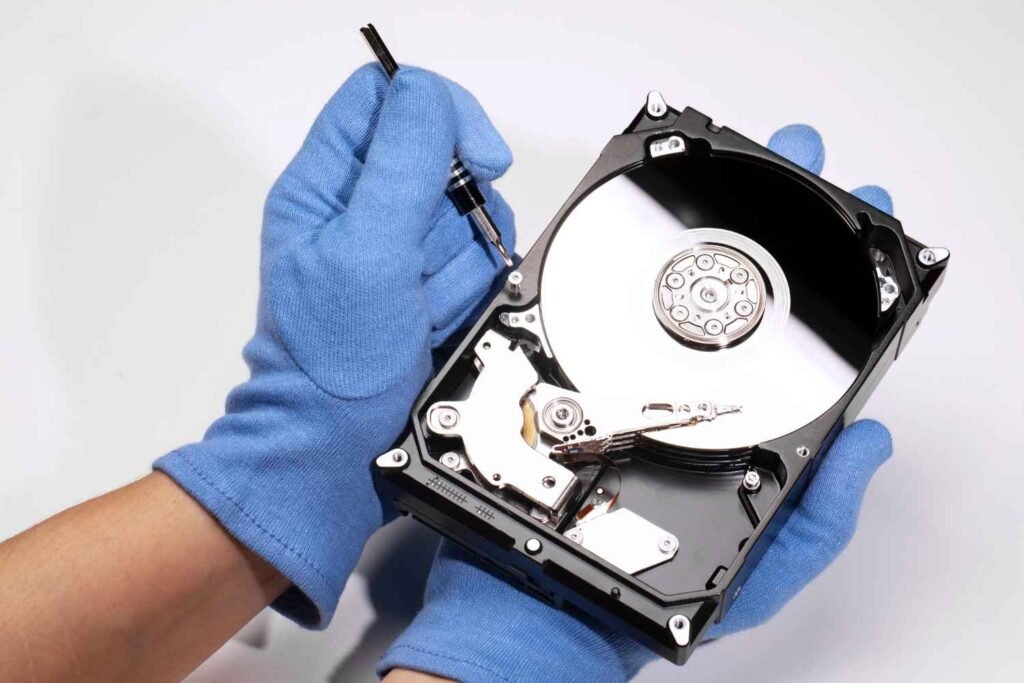
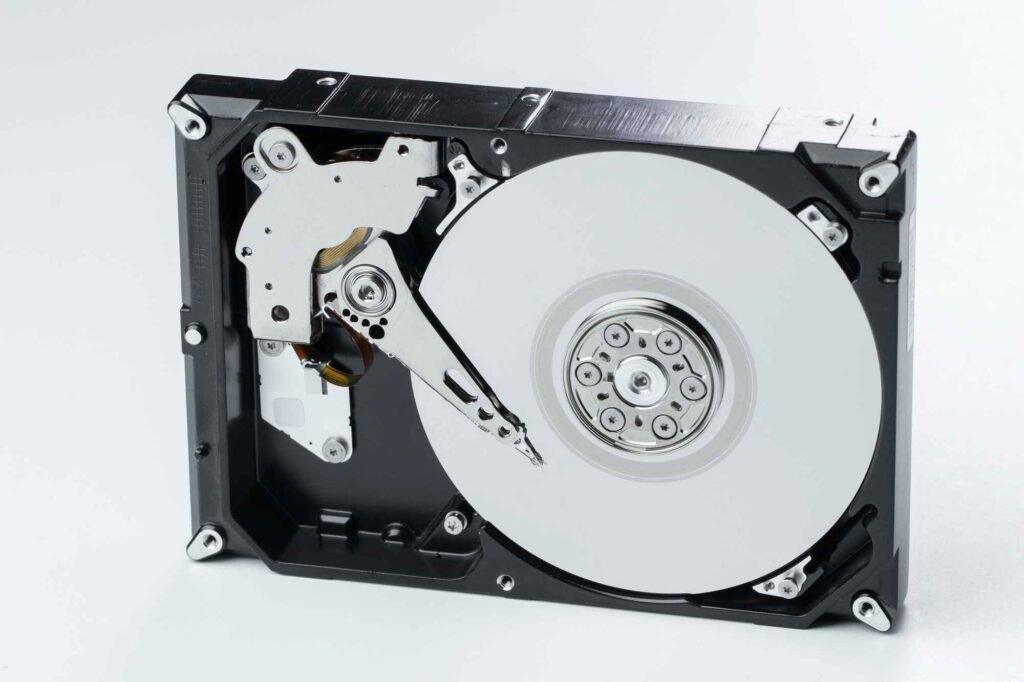
Introduction Data recovery is the gold standard for salvaging information from physically damaged storage media. In specialized ISO‑certified environments, contaminated drives are opened, inspected, and repaired under strict particulate controls to prevent further harm. Lifeguard Data Recovery India leads the industry in clean room data recovery, offering Hyderabad’s fastest turnaround and highest success rates. Lifeguard Data Recovery has comprehensive cleanroom services in Andhra Pradesh, Bangalore, Mumbai, and Gujarat. Our state‑of‑the‑art lab technicians employ precision tools and protocols to resolve head crashes, motor failures, and firmware corruption. What Is Clean Room Data Recovery? Definition: The data recovery clean room is an ISO‑certified, controlled environment where technicians dismantle drives to access platters without risking contamination. Clean Room Recovery Process: Lifeguard experts open media in a dust-free lab, inspect for mechanical faults, and our professional technician uses specialised tools under stringent particulate controls. Electrostatic‑Safe Environment: Lifeguard Data Recovery experts provide Anti‑static flooring and workstations that eliminate discharge risks, protecting sensitive components. Comparison to Standard Recovery: Unlike software‑only methods, this process physically addresses head crashes, motor failures, and firmware corruption. Outcome: Maximises recovery success for severely damaged or physically compromised devices. Why a Clean Room Matters: Benefits & Assurance Class 100 Clean Room Recovery: Maintains fewer than 100 particles ≥0.5 μm per cubic foot, meeting stringent ISO 5 standards for hard drive cleanroom recovery. ISO 5  Data Recovery: Our experts provide cleanroom data recovery, ensuring a controlled, particle‑free environment vital for delicate platter handling and mechanical hard drive recovery lab operations. Secure HDD/SSD Firmware Repair: Firmware modules on both HDDs and SSDs are accessed and reprogrammed without exposure to contaminants. Our experts provide SSD cleanroom recovery. SSD Cleanroom Recovery: Specialised protocols restore NAND memory modules safely, maximising success on flash‑based media. Inside LifeGuard’s Clean Room Laboratory LifeGuard’s ISO‑compliant cleanroom laboratory is engineered to exceed the most exacting data recovery clean room requirements, ensuring every recovery adheres to ISO 5 clean Room data recovery Hyderabad standards. Our facility features HEPA‑filtered airlocks, anti‑static flooring, and active humidity control to maintain a particle count below Class 100. Technicians follow strict gowning protocols and use ESD‑safe tools to guarantee contamination‑free handling. Clean room data recovery workflow: Drive Intake: Secure logging, preliminary inspection, and quarantine. Disassembly: Transfer into dust‑free lab via airlock, remove top cover under laminar flow. Cleanroom Repair: Precision head swaps, spindle alignment, and firmware restoration in the controlled environment. Imaging: Sector‑by‑sector copying on write‑protected interfaces, preserving original data integrity. Real Use Cases – Clean Room in Action Enterprise Financial Server Failure A multinational client in Hyderabad experienced a head crash on a 10‑TB RAID array mid‑quarter. Our clean room data recovery services Hyderabad team performed precision platter swaps in an ISO 5 enclosure, reassembled the array, and imaged all volumes—restoring 100% of mission‑critical ledgers within 48 hours. Encrypted SSD Firmware Corruption An e‑commerce firm’s NVMe drive refused to mount after a sudden power surge. In our dust‑free lab, technicians executed chip‑level firmware extraction and re‑flash, bypassing hardware encryption keys to recover customer order histories without data loss. Post‑Flood Hard Disk Restoration After monsoon flooding in coastal Andhra Pradesh, a marketing agency’s HDDs were waterlogged. We ultrasonic‑cleaned the platters, replaced corroded components under strict humidity control, and completed a secure image, preventing mold damage and data compromise. Fire‑Damaged Media Retrieval Following a warehouse fire in Mumbai, soot‑and‑acid‑exposed SSDs required specialized remediation. Our team neutralized contaminants in a controlled environment and recovered design assets that were critical to ongoing projects. Best Practices in Clean Room Data Recovery Rigorous Staff Training Technicians undergo continuous education on data recovery clean room requirements, gowning procedures, and contamination control to maintain expertise in Clean room data recovery. Certified Protocols (ISO 5/Class 100) Lifeguard Data Recovery follow strictly to ISO 5/Class 100 standards, our experts monitoring HEPA filtration, airflow validation, and particle to ensure a consistently compliant environment. Regular Audits Lifeguard Data Recovery experts conduct quarterly internal and third‑party audits of cleanroom integrity, and make sure to reviewing air quality, gowning workflows, and procedural adherence against documented requirements. When to Choose Clean Room vs Software Tools DIY Software & Disk Imaging     Best for logical issues our certified technician recover deleted file like accidental deletion, minor file-system corruption.   Lifeguard Data Recovery experts use tools such as Recuva, Disk Drill, and built‑in imaging utilities can restore data in minutes provided you stop using the drive immediately to prevent permanent data loss.   Low cost and no lab wait times, but ineffective against mechanical faults and firmware corruption.   Professional Clean Room Data Recovery     Essential for physical or firmware damage: head crashes, spindle failures, NAND corruption, water/fire exposure.   Conducted in ISO 5/Class 100 labs under strict data recovery clean room requirements, ensuring drive integrity.   Ideal for “emergency data recovery” scenarios where time and data criticality demand guaranteed results. Contact Lifeguard Data Recovery now for expert assessment and tailored recovery solutions. Our Service Coverage – Beyond Hyderabad Clean Room Data Recovery in Hyderabad  Our Hyderabad cleanroom data recovery lab offers same‑day pickup and drop‑off, minimizing downtime for local enterprises. Benefit from on‑site ISO 5/Class 100 repairs, real‑time status updates, and our “No Data – No Charge” guarantee. Andhra Pradesh Clean Room Recovery Serving Visakhapatnam and Vijayawada, we partner with certified couriers for secure device transit. Enjoy free preliminary evaluation and priority processing at our regional facilities. Clean Room Data Recovery in Bangalore Our Bangalore hub provides drop‑off centers at key IT parks, with dedicated cleanroom benches and ESD‑safe protocols. Clients receive detailed diagnostic reports within 24 hours. Mumbai Clean Room Data Recovery In Mumbai, our security‑cleared lab offers full cleanroom data recovery services, including advanced HDD platter swaps and SSD firmware repair under HEPA‑filtered conditions. Why Lifeguard Is the Best Choice Lifeguard Data Recovery India operates an ISO Class 100 cleanroom lab, delivering industry‑leading clean room data recovery services with zero-contamination protocols. Our professional clean room data recovery service features: No‑Data, No‑Charge assurance provided by our experts  for complete cost transparency. Lifeguard Data Recovery provide comprehensive SSD & HDD recovery, firmware restoration, and RAID array reconstruction. Lifeguard Data Recovery has highly trained Hyderabad-based engineers

Life Guard

Hard Disk Data Recovery in Hyderabad – Signs Your Drive Is Failing

Your computer storage system relies on the hard disk as its central storage location for all documents photos videos and software applications. Hard disks have a limited operational lifespan because they function as mechanical and electronic devices. The failure of hard disks occurs because of natural deterioration combined with environmental conditions and accidental incidents. What Is Hard Drive Failure and Why It Happens? A computer showing abnormal behavior through frequent freezes together with strange sounds and file disappearance might indicate that its hard drive is failing. Knowing what leads to hard drive issues helps people protect their data while getting suitable hard disk data recovery services in Hyderabad. Hard drive failures exist in three distinct categories:  Logical Failure: When the physical drive remains undamaged the data becomes unreachable because of file corruption or malware attacks or improper formatting. The problem typically allows users to recover data through software solutions or data recovery applications. Mechanical Failure: The moving components inside mechanical hard drives (HDDs) including platters and read/write heads malfunction because of physical damage alongside aging and dust exposure. The failure type produces loud clicking and grinding sounds. Firmware Failure: The hard drive firmware serves as the communication protocol between your drive and computer system. The system cannot detect the drive and the drive stops working when the firmware becomes corrupted.   India faces particular environmental conditions that create unique obstacles. The combination of elevated temperatures together with unstable power supply frequently causes hard disk systems to fail. The combination of heat and sudden power interruptions causes accelerated hardware deterioration and improper read/write operations that result in disk corruption and physical damage. 10 Most Common Symptoms of Hard Disk Failure Recognizing early signs can save your data. Here are ten major symptoms of hard disk failure: Unusual Clicking or Grinding Sounds These noises, especially from HDDs, often signal mechanical damage. It may come from a stuck actuator arm or failing platter. System Freezes or Blue Screen of Death Frequent crashes, especially during file transfers or booting, suggest deeper drive issues. Slow File Access or Boot Times If your computer takes an unusually long to start or open files, it could be due to sector damage or read errors. Missing or Corrupted Files When files are disappear or get a corrupted without explanation, your drive might be struggling to write or read data correctly. Drive Not Recognized by OS A drive that is randomly disconnects or it doesn’t appear in File Explorer could indicate port, cable, or internal hardware failure. S.M.A.R.T. Errors Windows or the third-party tools may show you warnings through the Self-Monitoring, Analysis, and Reporting Technology (S.M.A.R.T.) system, indicating a failing drive. Frequent Crashes or Errors Random shutdown freezing during installations, or system restore failures might stem from a hard disk nearing its end. Drive Disappears from BIOS When your drive is not detected even in BIOS, it may be a sign of physical or firmware failure. Cannot Format or Partition Drive If disk management tools fail to format or partition the drive, internal sectors might be damaged or unreadable. Overheating of Drive Drives that heat up quickly or emit unusual warmth can be close to failing. This is especially relevant in India’s hot conditions. If you notice all of these symptoms of hard disk failure, consider reaching out for hard drive recovery service in Hyderabad before it’s too late. How to Check If Your Hard Drive Is Failing (DIY Methods) Wondering how to check if hard drive is failing in Windows 10 or 11? There are a few steps you can follow on your own. On Windows 10/11 CHKDSK Utility: Open Command Prompt as admin and type chkdsk C: /f /r. It scans and attempts to fix disk errors.Event Viewer: Go to Event Viewer > Windows Logs > System. Filter by “Disk” or “Ntfs” to see drive-related warnings.Disk Management: If your drive doesn’t show up or is marked as unallocated, it might be failing.S.M.A.R.T. Tools: Use tools like CrystalDiskInfo to monitor drive health using S.M.A.R.T. parameters. Using BIOS The process of checking hard disk operation through BIOS becomes essential when Windows fails at system startup. After your computer restarts you need to enter BIOS/UEFI setup by pressing DEL or F2 or ESC in order to see whether the drive shows up within storage device lists. The disk might have become disconnected or it could be completely dead if it fails to appear. Without a Computer You can evaluate a hard drive without a computer through a USB-to-SATA adapter which enables connection to different devices. The procedure helps determine whether the drive or system represents the source of the problem. Reddit communities along with other platforms discuss this approach for checking hard drive failure through diverse testing conditions. DIY Solutions: How to Fix Hard Disk Failure Issues (If Possible) Some basic troubleshooting can temporarily fix or slow down a failing drive: Check Cables and Ports: Sometimes  issue is a simple as a loose SATA or power cable. Run CHKDSK or Repair Utilities: Tools like A HDD Regenerator or built-in disk repair options may resolve minor issues. Clone the Drive: If your drive is still accessible, use tools like Macrium Reflect to clone it. This way, you can move your data before total failure. If you’re wondering how to fix hard disk failure yourself, always back up your data first. Avoid formatting unless you’ve recovered everything, as it may permanently erase data. These are good first steps, but keep in mind that advanced cases may require a hard drive recovery service in Hyderabad to safely retrieve your files. When You Should Not Attempt DIY – Warning Signs of Imminent Failure There are moments when it’s risky to try fixing things yourself. Look out for these red flags: Loud Clicking or Grinding Sounds Unrecognized Drive in BIOS Multiple File Corruption Events Failed Attempts to Clone or Image Visible Physical Damage to Drive Need Help? Get Professional Hard Disk Data Recovery in Hyderabad If you’re dealing with severe drive issues, don’t delay.

Life Guard

SD Card Data Recovery in Hyderabad: Common Causes of Mobile SD Card Failure

Mobile phone owners in Hyderabad were depend on SD cards as the primary solution to increase available storage space for the photos, videos, apps and other data. Hardware components including SD cards sometimes experience failures which result in the permanent loss of crucial data that causes distress. You are not alone if you experience problems with your SD card. This blog reveals actual causes of mobile phone SD card breakdowns and identifies reliable SD card data recovery providers located in Hyderabad. Understanding SD Cards: Types and Usage in Mobile Phones MicroSD cards are the most commonly used storage expansion option in mobile phones, especially in cities like Hyderabad, where mobile usage is at its peak. These cards come in several formats: MicroSD (up to 2GB) SDHC (Secure Digital High Capacity) — 2GB to 32GB SDXC (Secure Digital Extended Capacity) — 32GB and above SDHC and SDXC cards receive support from most modern smartphones and especially Android devices which enhances their storage capabilities in Hyderabad. The mobile phone usage depends heavily on SD cards because students use them to save their studies while creators use them to store media content. Why Do SD Cards Fail in Mobile Phones? Top Causes You Should Know If you’ve ever asked, “Why is my Samsung not reading my SD card?” — you’re not alone. SD cards fail due to various technical and physical reasons. 1. Improper Ejection or Handling Removing your SD card without unmounting it first can lead to corrupt the file system and making the card unreadable. 2. Accumulation of Bad Sectors or Blocks Over time, constant read/write operations can lead to bad sectors, causing SD card failure in mobile phones. 3. Malware or Virus Infection (common on Android phones) SD cards used on the multiple devices or downloaded files from the unreliable sources may become infected, especially in Android phones. 4. File System Corruption or Formatting Errors Formatting the card incorrectly or corruption during usage can lead to major data loss. 5. Compatibility Issues With Android Versions or Brands Older Android phones or incompatible brands like a Samsung, Xiaomi, etc., may struggle to read certain SD card formats. 6. Manufacturing Defects or Fake SD Cards Low-quality or counterfeit SD cards often sold in local Hyderabad markets are prone to early failure. 7. Power Surges or Physical Damage Mobile phones exposed to sudden reboots, overheating, or physical shocks can damage SD cards Signs Your Mobile SD Card is Failing or Corrupted Early signs can help you act fast Slow loading of apps or files Gallery photos disappearing Apps installed on SD card crashing frequently Messages like “SD Card Not Detected” or “Unsupported SD Card” How to Fix a Corrupted SD Card on Android Phone (Without Formatting) While formatting is often suggested, there are ways to fix a corrupted SD card without wiping your data: Check SD Card Placement & Clean Slot Remove the card- clean it gently, and reinsert it properly. Restart Your Phone or Try Safe Mode Sometimes third-party apps interfere with SD card recognition. Try SD Card in Another Device or PC This helps determine whether the issue is with the card or your phone. Use Android Tools or Recovery Apps Many tools like DiskDigger or File Recovery work directly from your phone. Avoid formatting unless all options fail Formatting is the last resort if recovery tools don’t help. Can You Recover Data From a Corrupted SD Card? Yes, in most cases, data can be recovered. Here’s how DIY tools work if the damage is logical, not physical Avoid writing new data to prevent overwriting Stop using the SD card immediately Use professional recovery if files are important When to Seek Professional SD Card Data Recovery in Hyderabad Sometimes the damage is beyond DIY solutions. Seek help when The SD card is physically broken It’s not being detected by multiple devices Recovery apps fail to locate data Don’t attempt to fix hardware issues on your own, as it may worsen the problem. Experts use advanced equipment in cleanroom labs to safely retrieve your data. Why Choose Life Guard for SD Card Data Recovery in Hyderabad? Life Guard is a trusted name when it comes to SD card data recovery in Hyderabad. Here’s why 10+ years of experience in mobile SD card recovery Hyderabad 95% success rate across various card failures ISO-certified labs and Class 100 Cleanroom facilities Transparent process with free diagnosis “No Recovery, No Charge” policy Positive reviews and real testimonials from Hyderabad customers Emergency and same-day recovery service available Tips to Prevent SD Card Failure in Android Phones Always unmount before removing the SD card Buy original SD cards from trusted brands Avoid using a nearly full SD card Perform regular backups Keep your Android phone clean and virus-free Contact Life Guard Data Recovery – Get Expert Help Today Facing SD card trouble? Don’t wait! Contact Life Guard Data Recovery for the best SD card recovery service in Hyderabad. Visit Us At:404, 4th Floor, A Block, CTC Park Lane,Above Raymonds Showroom, Sarojini Devi Road,Secunderabad, Telangana 500003 Alternate Location:OFC – 142 A, First Floor, C-Block, Chenoy Trade Center,Park Lane, Krishna Complex, Kalasiguda,Secunderabad, Telangana 500003, India Call Us: 089775 44544 | 040-66386333 Opening Hours: Mon–Sat | Closes at 7 PM Support: 24/7 WhatsApp Assistance Available for Hyderabad Users FAQs SD Card Data Recovery in Hyderabad Can I recover photos from a corrupted SD card? Yes using an professional services like Life Guard SD card recovery Hyderabad ensures a higher chance of photo recovery. Will formatting delete all data? Yes, formatting erases everything. Always try recovery first. How long does SD card recovery take? Anywhere from a few hours to 2 days, depending on damage. How much does SD card data recovery cost in Hyderabad? Prices vary based on complexity, but Life Guard offers free evaluations and transparent pricing.

Life Guard

Why Choosing a Local Data Recovery Lab in India Matters

In our current data-centric environment losing essential files along with photos and business data creates a disaster scenario. Professional data recovery becomes necessary when hard drives become damaged or SSDs become corrupted or RAID servers experience malfunctions. The internet provides numerous data recovery services but using a local data recovery lab in India guarantees superior reliability combined with fast service and complete peace of mind. What Is a Local Data Recovery Lab? Understanding the Role of Data Recovery Labs A data recovery lab functions as a dedicated facility which uses its equipment to restore missing data and recover deleted files from many storage devices including hard drives and SSDs and USBs and servers. These labs combine advanced tools with cleanroom environments and trained technicians to achieve successful data recovery from hardware exhibiting significant damage. Local vs. Online Data Recovery Services Selecting a local data recovery laboratory enables you to meet their team at the facility and get direct expert advice while keeping your storage device inside your local area. Various online-based services need customers to send their devices abroad through shipping which adds significant risks and high costs and long processing durations. Common Types of Data Recovery: Logical, Physical, and Firmware Logical recovery addresses software-related issues such as file corruption or accidental deletion. Physical recovery involves hardware-level repair like fixing broken components. Firmware recovery deals with malfunctioning firmware that prevents the device from working. Every day professional data recovery specialists based in India manage various data loss situations by using their advanced technical abilities to bring back your valuable files. Top Reasons to Choose a Local Data Recovery Lab in India Faster Turnaround Time with Local Experts A data recovery lab located nearby provides rapid service whenever time is critical. The local experts start the recovery process instantly because you do not need international shipping or remote diagnostics.  Transparent Communication and In-Person Consultations India-based data recovery services provide direct communication between customers and technicians who answer questions clearly. The process eliminates all misunderstanding and language issues. Avoiding International Shipping Delays and Costs Sending data internationally for recovery causes customs delays while adding extra shipping costs and potential damage to the shipment. Choosing a local data recovery center in India eliminates these issues entirely.  Enhanced Data Security and Confidentiality Standards Selecting a secure local recovery lab reduces data breach vulnerabilities. Keeping your sensitive business and personal data within national borders provides maximum control and privacy. Professional data recovery experts in India deal with various scenarios every day by employing their advanced technical expertise to recover your valuable files. Benefits of Working with Certified Local Data Recovery Experts Access to Cleanroom Facilities and Advanced Tools Certified labs operate Class 100 cleanrooms which protect storage devices from dust and static during the recovery process. Such conditions become essential during physical recoveries especially when performing MacBook data recovery in India. Experienced Technicians Trained on MacBooks and Other Devices The team of experts receives training on multiple systems which include Windows PCs along with servers and Apple products. The professionals demonstrate complete understanding of all device intricacies whether they perform SSD or MacBook data recovery. Higher Recovery Success Rates from Local Labs The success rate of data recovery remains higher when using local certified labs in India because they adopt individual approaches and perform detailed diagnostics while possessing extensive knowledge about regional device models and usage habits. Why “LifeGuard Data Recovery” Is the Trusted Local Lab for Data Recovery in India 30+ Years of Experience with Apple & Windows Devices Since 1990 LifeGuard Data Recovery has developed into one of the most reliable data recovery companies across the Indian market. Their technicians demonstrate expertise in restoring data from MacBooks alongside external drives servers and other storage devices. Thousands of Satisfied Clients Across India Clients from all over India have chosen LifeGuard for their fast and reliable service. Real success stories and testimonials make them a go-to for those searching “local data recovery near me.” Free Pickup & Drop for Local Customers One of the most customer-friendly perks is their free pickup and drop service. It saves time and ensures your device is handled securely. No Data – No Charge Policy If LifeGuard can’t recover your data, you don’t pay. This “No Data – No Charge” policy reflects their confidence and commitment to quality. Risks of Choosing Remote or Unverified Recovery Services Loss or Theft During International Shipping Sending your hard drive overseas opens the door to potential loss or even theft. Avoid remote data recovery options that lack clear security protocols. Lack of Real-Time Support and Updates You can’t walk into a remote lab or talk to someone in person. With unreliable data recovery services, you might be left in the dark about your device’s status for weeks. Poor Handling of Sensitive Drives Without Lab-Grade Environments Not all online services use lab-grade environments, risking permanent damage to your drive. Local certified labs follow strict handling procedures that ensure the best possible recovery outcomes. How to Choose the Right Local Data Recovery Lab in India Check Certifications and Cleanroom Standards Make sure the lab is certified and has a cleanroom facility for handling physical drive issues. This is essential for the best local data recovery lab. Ask About Device-Specific Experience Different devices need different handling. Ask if they have experience in MacBook SSD recovery India or enterprise-level RAID systems.  Evaluate Customer Reviews and Success Rates Check online reviews, testimonials, and success stories. A local data recovery lab with a high success rate is always a better choice.  Confirm Transparent Pricing and No Hidden Fees A good recovery center offers a clear estimate upfront. Avoid labs that spring surprise costs later. Get Started with India’s Trusted Local Data Recovery Lab Book Your Free Diagnostic Today Visit the LifeGuard website or call to schedule a free diagnostic with no obligation. Find out exactly what can be recovered and how fast. Call Our Nearest Recovery Center Reach out at 089775 44544 or 040-66386333 to speak with a technician.

Life Guard

Top 10 Reasons Why Hyderabad Needs Professional Data Recovery Services

Introduction Maintain business continuity, whether in an initial startup, a large enterprise, or a home user; partnering with professionals helps you avoid permanent data loss. Our experts suggest that the use of personal and business devices has increased dramatically. Lifeguard Data Recovery provides lab-based data recovery services and qualified personnel in Hyderabad to protect your important data. Lifeguard Data Recovery’s expert team handle everything from hard drives and SSDs to RAID arrays, mobile devices and data backup, ensuring secure, fast, and reliable retrieval. Understanding the Need for Professional Data Recovery in Hyderabad Hyderabad’s digital dependency spans IT parks, healthcare networks, and educational institutions, making data protection vital. A single server crash or accidental file deletion can cost startups and enterprises lakhs in downtime and lost revenue. Even personal users face emotional and financial strain when precious memories vanish. Engaging data recovery experts in Hyderabad ensures rapid restoration, secure handling, and minimal disruption, transforming potential data disasters into recoverable incidents and safeguarding Hyderabad’s booming digital ecosystem. Top 10 Reasons Why Hyderabad Needs Expert Data Recovery Services 1. Growing Number of Small Businesses and Startups in Hyderabad Startups demand reliable data protection and recovery support to safeguard their innovations and client data. 2. Frequent Hardware Failures in Hot & Dusty Climate High temperatures and dust accelerate drive wear, necessitating professional hard drive recovery in Hyderabad for HDDs and SSDs. 3. Rise in Ransomware & Cyberattacks Escalating threats mean businesses require emergency data recovery in Hyderabad to restore encrypted files rapidly. 4. Data Loss in Laptops, External Drives & SSDs From flash drives to SSD and HDD, our SSD data recovery services cover all device types without compromise. 5. DIY Data Recovery Risks Untrained attempts can cause data recovery failure, overwriting files and compromising data integrity. 6. RAID & Server Failures in Enterprises Complex array configurations need expert RAID recovery in Hyderabad to rebuild and rescue critical volumes. 7. Urgent Recovery Needs for Students & Freelancers We provide reliable, quick, and affordable data recovery in Hyderabad prevents project delays and grade loss. 8. Accidental Deletion or Formatting Mistakes happen; professional formatted drive recovery and file deletion solutions restore lost work. 9.Water or Fire Damaged Devices Disasters strike unexpectedly—professional data recovery in Hyderabad ensures safe, thorough cleanup and rescue. 10. Lack of Local Expertise & In-house Solutions We are the best data recovery service provider in Hyderabad. LifeGuard Data Recovery delivers certified, lab-grade recovery when you need it most Why Choose Life Guard Data Recovery in Hyderabad? ISO-Certified Cleanroom Lab: Industry-standard environment for secure, dust-free data recovery. 90 %+ Success Rate: Proven track record in rescuing data from HDDS, SSDs, RAID arrays, and more. Free Evaluation: No-cost, no-obligation diagnostics to assess your recovery needs. No Data, No Charge Policy: You only pay when your data is successfully restored. Expert Data Recovery Hyderabad: Certified engineers using advanced tools. Trusted Data Recovery Brand in Hyderabad: Preferred by businesses and individuals alike. What Devices and Data Types Do We Recover? Hard Drives, SSDs & USB Drives: We handle physical disk failures and logical corruption on HDDs, SSDs, and flash media, offering the best data recovery centre in Hyderabad. RAID Arrays, NAS & Servers: Our experts rebuild complex RAID configurations and recover data from enterprise NAS units and servers with minimal downtime. MacBooks, Windows PCs & Laptops: Whether it’s macOS or Windows, our certified team restores lost files from notebooks and desktops reliably. Mobile Phones & Tablets: We retrieve contacts, photos, and app data from iOS and Android devices, providing expert data recovery in Hyderabad support for all your digital devices. Final Thoughts: Don’t Risk Permanent Data Loss In Hyderabad’s fast-paced digital world, attempting DIY fixes can lead to irreversible damage.  Life Guard Data Recovery to safeguard your critical files, trust the data recovery services in Hyderabad with professionals. Contact us for a free evaluation and transparent pricing to ensure your data is protected and fully recoverable. FAQs About Data Recovery Services in Hyderabad How much does data recovery cost in Hyderabad? Costs vary by device type and damage, according to customer requirements. Get an initial quote after evaluation. Is data recovery safe? Yes. We use ISO-certified cleanrooms and secure protocols to protect your data and privacy throughout the process. Can deleted files be recovered? Most deleted files can be restored unless they’ve been overwritten. Our experts use advanced tools to maximise recovery success. How long does it take? Standard recoveries take 24–72 hours. Emergency services can deliver results within 24 hours for critical needs.

crashed hard drive
blog, Data Recovery, Life Guard

Best Methods to Retrieve Lost Data from a Formatted Hard Drive

It is a nightmare when the data goes missing due to formatting an internal hard drive, an external HDD, or an SSD. Most of them consider a fact that whenever the hard disk gets formatted, all the data is completely erased. Not true. The data remains on the disk until new files overwrite it when a hard drive is formatted. It is quite possible to retrieve lost files from a formatted hard drive by applying the right recovery techniques. Here, we look at the best DIY methods and professional data recovery services in Hyderabad to help you recover your important files safely and efficiently. We look at all free recovery tools, built-in Windows commands, and expert recovery services that may help you in recovering your lost data. Introduction Accidental hard drive formatting can be a stressing process, with a potential risk of losing files from an internal hard drive, external HDD, or SSD. Scenarios often involve formatting a hard drive in Windows 10, losing critical files from an external hard drive, or simply making the wrong selection during an installation. In this case, however, the data is not actually erased-it’s just marked to be overwritten-and recovery can occur with the proper methods. For crucial data loss situations, professional data recovery services in Hyderabad provide the best solution. With cutting-edge recovery tools and certified cleanroom facilities, experts can retrieve lost data safely and efficiently, ensuring maximum recovery success. Can You Recover Data from a Formatted Hard Drive? A large number of users believe that a formatted hard drive will always and completely delete the data it contains. Not quite. How formatting works helps ensure the likelihood of successful recovery. Quick Format vs. Full Format Quick Format: Removes file system references but keeps the data intact until overwritten. Recovery is highly possible. Full Format: Overwrites data by writing zeros across the disk, making recovery extremely difficult. Why Data Recovery is Possible  The hard drive is divided into sectors. During a format of the hard drive, only the directory of the file is removed. The actual data remains on the drive until overwritten by new files. But, after writing data to the drive after the format, it will be almost impossible to recover the data.  To increase the likelihood of restoring lost files, avoid using the formatted drive and immediately use reliable data recovery software or seek professional data recovery services in Hyderabad for expert assistance. Best DIY Methods to Recover Data from a Formatted Hard Drive Now if you have reformatted your hard drive by error, you have a chance for self-recovery of lost data without professional attention. There exist several DIY means of data retrieval, including various built-in free Windows features as well as useful free recovery instruments and even secure software like Data Recovery Disk Drill. Here you can find what is the most effective way for retrieving your missed data. 3.1 Using Built-in Windows Features How to Recover Formatted Data from Hard Disk Using CMD Windows provides some built-in commands that may help recover deleted or hidden files from a formatted hard drive. These methods work best if the data is still intact and has not been overwritten. Steps to Use CMD for Data Recovery Open Command Prompt: Press Win + R, type cmd, and hit Enter. Run CHKDSK Command:Type chkdsk X: /f (replace X with your drive letter) and press Enter.This checks for disk errors and attempts to fix them.Use ATTRIB Command to Recover Files:Type: attrib -h -r -s /s /d X:*.*. ( dont use this ! )(Replace X with your drive letter.) This command restores hidden files.When to Use This Method?Best for recovering hidden or deleted files.Works well for external hard drives and accidentally formatted hard drive Windows 10 users. Not effective for deep recovery after full formatting. Free Software Solutions Recover Files from Formatted Hard Drive Free When CMD method doesn’t work, it is advisable to use free data recovery software like Recuva, TestDisk, or PhotoRec. Such programs like the ones above ensure the files will be retrieved despite their unavailability.  Recuva has the simplest user interface, ideal for recovering deleted files within the most recent days, but may fail for deeper recoveries. TestDisk is a free tool, open-source, that focuses mainly on partition recovery. Lost partitions can easily be recovered as well as restoration of file systems, but needs technical knowledge due to lack of graphical interface.  PhotoRec is designed for recovering images, documents, and multimedia files. It works on multiple file systems but does not restore original folder structures.  Steps to Recover Data Using Recuva Download and install Recuva on a different drive to avoid overwriting lost data. Open Recuva and select the formatted drive. Choose “Deep Scan” for a thorough search. Click “Start” and wait for the scan to complete. Preview and restore lost files to a safe location. Limitations of Free Data Recovery Tools Free software has some limitations. It may not work if the data has been overwritten, and it is often less effective for SSD recovery with TRIM enabled. Additionally, these tools have a lower success rate for deep file recovery compared to professional-grade software. If these tools fail, you may need to seek help from data recovery services in Hyderabad for better results. 3.3 Using Disk Drill Data Recovery (Recommended DIY Solution) Disk Drill Data Recovery is, therefore, another very reliable application in case you want something better. It includes deep scanning algorithms and has easy user interface where you can be able to restore your files after the formatting on your HDD or from an external hard drive/SSD.  Disk Drill works with all major file systems, including NTFS, FAT32, exFAT, and EXT4. It might work well for users who have formatted hard drive Windows 10 by mistake and need a potent recovery tool. Deep Scan mode helps recover lost files where the structure of the file was damaged. How to Use Disk Drill to Recover Lost Data Download and install Disk Drill on a separate drive. Open

Scroll to Top