Author name: admin

blog

MacBook Data Recovery

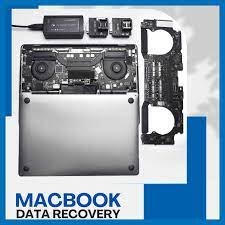
MacBook Data Recovery in India – Fast, Secure & Professional Service.When your MacBook suddenly stops recognizing your files, shows a flashing folder icon, or refuses to start, the panic is real. In today’s fast-paced digital world, your MacBook holds not just work documents, but also personal memories, photos, creative projects, and critical data you simply cannot afford to lose. At LifeGuard Data Recovery, we specialize in MacBook Data Recovery in India, offering cutting-edge solutions to restore your valuable files from any data loss situation – whether it’s due to accidental deletion, liquid damage, hard drive failure, or corrupted macOS. With expert engineers, state-of-the-art tools, and strict confidentiality protocols, we help you get your data back quickly, safely, and affordably. Why MacBook Data Loss Happens Even the most reliable Apple devices can fail. Some of the most common causes of data loss in MacBooks across India include: Accidental Deletion or Formatting – Deleted important files or formatted your MacBook by mistake? macOS Corruption – Failed updates, system crashes, or kernel panic errors. Physical Damage – Drops, shocks, or pressure on the MacBook’s storage components. Liquid Spills – Coffee, water, or other liquids causing logic board and SSD damage. SSD or Hard Drive Failure – Wear and tear, manufacturing defects, or electrical surges. File System Errors – APFS, HFS+, or partition issues making files inaccessible. No matter the cause, our MacBook data recovery experts in India are trained to diagnose and recover your data in the shortest time possible. Our MacBook Data Recovery Services in India We handle all MacBook models and storage types, including: MacBook Air & MacBook Pro (2010–2024 models) Apple SSDs, Fusion Drives, and External Drives APFS & HFS+ File Systems Encrypted Storage Devices Our services include: 1. Logical Data Recovery If your MacBook turns on but files are missing, deleted, or inaccessible due to software errors, we use advanced recovery software and manual techniques to retrieve the data without opening your device. 2. Physical Data Recovery For cases involving damaged SSDs, faulty logic boards, or liquid spills, our certified cleanroom facilities in India allow us to carefully open and repair the hardware before extracting your data. 3. macOS Recovery & Reinstallation If your MacBook fails to boot, we can recover your files before reinstalling macOS, ensuring you don’t lose important data during the process. 4. Chip-Level Data Recovery Even if your SSD is soldered to the logic board (as in newer MacBooks), we have chip-off recovery techniques to access and restore your files. The MacBook Data Recovery Advantage – Serving All of India Apple-Certified Technicians – Trained in MacBook hardware and macOS-specific recovery methods. Cleanroom Environment – For safe handling of sensitive storage devices. Pay Only for Results – If we can’t recover your data, you don’t pay a rupee. 100% Data Confidentiality – NDA and privacy protocols for complete peace of mind. Nationwide Pickup & Delivery – We serve all major cities in India including Delhi, Mumbai, Bangalore, Chennai, Hyderabad, Pune, and Kolkata. The MacBook Data Recovery Process We follow a simple, transparent process to ensure quick results: Free Diagnosis – Bring your MacBook or request pickup. Evaluation & Quote – We assess the issue and share the recovery cost upfront. Recovery Process – Using advanced tools, we restore your data safely. Secure Data Transfer – Files are handed over on a new drive or via encrypted cloud transfer. Tips to Avoid Permanent Data Loss on Your MacBook If your MacBook is showing signs of failure, follow these steps immediately: Stop Using the Device – Continued use can overwrite lost data. Do Not Reinstall macOS – This can make recovery harder. Avoid DIY Repairs – Opening your MacBook without expertise can cause irreversible damage. Seek Professional Help – Contact a certified MacBook data recovery service in India. Serving All Across India Our MacBook Data Recovery Services are available in: North India Region – Including Delhi, Noida, Gurugram, Chandigarh, and Jaipur West India – Mumbai, Pune, Ahmedabad, Surat South India – Bangalore, Chennai, Hyderabad, Kochi East India – Kolkata, Bhubaneswar, Guwahati Whether you walk into our service center or book a courier pickup, your data recovery journey will be seamless. Questions About MacBook Data Recovery in India Q1: Is Data Recovery Possible After Liquid Damage on a MacBook? Yes, even if your MacBook has suffered severe water or coffee damage, our cleanroom techniques can often recover data from the SSD or logic board. Q2: Is data recovery possible from a MacBook with a dead motherboard? Yes. With chip-off and board-level recovery, we can extract files even from non-functional motherboards. Q3: How much does MacBook data recovery cost in India? Costs vary based on damage type and storage capacity. Logical recoveries are usually cheaper, while physical recoveries may be higher due to complexity. Q4: Will my data remain private? Absolutely. We sign NDAs upon request and follow strict privacy protocols. Get Your MacBook Data Back – Fast If your MacBook has failed and you’re worried about losing your data, don’t wait. The sooner you contact us, the higher the chances of a successful recovery. Call us now  to book a free diagnostic. Nationwide pickup & delivery available. Your data deserves the best MacBook Data Recovery service in India — and that’s exactly what we provide.      
blog

Hard Disk Data Recovery in India

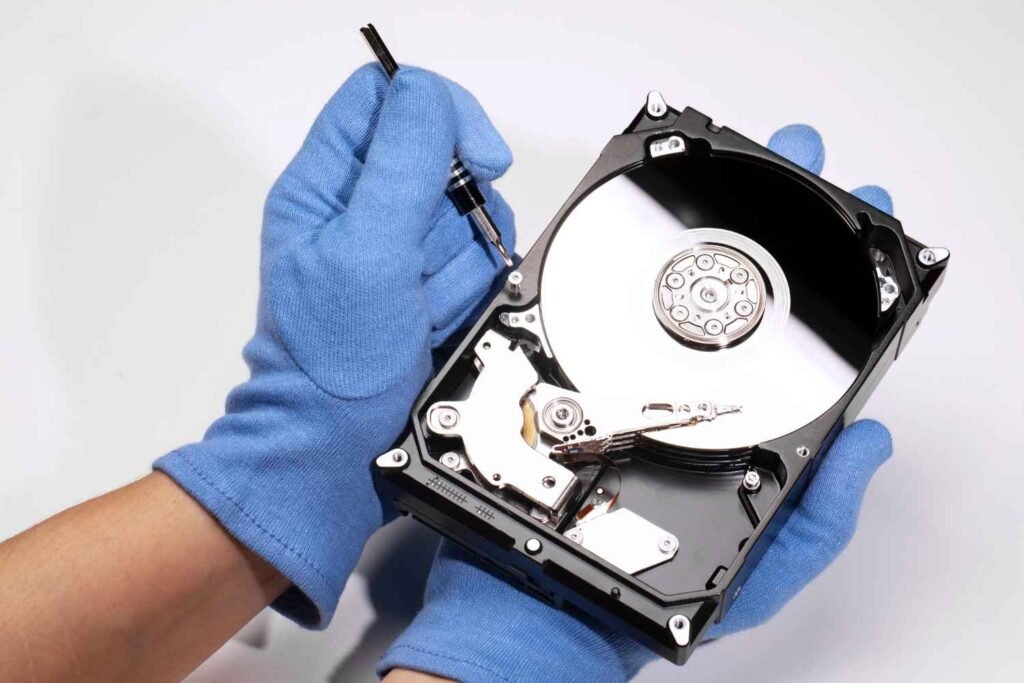
When your hard drive fails, every second counts. At LifeGuard Data Recovery, we specialize in hard disk data recovery across India, offering secure, reliable, and high-success-rate solutions for both physical and logical drive failures. Whether you’ve accidentally deleted important files, your hard disk is making a beeping sound, or your drive is completely inaccessible, our certified experts can help you recover hard disk data quickly and safely. Professional Hard Disk Data Recovery Services Across India We’ve been restoring lost data for over 30 years, helping businesses, professionals, and home users retrieve critical files. Our services cover internal and external hard drives, laptops, desktops, and even encrypted or password-protected disks. Whether you need hard disk recovery from a minor partition error or a complete physical rebuild, our ISO-certified cleanroom and state-of-the-art tools ensure maximum success rates. When Do You Need Hard Disk Data Recovery? Hard drive failures can happen suddenly and for many reasons. Here are the most common situations we handle: Physical Damage Cases Head crash or platter scratches Motor failure and bearing seizure Water or fire damage Logical Errors Hard disk not detected data recovery File system corruption and bad sectors Virus and malware damage Human Errors Accidental file deletion or formatting Partition table corruption (hard drive partition lost recovery) Firmware Issues Corrupted firmware modules causing inaccessibility Boot sector failure Other Causes Hard drive beeping data recovery due to mechanical faults Natural disasters and power surges How LifeGuard Data Recovery from Damaged or Crashed Hard Drives Our hard drive data recovery process is designed to ensure safety, transparency, and efficiency: Free Diagnostics – We assess the drive’s condition within 24 hours. Damage Assessment in Cleanroom – Physical repairs are performed in an ISO-certified environment. Secure Data Extraction – We use advanced imaging and cloning tools to prevent further damage. Data Verification- Recovered files are checked for completeness. Safe Delivery- Data is securely transferred to your preferred storage device. Complete Hard Drive Recovery Solutions in India We handle all types of hard disk recovery cases: Internal Hard Drive Recovery External Hard Disk Recovery Laptop Hard Disk Recovery Mac & Apple Hard Drive Recovery (hard disk recovery software Mac) Encrypted Drive Recovery RAID & NAS Hard Disk Recovery Why Avoid Free Software or DIY Recovery on Damaged Drives While tools like the best hard disk data recovery software or free hard disk recovery tools can work for minor logical issues, they’re risky for physically damaged drives. Using software without proper diagnosis can: Overwrite your lost data permanently Cause irreversible platter damage Lead to partial recovery or complete failure For safe results, always consult a hard disk data recovery service near me with proven expertise. Why Choose LifeGuard Data Recovery We’re not just another recovery center – we’re India’s most trusted data recovery partner. Here’s why: No Data – No Fee Guarantee Free Consultation & Diagnostics 100% Confidentiality Over 95% success rate Nationwide service coverage, including hard drive recovery services Hyderabad, Delhi, Mumbai, Bangalore, Chennai, and Pune Affordable Hard Disk Recovery Costs in India We provide transparent pricing based on drive condition, capacity, and urgency. We also offer emergency recovery services with a 24-48-hour turnaround. Real Stories from Our Happy Clients My laptop’s hard disk stopped working, and I thought I’d lost years of work. LifeGuard not only recovered everything but also delivered it faster than expected. Truly the best in the industry!” – Rohit S., Delhi“They managed to recover data from a crashed hard disk that another company declared ‘unrecoverable.’ Highly recommend! – Aditi P., Bangalore Frequently Asked Questions on Hard Disk Data Recovery Q: Can you recover data from a physically damaged hard disk?Yes. Our cleanroom facility allows safe recovery even from severely damaged drives. Q: How long does hard disk data recovery take?Anywhere from 24 hours to a few days, depending on damage severity. Q: Can you recover data from a formatted drive?Yes. In most cases, we can retrieve data from a formatted hard disk unless it’s overwritten. Q: Is my data safe with you?Absolutely. We sign NDAs and ensure total confidentiality. Other Services You May Need SSD Data Recovery Mobile Data Recovery RAID & NAS Data Recovery CCTV/DVR Recovery Cloud Data Retrieval

MacBook Data Recovery
blog

MacBook Data Recovery

MacBook Data Recovery in UAE – Fast, Secure & Professional Service When your MacBook suddenly stops working or you lose important files, every second matters. At Mac repair, we specialize in MacBook data recovery for customers across the United Arab Emirates, offering fast, secure, and highly reliable solutions. Whether it’s recovering data from a dead MacBook, fixing a damaged hard drive, or retrieving accidentally deleted files, our Apple-trained technicians are here to help. Why Choose Mac repair for MacBook Data Recovery in the UAE? Choosing the right recovery service can mean the difference between getting your files back and losing them forever.  we offer: Apple-certified technicians with years of MacBook repair and recovery experience. Advanced tools and cleanroom facilities for physical drive repairs. Complete confidentiality – your data stays private. Quick turnaround times so you get your files back faster. Nationwide coverage – serving Dubai, Abu Dhabi, Al Ain, Sharjah, Ajman, Ras Al Khaimah, and more. Common MacBook Data Loss Scenarios We Handle Recovering Data from Dead MacBook If your MacBook won’t turn on due to motherboard failure, power issues, or liquid damage, we can still retrieve your data. Our advanced recovery techniques allow us to bypass damaged components and access your files. Hard Drive Recovery MacBook Pro & Air Whether it’s an HDD or SSD, our specialists can recover files from physically damaged or corrupted drives. Common issues include clicking sounds, drive not detected, or slow performance. Recover Files from MacBook Pro After Accidental Deletion Deleted important files and emptied the Trash? We can recover them, even if your Mac says they’re gone. When to Choose Professional Recovery If your MacBook is dead, water-damaged, or the SSD/HDD is corrupted, using software can make things worse. In such cases, professional recovery is your safest option. MacBook Data Recovery for Businesses & Professionals From corporate documents to large creative projects, we offer specialized recovery services for businesses. All projects are handled under strict Non-Disclosure Agreements (NDAs) to ensure your privacy. Service Coverage -We Recover MacBook Data Across the UAE Whether you’re in Dubai, Abu Dhabi, Al Ain, Sharjah, Ajman, Fujairah, or Ras Al Khaimah, we’ve got you covered. We even offer free pickup and delivery to make the process hassle-free. How Much Does MacBook Data Recovery Cost in the UAE? The cost depends on: The type of damage (physical or logical) The storage size of your drive The complexity of the recovery Why Timely Recovery Matters The longer you wait, the higher the risk of permanent data loss: Overwriting – New files may overwrite deleted ones. SSD TRIM effects – Data on SSDs can vanish quickly. Hardware degradation– Damage can worsen over time.                                                          FAQs on MacBook Data Recovery Can you recover data from a MacBook that won’t turn on?Yes, we specialize in dead MacBook recovery. How long does recovery take?Most cases are completed within 1–3 days. Is my data safe?Yes, we maintain strict confidentiality. Can you recover water-damaged MacBooks?Absolutely – in most cases, even severe water damage is recoverable. Contact Mac repair-Your MacBook Data Recovery Experts in UAE Don’t risk losing your important files. Contact us today:Email: https://lifeguarddatarecovery.in/mac-data-recovery/

macbook pro battery replacement in abu dhabi
blog

MacBook Pro Battery Replacement in Abu Dhabi

If you’re facing battery issues with your MacBook Pro – whether it’s not holding charge, shuts down randomly, or the battery has started swelling – it’s a clear sign that a replacement is due. At Mac Repair, we provide MacBook Pro battery replacement that’s fast, secure, and affordable. From same-day MacBook Pro battery replacement to on-site service and pickup/drop for just 50 AED, we make it incredibly easy for customers across the UAE to restore their MacBook’s performance without delay. Why Choose Mac Repair for MacBook Pro Battery Replacement? Apple-trained technicians with years of experience We use only genuine, high-quality MacBook Pro batteries Apple MacBook Pro battery replacement at transparent prices Pickup for 50 AED, delivery for 50 AED, and 150 AED diagnosis (only if previously opened) Trusted by 1,000+ Mac users across the UAE We stand out as a leading MacBook Pro battery replacement center in Abu Dhabi, offering unmatched customer service and attention to detail. MacBook Pro Battery Replacement Services We Offer We cater to nearly all MacBook Pro models: MacBook Pro Retina 13″/15″ MacBook Pro M1, M2 models Touch Bar and Non-Touch Bar versions A1278, A1502, A1398, A2338, A1706 and more Whether you’re searching for GVC Computers MacBook Pro battery replacement, FixSpot MacBook Pro battery replacement Abu Dhabi, or even Quik Fix UAE MacBook Pro battery replacement, rest assured that Mac Repair offers the same level of professionalism with better support and pricing. Signs You Need a MacBook Pro Battery Replacement Recognizing early symptoms can prevent further damage: MacBook Pro won’t charge or turns off at random MacBook Pro battery draining fast during normal usage “Service Battery” or “Replace Now” messages MacBook Pro battery swelling , trackpad bulging or heating These are all clear indicators you need to book a replacement with Mac Repair, the best alternative to Apple authorized MacBook Pro battery replacement Abu Dhabi services. Our MacBook Pro Battery Replacement Process We follow a smooth, transparent process: Device Pickup (only 50 AED within) Diagnosis (150 AED, waived if not previously opened) OEM Battery Replacement Functional & Safety Testing Delivery Back to You (50 AED) This process ensures that every Apple MacBook Pro battery replacement meets high safety and performance standards. Same-Day & On-Site Battery Replacement For urgent needs, we provide: Same-day MacBook Pro battery replacement Abu Dhabi (for early bookings) On-site MacBook Pro battery replacement Abu Dhabi (limited to select areas & models) Weekend and emergency appointments We make it easier than ever to get back to work or school with minimal disruption. FAQs About MacBook Pro Battery Replacement How long does it take to replace a MacBook Pro battery?Most replacements are completed within 2–4 hours for same-day requests. Is the new battery OEM?Yes, we use only Apple-equivalent batteries to ensure safety and longevity. Can I get my battery replaced at home or office?Yes, through our on-site MacBook Pro battery replacement option. What if my Mac was opened elsewhere?We charge a 150 AED diagnostic fee in that case, to ensure proper evaluation. Book Your Battery Replacement Now Fill out our quick form or call/WhatsApp us to schedule your pickup today. We’re faster and more convenient than the MacBook Pro battery replacement at Sharaf DG, and we match the quality of Apple authorized MacBook Pro battery replacement Abu Dhabi services – but at better pricing.

MacBook repair in Abu Dhabi
blog

MacBook repair in Abu Dhabi

Expert MacBook Repair in Abu Dhabi -Fast, Affordable & Trusted Service.Is your MacBook not turning on, showing a broken screen, or suffering from battery issues? At Mac repair, we offer professional MacBook repair services   tailored to your needs. From minor fixes to major hardware replacements, our Apple-trained technicians ensure your MacBook is restored quickly, affordably, and with care. Whether you use a MacBook Air, MacBook Pro, or M-series Mac, we’re your go-to MacBook repair center in the UAE Certified Apple MacBook Repair Services At Mac repair, we provide Apple MacBook repair   using the latest tools and Apple-certified techniques. Our expert team diagnoses issues accurately and uses original Apple parts to maintain performance, compatibility, and warranty safety. Whether you’re a student, creative professional, or business owner, we provide reliable MacBook service that keeps your device running like new. Our Complete MacBook Repair Services.                                                                                                  We offer comprehensive MacBook repair solutions to address both hardware and software issues. Our in-house experts are trained to handle even the most complex MacBook failures. Specialized MacBook Repair Solutions MacBook Screen Repair – Cracked or Flickering DisplaysIf your screen is cracked, black, or displaying vertical lines, our MacBook screen repair service in Abu Dhabi will restore clarity and full display functionality. We offer original screen replacements for MacBook Air and MacBook Pro, including Retina and M1 models. MacBook Battery Replacement – Fast, Same-Day ServiceIs your battery draining fast, swollen, or not charging? We offer MacBook battery replacement in Abu Dhabi with same-day turnaround using original Apple batteries. MacBook Keyboard Repair- Sticky or Unresponsive KeysSpilled coffee or worn-out keys? Our MacBook keyboard repair experts in Abu Dhabi will replace or clean sticky, broken, or non-functional keyboards for all models, including backlit versions. MacBook Logic Board Repair- Motherboard Fix & ReplacementFacing unexpected shutdowns or no power? We specialize in MacBook logic board repair in Abu Dhabi, fixing IC components, graphics chips, and more without needing a full replacement. MacBook Water Damage Repair – Liquid Spill RecoveryDropped your MacBook in water or had a coffee spill? Our MacBook water damage repair service in Abu Dhabi uses professional-grade cleaning and diagnostics to revive devices. MacBook Hinge Repair – Loose or Broken HingesA loose hinge can lead to screen damage or total failure. We offer MacBook hinge repair in Abu Dhabi to realign, tighten, or replace faulty hinges. SSD & RAM Upgrade Services – Boost Your Mac’s SpeedNeed more speed and storage? We provide SSD upgrades and RAM replacements for improved MacBook performance and multitasking, especially helpful for design professionals and video editors. Camera, Trackpad, IO Repairs – Restore Full MacBook FunctionalityWe fix MacBook webcams, trackpads, USB-C ports, and audio jacks to bring your device back to full working condition. Software & macOS Support – System Fixes and TroubleshootingWhether it’s an OS crash, system slowdown, or boot failure, our macOS support team handles clean installations, data migrations, and virus removals Certified MacBook TechniciansOur engineers are trained specifically on Apple hardware and macOS, ensuring your Mac is handled by qualified MacBook technicians in Abu Dhabi. Genuine Apple Parts with WarrantyWe only use original MacBook parts that ensure durability and system compatibility, backed by warranty for peace of mind. Transparent Pricing with No Hidden FeesWe believe in clear communication – you get upfront pricing for MacBook repairs in Abu Dhabi with no surprise charges. Quick Turnaround and Same-Day RepairsMost repairs are completed within the same day. Our team is committed to minimizing your downtime. Affordable MacBook Repair ServicesQuality repairs shouldn’t cost a fortune. Our services are priced competitively, making us the go-to choice for affordable MacBook repairs        Get Original MacBook Parts Replacement Apple-Certified Components for Maximum CompatibilityWe provide only Apple-certified parts for replacements, whether it’s a screen, battery, or internal chip. Warranty on All MacBook Replacement PartsEvery replacement comes with a service warranty, ensuring long-term satisfaction. Long-Lasting Repairs That You Can TrustOur repair quality means fewer returns and maximum uptime for your MacBook. FAQs- MacBook Repair  How much does MacBook screen replacement cost?Prices vary by model, but we offer affordable screen replacement for MacBook Air and Pro, including Retina displays. Contact us for a free quote. Is it worth repairing an old MacBook?Yes! Many older Macs benefit from RAM, SSD, or battery upgrades, which are more cost-effective than buying a new machine. Can you repair water-damaged MacBooks in Abu Dhabi?Absolutely. Our advanced cleaning and diagnostic tools allow us to recover water-damaged MacBooks with a high success rate. Do you provide warranty on repairs and replaced parts?Yes, we provide warranty on all major parts and repairs to guarantee reliability and peace of mind. Where can I find Apple MacBook Pro repair near me in Abu Dhabi?You’ve found it. Mac repair is your trusted MacBook repair center serving all areas of Abu Dhabi. Visit at: https://lifeguarddatarecovery.com/sd-card-data-recovery/

Deleted video data recovery
Case Studies

macbook air battery replacement in ajman

MacBook Air Battery Relief in Ajman – Fast, Reliable & Affordable. If your MacBook Air isn’t holding a charge, turns off suddenly, or shows a MacBook Air battery health low warning – we can help.At our MacBook Air battery service center, we provide Apple-certified repairs using original MacBook Air batteries for all models. Whether you need a MacBook Air battery change or a complete MacBook Air form and battery change Ajman, we’ve got you covered. Why Choose Us for MacBook Air Battery Change? Original Apple MacBook Air batteries – No cheap carbons. Apple-certified technicians – Experts in all MacBook Air models. Same-day MacBook Air battery relief Ajman – Get your device back within hours. Affordable MacBook Air battery relief Ajman – Quality service at competitive rates. Bond on all repairs – Peace of mind with every relief. Signs You Need a MacBook Air Battery Relief If you notice any of these issues, it’s time to visit a MacBook Air battery shop near me: MacBook Air not charging battery issue – Device plugged in but not charging. MacBook Air battery draining fast fix  – Loses power quickly even after charging. MacBook Air battery blown relief  – Battery bulging and pushing against the trackpad or case. MacBook Air turns off suddenly – Shuts down suddenly even with charge remaining. MacBook Air battery health is low  – Battery capacity has significantly reduced. Ignoring these warning signs could lead to sense board damage or overheating. Our MacBook Air Battery Relief Process We make the MacBook battery relief in Ajman, UAE process easy and transparent: Free opinion – We check your battery health and charging system. Cost Estimate – We give the MacBook Air battery relief price in Ajman upfront. Genuine Battery Installation – Performed by Apple-certified professionals. Testing – Ensure proper charging and battery performance. Same-Day Delivery – For most models, repairs are completed in just a few hours. MacBook Air Battery Relief Cost Wondering, “How much is MacBook Air battery relief ?” Affordable MacBook Air battery relief – Without compromising quality. Cheap MacBook Air battery fix options – Budget-friendly solutions available. Transparent pricing – No hidden charges. 📞 Contact us today for an exact MacBook Air battery cost in Ajman quote. Where Can I Replace My MacBook Air Battery? Looking for the best place for MacBook Air battery relief Ajman? Centrally located service center in Ajman. Free pickup/delivery service available. Serving customers across the UAE – Your go-to choice for Apple MacBook Air battery relief Ajman. Can I Get an Original MacBook Air Battery? Yes – we only use original MacBook Air battery Ajman spares.Whether you want an authorized MacBook Air battery relief in Ajman or a cheap MacBook Air battery fix in Ajman, we ensure quality and reliability. Same-Day MacBook Air Battery Relief We understand your MacBook Air is essential for work, study, and personal use. Book your appointment before 1 PM to get same-day service for most models. Service Areas We offer MacBook battery relief Ajman UAE services in: Ajman Dubai Sharjah Umm Al Quwain Ras Al Khaimah Wherever you are, our MacBook Air battery from experts can help. FAQ – MacBook Air Battery Relief Q: How long does battery relief take?A: Generally, 2 – 4 hours for most models. Q: Do you offer a bond?A: Yes, all spares are covered under bond. Q: Do you fix charging issues, too?A: Yes, we handle MacBook Air not charging battery issues and charging port repairs. Q: Can you replace blown batteries?A: Yes, we provide MacBook Air battery blown relief safely. Q: Do you use original batteries?A: Absolutely – we use original MacBook Air battery spares only. Contact Us Today 📞 Call us now for your MacBook Air battery relief in Ajman.📍 Visit our MacBook Air battery shop near me or book a free pickup. Get your MacBook Air running like new – with fast, reliable, and affordable battery relief.

data recovery in hyderabad
blog

Data Recovery in Hyderabad

MacBook Data Recovery in Dubai – Fast, Certified & Affordable Service. If your MacBook has lost valuable data, don’t panic – you’re not alone, and there’s a solution. Whether you’re dealing with a corrupted SSD, accidental deletion, or your MacBook is not booting, Mac Repair offers the most trusted and certified MacBook data recovery. From MacBook Pro data recovery to MacBook Air recovery services, we cover it all – fast, secure, and without data loss anxiety. Expert Apple MacBook Data Recovery Service We specialize in Apple MacBook data recovery services, including support for APFS and HFS+ file systems. Whether you use Time Machine or have no backup at all, our recovery engineers retrieve your files from: Crashed or water-damaged Macs Corrupted macOS partitions Non-responsive SSDs and logic boards Startup issues like the MacBook showing a folder with a question mark If your MacBook drive is not detected, we use advanced cleanroom and diagnostic tools to recover lost MacBook data in Dubai, even in complex cases. Why Choose Us? Best MacBook Data Recovery Service Here’s why thousands trust us: ✅ Certified MacBook data recovery ✅ Transparent & competitive MacBook data recovery cost ✅ High success rate in professional Mac data retrieval ✅ 100% confidentiality and security ✅ Advanced tools for APFS, HFS+, and encrypted drives We’re also recognized as a top-rated MacBook file recovery service in Dubai for our success in even the most complex recovery scenarios. MacBook Data Recovery Near Me – Locations We Serve Looking for “MacBook data recovery near me Dubai”? We’ve got you covered with strategic service points across: MacBook data recovery in Bur MacBook repair and data recovery in Karama Apple Mac repair center data recovery in Al Barsha MacBook recovery service on Sheikh Zayed Road We also offer pickup and delivery across all areas, ensuring convenience with quality.Note: We charge 100 AED for pickup & drop. Same-Day & Emergency MacBook File Recovery Have an urgent need? We offer: Emergency MacBook data recovery Book Mac data recovery service online in Dubai MacBook recovery pickup and delivery service Same day MacBook data recovery Walk-in MacBook file recovery support available during business hours Our specialists handle every recovery case with priority and precision – because your data can’t wait. Recover Deleted or Lost MacBook Data – Any Issues We Fix We help users recover from: MacBook not booting, data recovery Recover deleted files on MacBook Restore MacBook from corrupted SSDs APFS and HFS+ file recovery from MacBooks Time Machine recovery issues on MacBook MacBook crash data recovery in the UAE Mac OS is not loading the file recovery Water-damaged MacBook data recovery Secure MacBook data extraction services Whether your files were deleted or the entire drive was erased, our engineers work with industry-leading recovery software and in-lab equipment. FAQs – MacBook File Recovery Q1: Can I recover data from a dead MacBook?Yes! We recover data from dead or unresponsive MacBooks, even with hardware or logic board issues. Q2: What is the cost of MacBook data recovery?Prices vary depending on the issue. We offer competitive rates and transparent quotes. Contact us for a free diagnosis. Q3: How long does MacBook file recovery take?Recovery time ranges from a few hours to 3 days, depending on the complexity. Emergency same-day service is also available. Q4: Is there a “no data, no fee” MacBook recovery?Yes. At LifeGuard, we offer a “No Data, No Charge” guarantee. If we can’t recover your data, you pay nothing.

data recovery after data loss
Life Guard

Data Recovery After Data Loss – Immediate Guide for Hyderabad and Beyond

Introduction Our Lifeguard Data Recovery India experts suggest this guide is designed to help you take immediate and effective action. Whether it’s personal documents, business files, or client records, you need to act fast and follow the right steps that can be significant. Losing critical data can be overwhelming. If you want to increase your chances of successful recovery. Whether you’re in Hyderabad, Mumbai, Bangalore, Gujarat, Uttar Pradesh, or Andhra Pradesh, we provide the best data recovery services. This article outlines what to do right now if you want data recovery after data loss. We’ll provide both practical DIY data recovery tips and show you when it’s essential to seek expert help from Lifeguard Data Recovery. With over a decade of experience, we’re trusted across India for secure, fast, and certified data recovery. Understanding Data Loss and Why Speed Matters What Happens During Data Loss Logical Failures: File system corruption, accidental deletion, or formatting issues that render data invisible but still present on the drive. Physical Failures: Mechanical component damage, spindle motor issues, or head crashes in which the drive hardware itself malfunctions. Firmware Failures: Immediate action is important for successful data recovery after data loss. If corrupted drive firmware prevents the operating system from recognizing or interacting with the device.  Time Sensitivity: Lifeguard Data Recovery Hyderabad experts say accidental deletions and overwrites can quickly rewrite critical sectors. Immediate intervention maximizes the chance of full restoration. Signs That You’ve Lost Data File Disappearance: Documents, photos, or videos vanish without warning. Error Messages: If your File is not found, or the drive is not accessible, or corrupted file notices appear upon opening, take immediate steps after data loss. Unusual Noises: Clicking, grinding, or beeping from the storage device indicates mechanical distress. “I just saw one photo disappear. What to do after data is lost?” Stop using the device immediately, power it down if necessary, and contact a Hyderabad data recovery expert to prevent further overwrite. Immediate Steps After Data Loss – Essential Data Recovery Steps Step 1 – Stop All Device Activity immediately Cease all read and write operations and stop all device activity immediately to prevent permanent data loss when you first indicate data loss. Continue to use the device, even to check for missing files, risks overwriting critical sectors, and rendering recovery impossible. Step 2 – Power Off or Isolate the Affected Device For logical failures, unmount or safely eject the drive; for suspected hardware damage, power it down and disconnect from any power source. This emergency data recovery measure preserves the current state for specialist intervention. Step 3 – Assess the Situation and Document Everything Compile a clear incident log: note error messages, affected file types and sizes, timestamps of failure, and any environmental factors (e.g., Delhi’s monsoon humidity or Hyderabad’s load‑shedding). Thorough documentation streamlines diagnostics and resolution. Step 4 – Check Available Backups First Before advanced procedures, verify the integrity of any local, cloud‑based, or disk‑image backups. Following established data recovery tips, restore from these copies whenever possible to expedite service. Step 5 – Attempt DIY Recovery – How to Recover Lost Data If no viable backup exists, employ read‑only recovery tools such as Recuva or Disk Drill. Execute a systematic scan, preview recoverable items, and recover deleted files, ensuring precise file recovery after accidental deletion. When Professional Help Is Needed When critical failures exceed DIY measures, enlist certified specialists for data recovery after data loss to safeguard invaluable information. Signs You Need Expert Assistance Persistent Clicking or Grinding Noises These audible indicators often signal imminent head or spindle motor failure. Continuing to power the drive can worsen damage. Engage urgent data recovery Hyderabad services immediately to prevent total data loss. Visible Physical DamageOur experts provide services if you face problems like dents, cracks, or burnt components on the drive casing point to severe mechanical or electrical faults. We have ISO certified cleanroom facilities, and Lifeguard Data Recovery Hyderabad data recovery experts can safely disassemble and repair damaged hardware. Device Not Detected in BIOS or Operating System When your system fails to recognize the drive, firmware corruption or controller failure is likely. Attempting DIY fixes may overwrite key sectors. Contact professional data recovery services in Hyderabad to ensure proper diagnostic protocols. Mission‑Critical Data at Risk If lost files include financial records, legal documents, or irreplaceable media, time is paramount. Rely on certified Hyderabad data recovery experts for rapid response and secure recovery workflows. Why Choose Lifeguard Data Recovery We have ISO‑certified cleanrooms, and Hyderabad labs ensure contamination‑free work. Free, no‑obligation diagnosis and “No data, No charge” policy. Lifeguard Data Recovery has a Multi‑city reach: Mumbai, Bangalore, Pune, and beyond. We are trusted by enterprises and individuals alike, with 24/7 support. Our Data Recovery Process – What to Expect Intake: Secure collection or courier of your device Diagnosis: Detailed evaluation in Hyderabad lab, factoring local conditions (e.g., power fluctuations) Quotation: Transparent pricing, tailored to complexity Recovery: Execution using proprietary tools and expert techniques Delivery: Restored data returned via secure transfer or physical media Turn to Lifeguard’s Hyderabad data recovery experts for reliable, professional service when every second counts. Local Services in All Cities Hyderabad – Core Service Hub As Hyderabad data recovery experts, we offer on‑site diagnostics, ISO‑cleanroom repairs, and same‑day recovery for local businesses and residents. Benefit from our “No data – No charge” guarantee and rapid turnaround. Mumbai – Local Partner Centre Our Mumbai facility provides secure device drop‑off, free preliminary evaluation, and streamlined handover to our specialist teams. Ideal for enterprises requiring minimal transit time. Bangalore – Pickup & Delivery In Bangalore, schedule device pickup via our secure logistics network. Enjoy transparent tracking and expedited recovery workflows managed by certified engineers. Andhra Pradesh – Key Regional Centers Serving Visakhapatnam and Vijayawada, our Andhra Pradesh centers deliver expert media imaging and firmware repair, ensuring consistent service quality statewide. Gujarat & Uttar Pradesh – State‑Level Reach From Ahmedabad to Lucknow, our network of certified labs and field technicians guarantees professional support across both states, your trusted

Formatted drive data recovery
Life Guard

Clean Room Data Recovery: Behind the Scenes at Lifeguard Data Recovery

Introduction Data recovery is the gold standard for salvaging information from physically damaged storage media. In specialized ISO‑certified environments, contaminated drives are opened, inspected, and repaired under strict particulate controls to prevent further harm. Lifeguard Data Recovery India leads the industry in clean room data recovery, offering Hyderabad’s fastest turnaround and highest success rates. Lifeguard Data Recovery has comprehensive cleanroom services in Andhra Pradesh, Bangalore, Mumbai, and Gujarat. Our state‑of‑the‑art lab technicians employ precision tools and protocols to resolve head crashes, motor failures, and firmware corruption. What Is Clean Room Data Recovery? Definition: The data recovery clean room is an ISO‑certified, controlled environment where technicians dismantle drives to access platters without risking contamination. Clean Room Recovery Process: Lifeguard experts open media in a dust-free lab, inspect for mechanical faults, and our professional technician uses specialised tools under stringent particulate controls. Electrostatic‑Safe Environment: Lifeguard Data Recovery experts provide Anti‑static flooring and workstations that eliminate discharge risks, protecting sensitive components. Comparison to Standard Recovery: Unlike software‑only methods, this process physically addresses head crashes, motor failures, and firmware corruption. Outcome: Maximises recovery success for severely damaged or physically compromised devices. Why a Clean Room Matters: Benefits & Assurance Class 100 Clean Room Recovery: Maintains fewer than 100 particles ≥0.5 μm per cubic foot, meeting stringent ISO 5 standards for hard drive cleanroom recovery. ISO 5  Data Recovery: Our experts provide cleanroom data recovery, ensuring a controlled, particle‑free environment vital for delicate platter handling and mechanical hard drive recovery lab operations. Secure HDD/SSD Firmware Repair: Firmware modules on both HDDs and SSDs are accessed and reprogrammed without exposure to contaminants. Our experts provide SSD cleanroom recovery. SSD Cleanroom Recovery: Specialised protocols restore NAND memory modules safely, maximising success on flash‑based media. Inside LifeGuard’s Clean Room Laboratory LifeGuard’s ISO‑compliant cleanroom laboratory is engineered to exceed the most exacting data recovery clean room requirements, ensuring every recovery adheres to ISO 5 clean Room data recovery Hyderabad standards. Our facility features HEPA‑filtered airlocks, anti‑static flooring, and active humidity control to maintain a particle count below Class 100. Technicians follow strict gowning protocols and use ESD‑safe tools to guarantee contamination‑free handling. Clean room data recovery workflow: Drive Intake: Secure logging, preliminary inspection, and quarantine. Disassembly: Transfer into dust‑free lab via airlock, remove top cover under laminar flow. Cleanroom Repair: Precision head swaps, spindle alignment, and firmware restoration in the controlled environment. Imaging: Sector‑by‑sector copying on write‑protected interfaces, preserving original data integrity. Real Use Cases – Clean Room in Action Enterprise Financial Server Failure A multinational client in Hyderabad experienced a head crash on a 10‑TB RAID array mid‑quarter. Our clean room data recovery services Hyderabad team performed precision platter swaps in an ISO 5 enclosure, reassembled the array, and imaged all volumes—restoring 100% of mission‑critical ledgers within 48 hours. Encrypted SSD Firmware Corruption An e‑commerce firm’s NVMe drive refused to mount after a sudden power surge. In our dust‑free lab, technicians executed chip‑level firmware extraction and re‑flash, bypassing hardware encryption keys to recover customer order histories without data loss. Post‑Flood Hard Disk Restoration After monsoon flooding in coastal Andhra Pradesh, a marketing agency’s HDDs were waterlogged. We ultrasonic‑cleaned the platters, replaced corroded components under strict humidity control, and completed a secure image, preventing mold damage and data compromise. Fire‑Damaged Media Retrieval Following a warehouse fire in Mumbai, soot‑and‑acid‑exposed SSDs required specialized remediation. Our team neutralized contaminants in a controlled environment and recovered design assets that were critical to ongoing projects. Best Practices in Clean Room Data Recovery Rigorous Staff Training Technicians undergo continuous education on data recovery clean room requirements, gowning procedures, and contamination control to maintain expertise in Clean room data recovery. Certified Protocols (ISO 5/Class 100) Lifeguard Data Recovery follow strictly to ISO 5/Class 100 standards, our experts monitoring HEPA filtration, airflow validation, and particle to ensure a consistently compliant environment. Regular Audits Lifeguard Data Recovery experts conduct quarterly internal and third‑party audits of cleanroom integrity, and make sure to reviewing air quality, gowning workflows, and procedural adherence against documented requirements. When to Choose Clean Room vs Software Tools DIY Software & Disk Imaging     Best for logical issues our certified technician recover deleted file like accidental deletion, minor file-system corruption.   Lifeguard Data Recovery experts use tools such as Recuva, Disk Drill, and built‑in imaging utilities can restore data in minutes provided you stop using the drive immediately to prevent permanent data loss.   Low cost and no lab wait times, but ineffective against mechanical faults and firmware corruption.   Professional Clean Room Data Recovery     Essential for physical or firmware damage: head crashes, spindle failures, NAND corruption, water/fire exposure.   Conducted in ISO 5/Class 100 labs under strict data recovery clean room requirements, ensuring drive integrity.   Ideal for “emergency data recovery” scenarios where time and data criticality demand guaranteed results. Contact Lifeguard Data Recovery now for expert assessment and tailored recovery solutions. Our Service Coverage – Beyond Hyderabad Clean Room Data Recovery in Hyderabad  Our Hyderabad cleanroom data recovery lab offers same‑day pickup and drop‑off, minimizing downtime for local enterprises. Benefit from on‑site ISO 5/Class 100 repairs, real‑time status updates, and our “No Data – No Charge” guarantee. Andhra Pradesh Clean Room Recovery Serving Visakhapatnam and Vijayawada, we partner with certified couriers for secure device transit. Enjoy free preliminary evaluation and priority processing at our regional facilities. Clean Room Data Recovery in Bangalore Our Bangalore hub provides drop‑off centers at key IT parks, with dedicated cleanroom benches and ESD‑safe protocols. Clients receive detailed diagnostic reports within 24 hours. Mumbai Clean Room Data Recovery In Mumbai, our security‑cleared lab offers full cleanroom data recovery services, including advanced HDD platter swaps and SSD firmware repair under HEPA‑filtered conditions. Why Lifeguard Is the Best Choice Lifeguard Data Recovery India operates an ISO Class 100 cleanroom lab, delivering industry‑leading clean room data recovery services with zero-contamination protocols. Our professional clean room data recovery service features: No‑Data, No‑Charge assurance provided by our experts  for complete cost transparency. Lifeguard Data Recovery provide comprehensive SSD & HDD recovery, firmware restoration, and RAID array reconstruction. Lifeguard Data Recovery has highly trained Hyderabad-based engineers

Life Guard

Hard Disk Data Recovery in Hyderabad – Signs Your Drive Is Failing

Your computer storage system relies on the hard disk as its central storage location for all documents photos videos and software applications. Hard disks have a limited operational lifespan because they function as mechanical and electronic devices. The failure of hard disks occurs because of natural deterioration combined with environmental conditions and accidental incidents. What Is Hard Drive Failure and Why It Happens? A computer showing abnormal behavior through frequent freezes together with strange sounds and file disappearance might indicate that its hard drive is failing. Knowing what leads to hard drive issues helps people protect their data while getting suitable hard disk data recovery services in Hyderabad. Hard drive failures exist in three distinct categories:  Logical Failure: When the physical drive remains undamaged the data becomes unreachable because of file corruption or malware attacks or improper formatting. The problem typically allows users to recover data through software solutions or data recovery applications. Mechanical Failure: The moving components inside mechanical hard drives (HDDs) including platters and read/write heads malfunction because of physical damage alongside aging and dust exposure. The failure type produces loud clicking and grinding sounds. Firmware Failure: The hard drive firmware serves as the communication protocol between your drive and computer system. The system cannot detect the drive and the drive stops working when the firmware becomes corrupted.   India faces particular environmental conditions that create unique obstacles. The combination of elevated temperatures together with unstable power supply frequently causes hard disk systems to fail. The combination of heat and sudden power interruptions causes accelerated hardware deterioration and improper read/write operations that result in disk corruption and physical damage. 10 Most Common Symptoms of Hard Disk Failure Recognizing early signs can save your data. Here are ten major symptoms of hard disk failure: Unusual Clicking or Grinding Sounds These noises, especially from HDDs, often signal mechanical damage. It may come from a stuck actuator arm or failing platter. System Freezes or Blue Screen of Death Frequent crashes, especially during file transfers or booting, suggest deeper drive issues. Slow File Access or Boot Times If your computer takes an unusually long to start or open files, it could be due to sector damage or read errors. Missing or Corrupted Files When files are disappear or get a corrupted without explanation, your drive might be struggling to write or read data correctly. Drive Not Recognized by OS A drive that is randomly disconnects or it doesn’t appear in File Explorer could indicate port, cable, or internal hardware failure. S.M.A.R.T. Errors Windows or the third-party tools may show you warnings through the Self-Monitoring, Analysis, and Reporting Technology (S.M.A.R.T.) system, indicating a failing drive. Frequent Crashes or Errors Random shutdown freezing during installations, or system restore failures might stem from a hard disk nearing its end. Drive Disappears from BIOS When your drive is not detected even in BIOS, it may be a sign of physical or firmware failure. Cannot Format or Partition Drive If disk management tools fail to format or partition the drive, internal sectors might be damaged or unreadable. Overheating of Drive Drives that heat up quickly or emit unusual warmth can be close to failing. This is especially relevant in India’s hot conditions. If you notice all of these symptoms of hard disk failure, consider reaching out for hard drive recovery service in Hyderabad before it’s too late. How to Check If Your Hard Drive Is Failing (DIY Methods) Wondering how to check if hard drive is failing in Windows 10 or 11? There are a few steps you can follow on your own. On Windows 10/11 CHKDSK Utility: Open Command Prompt as admin and type chkdsk C: /f /r. It scans and attempts to fix disk errors.Event Viewer: Go to Event Viewer > Windows Logs > System. Filter by “Disk” or “Ntfs” to see drive-related warnings.Disk Management: If your drive doesn’t show up or is marked as unallocated, it might be failing.S.M.A.R.T. Tools: Use tools like CrystalDiskInfo to monitor drive health using S.M.A.R.T. parameters. Using BIOS The process of checking hard disk operation through BIOS becomes essential when Windows fails at system startup. After your computer restarts you need to enter BIOS/UEFI setup by pressing DEL or F2 or ESC in order to see whether the drive shows up within storage device lists. The disk might have become disconnected or it could be completely dead if it fails to appear. Without a Computer You can evaluate a hard drive without a computer through a USB-to-SATA adapter which enables connection to different devices. The procedure helps determine whether the drive or system represents the source of the problem. Reddit communities along with other platforms discuss this approach for checking hard drive failure through diverse testing conditions. DIY Solutions: How to Fix Hard Disk Failure Issues (If Possible) Some basic troubleshooting can temporarily fix or slow down a failing drive: Check Cables and Ports: Sometimes  issue is a simple as a loose SATA or power cable. Run CHKDSK or Repair Utilities: Tools like A HDD Regenerator or built-in disk repair options may resolve minor issues. Clone the Drive: If your drive is still accessible, use tools like Macrium Reflect to clone it. This way, you can move your data before total failure. If you’re wondering how to fix hard disk failure yourself, always back up your data first. Avoid formatting unless you’ve recovered everything, as it may permanently erase data. These are good first steps, but keep in mind that advanced cases may require a hard drive recovery service in Hyderabad to safely retrieve your files. When You Should Not Attempt DIY – Warning Signs of Imminent Failure There are moments when it’s risky to try fixing things yourself. Look out for these red flags: Loud Clicking or Grinding Sounds Unrecognized Drive in BIOS Multiple File Corruption Events Failed Attempts to Clone or Image Visible Physical Damage to Drive Need Help? Get Professional Hard Disk Data Recovery in Hyderabad If you’re dealing with severe drive issues, don’t delay.

Scroll to Top