blog

Top Data Recovery Experts in India Best Data Recovery Company in India
blog

Damaged Memory Card Repair and Recovery

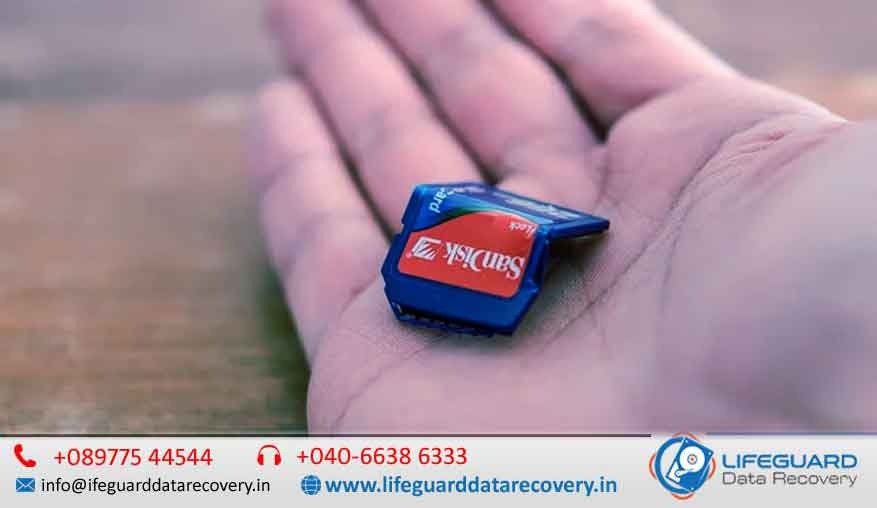
From DSLR cameras and mobile phones to drones, dashcams, and gaming consoles, memory cards safeguard our most precious digital assets photos, videos, music, and documents. Damaged memory card recovery in India is a growing need, as these tiny storage devices sometimes get corrupted, broken, or suddenly stop being detected by devices. The result can feel devastating, especially if the files hold once-in-a-lifetime memories. The good news is that professional memory card repair services in India provide reliable, fast, and secure solutions to retrieve your lost data.  Reasons for Memory Card Failure Understanding the cause of failure is the first step in protecting your files. Memory card recovery specialists in India frequently deal with these issues: Physical Damage  Cards may snap, bend, or develop broken connectors due to mishandling. Data Corruption: Unsafe ejection, malware, or interruptions during transfers can corrupt stored content. Moisture & Heat Exposure  Spills, humidity, or high temperatures can destroy delicate circuits. Natural Wear: Continuous use gradually degrades NAND flash memory, leading to errors. No matter the reason, experienced memory card repair experts in India employ advanced methods to restore inaccessible files. Professional Memory Card Repair & Data Recovery in India DIY tools may sound tempting but can worsen the situation. Professional recovery centers in India are equipped with specialized software, hardware, and cleanroom facilities to handle even the most severe failures. Their services cover: SD and microSD recovery CompactFlash and XD card repair High-speed cards such as CFast, UHS, and others Most providers also offer no recovery, no charge policies, upfront pricing, and free diagnostics—ensuring customers feel confident in the process. Why for Professional Services Instead of DIY While free recovery programs exist, they often risk permanent data loss. Choosing professional memory card recovery in India ensures: Safe Handling  Dust-free cleanroom environments prevent further harm. Cutting-Edge Equipment Chip-off and firmware-level recoveries for tough cases. High Success Rates. Even unreadable or corrupted cards can often be restored. Data Privacy: All personal or business data remains secure and confidential. The Step-by-Step Recovery Process Expert recovery labs in India follow a structured process to maximize success: Diagnosis & Evaluation – Identifying whether the damage is logical, physical, or firmware-related. Repair & Stabilization – Fixing broken components or stabilizing corrupted firmware. File Extraction – Safely cloning and recovering lost or deleted files. Verification & Delivery – Testing recovered data before returning it securely. Most recoveries are completed within 24-72 hours, depending on severity. Cost of Damaged Memory Card Recovery in India The cost varies depending on damage type and card capacity. Typical pricing includes: Logical corruption – ₹2,500 to ₹5,000 Physically damaged cards – ₹5,000 to ₹15,000 Severe water/fire damage – ₹15,000+ Many labs in India operate under a “No Data, No Fee” policy. Preventing Memory Card Problems in the Future Once your files are safe, follow these steps to reduce future risks: Always eject memory cards properly before removing them. Replace older cards periodically to avoid wear-based failures. Keep cards away from heat, dust, and moisture. Backup data regularly to the cloud or external drives. Following these practices helps protect your valuable memories long-term. Why Memory Card Repair in India Matters In today’s digital lifestyle, memory cards hold irreplaceable family photos, videos, business files, and creative work. Losing this data can be heart breaking or costly. That’s why choosing a trusted memory card recovery service in India is so important. Whether your card is corrupted, physically damaged, or entirely undetectable, skilled experts can restore files with high success rates. FAQs – Damaged Memory Card Repair in India Q1. Can completely broken memory cards still be recovered?Yes. Using chip-off methods, experts can extract data directly from the memory chips even if the card is physically broken. Q2. How long does recovery usually take?Most jobs take 1-3 business days. Severe physical or firmware issues may take longer. Q3. Is DIY recovery software safe?No. Free software often risks overwriting data. Professional help is safer and more reliable. Q4. What is the average cost in India?Basic recovery begins around ₹2,500. More complex cases with heavy damage cost more. Q5. Can water-damaged cards be restored?Yes. If not reused after exposure, many water-damaged cards can be successfully recovered. Q6. Do labs in India provide pickup and drop-off service?Yes, many professional providers offer free pickup and delivery in major cities.

digital storage recovery India digital data storage recovery services storage device data recovery India professional digital storage reco
blog, Life Guard

USB Stick File Retrieval in India

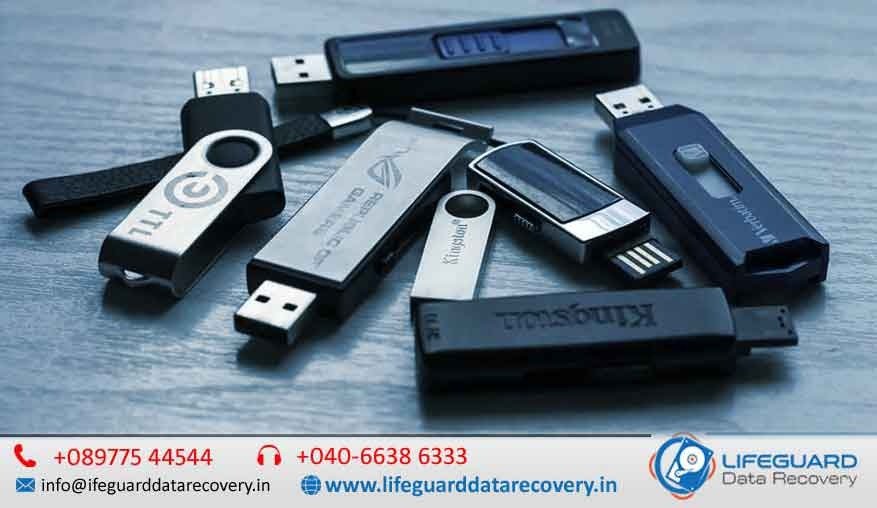
In our modern digital lives, USB sticks often called pen drives or flash drive more than just storage devices. They hold our work, our studies, our creativity, and even our memories. From a student’s thesis to a family’s precious photographs, these small devices carry big parts of our lives. But when a USB stick suddenly stops working, files disappear, or it gets accidentally formatted, it can feel like a piece of your world has been lost. The good news is—you don’t have to carry that worry alone. Professional USB stick file retrieval in India offers safe, secure, and compassionate solutions to bring your data back. Why USB Sticks Fail and Data Gets Lost It’s natural to feel anxious when your USB doesn’t respond, but remember—you are not alone in this. USB drives, despite their usefulness, are fragile. Some common reasons for data loss include: Accidental Deletion or Formatting  A simple click can erase files without warning. Physical Damage  A small bend, heat exposure, or water can harm the drive. File System Corruption  Removing the device without “safely ejecting” often leads to corruption. Virus or Malware Attacks  Infected drives may hide, delete, or damage your files. Wear and Tear  Like all things, USB sticks have a limited life cycle. Understanding what happened is the first step toward healing the situation. And with the right help, recovery is possible. Professional USB Stick File Retrieval Services in India When panic sets in, many people rush to try free recovery tools. While tempting, these quick fixes can sometimes worsen the damage by overwriting files. If your data is truly important whether it’s personal or professional trusting experts is the safest path. Professional data recovery specialists in India use advanced tools, cleanroom technology, and gentle handling methods designed to carefully restore what was lost. They don’t just recover files—they bring peace of mind. Here’s what you can expect: Recovery of deleted, hidden, or corrupted files. Gentle repair of physically damaged USB sticks. Compatibility with all brands and capacities, from 4GB to 1TB. Retrieval of personal memories, office files, photos, videos, and music. Fast results, handled with care and confidentiality. Why Choosing Experts Brings Comfort Data recovery is not only about restoring files—it’s about restoring hope and relief. Choosing a trusted recovery service in India ensures: High Success Rates  Even USB sticks can often be revived. Confidential Care  Your personal and professional files are treated with respect and privacy. Transparent Costs  No hidden surprises, just honest guidance. Quick Solutions  For urgent needs, express services provide peace of mind. Safe Techniques  Experts protect both your data and your device. Knowing your data is in safe hands allows you to breathe easier and focus on what matters most. Healing Through Prevention  Protecting Your Data Once your files are safely restored, it’s important to take gentle, mindful steps to prevent future loss: Keep regular backups on cloud storage or external drives. Safely eject your USB before unplugging it. Protect your devices with antivirus software. Store USB sticks carefully away from heat, water, and magnetic fields. Replace older USB sticks before they wear out. These small acts of care can help protect what matters most to you. Who Finds Relief in USB Stick Recovery? The truth is, everyone can benefit from professional recovery when the unexpected happens: Students & Researchers  Restoring projects, assignments, or thesis work. Photographers & Creatives  Recovering lost photos, videos, or designs. Corporate Professionals  Securing business files, presentations, and reports. Everyday Users  Bringing back family photos, home videos, and personal documents. For each of these, the recovery is not just about data it’s about restoring joy, trust, and peace of mind. FAQs Compassionate Guidance on USB Stick File Retrieval Q1: Can deleted files really be brought back?Yes, often they can especially if the files haven’t been overwritten. Professional recovery offers the best chance. Q2: How long does the recovery process take?For simple cases, just a few hours. For more complex, physically damaged drives, it may take 2–5 days. Patience brings results. Q3: Will I definitely get all my files back?No service can promise 100%, but professional labs in India achieve success rates as high as 80–95%. Q4: Is it expensive to recover a USB stick in India?Costs vary depending on the issue. Logical recoveries are usually affordable, while severe physical damage may cost more due to advanced tools and cleanroom work. Q5: Is my data safe and private during recovery?Yes. Reputable recovery services treat your files with absolute confidentiality, ensuring your trust is never broken. Conclusion  From Loss to Recovery When a USB stick fails, it’s easy to feel defeated but remember, lost data does not always mean lost forever. With USB stick file retrieval services in India, your files can be recovered safely, securely, and with the care they deserve. Think of recovery as a healing processwhere experts gently bring back what you feared was gone. Instead of worrying or trying risky methods, allow professionals to guide you. With the right support, you can turn stress into relief and move forward knowing your valuable once again in your hands.

Restore accidentally deleted emails
blog

Restore accidentally deleted emails

Restore Accidentally Deleted Emails in UAE- Fast & Secure Recovery. Have you accidentally deleted important emails and can’t find them in your inbox? Don’t panic. At Lifeguard, we specialize in restoring accidentally deleted emails for both individuals and businesses across the UAE. Whether you’re using Gmail, Outlook, Yahoo, or corporate email accounts, our experts help you recover permanently deleted emails safely, quickly, and without data loss. Emails are the backbone of professional communication. Losing them can disrupt work, cause financial issues, or erase valuable personal memories. That’s why our email recovery services in UAE are designed to give you complete peace of mind. Why Email Recovery Matters? Emails hold sensitive and irreplaceable information-business contracts, invoices, personal conversations, or client communication. Losing them due to accidental deletion, system crashes, or malware attacks can be devastating. Some common reasons for email loss include: Accidental deletion of messages. Emptying the trash folder unknowingly. System or server errors. Virus or malware attacks. Account compromise or hacking. With our professional expertise, we help you retrieve lost emails even after permanent deletion. Scenarios for Deleted Email Recovery Accidental Deletion of Emails– Pressed the delete button by mistake? We can restore your emails. Recover Emails After Emptying Trash – Even if your trash folder has been cleared, recovery is possible. Emails Lost Due to Server or System Crash-We restore inbox emails affected by software glitches. Email Recovery After Hacking or Virus Attack – Retrieve deleted messages caused by malicious activities. Our Email Recovery Services in UAE At Lifeguard, we provide tailored solutions for all major email platforms: Restore Gmail Deleted Emails – Recover erased emails from Gmail accounts, even after 30 days. Outlook Email Recovery – Restore PST/OST files, recover inbox emails, and fix corrupted Outlook data. Yahoo & Other Providers -Full support for Yahoo, Hotmail, and other mail platforms. Corporate & Business Email Accounts – Secure recovery for organizations with strict compliance needs. Recover Permanently Deleted Emails – Using advanced tools and techniques, we restore emails beyond standard trash recovery. How to Restore Permanently Deleted Emails? Recovering permanently deleted emails requires more than just checking the trash folder. Here’s how we handle it: Checking Server Backups – Many email providers retain backup copies. Advanced Recovery Software – Using tools like Stellar, Ease US, and Kernel to restore deleted messages. Manual File-Level Recovery – Extracting data from PST/OST/EML formats. Professional Recovery Services – If nothing works, our UAE-based experts step in with secure methods. Our Recovery Process – Simple & Transparent Free Consultation & Email Assessment – We first analyze your case. Quick Recovery Timeline – Depending on severity, recovery can take a few hours to a couple of days. Data Security Guaranteed– We prioritize confidentiality with end-to-end encryption. No Recovery – No Fee Policy– You only pay when we successfully restore your emails. Tools & Techniques We Use for Email Recovery We use globally trusted tools and in-house methods: Stellar Email Recovery -Best for Outlook PST/OST repair. Ease US Email Recovery– Effective for deleted Gmail/Yahoo mailboxes. Kernel for Outlook– Handles large-scale corporate recoveries. Custom Server-Side Recovery – Specialized techniques for business accounts. Why Choose Us for Deleted Email Recovery in UAE? Local UAE experts with high success rates. Support for Gmail, Outlook, Yahoo, Exchange & corporate servers. 24/7 emergency support for urgent cases. Affordable and transparent pricing. Strict data privacy policies. Frequently Asked Questions (FAQs) Q: Can permanently deleted emails be recovered?Yes, in most cases using advanced recovery tools and server-side methods. Q: How long does the recovery process take?It depends on the case—anywhere from a few hours to 48 hours. Q: Do you support both personal and business email accounts?Yes, we handle Gmail, Outlook, Yahoo, and enterprise-level accounts. Q: Are my emails and data safe during recovery?Absolutely. We follow strict data confidentiality protocols. Q: Can you recover emails deleted months ago?Yes, depending on whether backups or server data still exist. Contact Us for Email Recovery in UAE Lost an important email? Don’t stress. At [Your Brand], we make email recovery in UAE simple, fast, and safe.  Call us today |   Send us an inquiry | Restore your deleted emails now – before it’s too late!

blog

Restore files from failed NAS in india

When your NAS (Network Attached Storage) device stops working Restore files from failed NAS in India, panic often sets in. Important files, business documents, cherished photos — everything seems locked away in an inaccessible box. But the real question is: How easy is it to recover data from your NAS? The truth is, it depends on the cause of the failure, the configuration of your drives, and the tools or services you use. Whether you’re facing a power failure, a RAID array crash, or accidental deletion, there are ways to get your files back safely. Let’s walk through the different scenarios, solutions, and recovery methods. NAS Data Recovery Recover Data from NAS In an ideal case, you can access NAS files over the network without physically opening the device. This is possible when: The NAS operating system is running fine. The drives are healthy. Network configurations are intact. To recover data from NAS over the network: Check network connectivity – Make sure your NAS is powered on, properly connected, and has a valid IP address. Use NAS management software – Synology, QNAP, or True NAS have web interfaces for file restoration. Enable shared folders or FTP access – This can help you copy data directly. If the NAS OS fails but the drives are fine, you might need a direct disk recovery method. Recovering the Data from a NAS with No Power One of the most common NAS issues is a complete power failure. Your NAS won’t turn on, and you can’t connect to it over the network. Restore files from failed NAS in india Possible causes: Faulty power adapter. Dead motherboard. Burnt-out power supply unit. Steps to recover your data: Remove the drives from the NAS. Connect them to a computer using a SATA-to-USB adapter or directly via motherboard ports. Use software like Reclaim, R-Studio, or UFS Explorer to read the RAID configuration. Rebuild the RAID virtually and recover your files. Important: Do not initialize or format the drives when prompted by your PC. True NAS Boot Drive Failure How to Recover and Get Your Data Back True NAS relies on a boot drive (often an SSD or USB stick) to start its OS. If that drive fails, your NAS won’t boot – but your storage pool data is usually safe. Recovery steps: Replace the failed boot drive. Reinstall True NAS. Import the existing storage pool (don’t create a new one). If you can’t get the system to import the pool, use a data recovery tool that supports ZFS (like UFS Explorer). Recovering Data When NAS Fails When the NAS itself is not detectable on the network, but the drives are intact, you need to bypass the NAS hardware. Remove the drives. Identify RAID type (RAID 0, RAID 1, RAID 5, RAID 6, SHR, etc.). Use a recovery program to simulate the NAS RAID. Copy recovered files to another safe storage device. NAS Failure – How to Access Data If your NAS fails: Check if it’s a hardware failure or a RAID array problem. If RAID is degraded but still accessible, copy your data immediately. If RAID is broken, use NAS recovery software or professional NAS recovery services. How to Recover Data from an Inoperable NAS? – WD Community For Western Digital NAS devices, inoperability may be due to firmware corruption. WD users can: Try accessing the drives directly. Use WD’s NAS-specific recovery steps found in their support forums. Seek professional help if the RAID metadata is corrupted. How Do I Recover Data from a Synology NAS That Is No Longer Accessible? Synology NAS devices often use EXT4 file systems. To recover: Remove all drives in correct order. Use Linux or a recovery program to mount the RAID array. Copy files to a backup location. How to Recover Data from Failed NAS Drives? If the actual hard drives inside the NAS have failed, the complexity increases: Single drive failure in RAID 5 or RAID 6 can often be rebuilt. Multiple drive failures may require professional recovery labs. NAS Failure – How to Access Data – Reclaim File Recovery Reclaim is a popular choice for reading NAS drives directly on a PC without the original NAS hardware. It detects the RAID type automatically and lets you extract files. What Happens if My NAS Hard Drive Fails? – ASUSTOR Inc. In ASUSTOR NAS devices, a single drive failure in RAID 1/5/6 can be replaced without data loss, but if multiple drives fail or RAID metadata is lost, manual recovery is needed. How to Restore a File on the NAS – Team Dynamix Many NAS systems have built-in file versioning or recycle bin features. Check your NAS admin interface to restore accidentally deleted files. NAS Data Recovery Services | Restore Files from Failed NAS Professional NAS data recovery services use specialized tools to handle: RAID metadata corruption. Multiple drive failures. Firmware damage. How to Recover Data from NAS Using Recovery Software Popular software options include: Reclaim File Recovery UFS Explorer R-Studio Technician Ease US NAS Recovery How to Recover Data from a NAS with RAID 5 and Two Failed Drives RAID 5 can tolerate only one drive failure. With two failed drives, recovery is extremely difficult and often requires: Advanced RAID reconstruction. Professional forensic-level recovery. FAQs – NAS Data Recovery Q1: Can I recover NAS data myself?Yes, if only the NAS hardware failed but the drives are intact. However, RAID knowledge is essential. Q2: Is NAS data recovery expensive?DIY recovery is low-cost, but professional services can range from $300 to $3000+ depending on damage. Q3: Will removing drives void my NAS warranty?In most cases, yes. Always check your manufacturer policy.

Solid State Drive Data Retrieval in India
blog, Life Guard

Solid State Drive Data Retrieval in India

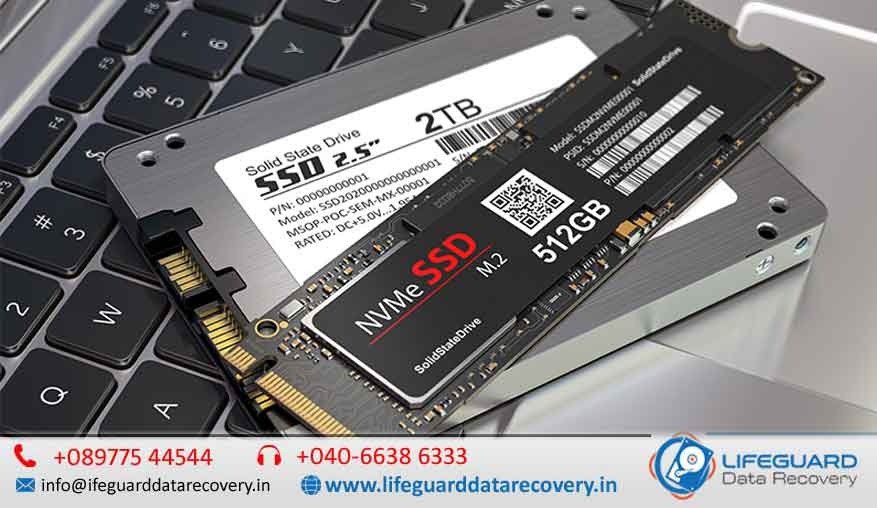
Solid State Drives (SSDs) have revolutionized data storage with lightning-fast performance, durability, and compact size. However, despite their advantages, data loss can still occur due to accidental deletion, corruption, hardware issues, or malware attacks. That’s where solid state drive data retrieval in India comes into play — the process of recovering lost, deleted, or inaccessible files from an SSD. In this guide, we’ll explore recovery methods, causes of SSD data loss, technical retrieval techniques, and when to choose professional SSD data recovery services. 1. Recovery Methods & Tools When dealing with data loss, your first step is often to try solid state drive data recovery software. These tools can scan your SSD for recoverable data and restore it without the need for physical repairs. Best SSD data recovery tools like EaseUS, Stellar, or Disk Drill can help retrieve lost files efficiently. If you’re on a budget, there are free SSD data recovery programs available, though they may have limitations. For non-booting systems, knowing how to retrieve data from a non-booting SSD can save time — often by connecting the SSD externally. Many users face SSD data retrieval on Windows 10/11, which is supported by most modern recovery utilities. 2. Causes & Scenarios of SSD Data Loss Understanding the reason behind data loss is key to successful recovery. Sometimes, you need to recover deleted files from an SSD after formatting — a common scenario when reinstalling OS. Firmware glitches can lead to SSD data retrieval after firmware failure. Accidental deletion SSD data recovery is among the most requested services. Malware or system corruption may require you to recover files from a corrupted SSD. Cyber threats like ransomware demand SSD data retrieval after malware or ransomware attacks. 3. Technical Recovery Techniques Some SSD failures require advanced approaches that go beyond basic software tools. Specialists may recover data from SSD bad blocks using specialized imaging tools. Sector-by-sector clone for SSD recovery ensures no additional damage during the retrieval process. If partitions go missing, SSD unallocated cluster data retrieval may restore the structure. Logical problems can be solved via logical failure SSD file recovery methods. In extreme cases, NAND chip-off SSD recovery is performed in a lab to extract raw data directly from memory chips. 4. Platform-Specific Retrieval macOS users may retrieve data from an SSD on macOS using Disk Utility or third-party software. Open-source tools support SSD data retrieval on Linux. Advanced users may perform SSD data retrieval using the Windows command line for targeted recovery. 5. Professional Services & Costs If your SSD is physically damaged, water-damaged, or has severe firmware corruption, DIY methods may fail. In such cases, professional SSD data recovery services are essential. A SSD data recovery clean room service ensures safe handling of delicate components. The cost of SSD data retrieval service depends on damage severity, capacity, and urgency, but can range from moderate to premium. Final Thoughts Whether it’s accidental deletion SSD data recovery or advanced NAND chip-off SSD recovery, choosing the right method can mean the difference between permanent loss and full restoration. Always start with reliable solid state drive data recovery software, and if that fails, trust a certified lab for the job. With the right tools, knowledge, and professional support, solid state drive data retrieval in India can bring your valuable files back — even from the toughest scenarios.

Internal Hard Drive Recovery in India
blog, Life Guard

Internal Hard Drive Recovery in India

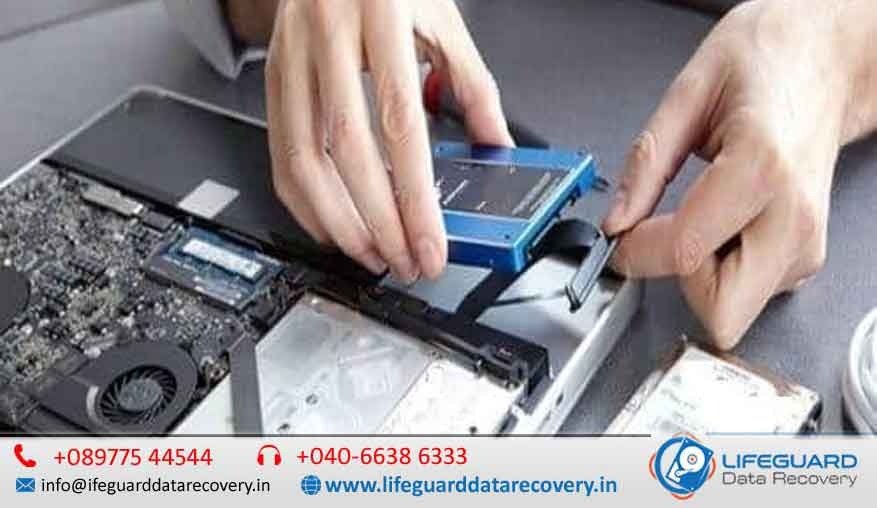
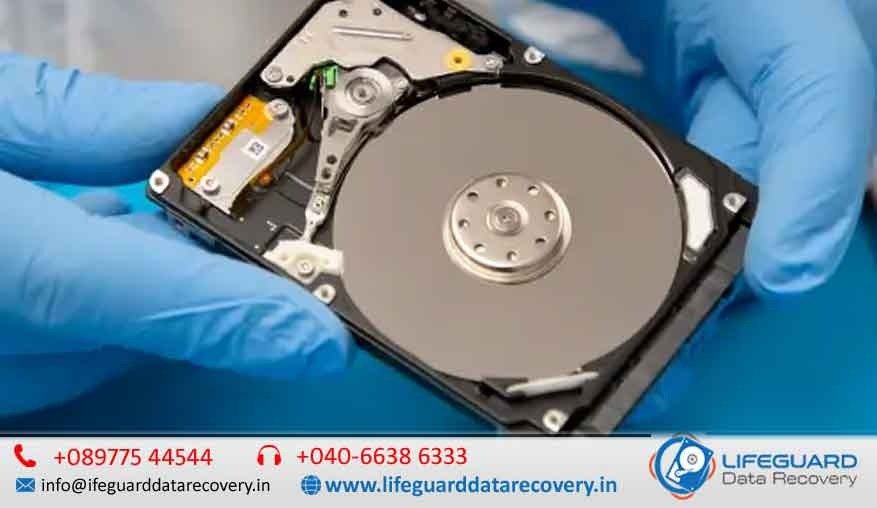
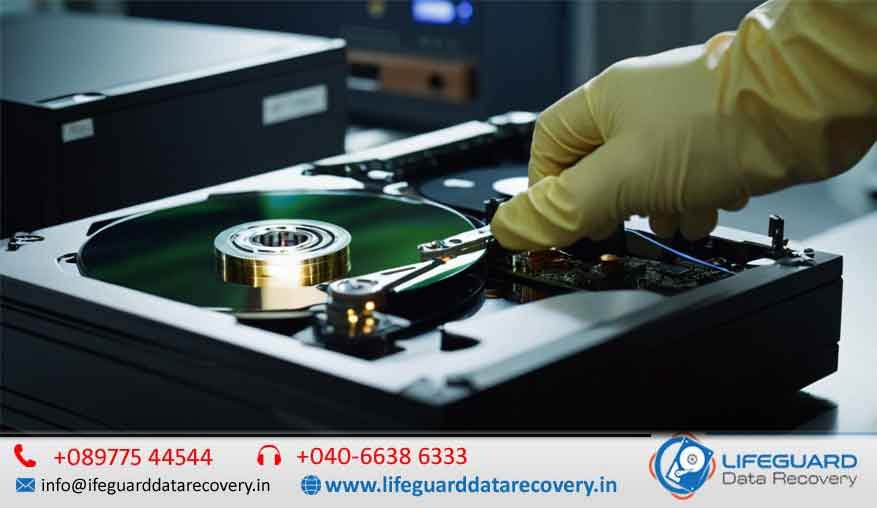
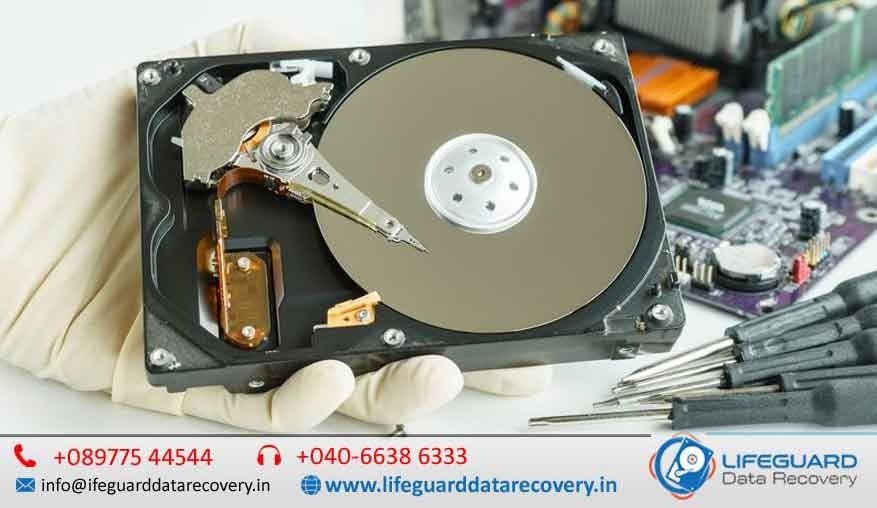
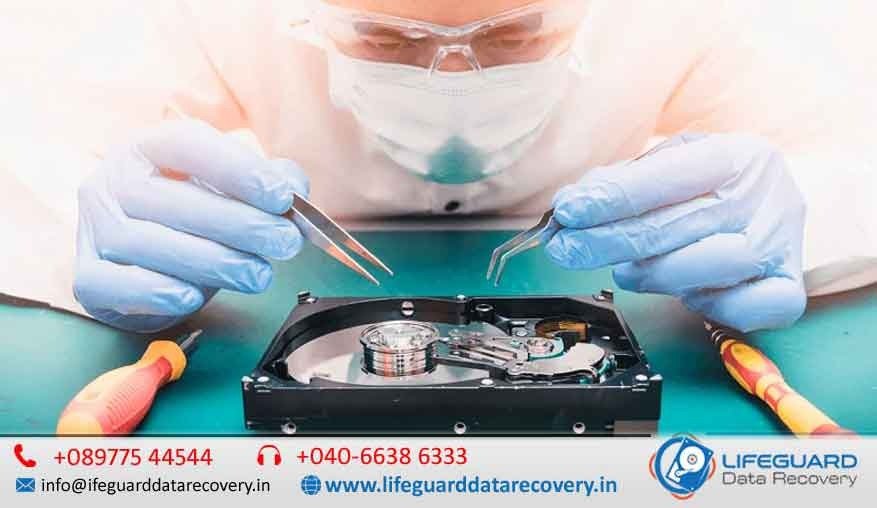
When your computer’s internal hard drive stops working or your important files suddenly disappear, it can be a stressful experience. Whether it’s a work project, personal photos, or business-critical data, losing it can feel devastating. That’s where Lifeguard Data Recovery comes in — offering professional internal hard drive recovery services across India with a proven track record of success. What is Internal Hard Drive Recovery? Internal hard drive recovery is the process of retrieving lost, deleted, or inaccessible files from your computer’s built-in storage device, whether it’s a traditional HDD or a modern SSD. Unlike external drives, internal drives are built into your laptop, desktop, or server, making recovery more complex when problems occur. At Lifeguard Data Recovery, we handle everything from logical file issues to complete physical rebuilds using internal HDD data recovery clean room facilities for maximum safety. Common Causes of Internal Hard Drive Data Loss Data loss can happen for many reasons. we handle: Accidental deletion internal hard drive recovery – files deleted without a backup. Recover data after formatting internal hard drive – formatted partitions or drives. Internal hard drive recovery after crash or corruption – sudden system failures. Recover data from corrupted internal hard drive – file system corruption or OS issues. Internal drive data loss due to malware or ransomware – encrypted or destroyed files after an attack. Recognizing the cause is the first step toward safe and successful recovery. Signs Your Internal Drive Needs Recovery If you notice any of these issues, stop using the device immediately to prevent further damage: Clicking, buzzing, or grinding noises Drive not detected by the system Slow access to files or frequent freezing Blue Screen of Death (BSOD) on Windows Repeated operating system boot failures Recovery Methods & Tools We Use We tailor the process depending on the drive’s condition: Internal hard drive data recovery software for mild logical failures Best internal HDD recovery tools for advanced imaging and cloning Free internal hard drive recovery programs for safe do-it-yourself retrieval in simple cases How to recover files from internal hard drive non-booting systems using specialized boot media Full support for internal hard drive recovery Windows 10/11 systems, including encrypted drives Our engineers combine software techniques with hardware expertise to maximize success rates. Technical Recovery Techniques We Specialize In Recover data from internal hard drive bad sectors by isolating damaged areas and cloning the healthy sections Sector-by-sector clone for hard drive recovery to create an exact duplicate before extraction Internal hard drive unallocated cluster data recovery to restore partitions marked as “unallocated” Logical failure internal hard drive file recovery to rebuild file systems and directory structures These advanced techniques are performed only in secure lab environments to protect your data integrity. Platform-Specific Internal Drive Recovery Our services aren’t limited to one operating system: Recover files from internal hard drive on macOS (APFS, HFS+) Internal hard drive recovery Linux (EXT, XFS, Btrfs) Internal hard drive recovery Windows command line for targeted fixes in complex cases We have dedicated tools for each OS to ensure compatibility and high recovery rates. Our Proven Internal Hard Drive Recovery Process Free evaluation & diagnostics Imaging & cloning in a certified cleanroom Data extraction using specialized recovery methods Verification & secure delivery of recovered files Every step is carried out in our professional internal hard drive data recovery services lab to prevent further loss. Cost of Internal Hard Drive Recovery Service in India Pricing depends on factors such as damage type, drive capacity, urgency, and whether parts need replacing. We provide a transparent quote after a free diagnosis, and our No Data – No Fee policy means you only pay for successful recoveries. DIY vs. Professional Internal HDD Recovery While some basic cases can be resolved using free internal hard drive recovery programs, physical damage or complex logical failures require professional intervention. Attempting DIY on a failing drive can make the damage irreversible. That’s why our cleanroom experts often recover drives that others have deemed “unrecoverable.” How to Prevent Internal Drive Data Loss Back up regularly (local and cloud) Avoid overheating by keeping your device ventilated Use surge protectors to prevent power damage Keep antivirus software updated Shut down your computer properly Why Choose LifeGuard Data Recovery? 30+ years of industry experience in India State-of-the-art cleanroom facilities Certified engineers with brand-specific expertise (Seagate, WD, Toshiba, Samsung) Nationwide service with local collection and delivery Strict confidentiality policies Service Coverage Across India We offer internal hard drive recovery in:Delhi | Mumbai | Bangalore | Hyderabad | Chennai | Kolkata | Pune | Ahmedabad | Jaipur | Chandigarh and more. With our nationwide logistics network, your damaged drive can be collected, repaired, and returned without hassle. FAQ – Internal Hard Drive Recovery Q: Can you recover files from a non-booting laptop?Yes, we specialize in how to recover files from internal hard drive non-booting systems. Q: How long does it take?Anywhere from 24 hours to a week depending on damage complexity. Q: Is my data safe?Absolutely. We use secure, confidential processes. Get Started with LifeGuard Data Recovery Today If you need internal hard drive recovery anywhere in India, contact LifeGuard Data Recovery now for a free evaluation. Call us or fill out our online form — your data is too important to leave to chance.

blog

recover files after ransomware attack

A ransomware attack can strike without warning, locking your files and holding them hostage until you pay the attacker. For businesses, it can mean days of downtime and loss of critical data. For individuals, it can destroy years of personal memories and important documents. While the situation may feel hopeless, the good news is — you can often recover files after a ransomware attack without paying the ransom. At Mac Repair, we specialize in advanced ransomware data recovery services, helping clients across the UAE regain access to encrypted files with safe and proven methods. Understanding How Ransomware Works Before diving into recovery options, it’s essential to understand the enemy. Ransom demand – The attacker demands payment, often in cryptocurrency, in exchange for a decryption key. Risk of payment – Even if you pay, there’s no guarantee you’ll receive a working key. Can You Recover Files Without Paying the Ransom? Yes — in many cases, you can. Here’s how experts approach it: Identifying the ransomware strain – Different ransomware types have different weaknesses. Checking public decryption tools – Cybersecurity groups often release free tools for known strains. Recovering from backups – Offline or cloud backups can restore lost files. Forensic data recovery – In cases without backups, specialists can recover partially encrypted or deleted files. Step-by-Step Guide to Recover Files After Ransomware Attack Isolate the infected system – Disconnect it from the internet and local networks. Scan with updated anti-malware – Remove the active threat before recovery attempts. Identify the ransomware variant – Use tools like ID Ransomware. Use professional data recovery services – For complex cases, experts can recover lost data from affected drives without risking further damage. Why Professional Help is Often the Best Choice Trying to recover files without experience can cause permanent data loss. With Mac Repair, you get: Safe, non-destructive recovery methods Expert handling of encrypted drives High success rates for multiple ransomware strains Confidentiality and secure handling of sensitive files Preventing Future Ransomware Attacks Recovery is just the first step — prevention is essential: Maintain offline backups Keep systems and software updated Train staff in phishing awareness Use strong endpoint security solutions Our Ransomware Recovery Services in UAE Whether you’re in Dubai, Abu Dhabi, Sharjah, or Ras Al Khaimah, our ransomware recovery team can help you: Recover encrypted documents, databases, images, and videos Remove ransomware safely without spreading it Restore systems to full functionality FAQs — Recover Files After Ransomware Attack Q1. Can all ransomware be decrypted?Not all, but many strains have known weaknesses that experts can exploit. Q2. How long does recovery take?It can range from a few hours to several days depending on the case. Q3. Will my data be 100% safe during recovery?Yes — we use read-only methods to ensure no further corruption.

iphone
blog

Mobile Phone Data Retrieval Services India

Mobile Phone Data Retrieval Services in India. Fast, Genuine & Trusted by Thousands When important memories, business files, or messages vanish from your phone, you need more than just hope – you need LifeGuard Data Recovery, India’s most trusted name in mobile phone data recovery services. From the latest iPhones to budget Androids, from water damage to total device failure, we recover what matters to you, quickly, securely, and with our No Data, No Fee promise. Why Choose LifeGuard for Mobile Data Recovery Services in india ? 98% success rate across all makes, models, and operating systems Specialists in iPhone data recovery services and Android phone data retrieval In-house engineers for chip-off mobile data recovery and JTAG mobile phone recovery Secure mobile data recovery lab with ISO-certified cleanroom Transparent pricing with nationwide pickup and delivery (₹50 each way) No Data, No Fee mobile recovery – pay only when your files are successfully restored Our Complete Mobile Phone Data Retrieval Solutions iPhone Data Recovery Service We can restore lost photos, videos, messages, and contacts from any iPhone model – whether it’s water damaged, dead, or stuck in recovery mode. Android Phone Data Retrieval in india From Samsung data recovery services to Xiaomi phone data recovery, recover data from Pixel phone, and more, we handle all Android brands. Even if your phone has a broken screen, OS crash, or accidental deletion, we can bring your data back. Dead Phone Data Recovery If your phone won’t turn on due to hardware failure, motherboard damage, or software corruption, our team can safely extract your files. Water Damaged Phone Data Recovery Spilled coffee, dropped in the pool, or soaked in the rain? We repair board-level damage and recover your data from even the most severe cases. Chip-Off Mobile Data Recovery When standard recovery isn’t possible, we remove and read the memory chip directly – ideal for extreme damage or advanced forensic work. JTAG Mobile Phone Recovery A non-invasive method to access phone memory through special debug ports, perfect for devices with inaccessible storage. Boot Loop Data Extraction Mobile If your device is stuck restarting endlessly, we can bypass the boot process to retrieve your files without further damage. SIM Card Data Retrieval Services Recover lost contacts, SMS, and call logs directly from your SIM card. How Our Mobile Data Recovery Process Works? Consultation & Device Pickup – We assess your case and arrange secure pickup. Diagnosis & Quotation – ₹150 fee applies only if the device has been previously opened. Data Recovery & Verification – You see your files before making payment. Secure Delivery – Get your recovered data via encrypted storage or cloud transfer. What We Can Recover for You Photos & Videos – including how to recover deleted photos from phone, even after accidental formatting Contacts & Messages – know how to retrieve contacts from broken phone and get back lost messages on smartphone Documents & Notes – PDFs, Word, Excel, app data, and more Social Media & App Data – WhatsApp, Messenger, and other popular platforms Mobile Data Recovery for Every Brand Samsung Data Recovery Services – all Galaxy models, including water-damaged and dead units Xiaomi Phone Data Recovery – from Redmi to Mi flagship devices Recover Data from Pixel Phone – Google Pixel series, regardless of system or hardware issues Other Brands – OnePlus, Oppo, Vivo, Realme, and more Data Loss Scenarios We Solve, Mobile Phone Data Retrieval Services India Physical damage (drops, cracked screens) Liquid damage from spills or submersion OS corruption or failed updates Factory resets without backup Forgotten passwords or lock patterns Devices stuck at boot logo or blank screens Tips to Increase Your Recovery Success Rate Stop using the device immediately Avoid installing recovery apps that may overwrite lost data If water damaged, turn off and dry the phone – do not charge it Contact a fast phone data recovery service like LifeGuard immediately Pricing & Delivery Pickup: ₹50 Delivery: ₹50 Diagnosis: ₹150 if the device has been previously opened No Data, No Fee mobile recovery – your peace of mind guaranteed FAQs – Mobile Phone Data Recovery Service Q: Can you recover data from a phone that’s completely dead? A: Yes, our dead phone data recovery service handles even non-powering devices. Q: Is my data secure? A: Absolutely – our secure mobile data recovery lab follows strict confidentiality protocols. Q: Do you recover from all brands? A: Yes – from iPhone data recovery service to Android phone data retrieval, including Samsung, Xiaomi, Pixel, and more. Q: How long will it take? A: Many cases are resolved within 24-72 hours, depending on complexity. Contact LifeGuard Data Recovery Today Stop searching for “phone data retrieval near me” – we serve all of India. Call us today for a fast phone data recovery service you can trust. Phone: [8977544544] Visit Our Secure Lab – Nationwide service available

Lifeguard data recovert LOGO
blog

iPad Data Recovery India

Fast, Genuine & Trusted by Thousands – iPad Data Recovery India When your iPad suddenly loses important files, it can feel like a nightmare. At LifeGuard Data Recovery, we specialize in iPad data recovery across India, offering fast, genuine, and highly secure solutions trusted by thousands of customers. Whether your device is accidentally damaged, disabled, or has suffered a system crash, our experts use advanced iPad data recovery software and professional-grade iPad recovery tools to bring your data back – safely and efficiently. We provide pickup for delivery  applicable . No hidden costs, no false promises – just reliable results. Lost iPad Data? Get It Back Safely & Quickly in India Data loss can happen at any time — maybe you’ve deleted important photos, your iPad won’t turn on, or it’s stuck after a failed iOS update. Our iPad file recovery service covers every possible scenario, from accidental deletion to severe hardware failure. We have recovered data for students, businesses, photographers, and professionals across India, even in situations where others have failed. Types of Data We Recover from iPads Whether it’s personal memories or business files, our iPad recovery tool can handle it all: Photos & Videos – We can recover deleted iPad photos and videos from all iPad models. Messages & Call History – Securely recover deleted iPad messages without affecting your other data. Contacts, Notes & Calendars – Restore essential information quickly. App Data – Retrieve files from apps like WhatsApp, Instagram, and more. Documents & PDFs – Recover work files, presentations, and important reports. iPad Models & Conditions We Support Our iPad data recovery India service covers every iPad generation and condition: All iPad Models – iPad 1, 2, 3, 4, iPad Mini, iPad Air, iPad Pro. Recover Data from Disabled iPad – Even if your iPad won’t respond or is locked out. Recover Data from Locked iPad – Safely access and restore your files without compromising security. Recover Data from Broken iPad – From water damage to shattered screens. Recover Data After iPad Crash – Get your files back from sudden system failures. iPad Recovery After Failed iOS Update -Fix and restore devices stuck in loops or frozen screens. Our Proven iPad Data Recovery Process We follow a transparent, step-by-step approach:  iPad Consultation – Tell us your issue and get an instant assessment. Secure Pickup & Delivery – Just ₹50 each way, anywhere in India. Diagnosis & Analysis – If your device was previously opened, a ₹150 fee applies. Data Recovery & Verification – Using top tools like Tenorshare UltData for iPad recovery, Disk Drill iPad recovery, and iPad Rescue for iPad data recovery. Secure Data Delivery -We ensure only you have access to your recovered files. Recovery from All Sources & Scenarios Recover iPad from iTunes Backup – Even if your device is unresponsive. Recover iPad from iCloud Backup -Retrieve files stored in your Apple account. Restore iPad Data Without Backup -Perfect for cases where no previous backup exists. Why Choose LifeGuard Data Recovery in India Nationwide Service – Serving all major cities with quick turnaround. Highest Success Rate -Advanced chip-level recovery and proprietary methods. Transparent Pricing – No hidden fees. Cutting-Edge Tools – We use the best iPad data recovery tools 2025 for maximum results. Data Privacy Guarantee – 100% confidentiality throughout the process. Common iPad Data Loss Situations We Handle Accidental deletion of files. Water damage or liquid spill. iPad stuck at Apple logo. Screen damage with no display. Malware infection. Failed jailbreak or iOS update. How Much Does iPad Data Recovery Cost in India? Costs vary depending on the device’s condition, storage size, and type of damage. Our iPad data recovery tips suggest acting fast – the sooner you bring the device to us, the higher the recovery success rate. FAQs – iPad Data Recovery India Q: How to recover iPad data without backup? A: We use specialized hardware and software to restore files even without a backup. Q: Can you recover deleted messages and photos from an old iPad? A: Yes, depending on storage overwriting. Q: Is my data safe during recovery? A: Absolutely -only you can access the restored files. Contact LifeGuard Data Recovery -India’s #1 iPad Data Recovery Experts Call Now – 8977544544 Get your consultation. Serving all major Indian cities.

Business Data Recovery Solutions India Business Data Recovery India
blog

Micro SD Data Recovery in India

Micro SD cards may be small in size, but they play a huge role in modern digital life. Micro SD data recovery India  From smartphones and tablets to drones, dashcams, action cameras, and portable gaming consoles, these tiny storage devices safeguard thousands of irreplaceable photos, videos, documents, and app data. But when a micro SD card becomes corrupted, unreadable, or physically damaged, it can lead to panic and frustration. Micro SD data recovery India  For millions of users across India, micro SD data recovery has become an essential service to restore critical files quickly, securely, and with the highest possible success rate. Micro SD card recovery service India Why Micro SD Cards Fail Micro SD cards are reliable, but they’re not immune to damage or data loss. Common causes of failure include: File System Corruption  Caused by sudden power cuts, device crashes, or improper ejection. Physical Damage  Due to bending, water exposure, excessive heat, or impact. Bad Sectors  Over time, memory cells can wear out, creating unreadable sections on the card. Virus or Malware  Malicious software can hide, encrypt, or delete your files. Micro SD card recovery service India Wear and Tear  Frequent write/erase cycles gradually reduce the card’s lifespan. you May Need Micro SD Data Recovery You might need professional recovery services if you see: Card Not Detected or No Memory Card messages. Photos and videos that won’t open or appear distorted. Extremely slow read/write speeds. Missing files or folders without explanation. Card Needs to be Formatted errors. Early detection and immediate action can dramatically increase recovery success rates. The Micro SD Data Recovery Process in India While the exact recovery method depends on the card’s issue, most professional services follow these steps: Diagnosis  Determining whether the damage is logical (software) or physical (hardware). Image Creation  Creating a complete clone of the card to preserve original data. File Extraction  Using advanced hardware and software tools to retrieve lost files. Data Verification  Checking recovered files for accuracy and completeness. Secure Delivery  Returning data via a safe download link or external storage device. Micro SD card recovery service India Recovery labs in India are equipped to handle popular brands like SanDisk, Samsung, Kingston, Lexar, Transcend, Toshiba, and Sony. Who Benefits from Micro SD Data Recovery Services? Micro SD recovery isn’t just for personal use  it’s critical across multiple sectors: Photography & Videography  Restoring wedding photos, travel videos, and commercial shoots. Security & Surveillance  Recovering CCTV footage for investigations. Aviation & Drones  Retrieving high-resolution aerial images and mapping data. Media & Journalism  Saving breaking news footage and on-location reports. Education & Research  Restoring research data, academic projects, and presentations. Why Recovery in India Has Unique Challenges India’s diverse environmental conditions and technology usage patterns make micro SD recovery here particularly challenging. Factors include: Extreme Climate  Humidity in coastal cities, high heat in central India, and freezing temperatures in the north can impact card performance. Power Fluctuations  Sudden outages can corrupt file systems during transfers. Frequent Device Swaps  Moving cards between devices increases wear and risk of damage. Recovery labs in India use specialized methods to handle heat-damaged cards, moisture-affected chips, and multilingual file structures common in local devices. Data Types  Recovered from Micro SD Cards Professional recovery services can restore: Photos  JPEG, PNG, RAW, TIFF, HEIF Videos  MP4, MOV, AVI, MKV, 3GP, MTS Audio Files  MP3, WAV, AAC, FLAC Documents  PDF, DOCX, XLSX, PPT, TXT App Data  Game files, GPS logs, and Android app data Best Practices to Prevent Future Data Loss Once your files are restored, take preventive measures to protect your data: Always eject the card before removing it from a device. Store cards in dust proof, moisture-proof cases. Keep backup copies of critical files on cloud storage or external drives. Replace cards that show frequent errors or slow performance. Cost of Micro SD Data Recovery in India The cost depends on: Card Capacity  Higher storage often means more complex recovery. Damage Type  Logical errors cost less than physical or chip level recovery. Urgency Emergency 24 hour services may cost more. While prices vary, the value of recovering priceless memories or critical business data often far outweighs the expense.  Micro SD Data Recovery in India For SEO and searchability, relevant keywords include: Micro SD data recovery in India Recover data from micro SD card India Micro SD card file recovery India SDHC SDXC card recovery India Damaged micro SD card recovery India Recover photos from micro SD card India Micro SD data recovery India  Micro SD Data Recovery in India Q1: How long does micro SD card recovery take in India?Most recoveries take 25 business days, but urgent cases can be completed in 2448 hours with express service. Q2: Can files be recovered from a formatted micro SD card?Yes as long as the data hasn’t been overwritten with new files, recovery is often possible. Q3: Can a physically broken micro SD card be recovered?Yes, but it requires chip-off recovery techniques, which involve extracting data directly from the memory chip. Q4: Is my data safe during recovery?Reputable services follow strict confidentiality agreements and store your data securely during the process. Q5: Can I recover 4K or high-resolution videos from a micro SD card?Yes — provided the storage sectors are intact, 4K and even 8K video recovery is possible. Q6: Which brands of micro SD cards can be recovered?Most major brands, including SanDisk, Samsung, Kingston, Lexar, Transcend, and Toshiba, are supported.

Scroll to Top