Life Guard

Apple Laptop Data Recovery
Life Guard

Apple Laptop Data Recovery

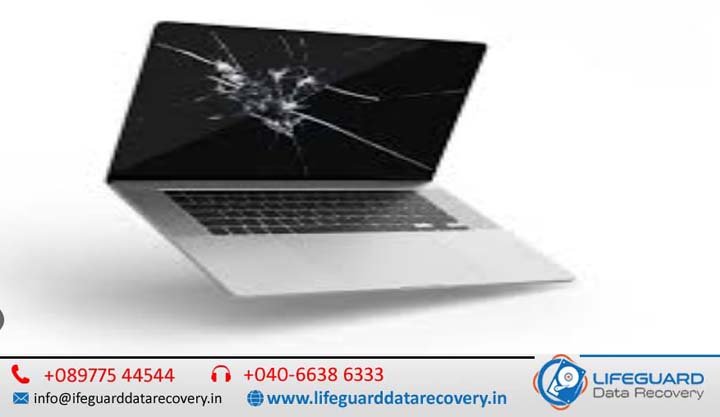
Apple Laptop Data Recovery in India – Get Your Mac Back to Life. When your Apple laptop suddenly stops recognizing your files, won’t boot, or shows a dreaded question mark folder, it’s more than just a technical glitch-it’s a moment of panic. Whether you’re a creative professional with irreplaceable design projects, a business owner with confidential data, or a student with your final year thesis, losing data on a MacBook or MacBook Pro is stressful. At Mac Repair India, we are experts in Apple Laptop Data Recovery–restoring lost documents, photos, videos, and essential files with precision using advanced recovery technology and the skill of certified Apple technicians. Why Apple Laptop Data Recovery Requires Specialized Expertise Apple laptops are built with cutting-edge technology-solid-state drives (SSD), proprietary file systems like APFS and HFS+, advanced encryption, and sleek but compact hardware design. While these make your Mac fast and secure, they also make data recovery more challenging for non-specialists. Unlike generic PCs, an Apple laptop’s data recovery demands Mac-specific tools, firmware-level understanding, and cleanroom-grade handling-something only a dedicated Apple recovery specialist can provide. Apple Laptop Data Recovery in India Losing important data from your Apple laptop can be one of the most frustrating experiences, especially when it contains irreplaceable business documents, family photos, research projects, creative work, or financial records. Whether your MacBook won’t boot, your SSD has failed, your files have been accidentally deleted, or your laptop has suffered liquid damage, professional data recovery can often restore your valuable information. We specialize in Apple Laptop Data Recovery in India, offering advanced recovery solutions for all models, including Apple Silicon devices. Our certified Apple technicians combine years of experience with industry-leading recovery equipment to retrieve lost, deleted, corrupted, and inaccessible data safely and securely. From simple file recovery to complex logic board-level data extraction, we provide reliable recovery services with a high success rate while maintaining complete confidentiality. Apple Laptop Data Loss Scenarios We Recover From We have helped clients across India in every possible data loss situation. Some of the most common include: Accidental Deletion or Formatting – Files emptied from Trash or drives reformatted without backup. macOS Corruption – Failed updates, sudden shutdowns, or system crashes. SSD or Hard Drive Failure – Physical damage, bad sectors, or firmware corruption. Water or Liquid Damage – Coffee spills or rainwater affecting internal storage. Logic Board Issues – Hardware faults that prevent your Mac from powering on. Encryption & File Vault Problems – Lost access due to password or encryption errors. No matter the reason, our Apple laptop data recovery in India follows a structured approach to ensure maximum recovery success. Our Proven Apple Laptop Data Recovery Process Free Initial Diagnosis – We start by carefully assessing the device to understand the extent of the damage. Detailed Recovery Plan – Our experts create a tailored strategy based on whether it’s logical, firmware, or physical damage. Advanced Recovery Tools – We use Apple-compatible recovery utilities, chip-off techniques, and secure disk imaging. Data Verification – Once recovered, files are verified for integrity and completeness. Secure Data Delivery – We provide your recovered data on a secure external drive, encrypted for safety. If someone has already opened the drive, a diagnosis charge of applies due to increased complexity. Pickup and delivery services are available across India for a nominal fee. Your Best Partner for Apple Laptop Data Recovery in India Apple-Certified Technicians – Skilled in Mac-specific recovery techniques. Cleanroom Facilities – Dust-free environment for physical drive repair. Genuine Apple-Compatible Parts – Ensuring no further damage during handling. All India Coverage – Whether you’re in Mumbai, Delhi, Bangalore, Chennai, Hyderabad, or a smaller city, we can help. Confidential & Secure – We treat your data with the highest level of privacy. No Data – No Charge Policy – You only pay when your data is successfully recovered. Data Recovery for All Apple Laptop Models We offer recovery for all MacBook and MacBook Pro generations, including: MacBook Air – Early models to M2 series MacBook Pro – All sizes, including 13-inch, 14-inch, 15-inch, and 16-inch models MacBook Retina – High-resolution display models Older MacBooks with HDD – Still recoverable with proper techniques Whether your laptop has an APFS-formatted SSD or a traditional HFS+ hard drive, our team has the expertise to get your data back. Tips to Increase Apple Laptop Data Recovery Success If your Apple laptop has suffered data loss: Stop using it immediately – Avoid overwriting recoverable data. Do not try DIY fixes – Many online methods can cause irreversible damage. Keep it powered off – Especially if it suffered physical or liquid damage. Contact a professional quickly – The sooner we begin, the higher the success rate. Service Locations Across India We serve clients in Delhi, Mumbai, Bangalore, Chennai, Hyderabad, Kolkata, Pune, Ahmedabad, Jaipur, Lucknow, and more, with doorstep pickup and delivery available nationwide. Contact Us Today Don’t let data loss slow you down. Our Apple laptop data recovery in India team is ready to bring your files back to life-safely, quickly, and securely. Call us now for a consultation.

data recovery services data recovery company
Life Guard

Memory Card Data Recovery

From a DSLR packed with priceless wedding photos to a drone capturing breath taking aerial shots a memory card often holds more than just files; it holds irreplaceable moments and critical work. In India, professional memory card data recovery services have become the go-to solution for photographers, students, corporates, and content creators who can’t afford to lose their valuable files. Memory Card Data Recovery in India – Professional Recovery for SD, microSD, CF & Camera Memory Cards A memory card may be small in size, but it often stores your most valuable digital assets-from wedding photographs and family memories to business presentations, drone footage, CCTV recordings, and professional photography projects. Losing access to these files due to accidental deletion, corruption, formatting, or physical damage can be stressful, especially when no backup exists. Fortunately, losing access to your files does not always mean they are permanently lost. In many cases, professional data recovery specialists can successfully recover deleted, formatted, corrupted, or inaccessible data using advanced forensic techniques and specialized recovery equipment. At LifeGuard Data Recovery, we provide expert Memory Card Data Recovery in India for photographers, videographers, businesses, students, government organizations, content creators, and individual users. Our certified engineers recover valuable data from all major memory card types and brands while maintaining complete confidentiality and industry-leading recovery success rates. Why Memory Card Data Recovery Requires Professional Expertise Unlike traditional hard drives, memory cards use NAND flash memory and sophisticated controllers to store information. When a memory card becomes damaged, the recovery process often requires chip-level analysis, firmware repair, and advanced forensic software that standard recovery programs cannot provide. DIY recovery software may work in simple deletion cases, but using the wrong tools or continuing to use the damaged card can permanently overwrite recoverable data. Professional recovery offers: Advanced forensic recovery tools NAND chip-level recovery Firmware repair capabilities Recovery from physically damaged cards Secure laboratory environment High recovery success rates Strict confidentiality for personal and business data Common Causes of Memory Card Data Loss Memory cards can fail for many different reasons. Our specialists regularly recover data from cards affected by: Accidental Deletion Photos, videos, or documents deleted by mistake from cameras, smartphones, drones, or computers. Accidental Formatting Formatting the wrong memory card or accepting a device prompt to format the card before use. File System Corruption Improper ejection, interrupted file transfers, or sudden power loss can corrupt the card’s file system and make data inaccessible. Physical Damage Memory cards may become damaged due to: Cracked casing Broken connectors Bent pins Water exposure Fire damage Excessive heat Electrical damage Virus or Malware Infection Connecting memory cards to infected computers may damage files or corrupt the storage structure. Card Not Detected Your camera, phone, or computer may fail to recognize the memory card because of firmware corruption, controller failure, damaged contacts, or internal hardware faults. Bad Sectors Over time, flash memory cells wear out, creating unreadable sectors that can result in missing or corrupted files. Why Memory Cards Fail   Causes of Data Loss Memory cards are convenient, but their compact size also makes them fragile. Here are the most frequent issues that lead to data loss: Accidental deletion The classic moment, deleting files or entire folders without a backup. Formatting errors Formatting by mistake or due to system prompts. Card corruption Removing the card mid-transfer or a device crash can damage the file structure. Physical damage Cracks, bent pins, water exposure, or heat damage. Virus/malware infection Especially when cards are used on multiple devices or unprotected systems. Card not recognized Firmware faults or connector damage stopping the device from detecting the card. Why Professional Recovery Is Worth It Trying recovery software might sound appealing but it can be risky. A wrong step could overwrite the very data you’re trying to save.Professional labs offer: Cleanroom facilities for safe handling of damaged cards. Specialized tools for NAND chip level recovery. High recovery success rates for both logical and physical damage. Support for all card brands    SanDisk, Samsung, Sony, Kingston, Lexar, Transcend, and more. Strict confidentiality for sensitive personal or business data. Types of Memory Cards Supported Whether you’re recovering a 4GB microSD card from an old phone or a 256GB SDXC card from a high end camera, experts can handle almost every type: SD / SDHC / SDXC microSD / micro SDHC / micro SDXC CF (CompactFlash) x D Picture Cards Memory Stick Pro Duo MMC (Multimedia Cards) The Recovery Process Step by Step Assessment & Diagnosis Technicians check the type of damage and recovery feasibility. Write Protection The card is locked to prevent further data loss. Cloning A secure bit by bit copy is made to work from. Logical or Physical Recovery Depending on the damage, either software tools or chip level extraction methods are used. File Repair Corrupted files are reconstructed and made usable again. Delivery Data is returned securely, often on a new storage medium. Preventing Future Memory Card Data Loss Always use Safely Remove before unplugging. Avoid reusing the same card across multiple devices without reformatting. Keep cards in protective cases and away from moisture/heat. Make regular backups to a hard drive or cloud. Replace old or faulty cards before they fail. FAQs Memory Card Data Recovery in India Q1: My memory card isn’t detected at all. Can data still be recovered?Yes, in most cases. Even if your device can’t detect the card, professionals can access the memory chip directly and extract the data. Q2: How long does recovery take?Simple cases can be resolved in a few hours, while severe damage may take 2 5 working days. Q3: Can I recover videos that won’t play anymore?Yes. Recovery software can restore the raw files, and video repair tools can make them playable again. Q4: Will recovery damage my original card further?No. Professionals work on a cloned copy to keep the original card untouched. Q5: Is my data safe with a recovery service?Yes trusted companies sign confidentiality agreements and store recovered data in secure, access-controlled systems. Q6: Can water-damaged cards be repaired?Often yes, but the chances

Hard Drive Data Recovery in India
Life Guard

Hard Drive Data Recovery in India

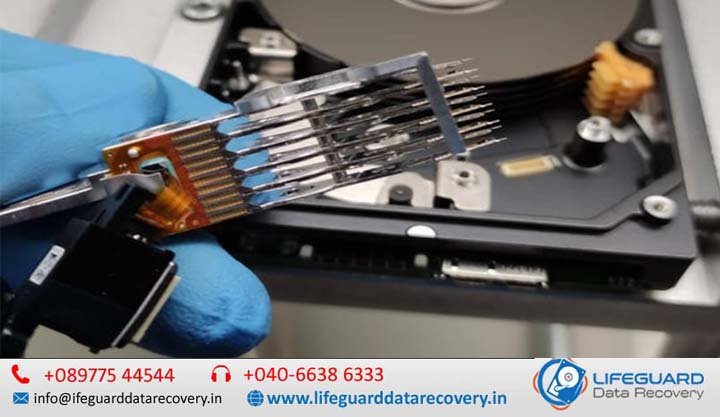
When a hard drive fails, it can feel like your entire digital life has vanished in seconds. At Lifeguard Data Recovery, we specialize in hard drive data recovery in India with a proven 95% success rate, state-of-the-art facilities. Whether you’re in Mumbai, Delhi, Hyderabad, Bangalore, Chennai, or Pune, our certified engineers can help you recover data from hard drive in India quickly and securely. Hard Drive Data Recovery in India – Professional HDD Recovery Services for Internal & External Hard Drives A hard drive failure can happen without warning, leaving you unable to access important documents, family photos, business records, videos, or years of valuable data. Whether your hard drive has stopped responding, is making unusual clicking sounds, has been accidentally formatted, or has become corrupted, losing access to your files can be stressful. Fortunately, in many cases, your data can still be recovered with the help of professional recovery specialists. At Lifeguard Data Recovery, we provide trusted Hard Drive Data Recovery in India for individuals, businesses, educational institutions, and government organizations. Our certified recovery engineers use advanced forensic tools, ISO-standard cleanroom facilities, and industry-leading recovery techniques to recover data from physically damaged, logically corrupted, and inaccessible hard drives. From accidental file deletion to complex mechanical failures, we are committed to delivering secure, confidential, and reliable hard drive recovery services with a high success rate. What is Hard Drive Data Recovery? Hard drive data recovery is the process of retrieving inaccessible, deleted, corrupted, or lost data from damaged internal or external hard drives. Data loss can occur because of physical hardware failure, software corruption, accidental formatting, virus attacks, power surges, or mechanical damage. Professional recovery involves diagnosing the cause of failure, creating a forensic clone of the drive whenever possible, repairing damaged file systems or hardware components, and safely extracting recoverable files without causing further damage. Common Causes of Hard Drive Failure Hard drives are sophisticated mechanical devices that can fail for many different reasons. Our specialists recover data from drives affected by: Physical Damage Mechanical failures often require cleanroom recovery procedures and may include: Head crashes Spindle motor failure PCB (circuit board) damage Bad sectors Firmware corruption Actuator failure Dropped or impact-damaged drives Clicking or Beeping Hard Drives If your hard drive produces clicking, grinding, or beeping sounds, it usually indicates internal mechanical damage. Continued use can worsen the problem, so professional diagnosis is recommended immediately. Logical Corruption Logical failures occur when the storage hardware remains functional, but the data becomes inaccessible due to: File system corruption Accidental deletion Partition loss Formatting Operating system crashes Malware or ransomware attacks RAW Drive Issues When a drive appears as RAW instead of NTFS, FAT32, exFAT, or another file system, the operating system cannot access the stored data. Our specialists can often recover files before repairing the damaged file system. Power Surges Unexpected power failures or electrical surges may damage the drive’s electronics, making it inaccessible. Water, Fire & Environmental Damage Hard drives exposed to water, fire, excessive heat, or dust require specialized handling in controlled laboratory conditions. Our Professional Hard Drive Recovery Services in India We offer professional hard drive recovery India solutions for: Internal desktop & laptop hard drives. External portable hard drives. Drives from all major brands: Seagate, WD, Toshiba, Hitachi, Samsung, and more. We operate in ISO cleanroom data recovery India environments for maximum safety. Location-Specific Services Hard drive data recovery Hyderabad Hard disk recovery Delhi Hard drive recovery Bangalore Hard drive recovery Chennai Hard drive data recovery Mumbai Hard drive recovery Pune Wherever you are, search hard drive data recovery service near me and you’ll find LifeGuard ready to help. Our Proven Recovery Process  Diagnostic & AssessmentSend us your device or request free pickup. We perform a no-cost evaluation.  Secure Data RecoveryOur certified data recovery experts India work in a cleanroom environment using specialized tools.  Data Verification & DeliveryWe provide a file list for approval before safely returning your data. Emergency & Corporate Data Recovery Need urgent recovery? We offer emergency hard disk recovery India services with express turnaround.Businesses rely on us for server and RAID recoveries, ensuring minimal downtime. Software Tools – When and How to Use Them While physical damage needs professional help, some logical failures can be solved with the right tools: Best hard disk data recovery software India – Ideal for minor deletions. Free hard disk recovery tool India– Use with caution for non-critical data. Hard disk recovery software for Windows in India – For NTFS/FAT drives. Hard disk recovery software Mac India– For HFS+/APFS drives. Expert Tips – Long-Term Data Safety Always back up important files. Avoid using the drive if it shows clicking or beeping noises. Seek professional help for how to recover data from crashed hard drive India or how to retrieve data from corrupted hard drive India cases. For RAW drives, follow safe steps on how to fix RAW hard drive and recover data. Why Choose Lifeguard Data Recovery Certified data recovery experts India with 15+ years’ experience. Nationwide coverage with free pickup and delivery. Confidential handling of sensitive information. Frequently Asked Questions Q1. Can data be recovered from a failed hard drive? Yes. Many physically and logically damaged hard drives can be recovered using professional recovery equipment and techniques. Q2. My hard drive is clicking. Should I continue using it? No. Clicking sounds usually indicate internal mechanical failure. Continuing to use the drive may cause additional damage and reduce recovery chances. Q3. How long does hard drive recovery take? Recovery time depends on the severity of the damage. Simple logical recoveries may take a few hours, while complex physical recoveries can require several days. Q4. Is my recovered data kept confidential? Absolutely. All recovery projects are handled under strict confidentiality protocols to protect your personal and business information. Q5. Can you recover data from a formatted hard drive? Yes. If the formatted data has not been overwritten, professional recovery techniques can often restore a significant amount of lost information. Contact Lifeguard Data Recovery Today If your hard

Lifeguard data recovery in hyderabad
Life Guard

Lifeguard data recovery in Hyderabad

Lifeguard data recovery in Hyderabad – Complete Guide for Businesses & IT Teams. When mission-critical databases go down, every second counts. Whether you’re a small business or a large enterprise, data loss or corruption in Microsoft SQL Server can disrupt operations, impact revenue, and damage client trust. That’s why understanding restore and recovery processes, having a clear business continuity strategy, and working with experts in database data recovery is essential. In this blog, we’ll cover everything from recovery fundamentals to advanced scenarios like restoring from virtual machines, protecting your MSDB database, and leveraging enterprise-grade disaster recovery software. Restore and Recovery Overview (SQL Server) In SQL Server, restore and recovery are two distinct yet connected processes. Restore is the act of copying data from a backup to a database, while recovery is the process of rolling the database forward to a consistent state. This can include applying transaction logs and ensuring no incomplete transactions remain.Whether you’re dealing with full, differential, or transaction log backups, understanding these phases ensures your database comes back online quickly and with integrity. Business continuity and database recovery – SQL Server Business continuity is more than just backup files – it’s a strategy. With SQL Server, business continuity and database recovery involve planning for worst-case scenarios such as hardware failures, ransomware attacks, and even cloud outages.By combining robust backup schedules, off-site storage, and point-in-time recovery capabilities, companies can ensure minimal downtime and data loss. Resolving problems for the recovery of the individual Microsoft. Sometimes, you don’t need to restore an entire database – just a specific object, like a table or stored procedure. Resolving problems for recovery of individual Microsoft SQL Server database items requires specialized tools that can extract objects from backups without overwriting the entire database. This selective recovery method saves time and reduces disruption to production systems. Database Data Recovery from the Experts When disaster strikes, self-service recovery might not be enough. Database data recovery from the experts can mean the difference between partial data salvage and full operational restoration. Professionals use advanced forensics, clean-room environments, and proprietary tools to retrieve data from damaged storage, corrupted backups, or failed database systems. Recover objects using SQL virtual database – IDERA wiki For granular recovery, one solution is to recover objects using SQL virtual database – IDERA wiki style workflows. This approach lets you mount backups as live databases, enabling direct queries without needing a full restore. This is particularly useful for auditing, extracting historical records, or migrating select data. Microsoft SQL Server MSDB Database Recovery The MSDB database stores vital information for SQL Server Agent jobs, backup history, and maintenance plans. Microsoft SQL Server MSDB database recovery is critical when this system database is lost or corrupted. Restoring MSDB from recent backups ensures your automation jobs, schedules, and historical logs remain intact. Restoring SQL Server databases from a virtual machine … With virtualization now mainstream, restoring SQL Server databases from virtual machine snapshots or backups is a common recovery path. Administrators can leverage hypervisor-level backups to restore the VM hosting SQL Server, reducing downtime compared to traditional restores. Virtual Server Backup – ZeroIMPACT Recovery Virtual server backup – ZeroIMPACT recovery refers to backup solutions that minimize production performance hits. These tools allow for near-instant VM restores, ensuring SQL Server databases come back online with minimal impact on end-users. Database Recovery – an overview | ScienceDirect Topics According to Database Recovery – an overview | ScienceDirect Topics, recovery techniques span from undo/redo logging to replication-based failover. Understanding these fundamentals helps database administrators choose the right balance between performance, cost, and recovery objectives. Backup Microsoft SQL Databases – Rubrik Cloud-integrated platforms like Rubrik simplify backup of Microsoft SQL databases – Rubrik by automating policies, supporting native SQL backups, and enabling instant recovery. This reduces the risk of human error and ensures compliance with retention requirements. What Is Data Recovery and How It Works – CelerData What is data recovery and how it works – CelerData explains that data recovery involves restoring lost, corrupted, or inaccessible data from backups, snapshots, or damaged storage. In SQL Server contexts, this often includes reading transaction logs, rebuilding indexes, and applying integrity checks. msdb Database – SQL Server – Microsoft Learn According to msdb database – SQL Server – Microsoft Learn, MSDB is a system database critical for operational metadata. Administrators should schedule regular backups of MSDB alongside user databases to ensure a full environment restoration in case of failure. Dbvisit StandbyMP – Database Disaster Recovery Software … Tools like Dbvisit StandbyMP – database disaster recovery software offer enterprise-grade standby database creation, automated failover, and replication. This ensures high availability for SQL Server environments across on-premises and cloud infrastructures. How to Restore an Exchange Database to Windows While primarily an email system, how to restore an Exchange database to a Windows server involves concepts similar to SQL Server recovery: ensuring clean backups, validating integrity, and applying logs. Cross-training in different database types can help IT teams respond faster to diverse recovery needs. Conclusion SQL Server recovery is not just about bringing a database online – it’s about ensuring business continuity, data integrity, and minimal downtime. From restoring individual objects to recovering system databases like MSDB, and from physical backups to virtual machine restores, having the right tools and expertise is crucial. Whether you manage your own environment or partner with database recovery experts, planning and preparation will always be your most powerful recovery tools.

data recovery after data loss
Life Guard

Data Recovery After Data Loss – Immediate Guide for Hyderabad and Beyond

Introduction Our Lifeguard Data Recovery India experts suggest this guide is designed to help you take immediate and effective action. Whether it’s personal documents, business files, or client records, you need to act fast and follow the right steps that can be significant. Losing critical data can be overwhelming. If you want to increase your chances of successful recovery. Whether you’re in Hyderabad, Mumbai, Bangalore, Gujarat, Uttar Pradesh, or Andhra Pradesh, we provide the best data recovery services. This article outlines what to do right now if you want data recovery after data loss. We’ll provide both practical DIY data recovery tips and show you when it’s essential to seek expert help from Lifeguard Data Recovery. With over a decade of experience, we’re trusted across India for secure, fast, and certified data recovery. Understanding Data Loss and Why Speed Matters What Happens During Data Loss Logical Failures: File system corruption, accidental deletion, or formatting issues that render data invisible but still present on the drive. Physical Failures: Mechanical component damage, spindle motor issues, or head crashes in which the drive hardware itself malfunctions. Firmware Failures: Immediate action is important for successful data recovery after data loss. If corrupted drive firmware prevents the operating system from recognizing or interacting with the device.  Time Sensitivity: Lifeguard Data Recovery Hyderabad experts say accidental deletions and overwrites can quickly rewrite critical sectors. Immediate intervention maximizes the chance of full restoration. Signs That You’ve Lost Data File Disappearance: Documents, photos, or videos vanish without warning. Error Messages: If your File is not found, or the drive is not accessible, or corrupted file notices appear upon opening, take immediate steps after data loss. Unusual Noises: Clicking, grinding, or beeping from the storage device indicates mechanical distress. “I just saw one photo disappear. What to do after data is lost?” Stop using the device immediately, power it down if necessary, and contact a Hyderabad data recovery expert to prevent further overwrite. Immediate Steps After Data Loss – Essential Data Recovery Steps Step 1 – Stop All Device Activity immediately Cease all read and write operations and stop all device activity immediately to prevent permanent data loss when you first indicate data loss. Continue to use the device, even to check for missing files, risks overwriting critical sectors, and rendering recovery impossible. Step 2 – Power Off or Isolate the Affected Device For logical failures, unmount or safely eject the drive; for suspected hardware damage, power it down and disconnect from any power source. This emergency data recovery measure preserves the current state for specialist intervention. Step 3 – Assess the Situation and Document Everything Compile a clear incident log: note error messages, affected file types and sizes, timestamps of failure, and any environmental factors (e.g., Delhi’s monsoon humidity or Hyderabad’s load‑shedding). Thorough documentation streamlines diagnostics and resolution. Step 4 – Check Available Backups First Before advanced procedures, verify the integrity of any local, cloud‑based, or disk‑image backups. Following established data recovery tips, restore from these copies whenever possible to expedite service. Step 5 – Attempt DIY Recovery – How to Recover Lost Data If no viable backup exists, employ read‑only recovery tools such as Recuva or Disk Drill. Execute a systematic scan, preview recoverable items, and recover deleted files, ensuring precise file recovery after accidental deletion. When Professional Help Is Needed When critical failures exceed DIY measures, enlist certified specialists for data recovery after data loss to safeguard invaluable information. Signs You Need Expert Assistance Persistent Clicking or Grinding Noises These audible indicators often signal imminent head or spindle motor failure. Continuing to power the drive can worsen damage. Engage urgent data recovery Hyderabad services immediately to prevent total data loss. Visible Physical DamageOur experts provide services if you face problems like dents, cracks, or burnt components on the drive casing point to severe mechanical or electrical faults. We have ISO certified cleanroom facilities, and Lifeguard Data Recovery Hyderabad data recovery experts can safely disassemble and repair damaged hardware. Device Not Detected in BIOS or Operating System When your system fails to recognize the drive, firmware corruption or controller failure is likely. Attempting DIY fixes may overwrite key sectors. Contact professional data recovery services in Hyderabad to ensure proper diagnostic protocols. Mission‑Critical Data at Risk If lost files include financial records, legal documents, or irreplaceable media, time is paramount. Rely on certified Hyderabad data recovery experts for rapid response and secure recovery workflows. Why Choose Lifeguard Data Recovery We have ISO‑certified cleanrooms, and Hyderabad labs ensure contamination‑free work. Free, no‑obligation diagnosis and “No data, No charge” policy. Lifeguard Data Recovery has a Multi‑city reach: Mumbai, Bangalore, Pune, and beyond. We are trusted by enterprises and individuals alike, with 24/7 support. Our Data Recovery Process – What to Expect Intake: Secure collection or courier of your device Diagnosis: Detailed evaluation in Hyderabad lab, factoring local conditions (e.g., power fluctuations) Quotation: Transparent pricing, tailored to complexity Recovery: Execution using proprietary tools and expert techniques Delivery: Restored data returned via secure transfer or physical media Turn to Lifeguard’s Hyderabad data recovery experts for reliable, professional service when every second counts. Local Services in All Cities Hyderabad – Core Service Hub As Hyderabad data recovery experts, we offer on‑site diagnostics, ISO‑cleanroom repairs, and same‑day recovery for local businesses and residents. Benefit from our “No data – No charge” guarantee and rapid turnaround. Mumbai – Local Partner Centre Our Mumbai facility provides secure device drop‑off, free preliminary evaluation, and streamlined handover to our specialist teams. Ideal for enterprises requiring minimal transit time. Bangalore – Pickup & Delivery In Bangalore, schedule device pickup via our secure logistics network. Enjoy transparent tracking and expedited recovery workflows managed by certified engineers. Andhra Pradesh – Key Regional Centers Serving Visakhapatnam and Vijayawada, our Andhra Pradesh centers deliver expert media imaging and firmware repair, ensuring consistent service quality statewide. Gujarat & Uttar Pradesh – State‑Level Reach From Ahmedabad to Lucknow, our network of certified labs and field technicians guarantees professional support across both states, your trusted

Formatted drive data recovery
Life Guard

Clean Room Data Recovery: Behind the Scenes at Lifeguard Data Recovery

Introduction Data recovery is the gold standard for salvaging information from physically damaged storage media. In specialized ISO‑certified environments, contaminated drives are opened, inspected, and repaired under strict particulate controls to prevent further harm. Lifeguard Data Recovery India leads the industry in clean room data recovery, offering Hyderabad’s fastest turnaround and highest success rates. Lifeguard Data Recovery has comprehensive cleanroom services in Andhra Pradesh, Bangalore, Mumbai, and Gujarat. Our state‑of‑the‑art lab technicians employ precision tools and protocols to resolve head crashes, motor failures, and firmware corruption. What Is Clean Room Data Recovery? Definition: The data recovery clean room is an ISO‑certified, controlled environment where technicians dismantle drives to access platters without risking contamination. Clean Room Recovery Process: Lifeguard experts open media in a dust-free lab, inspect for mechanical faults, and our professional technician uses specialised tools under stringent particulate controls. Electrostatic‑Safe Environment: Lifeguard Data Recovery experts provide Anti‑static flooring and workstations that eliminate discharge risks, protecting sensitive components. Comparison to Standard Recovery: Unlike software‑only methods, this process physically addresses head crashes, motor failures, and firmware corruption. Outcome: Maximises recovery success for severely damaged or physically compromised devices. Why a Clean Room Matters: Benefits & Assurance Class 100 Clean Room Recovery: Maintains fewer than 100 particles ≥0.5 μm per cubic foot, meeting stringent ISO 5 standards for hard drive cleanroom recovery. ISO 5  Data Recovery: Our experts provide cleanroom data recovery, ensuring a controlled, particle‑free environment vital for delicate platter handling and mechanical hard drive recovery lab operations. Secure HDD/SSD Firmware Repair: Firmware modules on both HDDs and SSDs are accessed and reprogrammed without exposure to contaminants. Our experts provide SSD cleanroom recovery. SSD Cleanroom Recovery: Specialised protocols restore NAND memory modules safely, maximising success on flash‑based media. Inside LifeGuard’s Clean Room Laboratory LifeGuard’s ISO‑compliant cleanroom laboratory is engineered to exceed the most exacting data recovery clean room requirements, ensuring every recovery adheres to ISO 5 clean Room data recovery Hyderabad standards. Our facility features HEPA‑filtered airlocks, anti‑static flooring, and active humidity control to maintain a particle count below Class 100. Technicians follow strict gowning protocols and use ESD‑safe tools to guarantee contamination‑free handling. Clean room data recovery workflow: Drive Intake: Secure logging, preliminary inspection, and quarantine. Disassembly: Transfer into dust‑free lab via airlock, remove top cover under laminar flow. Cleanroom Repair: Precision head swaps, spindle alignment, and firmware restoration in the controlled environment. Imaging: Sector‑by‑sector copying on write‑protected interfaces, preserving original data integrity. Real Use Cases – Clean Room in Action Enterprise Financial Server Failure A multinational client in Hyderabad experienced a head crash on a 10‑TB RAID array mid‑quarter. Our clean room data recovery services Hyderabad team performed precision platter swaps in an ISO 5 enclosure, reassembled the array, and imaged all volumes—restoring 100% of mission‑critical ledgers within 48 hours. Encrypted SSD Firmware Corruption An e‑commerce firm’s NVMe drive refused to mount after a sudden power surge. In our dust‑free lab, technicians executed chip‑level firmware extraction and re‑flash, bypassing hardware encryption keys to recover customer order histories without data loss. Post‑Flood Hard Disk Restoration After monsoon flooding in coastal Andhra Pradesh, a marketing agency’s HDDs were waterlogged. We ultrasonic‑cleaned the platters, replaced corroded components under strict humidity control, and completed a secure image, preventing mold damage and data compromise. Fire‑Damaged Media Retrieval Following a warehouse fire in Mumbai, soot‑and‑acid‑exposed SSDs required specialized remediation. Our team neutralized contaminants in a controlled environment and recovered design assets that were critical to ongoing projects. Best Practices in Clean Room Data Recovery Rigorous Staff Training Technicians undergo continuous education on data recovery clean room requirements, gowning procedures, and contamination control to maintain expertise in Clean room data recovery. Certified Protocols (ISO 5/Class 100) Lifeguard Data Recovery follow strictly to ISO 5/Class 100 standards, our experts monitoring HEPA filtration, airflow validation, and particle to ensure a consistently compliant environment. Regular Audits Lifeguard Data Recovery experts conduct quarterly internal and third‑party audits of cleanroom integrity, and make sure to reviewing air quality, gowning workflows, and procedural adherence against documented requirements. When to Choose Clean Room vs Software Tools DIY Software & Disk Imaging     Best for logical issues our certified technician recover deleted file like accidental deletion, minor file-system corruption.   Lifeguard Data Recovery experts use tools such as Recuva, Disk Drill, and built‑in imaging utilities can restore data in minutes provided you stop using the drive immediately to prevent permanent data loss.   Low cost and no lab wait times, but ineffective against mechanical faults and firmware corruption.   Professional Clean Room Data Recovery     Essential for physical or firmware damage: head crashes, spindle failures, NAND corruption, water/fire exposure.   Conducted in ISO 5/Class 100 labs under strict data recovery clean room requirements, ensuring drive integrity.   Ideal for “emergency data recovery” scenarios where time and data criticality demand guaranteed results. Contact Lifeguard Data Recovery now for expert assessment and tailored recovery solutions. Our Service Coverage – Beyond Hyderabad Clean Room Data Recovery in Hyderabad  Our Hyderabad cleanroom data recovery lab offers same‑day pickup and drop‑off, minimizing downtime for local enterprises. Benefit from on‑site ISO 5/Class 100 repairs, real‑time status updates, and our “No Data – No Charge” guarantee. Andhra Pradesh Clean Room Recovery Serving Visakhapatnam and Vijayawada, we partner with certified couriers for secure device transit. Enjoy free preliminary evaluation and priority processing at our regional facilities. Clean Room Data Recovery in Bangalore Our Bangalore hub provides drop‑off centers at key IT parks, with dedicated cleanroom benches and ESD‑safe protocols. Clients receive detailed diagnostic reports within 24 hours. Mumbai Clean Room Data Recovery In Mumbai, our security‑cleared lab offers full cleanroom data recovery services, including advanced HDD platter swaps and SSD firmware repair under HEPA‑filtered conditions. Why Lifeguard Is the Best Choice Lifeguard Data Recovery India operates an ISO Class 100 cleanroom lab, delivering industry‑leading clean room data recovery services with zero-contamination protocols. Our professional clean room data recovery service features: No‑Data, No‑Charge assurance provided by our experts  for complete cost transparency. Lifeguard Data Recovery provide comprehensive SSD & HDD recovery, firmware restoration, and RAID array reconstruction. Lifeguard Data Recovery has highly trained Hyderabad-based engineers

Life Guard

Hard Disk Data Recovery in Hyderabad – Signs Your Drive Is Failing

Your computer storage system relies on the hard disk as its central storage location for all documents photos videos and software applications. Hard disks have a limited operational lifespan because they function as mechanical and electronic devices. The failure of hard disks occurs because of natural deterioration combined with environmental conditions and accidental incidents. What Is Hard Drive Failure and Why It Happens? A computer showing abnormal behavior through frequent freezes together with strange sounds and file disappearance might indicate that its hard drive is failing. Knowing what leads to hard drive issues helps people protect their data while getting suitable hard disk data recovery services in Hyderabad. Hard drive failures exist in three distinct categories:  Logical Failure: When the physical drive remains undamaged the data becomes unreachable because of file corruption or malware attacks or improper formatting. The problem typically allows users to recover data through software solutions or data recovery applications. Mechanical Failure: The moving components inside mechanical hard drives (HDDs) including platters and read/write heads malfunction because of physical damage alongside aging and dust exposure. The failure type produces loud clicking and grinding sounds. Firmware Failure: The hard drive firmware serves as the communication protocol between your drive and computer system. The system cannot detect the drive and the drive stops working when the firmware becomes corrupted.   India faces particular environmental conditions that create unique obstacles. The combination of elevated temperatures together with unstable power supply frequently causes hard disk systems to fail. The combination of heat and sudden power interruptions causes accelerated hardware deterioration and improper read/write operations that result in disk corruption and physical damage. 10 Most Common Symptoms of Hard Disk Failure Recognizing early signs can save your data. Here are ten major symptoms of hard disk failure: Unusual Clicking or Grinding Sounds These noises, especially from HDDs, often signal mechanical damage. It may come from a stuck actuator arm or failing platter. System Freezes or Blue Screen of Death Frequent crashes, especially during file transfers or booting, suggest deeper drive issues. Slow File Access or Boot Times If your computer takes an unusually long to start or open files, it could be due to sector damage or read errors. Missing or Corrupted Files When files are disappear or get a corrupted without explanation, your drive might be struggling to write or read data correctly. Drive Not Recognized by OS A drive that is randomly disconnects or it doesn’t appear in File Explorer could indicate port, cable, or internal hardware failure. S.M.A.R.T. Errors Windows or the third-party tools may show you warnings through the Self-Monitoring, Analysis, and Reporting Technology (S.M.A.R.T.) system, indicating a failing drive. Frequent Crashes or Errors Random shutdown freezing during installations, or system restore failures might stem from a hard disk nearing its end. Drive Disappears from BIOS When your drive is not detected even in BIOS, it may be a sign of physical or firmware failure. Cannot Format or Partition Drive If disk management tools fail to format or partition the drive, internal sectors might be damaged or unreadable. Overheating of Drive Drives that heat up quickly or emit unusual warmth can be close to failing. This is especially relevant in India’s hot conditions. If you notice all of these symptoms of hard disk failure, consider reaching out for hard drive recovery service in Hyderabad before it’s too late. How to Check If Your Hard Drive Is Failing (DIY Methods) Wondering how to check if hard drive is failing in Windows 10 or 11? There are a few steps you can follow on your own. On Windows 10/11 CHKDSK Utility: Open Command Prompt as admin and type chkdsk C: /f /r. It scans and attempts to fix disk errors.Event Viewer: Go to Event Viewer > Windows Logs > System. Filter by “Disk” or “Ntfs” to see drive-related warnings.Disk Management: If your drive doesn’t show up or is marked as unallocated, it might be failing.S.M.A.R.T. Tools: Use tools like CrystalDiskInfo to monitor drive health using S.M.A.R.T. parameters. Using BIOS The process of checking hard disk operation through BIOS becomes essential when Windows fails at system startup. After your computer restarts you need to enter BIOS/UEFI setup by pressing DEL or F2 or ESC in order to see whether the drive shows up within storage device lists. The disk might have become disconnected or it could be completely dead if it fails to appear. Without a Computer You can evaluate a hard drive without a computer through a USB-to-SATA adapter which enables connection to different devices. The procedure helps determine whether the drive or system represents the source of the problem. Reddit communities along with other platforms discuss this approach for checking hard drive failure through diverse testing conditions. DIY Solutions: How to Fix Hard Disk Failure Issues (If Possible) Some basic troubleshooting can temporarily fix or slow down a failing drive: Check Cables and Ports: Sometimes  issue is a simple as a loose SATA or power cable. Run CHKDSK or Repair Utilities: Tools like A HDD Regenerator or built-in disk repair options may resolve minor issues. Clone the Drive: If your drive is still accessible, use tools like Macrium Reflect to clone it. This way, you can move your data before total failure. If you’re wondering how to fix hard disk failure yourself, always back up your data first. Avoid formatting unless you’ve recovered everything, as it may permanently erase data. These are good first steps, but keep in mind that advanced cases may require a hard drive recovery service in Hyderabad to safely retrieve your files. When You Should Not Attempt DIY – Warning Signs of Imminent Failure There are moments when it’s risky to try fixing things yourself. Look out for these red flags: Loud Clicking or Grinding Sounds Unrecognized Drive in BIOS Multiple File Corruption Events Failed Attempts to Clone or Image Visible Physical Damage to Drive Need Help? Get Professional Hard Disk Data Recovery in Hyderabad If you’re dealing with severe drive issues, don’t delay.

Life Guard

SD Card Data Recovery in Hyderabad: Common Causes of Mobile SD Card Failure

Mobile phone owners in Hyderabad were depend on SD cards as the primary solution to increase available storage space for the photos, videos, apps and other data. Hardware components including SD cards sometimes experience failures which result in the permanent loss of crucial data that causes distress. You are not alone if you experience problems with your SD card. This blog reveals actual causes of mobile phone SD card breakdowns and identifies reliable SD card data recovery providers located in Hyderabad. Understanding SD Cards: Types and Usage in Mobile Phones MicroSD cards are the most commonly used storage expansion option in mobile phones, especially in cities like Hyderabad, where mobile usage is at its peak. These cards come in several formats: MicroSD (up to 2GB) SDHC (Secure Digital High Capacity) — 2GB to 32GB SDXC (Secure Digital Extended Capacity) — 32GB and above SDHC and SDXC cards receive support from most modern smartphones and especially Android devices which enhances their storage capabilities in Hyderabad. The mobile phone usage depends heavily on SD cards because students use them to save their studies while creators use them to store media content. Why Do SD Cards Fail in Mobile Phones? Top Causes You Should Know If you’ve ever asked, “Why is my Samsung not reading my SD card?” — you’re not alone. SD cards fail due to various technical and physical reasons. 1. Improper Ejection or Handling Removing your SD card without unmounting it first can lead to corrupt the file system and making the card unreadable. 2. Accumulation of Bad Sectors or Blocks Over time, constant read/write operations can lead to bad sectors, causing SD card failure in mobile phones. 3. Malware or Virus Infection (common on Android phones) SD cards used on the multiple devices or downloaded files from the unreliable sources may become infected, especially in Android phones. 4. File System Corruption or Formatting Errors Formatting the card incorrectly or corruption during usage can lead to major data loss. 5. Compatibility Issues With Android Versions or Brands Older Android phones or incompatible brands like a Samsung, Xiaomi, etc., may struggle to read certain SD card formats. 6. Manufacturing Defects or Fake SD Cards Low-quality or counterfeit SD cards often sold in local Hyderabad markets are prone to early failure. 7. Power Surges or Physical Damage Mobile phones exposed to sudden reboots, overheating, or physical shocks can damage SD cards Signs Your Mobile SD Card is Failing or Corrupted Early signs can help you act fast Slow loading of apps or files Gallery photos disappearing Apps installed on SD card crashing frequently Messages like “SD Card Not Detected” or “Unsupported SD Card” How to Fix a Corrupted SD Card on Android Phone (Without Formatting) While formatting is often suggested, there are ways to fix a corrupted SD card without wiping your data: Check SD Card Placement & Clean Slot Remove the card- clean it gently, and reinsert it properly. Restart Your Phone or Try Safe Mode Sometimes third-party apps interfere with SD card recognition. Try SD Card in Another Device or PC This helps determine whether the issue is with the card or your phone. Use Android Tools or Recovery Apps Many tools like DiskDigger or File Recovery work directly from your phone. Avoid formatting unless all options fail Formatting is the last resort if recovery tools don’t help. Can You Recover Data From a Corrupted SD Card? Yes, in most cases, data can be recovered. Here’s how DIY tools work if the damage is logical, not physical Avoid writing new data to prevent overwriting Stop using the SD card immediately Use professional recovery if files are important When to Seek Professional SD Card Data Recovery in Hyderabad Sometimes the damage is beyond DIY solutions. Seek help when The SD card is physically broken It’s not being detected by multiple devices Recovery apps fail to locate data Don’t attempt to fix hardware issues on your own, as it may worsen the problem. Experts use advanced equipment in cleanroom labs to safely retrieve your data. Why Choose Life Guard for SD Card Data Recovery in Hyderabad? Life Guard is a trusted name when it comes to SD card data recovery in Hyderabad. Here’s why 10+ years of experience in mobile SD card recovery Hyderabad 95% success rate across various card failures ISO-certified labs and Class 100 Cleanroom facilities Transparent process with free diagnosis “No Recovery, No Charge” policy Positive reviews and real testimonials from Hyderabad customers Emergency and same-day recovery service available Tips to Prevent SD Card Failure in Android Phones Always unmount before removing the SD card Buy original SD cards from trusted brands Avoid using a nearly full SD card Perform regular backups Keep your Android phone clean and virus-free Contact Life Guard Data Recovery – Get Expert Help Today Facing SD card trouble? Don’t wait! Contact Life Guard Data Recovery for the best SD card recovery service in Hyderabad. Visit Us At:404, 4th Floor, A Block, CTC Park Lane,Above Raymonds Showroom, Sarojini Devi Road,Secunderabad, Telangana 500003 Alternate Location:OFC – 142 A, First Floor, C-Block, Chenoy Trade Center,Park Lane, Krishna Complex, Kalasiguda,Secunderabad, Telangana 500003, India Call Us: 089775 44544 | 040-66386333 Opening Hours: Mon–Sat | Closes at 7 PM Support: 24/7 WhatsApp Assistance Available for Hyderabad Users FAQs SD Card Data Recovery in Hyderabad Can I recover photos from a corrupted SD card? Yes using an professional services like Life Guard SD card recovery Hyderabad ensures a higher chance of photo recovery. Will formatting delete all data? Yes, formatting erases everything. Always try recovery first. How long does SD card recovery take? Anywhere from a few hours to 2 days, depending on damage. How much does SD card data recovery cost in Hyderabad? Prices vary based on complexity, but Life Guard offers free evaluations and transparent pricing.

Life Guard

Why Choosing a Local Data Recovery Lab in India Matters

In our current data-centric environment losing essential files along with photos and business data creates a disaster scenario. Professional data recovery becomes necessary when hard drives become damaged or SSDs become corrupted or RAID servers experience malfunctions. The internet provides numerous data recovery services but using a local data recovery lab in India guarantees superior reliability combined with fast service and complete peace of mind. What Is a Local Data Recovery Lab? Understanding the Role of Data Recovery Labs A data recovery lab functions as a dedicated facility which uses its equipment to restore missing data and recover deleted files from many storage devices including hard drives and SSDs and USBs and servers. These labs combine advanced tools with cleanroom environments and trained technicians to achieve successful data recovery from hardware exhibiting significant damage. Local vs. Online Data Recovery Services Selecting a local data recovery laboratory enables you to meet their team at the facility and get direct expert advice while keeping your storage device inside your local area. Various online-based services need customers to send their devices abroad through shipping which adds significant risks and high costs and long processing durations. Common Types of Data Recovery: Logical, Physical, and Firmware Logical recovery addresses software-related issues such as file corruption or accidental deletion. Physical recovery involves hardware-level repair like fixing broken components. Firmware recovery deals with malfunctioning firmware that prevents the device from working. Every day professional data recovery specialists based in India manage various data loss situations by using their advanced technical abilities to bring back your valuable files. Top Reasons to Choose a Local Data Recovery Lab in India Faster Turnaround Time with Local Experts A data recovery lab located nearby provides rapid service whenever time is critical. The local experts start the recovery process instantly because you do not need international shipping or remote diagnostics.  Transparent Communication and In-Person Consultations India-based data recovery services provide direct communication between customers and technicians who answer questions clearly. The process eliminates all misunderstanding and language issues. Avoiding International Shipping Delays and Costs Sending data internationally for recovery causes customs delays while adding extra shipping costs and potential damage to the shipment. Choosing a local data recovery center in India eliminates these issues entirely.  Enhanced Data Security and Confidentiality Standards Selecting a secure local recovery lab reduces data breach vulnerabilities. Keeping your sensitive business and personal data within national borders provides maximum control and privacy. Professional data recovery experts in India deal with various scenarios every day by employing their advanced technical expertise to recover your valuable files. Benefits of Working with Certified Local Data Recovery Experts Access to Cleanroom Facilities and Advanced Tools Certified labs operate Class 100 cleanrooms which protect storage devices from dust and static during the recovery process. Such conditions become essential during physical recoveries especially when performing MacBook data recovery in India. Experienced Technicians Trained on MacBooks and Other Devices The team of experts receives training on multiple systems which include Windows PCs along with servers and Apple products. The professionals demonstrate complete understanding of all device intricacies whether they perform SSD or MacBook data recovery. Higher Recovery Success Rates from Local Labs The success rate of data recovery remains higher when using local certified labs in India because they adopt individual approaches and perform detailed diagnostics while possessing extensive knowledge about regional device models and usage habits. Why “LifeGuard Data Recovery” Is the Trusted Local Lab for Data Recovery in India 30+ Years of Experience with Apple & Windows Devices Since 1990 LifeGuard Data Recovery has developed into one of the most reliable data recovery companies across the Indian market. Their technicians demonstrate expertise in restoring data from MacBooks alongside external drives servers and other storage devices. Thousands of Satisfied Clients Across India Clients from all over India have chosen LifeGuard for their fast and reliable service. Real success stories and testimonials make them a go-to for those searching “local data recovery near me.” Free Pickup & Drop for Local Customers One of the most customer-friendly perks is their free pickup and drop service. It saves time and ensures your device is handled securely. No Data – No Charge Policy If LifeGuard can’t recover your data, you don’t pay. This “No Data – No Charge” policy reflects their confidence and commitment to quality. Risks of Choosing Remote or Unverified Recovery Services Loss or Theft During International Shipping Sending your hard drive overseas opens the door to potential loss or even theft. Avoid remote data recovery options that lack clear security protocols. Lack of Real-Time Support and Updates You can’t walk into a remote lab or talk to someone in person. With unreliable data recovery services, you might be left in the dark about your device’s status for weeks. Poor Handling of Sensitive Drives Without Lab-Grade Environments Not all online services use lab-grade environments, risking permanent damage to your drive. Local certified labs follow strict handling procedures that ensure the best possible recovery outcomes. How to Choose the Right Local Data Recovery Lab in India Check Certifications and Cleanroom Standards Make sure the lab is certified and has a cleanroom facility for handling physical drive issues. This is essential for the best local data recovery lab. Ask About Device-Specific Experience Different devices need different handling. Ask if they have experience in MacBook SSD recovery India or enterprise-level RAID systems.  Evaluate Customer Reviews and Success Rates Check online reviews, testimonials, and success stories. A local data recovery lab with a high success rate is always a better choice.  Confirm Transparent Pricing and No Hidden Fees A good recovery center offers a clear estimate upfront. Avoid labs that spring surprise costs later. Get Started with India’s Trusted Local Data Recovery Lab Book Your Free Diagnostic Today Visit the LifeGuard website or call to schedule a free diagnostic with no obligation. Find out exactly what can be recovered and how fast. Call Our Nearest Recovery Center Reach out at 089775 44544 or 040-66386333 to speak with a technician.

Life Guard

Top 10 Reasons Why Hyderabad Needs Professional Data Recovery Services

Introduction Maintain business continuity, whether in an initial startup, a large enterprise, or a home user; partnering with professionals helps you avoid permanent data loss. Our experts suggest that the use of personal and business devices has increased dramatically. Lifeguard Data Recovery provides lab-based data recovery services and qualified personnel in Hyderabad to protect your important data. Lifeguard Data Recovery’s expert team handle everything from hard drives and SSDs to RAID arrays, mobile devices and data backup, ensuring secure, fast, and reliable retrieval. Understanding the Need for Professional Data Recovery in Hyderabad Hyderabad’s digital dependency spans IT parks, healthcare networks, and educational institutions, making data protection vital. A single server crash or accidental file deletion can cost startups and enterprises lakhs in downtime and lost revenue. Even personal users face emotional and financial strain when precious memories vanish. Engaging data recovery experts in Hyderabad ensures rapid restoration, secure handling, and minimal disruption, transforming potential data disasters into recoverable incidents and safeguarding Hyderabad’s booming digital ecosystem. Top 10 Reasons Why Hyderabad Needs Expert Data Recovery Services 1. Growing Number of Small Businesses and Startups in Hyderabad Startups demand reliable data protection and recovery support to safeguard their innovations and client data. 2. Frequent Hardware Failures in Hot & Dusty Climate High temperatures and dust accelerate drive wear, necessitating professional hard drive recovery in Hyderabad for HDDs and SSDs. 3. Rise in Ransomware & Cyberattacks Escalating threats mean businesses require emergency data recovery in Hyderabad to restore encrypted files rapidly. 4. Data Loss in Laptops, External Drives & SSDs From flash drives to SSD and HDD, our SSD data recovery services cover all device types without compromise. 5. DIY Data Recovery Risks Untrained attempts can cause data recovery failure, overwriting files and compromising data integrity. 6. RAID & Server Failures in Enterprises Complex array configurations need expert RAID recovery in Hyderabad to rebuild and rescue critical volumes. 7. Urgent Recovery Needs for Students & Freelancers We provide reliable, quick, and affordable data recovery in Hyderabad prevents project delays and grade loss. 8. Accidental Deletion or Formatting Mistakes happen; professional formatted drive recovery and file deletion solutions restore lost work. 9.Water or Fire Damaged Devices Disasters strike unexpectedly—professional data recovery in Hyderabad ensures safe, thorough cleanup and rescue. 10. Lack of Local Expertise & In-house Solutions We are the best data recovery service provider in Hyderabad. LifeGuard Data Recovery delivers certified, lab-grade recovery when you need it most Why Choose Life Guard Data Recovery in Hyderabad? ISO-Certified Cleanroom Lab: Industry-standard environment for secure, dust-free data recovery. 90 %+ Success Rate: Proven track record in rescuing data from HDDS, SSDs, RAID arrays, and more. Free Evaluation: No-cost, no-obligation diagnostics to assess your recovery needs. No Data, No Charge Policy: You only pay when your data is successfully restored. Expert Data Recovery Hyderabad: Certified engineers using advanced tools. Trusted Data Recovery Brand in Hyderabad: Preferred by businesses and individuals alike. What Devices and Data Types Do We Recover? Hard Drives, SSDs & USB Drives: We handle physical disk failures and logical corruption on HDDs, SSDs, and flash media, offering the best data recovery centre in Hyderabad. RAID Arrays, NAS & Servers: Our experts rebuild complex RAID configurations and recover data from enterprise NAS units and servers with minimal downtime. MacBooks, Windows PCs & Laptops: Whether it’s macOS or Windows, our certified team restores lost files from notebooks and desktops reliably. Mobile Phones & Tablets: We retrieve contacts, photos, and app data from iOS and Android devices, providing expert data recovery in Hyderabad support for all your digital devices. Final Thoughts: Don’t Risk Permanent Data Loss In Hyderabad’s fast-paced digital world, attempting DIY fixes can lead to irreversible damage.  Life Guard Data Recovery to safeguard your critical files, trust the data recovery services in Hyderabad with professionals. Contact us for a free evaluation and transparent pricing to ensure your data is protected and fully recoverable. FAQs About Data Recovery Services in Hyderabad How much does data recovery cost in Hyderabad? Costs vary by device type and damage, according to customer requirements. Get an initial quote after evaluation. Is data recovery safe? Yes. We use ISO-certified cleanrooms and secure protocols to protect your data and privacy throughout the process. Can deleted files be recovered? Most deleted files can be restored unless they’ve been overwritten. Our experts use advanced tools to maximise recovery success. How long does it take? Standard recoveries take 24–72 hours. Emergency services can deliver results within 24 hours for critical needs.

Scroll to Top