Life Guard

SSD Data Recovery India
blog, Life Guard

SSD Data Recovery Services India

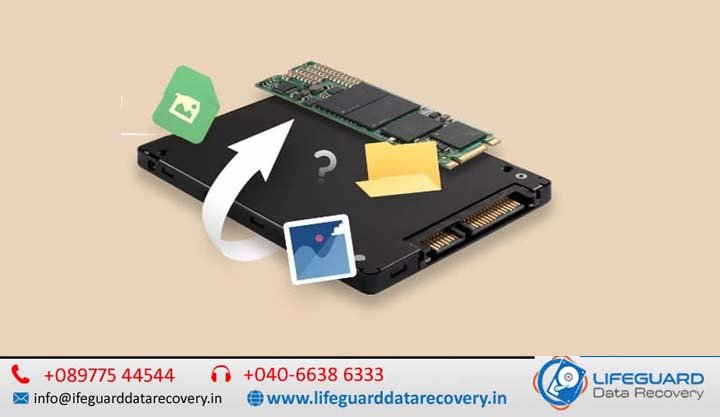
SSD Data Recovery Services India Professional Solutions by Lifeguard Data Recovery At Lifeguard Data Recovery we specialize in providing the most reliable SSD hard drive data recovery solutions for clients across India and the UAE. As a premier SSD data recovery company India. We combine advanced forensic technology with decades of engineering expertise to retrieve data from failed corrupted, or physically damaged solid-state media. Don’t risk permanent data loss by attempting DIY fixes or using unreliable software. Trust the best SSD data recovery service India offers a team that provides a clear, transparent process and a commitment to excellence. Why Choose Lifeguard Data Recovery Choosing the right partner for your data recovery needs is critical. At Lifeguard Data Recovery, we distinguish ourselves through a combination of local presence and world-class technical capabilities. We are not just an IT repair shop; we are a dedicated laboratory focused exclusively on the art and science of data retrieval. Local UAE Expertise with International Standards While we provide SSD data recovery services in India, our primary operations are centered in the UAE, allowing us to serve the regional business hub with unmatched speed. We understand the local market’s needs, from the high-pressure demands of Dubai’s financial sector to the creative requirements of media professionals in Abu Dhabi. Certified Recovery Engineers and Advanced Tools Our team consists of certified SSD recovery India experts who utilize industrial-grade workstations like the PC-3000 Flash. These tools allow us to communicate directly with the NAND flash chips, bypassing failed controllers and corrupted firmware that standard software cannot reach. Strict Confidentiality and Secure Handling We recognize that your data is your most valuable asset. Our facility follows rigorous security protocols to ensure that your sensitive files remain private. Every recovery is handled in a secure environment, and we are happy to sign Non-Disclosure Agreements (NDAs) for corporate and government clients. Our Comprehensive Data Recovery Services At Lifeguard Data Recovery, we offer a specialized range of services designed to address every type of storage failure. Our engineers are trained to work with the unique architecture of various devices, ensuring the highest possible success rates. Video File and Multimedia Recovery Media professionals often face the nightmare of corrupted or deleted video footage. We specialize in reconstructing fragmented video files from professional cameras (RED Arri Blackmagic) and drones. Our video file recovery techniques can repair damaged headers and metadata, ensuring that weeks of production work are not lost to a single corrupted block. Mobile Data Recovery (iPhone & Android) From liquid-damaged iPhones to Android devices that won’t boot, we provide expert mobile data recovery.  This is essential for retrieving irreplaceable photos contacts and encrypted messages. RAID and Server Recovery For organizations, we provide critical enterprise SSD data recovery for RAID arrays NAS and SAN systems on server cases to minimize business downtime and restore your databases and virtual machines. USB Memory Card and External Drive Recovery Portable media is prone to physical damage and “controller death. We offer specialized services for USB flash drivesSD cards and external backup drives. The Recovery Process: How It Works We believe in a structured, transparent approach that keeps you informed and in control. Our 5-step process is designed for maximum efficiency and security. 1.  Consultation and Diagnosis Your journey begins with a free consultation. Once we receive your device at our UAE facility, our engineers perform a non-destructive diagnostic to determine the failure’s nature. 2. Failure Analysis and Transparent Quote Within 24 to 48 hours, you will receive a detailed report of our findings. This includes a fixed-price quote and an estimated timeline. We explain exactly what went wrong and what we expect to recover, ensuring there are no hidden costs or surprises. 3. Secure Data Extraction Upon your approval, we begin the engineering work. For physical SSD failures, this might involve repairing the PCB or performing a “chip-off” extraction in our Class 100 Cleanroom. For logical issues, we use forensic imaging to create a bit-for-bit clone of your data, ensuring your original media is never altered. 4. Data Verification Once the data is extracted, we verify the integrity of the files. We can provide you with a file list or a remote session to check that your most important documents, databases, or photos have been successfully retrieved. 5. Secure Data Delivery The recovered data is encrypted and transferred to a new, secure storage device. We can ship the device to your location in the UAE or provide a secure download link for smaller datasets. Common Issues We Fix: Real-World Solutions Data loss is rarely simple. It often involves a combination of technical failure and emotional or financial stress. At Lifeguard Data Recovery, we address the root causes of data loss with precision. Corrupted Video Files and Unreadable Drives Professionals often encounter “RAW” drives or corrupted file headers.  We use heuristic analysis to rebuild the file structure and restore access to your assets. Operating System Crashes and Blue Screens If your SSD is causing frequent crashes or “No Bootable Device” errors, it often indicates a failing controller or firmware corruption. Physical Damage (Water Fire Power Surge) SSDs are sensitive to electrical fluctuations. A power surge can fry the PMIC (Power Management IC) or the controller. Our engineers perform micro-soldering and component replacement to stabilize the drive long enough for a full data extraction. RAID Failure and Server Downtime A RAID 5 or RAID 6 array is not a backup.  We manually rebuild these arrays in a virtual environment, mapping the block stripes to reconstruct your data without risking the original disks. Pricing and Costs: A Transparent Approach We understand that Affordable SSD data recovery India is a priority for many clients. At Lifeguard Data Recovery, we price every job based on the complexity of the recovery, not the value of your data. Factors That Influence Cost: Logical Recovery: This covers issues like deleted files, formatting, or file system corruption where the drive is physically healthy. Physical/Electronic Damage: This includes failures requiring cleanroom work PCB repair or controller bypass. Enterprise/RAID Recovery: Prices

Recover Data from Failed SSD Drive – Professional SSD Data Recovery in India
Life Guard

Recover Data from Failed SSD Drive in India

Solid State Drives (SSDs) are faster, more durable, and more reliable than traditional hard drives. When an SSD crashes, stops being detected, or gets corrupted, the data loss can be devastating. If you are searching for how to recover data from a failed SSD drive India, you’re in the right place. At Lifeguard Data Recovery, we specialize in failed SSD data recovery and provide professional SSD data recovery near me services across India. Whether you need emergency SSD drive recovery, affordable SSD data recovery service, or a certified SSD recovery expert, our team ensures quick SSD drive data recovery service with a No Data – No Fee SSD data recovery guarantee. Signs of SSD Drive Failure You Shouldn’t Ignore Many users ask, “Can data be recovered from a dead SSD?” The answer is yes, but it’s crucial to recognize the symptoms early. Common signs include: SSD not detected recovery issues in BIOS or OS Frequent system crashes or blue screens Extremely slow file access speeds Sudden disappearance of files SSD showing bad sectors or read/write errors If you face these problems, contact a local SSD recovery center near me instead of trying DIY fixes that may worsen the issue. Why Do SSDs Fail? -Logical vs Physical Failures Understanding the cause of failure helps in planning the right recovery approach: Logical Failures – File system corruption, accidental formatting, or OS errors.Solutions: Data recovery from formatted SSD, recovering deleted files, and software-level fixes. Physical Failures– Issues with NAND chips, controller damage, or firmware corruption.Solutions: NAND flash chip data recovery, SSD controller failure recovery, or SSD firmware corruption data recovery by specialists. Knowing the difference between HDD and SSD recovery is important – SSD recovery is more complex and requires certified expertise. How Professional SSD Recovery Service Works Wondering about the steps in professional SSD recovery service? Here’s what happens when you bring your drive to us: SSD Diagnostics and Repair Service – We assess the health of the drive using advanced tools. Data Imaging -Extracting a copy of the data safely without risking further damage. Recovery Process -Depending on the issue, we perform SSD bad sectors recovery, firmware fixes, or secure SSD data retrieval service. Verification & Delivery – The recovered files are checked for integrity and securely delivered. This ensures a higher success rate than any DIY method. Why Choose Lifeguard Data Recovery for Failed SSD Recovery in India? When searching for the best SSD data recovery company near me, you want trust, expertise, and fast service. Here’s why thousands choose us: Certified SSD recovery experts with 30+ years of combined experience Emergency SSD drive recovery available 24/7 Affordable SSD data recovery service with transparent pricing State-of-the-art labs equipped for NAND & controller recovery Nationwide support – SSD data recovery service India (Delhi, Mumbai, Bangalore, Hyderabad, Chennai, Pune, and more) City-Specific SSD Data Recovery Services in India We proudly offer specialized SSD recovery solutions across major cities: SSD recovery experts Delhi – Quick diagnostics and repair SSD drive recovery service Mumbai – Business & personal recovery Professional SSD recovery Bangalore– Emergency recovery support SSD repair and recovery Hyderabad– Firmware and controller fixes SSD data recovery service Chennai -Local walk-in support Certified SSD recovery Pune – Advanced chip-off recovery methods Wherever you are, you can find SSD data recovery near me open now with Lifeguard. DIY vs Professional SSD Recovery – What You Need to Know Many try free tools to recover files from damaged SSD or attempt DIY fixes. While some logical issues may be solved this way, remember: DIY attempts can cause permanent data loss Physical SSD problems need chip-level expertise Professional vs DIY SSD data recovery – professionals have cleanrooms, tools, and knowledge to safely retrieve data If your data is critical, it’s always best to opt for a secure SSD data retrieval service. If your SSD has failed, crashed, or stopped being detected, don’t panic. With the right experts, recover data from failed SSD drive is possible. Lifeguard Data Recovery is India’s trusted name for failed SSD data recovery, offering affordable, emergency, and certified SSD drive recovery services . Advanced SSD Recovery Technologies We Use Unlike traditional hard drives, SSDs utilize complex technologies that require specialized recovery methods. Our recovery laboratory uses advanced tools and techniques including: NAND Flash Memory Recovery SSD Controller Repair and Recovery Firmware Reconstruction Chip-Off Recovery Procedures SSD Data Imaging Technology File System Reconstruction RAID SSD Recovery Solutions Enterprise SSD Recovery Techniques These specialized procedures allow us to recover data from SSDs that many standard repair centers consider unrecoverable. SSD Recovery for Businesses and Enterprises Business data loss can result in significant downtime and financial losses. We provide enterprise-grade SSD recovery solutions for: Small and medium businesses Corporate organizations Educational institutions Government departments Healthcare providers Financial institutions IT companies and startups Manufacturing organizations Our priority recovery services help businesses restore critical data as quickly as possible to minimize operational di Frequently Asked Questions About SSD Data Recovery Can a completely dead SSD be recovered? In many cases, yes. Even if the SSD is not detected by the system, professional recovery techniques may still retrieve the data depending on the nature of the failure. How long does SSD data recovery take? Recovery times vary depending on the severity of the damage. Logical failures may be resolved within a few days, while complex physical recoveries can take longer. Is SSD recovery more difficult than HDD recovery? Yes. SSDs use advanced technologies such as wear leveling, TRIM commands, and complex controllers, making recovery significantly more challenging than traditional hard drives. Contact India’s Trusted SSD Recovery Specialists When valuable files are trapped inside a failed SSD, every minute matters. Whether you need SSD not detected recovery, SSD firmware corruption recovery, NAND flash memory recovery, or emergency SSD drive recovery, Lifeguard Data Recovery is ready to help. Our certified engineers, advanced recovery laboratory, and customer-focused approach have made us a trusted choice for SSD data recovery services throughout India. From personal memories to critical business information, we work tirelessly to recover the

digital storage recovery India digital data storage recovery services storage device data recovery India professional digital storage reco
blog, Life Guard

USB Stick File Retrieval in India

In our modern digital lives, USB sticks often called pen drives or flash drive more than just storage devices. They hold our work, our studies, our creativity, and even our memories. From a student’s thesis to a family’s precious photographs, these small devices carry big parts of our lives. But when a USB stick suddenly stops working, files disappear, or it gets accidentally formatted, it can feel like a piece of your world has been lost. The good news is-you don’t have to carry that worry alone. Professional USB stick file retrieval in India offers safe, secure, and compassionate solutions to bring your data back in Lifeguard Data Recovery. Why USB Sticks Fail and Data Gets Lost It’s natural to feel anxious when your USB doesn’t respond but remember-you are not alone in this. USB drives, despite their usefulness, are fragile. Some common reasons for data loss include: Accidental Deletion or Formatting A simple click can erase files without warning. Physical Damage A small bend, heat exposure, or water can harm the drive. File System Corruption Removing the device without “safely ejecting” often leads to corruption. Virus or Malware Attacks Infected drives may hide, delete, or damage your files. Wear and Tear Like all things, USB sticks have a limited life cycle. Understanding what happened is the first step toward healing the situation. And with the right help, recovery is possible. Professional USB Stick File Retrieval Services in India When panic sets in, many people rush to try free recovery tools. While tempting, these quick fixes can sometimes worsen the damage by overwriting files. If your data is truly important whether it’s personal or professional trusting experts is the safest path. Professional data recovery specialists in India use advanced tools, cleanroom technology, and gentle handling methods designed to carefully restore what was lost. They don’t just recover files—they bring peace of mind. Here’s what you can expect: Recovery of deleted, hidden, or corrupted files. Gentle repair of physically damaged USB sticks. Compatibility with all brands and capacities, from 4GB to 1TB. Retrieval of personal memories, office files, photos, videos, and music. Fast results, handled with care and confidentiality. Why Choosing Experts Brings Comfort Data recovery is not only about restoring files—it’s about restoring hope and relief. Choosing a trusted recovery service in India ensures: High Success Rates Even USB sticks can often be revived. Confidential Care Your personal and professional files are treated with respect and privacy. Transparent Costs No hidden surprises, just honest guidance. Quick Solutions For urgent needs, express services provide peace of mind. Safe Techniques Experts protect both your data and your device. Knowing your data is in safe hands allows you to breathe easier and focus on what matters most. Healing Through Prevention Protecting Your Data Once your files are safely restored, it’s important to take gentle, mindful steps to prevent future loss: Keep regular backups on cloud storage or external drives. Safely eject your USB before unplugging it. Protect your devices with antivirus software. Store USB sticks carefully away from heat, water, and magnetic fields. Replace older USB sticks before they wear out. These small acts of care can help protect what matters most to you. Who Finds Relief in USB Stick Recovery? The truth is, everyone can benefit from professional recovery when the unexpected happens: Students & Researchers Restoring projects, assignments, or thesis work. Photographers & Creatives Recovering lost photos, videos, or designs. Corporate Professionals Securing business files, presentations, and reports. Everyday Users Bringing back family photos, home videos, and personal documents. For each of these, the recovery is not just about data it’s about restoring joy, trust, and peace of mind. FAQs Compassionate Guidance on USB Stick File Retrieval Q1: Can deleted files really be brought back?Yes, often they can especially if the files haven’t been overwritten. Professional recovery offers the best chance. Q2: How long does the recovery process take?For simple cases, just a few hours. For more complex, physically damaged drives, it may take 2–5 days. Patience brings results. Q3: Will I definitely get all my files back?No service can promise 100%, but professional labs in India achieve success rates as high as 80–95%. Q4: Is it expensive to recover a USB stick in India?Costs vary depending on the issue. Logical recoveries are usually affordable, while severe physical damage may cost more due to advanced tools and cleanroom work. Q5: Is my data safe and private during recovery?Yes. Reputable recovery services treat your files with absolute confidentiality, ensuring your trust is never broken. Conclusion From Loss to Recovery When a USB stick fails, it’s easy to feel defeated but remember, lost data does not always mean lost forever. With USB stick file retrieval services in India, your files can be recovered safely, securely, and with the care they deserve. Think of recovery as a healing process where experts gently bring back what you feared was gone. Instead of worrying or trying risky methods, allow professionals to guide you. With the right support, you can turn stress into relief and move forward knowing your valuable once again in your hands.

Solid State Drive Data Retrieval in India
blog, Life Guard

Solid State Drive Data Retrieval in India

Solid State Drives (SSDs) have revolutionized data storage with lightning-fast performance, durability, and compact size. However, despite their advantages, data loss can still occur due to accidental deletion, corruption, hardware issues, or malware attacks. That’s where solid-state drive data retrieval in India comes into play – the process of recovering lost, deleted, or inaccessible files from an SSD. In this guide, Lifeguard Data Recovery we’ll explore recovery methods, causes of SSD data loss, technical retrieval techniques, and when to choose professional SSD data recovery services. Solid State Drive Data Retrieval in India: Complete Guide to SSD Data Recovery Solid State Drives (SSDs) have transformed modern data storage by offering exceptional speed, reliability, energy efficiency, and compact design. From personal laptops and desktop computers to enterprise servers and high-performance workstations, SSDs have become the preferred storage solution for millions of users worldwide. Despite their advanced technology, SSDs are not immune to data loss. Important files can disappear due to accidental deletion, formatting errors, firmware corruption, hardware failures, malware attacks, operating system crashes, power surges, or physical damage. When such incidents occur, professional solid state drive data retrieval in India can help recover lost, deleted, corrupted, or inaccessible data from SSD storage devices. This comprehensive guide explains the common causes of SSD data loss, available recovery methods, advanced retrieval techniques, platform-specific solutions, and the importance of professional SSD recovery services. Understanding SSD Data Loss Unlike traditional hard disk drives (HDDs), SSDs store data using NAND flash memory chips. While SSDs offer faster performance and greater durability, their architecture introduces unique recovery challenges. One of the biggest differences is the TRIM command, a feature designed to improve SSD performance by automatically clearing deleted data blocks. Once TRIM executes, recovery becomes significantly more difficult. However, many SSD data loss situations still allow successful retrieval when addressed promptly and correctly. Common data loss incidents include: Accidental file deletion SSD formatting Partition loss or corruption Operating system crashes Firmware failures Malware and ransomware attacks File system corruption Bad blocks and read errors Power outages and voltage fluctuations Physical damage from impact, heat, or liquid exposure Understanding the exact cause of data loss helps determine the most effective recovery approach. Recovery Methods & Tools When dealing with data loss, your first step is often to try solid state drive data recovery software. These tools can scan your SSD for recoverable data and restore it without the need for physical repairs. Best SSD data recovery tools like Ease US, Stellar, or Disk Drill can help retrieve lost files efficiently. If you’re on a budget, there are free SSD data recovery programs available, though they may have limitations. For non-booting systems, knowing how to retrieve data from a non-booting SSD can save time – often by connecting the SSD externally. Many users face SSD data retrieval on Windows 10/11, which is supported by most modern recovery utilities.  Causes & Scenarios of SSD Data Loss Understanding the reason behind data loss is key to successful recovery. Sometimes, you need to recover deleted files from an SSD after formatting – a common scenario when reinstalling OS. Firmware glitches can lead to SSD data retrieval after firmware failure. Accidental deletion SSD data recovery is among the most requested services. Malware or system corruption may require you to recover files from a corrupted SSD. Cyber threats like ransomware demand SSD data retrieval after malware or ransomware attacks. Technical Recovery Techniques Some SSD failures require advanced approaches that go beyond basic software tools. Specialists may recover data from SSD bad blocks using specialized imaging tools. Sector-by-sector clone for SSD recovery ensures no additional damage during the retrieval process. If partitions go missing, SSD unallocated cluster data retrieval may restore the structure. Logical problems can be solved via logical failure SSD file recovery methods. In extreme cases, NAND chip-off SSD recovery is performed in a lab to extract raw data directly from memory chips.  Platform-Specific Retrieval macOS users may retrieve data from an SSD on macOS using Disk Utility or third-party software. Open-source tools support SSD data retrieval on Linux. Advanced users may perform SSD data retrieval using the Windows command line for targeted recovery. Professional Services & Costs If your SSD is physically damaged, water-damaged, or has severe firmware corruption, DIY methods may fail. In such cases, professional SSD data recovery services are essential. A SSD data recovery clean room service ensures safe handling of delicate components. The cost of SSD data retrieval service depends on damage severity, capacity, and urgency, but can range from moderate to premium. Final Thoughts Whether it’s accidental deletion SSD data recovery or advanced NAND chip-off SSD recovery, choosing the right method can mean the difference between permanent loss and full restoration. Always start with reliable solid state drive data recovery software, and if that fails, trust a certified lab for the job. With the right tools, knowledge, and professional support, solid state drive data retrieval in India can bring your valuable files back – even from the toughest scenarios.

Server Data Recovery Services India
blog, Life Guard

Internal Hard Drive Recovery in India

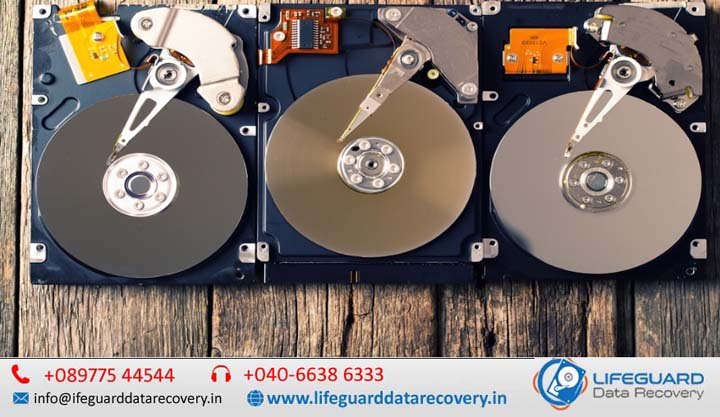
When your computer’s internal hard drive stops working or your important files suddenly disappear, it can be a stressful experience. Whether it’s a work project, personal photos, or business-critical data, losing it can feel devastating. That’s where Lifeguard Data Recovery comes in – offering professional internal hard drive recovery in India services across India with a proven track record of success. What is Internal Hard Drive Recovery? Internal hard drive recovery is the process of retrieving lost, deleted, or inaccessible files from your computer’s built-in storage device, whether it’s a traditional HDD or a modern SSD. Unlike external drives, internal drives are built into your laptop, desktop, or server, making recovery more complex when problems occur. At Lifeguard Data Recovery, we handle everything from logical file issues to complete physical rebuilds using internal HDD data recovery clean room facilities for maximum safety. Common Causes of Internal Hard Drive Data Loss Data loss can happen for many reasons. we handle: Accidental deletion internal hard drive recovery- files deleted without a backup. Recover data after formatting internal hard drive – formatted partitions or drives. Internal hard drive recovery after crash or corruption – sudden system failures. Recover data from corrupted internal hard drive – file system corruption or OS issues. Internal drive data loss due to malware or ransomware – encrypted or destroyed files after an attack. Recognizing the cause is the first step toward safe and successful recovery. Signs Your Internal Drive Needs Recovery If you notice any of these issues, stop using the device immediately to prevent further damage: Clicking, buzzing, or grinding noises Drive not detected by the system Slow access to files or frequent freezing Blue Screen of Death (BSOD) on Windows Repeated operating system boot failures Recovery Methods & Tools We Use We tailor the process depending on the drive’s condition: Internal hard drive data recovery software for mild logical failures Best internal HDD recovery tools for advanced imaging and cloning Free internal hard drive recovery programs for safe do-it-yourself retrieval in simple cases How to recover files from internal hard drive non-booting systems using specialized boot media Full support for internal hard drive recovery Windows 10/11 systems, including encrypted drives Our engineers combine software techniques with hardware expertise to maximize success rates. Technical Recovery Techniques We Specialize In Recover data from internal hard drive bad sectors by isolating damaged areas and cloning the healthy sections Sector-by-sector clone for hard drive recovery to create an exact duplicate before extraction Internal hard drive unallocated cluster data recovery to restore partitions marked as “unallocated” Logical failure internal hard drive file recovery to rebuild file systems and directory structures These advanced techniques are performed only in secure lab environments to protect your data integrity. Platform-Specific Internal Drive Recovery Our services aren’t limited to one operating system: Recover files from internal hard drive on macOS (APFS, HFS+) Internal hard drive recovery Linux (EXT, XFS, Btrfs) Internal hard drive recovery Windows command line for targeted fixes in complex cases We have dedicated tools for each OS to ensure compatibility and high recovery rates. Our Proven Internal Hard Drive Recovery Process Free evaluation & diagnostics Imaging & cloning in a certified cleanroom Data extraction using specialized recovery methods Verification & secure delivery of recovered files Every step is carried out in our professional internal hard drive data recovery services lab to prevent further loss. Cost of Internal Hard Drive Recovery Service in India Pricing depends on factors such as damage type, drive capacity, urgency, and whether parts need replacing. We provide a transparent quote after a free diagnosis, and our No Data – No Fee policy means you only pay for successful recoveries. DIY vs. Professional Internal HDD Recovery While some basic cases can be resolved using free internal hard drive recovery programs, physical damage or complex logical failures require professional intervention. Attempting DIY on a failing drive can make the damage irreversible. That’s why our cleanroom experts often recover drives that others have deemed “unrecoverable.” How to Prevent Internal Drive Data Loss Back up regularly (local and cloud) Avoid overheating by keeping your device ventilated Use surge protectors to prevent power damage Keep antivirus software updated Shut down your computer properly Why Choose Lifeguard Data Recovery? 30+ years of industry experience in India State-of-the-art cleanroom facilities Certified engineers with brand-specific expertise (Seagate, WD, Toshiba, Samsung) Nationwide service with local collection and delivery Strict confidentiality policies Service Coverage Across India We offer internal hard drive recovery in:Delhi | Mumbai | Bangalore | Hyderabad | Chennai | Kolkata | Pune | Ahmedabad | Jaipur | Chandigarh and more. With our nationwide logistics network, your damaged drive can be collected, repaired, and returned without hassle. FAQ – Internal Hard Drive Recovery Q: Can you recover files from a non-booting laptop?Yes, we specialize in how to recover files from internal hard drive non-booting systems. Q: How long does it take?Anywhere from 24 hours to a week depending on damage complexity. Q: Is my data safe?Absolutely. We use secure, confidential processes. Get Started with Lifeguard Data Recovery Today If you need internal hard drive recovery anywhere in India, contact Lifeguard Data Recovery now for a free evaluation. Call us or fill out our online form – your data is too important to leave to chance.

Recover Deleted Files on Mac
Life Guard

Recover Deleted Files on Mac

Recover Deleted Files on Mac in India – Quick, Safe & Reliable Solutions. Losing essential files on your Mac can be stressful and disruptive. Whether it’s crucial work documents, treasured family photos, or an important creative project, accidental deletion can bring everything to a halt. The positive news? In most situations, deleted files are not permanently lost – and with the right steps, Mac file recovery in India can restore them safely with Lifeguard Data Recovery. This guide explains how Mac deleted file recovery works, the immediate actions you should take, and why choosing professional recovery services is often the most secure way to retrieve your data. Why Mac Files Go Missing Apple devices – from MacBooks to iMacs and Mac minis – use advanced storage technology, but they’re still susceptible to file loss.Common causes of accidental deletion include: Unintentionally deleting files through Finder or Terminal Emptying the Trash Bin before realizing a file is needed Formatting or altering partitions macOS update errors Data corruption from malware or sudden power outages Hardware problems in HDDs, SSDs, or Fusion Drives – which require careful diagnosis before recovery  When you delete a file on your Mac, it’s not erased immediately. Instead, the system removes its directory entry and marks the storage space as available for reuse.If that space is overwritten by new data, recovery becomes far less likely – until then, the files are often retrievable.Time is critical: the more you use your Mac after deletion, the greater the risk of overwriting. That’s why quick action is essential. What to Do Right After Deleting Files If you’ve just lost important files, follow these steps without delay: Stop using your Mac – Prevents new data from overwriting deleted files. Check the Trash Bin – Restore files immediately if they’re still there. Avoid installing or downloading anything – This can overwrite recoverable sectors. Unplug the storage device if the data was on an external drive or Time Machine backup. Ignoring these steps can make recovery more difficult, even for experts. DIY Recovery vs. Professional Services in India While DIY recovery software exists, it carries risks. Misuse can lead to further corruption or irreversible loss.Certified recovery labs in India have Apple-trained specialists, advanced tools, and controlled cleanroom environments to handle the process safely and effectively. Why Professional Mac File Recovery Is Better In-depth File System Knowledge – Technicians understand APFS, HFS+, and Fusion Drive structures thoroughly. Secure Data Handling – Strict privacy measures keep your information confidential. Cleanroom Repairs – Essential for fixing physically damaged drives without contamination. Advanced Tools – Hardware-level recovery methods go far beyond consumer software. Support for Every Storage Type – Internal or external HDDs, SSDs, and hybrid Fusion Drives. Professional Recovery Process in India Here’s how expert labs usually manage Mac deleted file recovery: Drive Inspection – Identifies whether the problem is logical (file system) or physical (hardware). Safe Imaging – Creates a complete sector-by-sector clone for safe analysis. Deep Scan – Uses advanced scanning algorithms to locate lost data. Data Reconstruction – Restores files while preserving their original structure. Secure Delivery – Transfers recovered data to a safe medium for return. Special Scenarios – Encryption & APFS Snapshots Modern Macs combine T2 security hardware with APFS encryption for enhanced protection.Recovering from these setups requires specialized tools and decryption expertise.In some cases, APFS snapshots can revert your system to an earlier state, restoring lost files without extensive extraction – but only if certain conditions are met, which professionals know how to check. Mac Deleted File Recovery Costs in India Pricing depends on several factors: The storage type – HDD, SSD, or Fusion Drive The cause of file loss – logical or physical The complexity of the recovery Many professional services offer a free or low-cost diagnosis before providing a quote. How to Prevent Future Data Loss Although no method is 100% fail-proof, adopting good habits greatly reduces the risk: Enable Time Machine for automated backups to an external drive. Use iCloud for real-time syncing of critical files. Keep files organized and avoid unsafe storage practices. Perform regular disk health checks to detect issues early. Frequently Asked Questions Can deleted files be recovered after emptying the Trash? Yes. In many situations, files can still be recovered if the storage space has not been overwritten. How long does Mac file recovery take? Recovery times vary depending on drive condition and complexity. Simple logical recoveries may take a few hours, while severe hardware cases can require several days. Can files be recovered from a damaged SSD? Yes. SSD recovery is possible in many cases, although specialized techniques are often required. Is my recovered data kept private? Absolutely. We follow strict confidentiality procedures and ensure only the customer has access to recovered files. What is the success rate for Mac deleted file recovery? Success rates depend on the cause of data loss and how quickly recovery begins. Immediate professional assistance significantly improves recovery chances. Contact India’s Trusted Mac File Recovery Experts If you’ve accidentally deleted important files from your Mac, don’t take unnecessary risks with DIY recovery attempts. Professional intervention can often recover data that would otherwise be lost permanently. Lifeguard Data Recovery India offers safe, secure, and reliable Mac deleted file recovery services for individuals, businesses, students, photographers, and professionals across the country. Contact our recovery experts today for a consultation and take the first step toward restoring your valuable data.

Life Guard

NAS drive failure recovery

A True NAS boot drive failure can be a nightmare for both home and business users. Your NAS is the central hub for all your files, backups, and sometimes even business-critical databases. When it refuses to start, the immediate fear is data loss – but don’t panic. In most cases, your data is still safe on the storage drives, and with the right NAS data recovery service, you can get it back intact in Lifeguard Data Recovery. Recovering the Data from a NAS with No Power If your NAS refuses to power on, it doesn’t automatically mean your data is gone. causes include: Power supply failure Motherboard or controller card damage Faulty RAM Short circuits caused by overheating or dust buildup In such situations, a professional NAS recovery service near me can safely extract the drives and connect them to a specialized recovery workstation. This process bypasses the failed NAS hardware entirely, allowing experts to recover NAS data directly from the drives. Tip: Never attempt to repair the electronics yourself unless you have hardware recovery experience – one wrong move can cause irreversible damage. NAS Data Recovery: Recover Data from NAS (over network) Sometimes the NAS powers on but refuses to boot correctly due to a corrupt boot partition or RAID configuration error. If your NAS supports SSH or Telnet access, you might still be able to pull data over the network before complete failure. A professional NAS data recovery team can: Mount your RAID array virtually Rebuild corrupted file systems Extract and transfer data to external storage Maintain the integrity of file hierarchies and permissions If remote access isn’t possible, recovery experts will clone each drive before working on them to ensure no further data loss. NAS Failure – How to Access Data – Reclaim File Recovery Reclaim File Recovery is a trusted software solution for DIY users who want to try NAS data recovery at home. It can detect multiple RAID configurations, even without the NAS enclosure. However, it requires the drives to be connected to a Windows PC, so you’ll need SATA ports or USB adapters. Recover NAS Data – Chasity Documentation Chasity Documentation outlines recovery strategies for enterprise-grade NAS systems, including snapshot restores, cloud replication, and granular file recovery. These techniques often require advanced IT knowledge, so smaller businesses may benefit from outsourcing to a NAS data recovery company. Hard Drive Data Recovery: How to Recover Data From a Dead Hard Drive If your NAS drive is physically dead -clicking, grinding, or not spinning – data recovery requires a cleanroom environment. Specialists replace damaged read/write heads or repair failed PCBs before cloning the data. This is the most complex and costly type of NAS data recovery, but often the only option for mission-critical information. NAS Failure – How to Access Data Accessing NAS data after failure involves: Identifying the type of failure (software vs. hardware) Cloning drives to prevent further deterioration Rebuilding the RAID array using specialized tools Extracting data to a secure medium NAS Failure -How Do You Access The Failed NAS Drive If the NAS enclosure itself is faulty but the drives are intact, you can remove them and connect directly to a recovery workstation. Keep in mind that RAID arrays store data across multiple disks in a specific order -mixing up the sequence can corrupt recovery efforts. Recovering Data When NAS Fails (The Actual NAS Not Working) When the NAS hardware fails completely, professional recovery labs can simulate your original NAS environment to virtually mount the drives. This ensures all data, metadata, and folder structures are preserved. How to Recover Data from Failed NAS Drives? Step-by-step: Power off the NAS immediately Label and remove the drives in the correct order Contact a NAS data recovery service – Recover Data from NAS Server Allow professionals to clone and rebuild your RAID How Do I Recover Data from a Synology NAS that is No Longer Accessible? Synology NAS systems use proprietary file structures that can be complex to rebuild. Tools like Reclaim or R-Studio can sometimes recover the data, but for encrypted volumes, professional help is essential. NAS Data Recovery Service A NAS data recovery service can handle everything from firmware corruption to multi-drive RAID failures. Look for a provider with: Cleanroom facilities for physical drive repairs RAID reconstruction expertise Support for all NAS brands (Synology, QNAP, True NAS, ASUSTOR, WD) Transparent NAS data recovery cost estimates NAS Data Recovery Service – Recover Data from NAS Server If your NAS contains sensitive client or business data, choose a provider that guarantees data confidentiality. This is particularly important in industries like finance, healthcare, and law. People also search for NAS RAID recovery QNAP data recovery Synology NAS repair Network storage recovery tools Best NAS for data backup NAS recovery software reviews FAQs -NAS Drive Failure Recovery Q1: What causes NAS drive failure?NAS drive failure can occur due to physical issues like head crashes, motor failure, or PCB damage, as well as logical problems such as RAID corruption, firmware errors, or file system damage. Power surges, overheating, and improper shutdowns are also common culprits. Q2: Can data be recovered from a failed NAS drive?Yes. In most cases, data can be recovered from a failed NAS drive using specialized NAS data recovery services. The success rate depends on the extent of damage and whether the drives were overwritten after the failure. Q3: How much does NAS drive failure recovery cost?NAS drive recovery costs vary depending on the severity of the failure, number of drives, RAID type, and whether cleanroom repairs are required. Simple recoveries can cost a few hundred dollars, while complex RAID rebuilds can cost significantly more. Contact LifeGuard Data Recovery If your NAS has failed, stop using the device immediately to prevent further data loss. Contact our recovery specialists for a free evaluation and professional assistance.

Restore accidentally deleted emails
Life Guard

RAID sever not booting data recovery in India

RAID (Redundant Array of Independent Disks) is a powerful storage solution designed for speed, redundancy, or both. However, even the most reliable RAID systems can fail due to hardware issues, configuration errors, or multiple drive failures.When this happens, RAID recovery becomes critical -and the sooner you act, the higher the chances of saving your data. In this guide, we’ll walk you through how to raid server not booting data recovery in India, troubleshoot common problems, and know when to call in a professional RAID data recovery service. RAID Server Not Booting Data Recovery in India – Complete RAID Recovery Guide RAID (Redundant Array of Independent Disks) is one of the most trusted storage technologies for businesses, enterprises, creative professionals, and organizations that rely on uninterrupted access to critical data. By combining multiple hard drives into a single storage system, RAID improves performance, fault tolerance, and storage capacity. However, despite its reliability, RAID systems are not immune to failures. A RAID server that suddenly refuses to boot can bring business operations to a halt. Whether the issue is caused by hardware failure, RAID controller corruption, firmware problems, operating system crashes, accidental RAID reconfiguration, or multiple disk failures, immediate action is essential to prevent permanent data loss. At Lifeguard Data Recovery, we provide professional RAID server not booting data recovery in India for businesses of all sizes. Our certified engineers recover data from damaged RAID arrays, failed servers, NAS devices, SAN storage systems, and enterprise storage solutions using advanced recovery techniques and industry-leading tools. Raid Windows Server is not booting anymore A RAID 0 Windows Server not booting anymore is a serious issue because RAID 0 offers no redundancy. Possible causes include: Corrupt boot sectors Drive failure in the array Controller malfunction Malware or OS corruption Solution:Recovery for RAID 0 usually requires reconstructing the stripe order and reading sectors directly from each drive. This is best handled by a RAID server data recovery specialist. Facing a RAID Server Failure? Whether caused by hardware faults, RAID sever not booting data recovery in India, or multiple drive failures, the recovery process must be swift and precise.Professional RAID engineers can virtually rebuild the RAID configuration and extract your data without causing further corruption. Raid Or Server Data Recovery RAID or server data recovery involves: Cloning each disk to avoid further deterioration Rebuilding the array logically using specialized software Extracting and verifying files Attempting recovery without proper tools can risk permanent data loss. RAID Recovery: How to raid server not booting data recovery in India The general RAID recovery steps include: Stop using the array immediately after failure. Label each drive according to its original position. Clone drives before attempting recovery. Rebuild the array virtually using professional RAID tools. Export recovered data to a safe location. How to Recover Data from a RAID Server? If you’re wondering how to recover data from a RAID server, here’s the approach professional’s use: Inspect hardware for obvious damage. Test each drive’s health individually. Rebuild RAID using original parameters. Use file system repair tools if necessary. Important: Avoid initializing or formatting the drives – it will overwrite metadata. RAID Server Data Recovery RAID server data recovery services specialize in: RAID controller failures Firmware corruption Accidental RAID reconfiguration Multi-drive failures They use advanced cloning and parity analysis to recover the maximum possible data. How to Recover Data When RAID Configuration Goes Wrong If you entered the wrong RAID configuration settings, your data might become inaccessible. Recovery experts can analyze the drives’ parity blocks and original order to reverse the configuration mistake. How to Troubleshoot RAID Hard Drive Problems To troubleshoot RAID hard drive problems: Check RAID management software for alerts. Test each drive individually. Review controller logs. Look for SMART warnings. If drives are failing, replace them only after cloning and securing the data. How to Recover RAID Recovery steps vary by RAID level. For example: RAID 1: Recover from the healthy mirror. RAID 5: Rebuild from parity and remaining drives. RAID 6: Recover from dual parity drives. Always maintain backups to avoid emergency recovery situations. My Server wont boot. What do I do? -Pro MAX Support When your server won’t boot: Check power and network connections. Inspect RAID BIOS for drive status. If drives are detected but OS fails to load, consider boot repair tools. For RAID failures, contact recovery services before reinitializing the array. How Do Recover Data From the Server? – Cy future Cloud Cy future Cloud advises that the safest way to recover data from the server is by: Using snapshots or backups if available. Employing RAID-aware recovery tools. Engaging certified recovery engineers for mission-critical data. What is RAID Storage? Levels,  Failures, Recovery Options  levels include: RAID 0 – Speed only, no redundancy RAID 1 – Mirroring for redundancy RAID 5 – Balanced speed and fault tolerance RAID 6 – Two-drive fault tolerance RAID 10 – Combined mirroring and striping Failures can result from drive damage, controller faults, or accidental configuration changes. RAID Data Recovery Services | Server Recovery Experts Professional RAID data recovery services can handle: Physical drive repairs in cleanrooms RAID rebuilds from scratch Encrypted RAID recovery Virtual machine data recovery from RAID storage They maintain confidentiality and offer fast turnaround times for businesses. FAQs – RAID Drive Failure & Recovery Q1: Can I recover RAID data myself?It’s possible with software tools for simple failures, but complex cases – especially with physical damage or multidrive failures – require professional help. Q2: How long does RAID recovery take?It can take a few hours to several days depending on RAID complexity, drive count, and damage extent. Q3: How much does RAID data recovery cost?Costs vary widely based on RAID level, number of drives, and recovery difficulty. Expect higher costs for physical repairs. Q4: What should I do first after a RAID failure?Shut down the system, label drives, and avoid any rebuild attempts until you consult an expert. Contact LifeGuard Data Recovery If your RAID server is not booting, avoid making changes that could overwrite critical data.

External Hard Drive Data Recovery in India
Life Guard

External Hard Drive Data Recovery in India

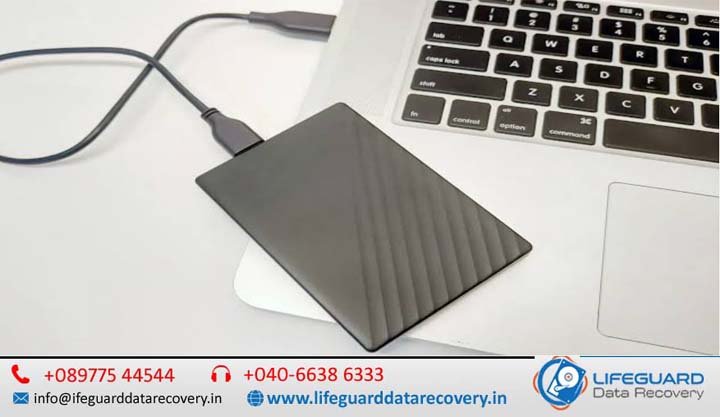
When your external hard drive stops working or your files mysteriously disappear, it can feel like losing a part of your digital life. Whether it’s accidental deletion, physical damage, or a corrupted drive, Lifeguard Data Recovery is here to help. With certified labs, expert engineers, we specialize in external hard drive data recovery in India and external drive recovery in Hyderabad with the fastest turnaround times in Lifeguard Data Recovery. Why Choose Professional External Hard Drive Data Recovery? An external hard drive can fail for many reasons -from accidental drops to firmware corruption. Attempting DIY recovery can cause permanent data loss. Our certified lab external drive recovery ensures safe handling, accurate diagnosis, and maximum recovery success rates. External Hard Drive Data Recovery in India -Professional External HDD Recovery Services An external hard drive is one of the most convenient ways to store important documents, family photos, business records, videos, backups, and creative projects. However, when an external hard drive suddenly stops working or your files become inaccessible, it can be a stressful experience. Whether the issue is caused by accidental deletion, physical damage, file system corruption, firmware failure, or mechanical defects, professional recovery services can often restore your valuable data. At LifeGuard Data Recovery, we provide reliable external hard drive data recovery in India for individuals, businesses, photographers, students, and organizations. Our experienced recovery engineers use advanced diagnostic equipment and specialized recovery techniques to retrieve lost data from damaged, corrupted, and failed external hard drives of all brands and capacities. With certified recovery laboratories, modern cleanroom facilities, and a high recovery success rate, we are committed to recovering your data safely while maintaining complete confidentiality. Why Choose Professional External Hard Drive Data Recovery? External hard drives are delicate storage devices that can fail without warning. Many users attempt DIY recovery software or repeatedly reconnect the drive, which often worsens the damage and reduces the chances of successful recovery. Professional recovery offers several advantages: Safe handling of physically damaged drives Advanced recovery tools unavailable to consumers Cleanroom facilities for internal drive repairs Accurate diagnosis before recovery begins High recovery success rates Secure handling of confidential files Fast turnaround for urgent recovery cases Choosing professional external drive recovery in India significantly increases the likelihood of recovering your valuable data without causing permanent damage. Common Causes of External Hard Drive Failure External hard drives can fail for both logical and physical reasons. Accidental File Deletion Files deleted accidentally or removed using Shift + Delete may still be recoverable if the drive has not been overwritten. Drive Formatting Formatting an external drive removes access to stored files. Professional recovery can often restore formatted data. File System Corruption Unexpected power failures, improper ejection, malware, or software errors may corrupt the file system, making the drive unreadable. Physical Damage External hard drives frequently suffer damage from: Drops Water exposure Fire damage Electrical surges Excessive vibration Physical damage usually requires specialized recovery equipment. Mechanical Failure Internal mechanical failures include: Head crashes Spindle motor failure Stuck read/write heads Clicking sounds Grinding noises These issues require cleanroom repairs before data extraction. Firmware Corruption Corrupted firmware prevents the drive from communicating correctly with the computer, making professional firmware repair essential. Common reasons you may need our service: Accidental deletion external hard drive recovery Physical damage external HDD recovery Corrupted external drive data recovery RAW external hard drive recovery Clicking sound external drive recovery Damaged PCB external HDD recovery External hard drive head crash recovery Our External Hard Drive Data Recovery Services Across India We recover data from all brands and models of external hard drives, no matter the cause of failure. Brand-Specific Recovery Expertise Seagate external drive recovery WD (Western Digital) external HDD data recovery Toshiba external hard drive data recovery Samsung external drive recovery SanDisk external HDD recovery Specialized Recovery for Complex Issues Our advanced tools allow us to recover data even from the most challenging cases: Firmware repair external drive recovery RAID external drive data recovery Damaged PCB external HDD recovery External hard drive head crash recovery Why LifeGuard Data Recovery is the Best Choice in India We’re not just another data recovery company – we’re India’s most trusted external hard drive recovery service. Here’s what makes us stand out: Fast turnaround external hard drive recovery Affordable external HDD data recovery rates Certified lab external drive recovery facilities Secure external drive recovery service with full confidentiality Serving Customers Nationwide We provide external hard drive recovery services India-wide, including: External hard drive recovery Hyderabad External HDD recovery near me India External data recovery center India in multiple cities Whether you search for “external hard drive recovery near me” or “best external hard drive recovery India”, you’ll find LifeGuard Data Recovery ready to help. Our Recovery Process Diagnosis- We assess your drive in our certified lab. Quote & Approval -Transparent pricing before we start. Data Recovery -Using advanced tools for maximum results. Data Delivery – Secure transfer of recovered files. Get Started Today Don’t risk your data with unverified methods. Contact LifeGuard Data Recovery – the best external HDD recovery company in India. Call us now or visit our external data recovery center India for expert help.

NAS drive failure recovery in India
Life Guard

NAS drive failure recovery in India

A True NAS drive failure recovery in India can be a nightmare for both home and business users. Your NAS is the central hub for all your files, backups, and sometimes even business-critical databases. When it refuses to start, the immediate fear is data loss -but don’t panic. In most cases, your data is still safe on the storage drives, and with the right NAS data recovery service in Lifeguard Data Recovery, you can get it back intact. Whether you have a Synology NAS, QNAP, ASUSTOR, WD, or a custom-built True NAS server, understanding the causes of failure and the available recovery methods is key to minimizing downtime. Recovering the Data from a NAS with No Power If your NAS refuses to power on, it doesn’t automatically mean your data is gone. causes include: Power supply failure Motherboard or controller card damage Faulty RAM Short circuits caused by overheating or dust buildup In such situations, a professional NAS recovery service near me can safely extract the drives and connect them to a specialized recovery workstation. This process bypasses the failed NAS hardware entirely, allowing experts to recover NAS data directly from the drives. Never attempt to repair the electronics yourself unless you have hardware recovery experience — one wrong move can cause irreversible damage. NAS Data Recovery: Recover Data from NAS (over network) Sometimes the NAS powers on but refuses to boot correctly due to a corrupt boot partition or RAID configuration error. If your NAS supports SSH or Telnet access, you might still be able to pull data over the network before complete failure. A professional NAS data recovery team can: Mount your RAID array virtually Rebuild corrupted file systems Extract and transfer data to external storage Maintain the integrity of file hierarchies and permissions If remote access isn’t possible, recovery experts will clone each drive before working on them to ensure no further data loss. NAS Failure – How to Access Data – Reclaim Me File Recovery Reclaim File Recovery is a trusted software solution for DIY users who want to try NAS data recovery at home. It can detect multiple RAID configurations, even without the NAS enclosure. However, it requires the drives to be connected to a Windows PC, so you’ll need SATA ports or USB adapters. What happens if my NAS hard drive fails? – ASUSTOR Inc. When one drive fails in a RAID 5 or RAID 6 setup, the NAS can often continue running in a degraded mode. However, ignoring the failure risks a second drive failure, which can cause complete data loss. ASUSTOR Inc. recommends replacing failed drives immediately and always keeping a recent backup – ideally saved to Google Drive or Gmail for offsite safety. Recover NAS Data – Chasity Documentation Chasity Documentation outlines recovery strategies for enterprise-grade NAS systems, including snapshot restores, cloud replication, and granular file recovery. These techniques often require advanced IT knowledge, so smaller businesses may benefit from outsourcing to a NAS data recovery company. Hard Drive Data Recovery: How to Recover Data From a Dead Hard Drive If your NAS drive is physically dead – clicking, grinding, or not spinning- data recovery requires a cleanroom environment. Specialists replace damaged read/write heads or repair failed PCBs before cloning the data. This is the most complex and costly type of NAS data recovery, but often the only option for mission-critical information. NAS Failure – How to Access Data Accessing NAS data after failure involves: Identifying the type of failure (software vs. hardware) Cloning drives to prevent further deterioration Rebuilding the RAID array using specialized tools Extracting data to a secure medium NAS Failure – How Do You Access The Failed NAS Drive If the NAS enclosure itself is faulty but the drives are intact, you can remove them and connect directly to a recovery workstation. Keep in mind that RAID arrays store data across multiple disks in a specific order – mixing up the sequence can corrupt recovery efforts. How to Recover Data from Failed NAS Drives? Step-by-step: Power off the NAS immediately Label and remove the drives in the correct order Contact a NAS data recovery service – Recover Data from NAS Server Allow professionals to clone and rebuild your RAID NAS Data Recovery Service A NAS data recovery service can handle everything from firmware corruption to multi-drive RAID failures. Look for a provider with: Cleanroom facilities for physical drive repairs RAID reconstruction expertise Support for all NAS brands (Synology, QNAP, True NAS, ASUSTOR, WD) Transparent NAS data recovery cost estimates NAS Data Recovery Service – Recover Data from NAS Server If your NAS contains sensitive client or business data, choose a provider that guarantees data confidentiality. This is particularly important in industries like finance, healthcare, and law People also search for NAS RAID recovery QNAP data recovery Synology NAS repair Network storage recovery tools Best NAS for data backup NAS recovery software reviews FAQs – NAS Drive Failure Recovery Q1: What causes NAS drive failure?NAS drive failure can occur due to physical issues like head crashes, motor failure, or PCB damage, as well as logical problems such as RAID corruption, firmware errors, or file system damage. Power surges, overheating, and improper shutdowns are also common culprits. Q2: Can data be recovered from a failed NAS drive?Yes. In most cases, data can be recovered from a failed NAS drive using specialized NAS data recovery services. The success rate depends on the extent of damage and whether the drives were overwritten after the failure. Q3: How much does NAS drive failure recovery cost?NAS drive recovery costs vary depending on the severity of the failure, number of drives, RAID type, and whether cleanroom repairs are required. Simple recoveries can cost a few hundred dollars, while complex RAID rebuilds can cost significantly more.

Scroll to Top